Blossom or Bloom: which is the best app to identify and care for plants?
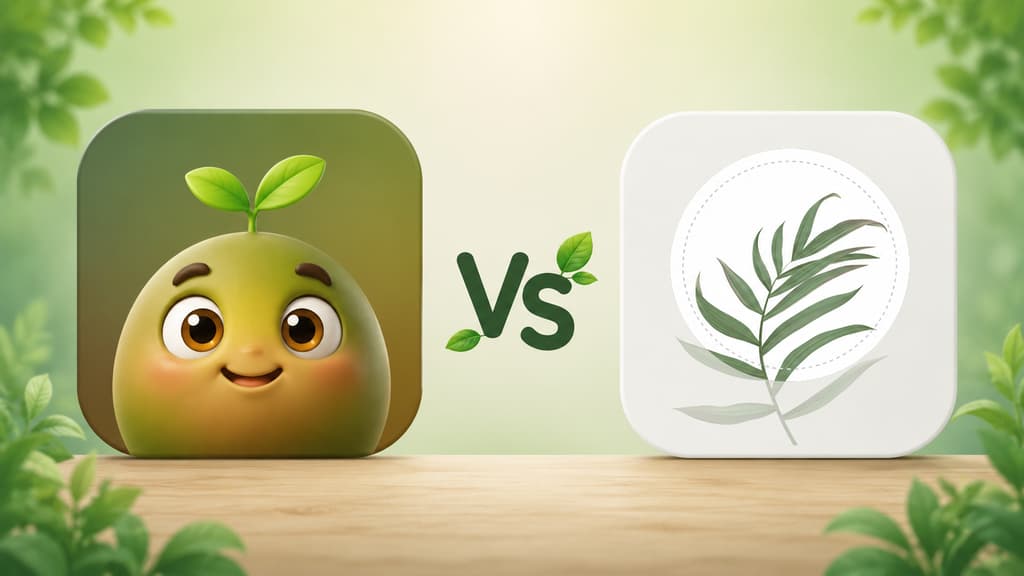
Blossom or Bloom? I downloaded both plant apps, used them in real life, and I am telling you honestly which one is more worth it for identifying and caring for your plants.
Let me start with a confession, for anyone who has not met me here before: I have sent more succulents to the great beyond than I care to admit. For a long time I thought I just did not have the touch, until it hit me that what I did not have was information. My fern kept me guessing whether it was thirsty, sunburned, or simply in a mood, and there I was, watering on pure instinct. If you made it this far, I think we already understand each other.
That urge to stop guessing is what made me download the two apps that kept showing up every time I searched for "app that identifies plants": Bloom and Blossom. The names are similar, the promises are too (identify a plant from a photo, give care tips, send watering reminders), but using one and using the other are pretty different experiences. This piece is everything I wish I had known before installing both.
The short version, if you are in a hurry
If you just want the quick answer, here is the condensed take, mixing in what each one does best.
You only want to find out the name of that plant right now and get on with your day: either one works.
You love a polished opening, with a gorgeous video of a flower unfurling: Blossom.
You are a beginner and want an app that feels like a friend walking you through it, with a cute character at your side: Bloom.
You have several plants at home and want care organized by room, all in one place: Bloom.
You like seeing a store rating and thousands of reviews before you start: Blossom.
You have a cat, a dog, or a small child at home and need to know if a plant is toxic: Bloom.
You are done guessing at watering and want the amount in milliliters: Bloom.
You want long, satisfying content about each plant after you identify it: Bloom delivers the fuller profile.
Now, if you have a few more minutes with me, I will tell you how each app actually felt, with screenshots so you can see it for yourself.
Getting to know Bloom
The very first screen won me over
When you open Bloom, you are greeted by Pip, a little 3D character that looks like a sprout with arms and enormous eyes. I know it can sound silly from a distance, but that warmth is exactly what was missing in the other apps I tried. Instead of a cold list of features, Pip shows up to say hi and to tell you the two of you are going to figure out what is going on with your plants together. For someone who arrives a little lost, the way I did, that changes the mood instantly.
Identifying an actual plant
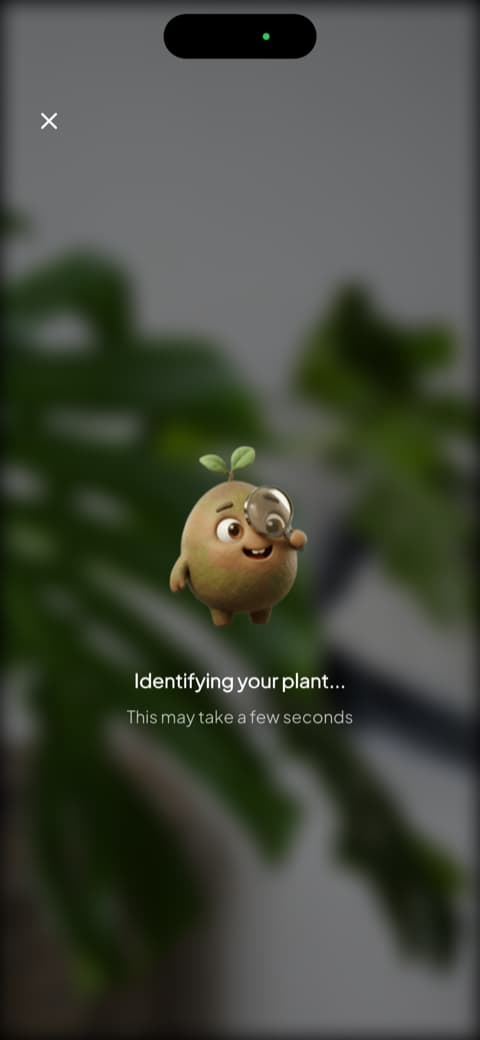
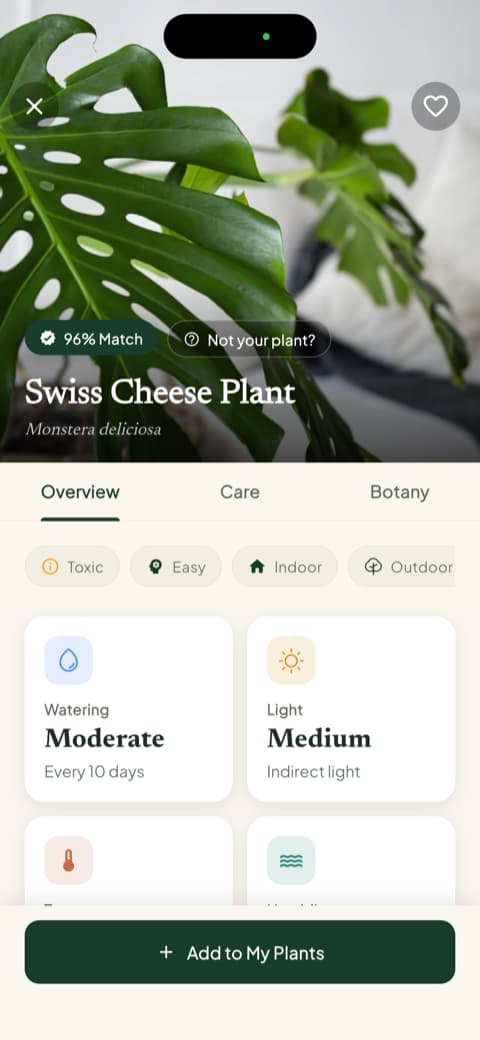
This is where the app shines. You open the camera, point it at the plant, and Pip appears with a magnifying glass, investigating. It is a small thing, I know, but the animation turns the wait into part of the fun instead of a spinning wheel. I tested it with a Swiss cheese plant (the famous monstera) and the result came back with a match percentage, 96%, the common name, and the scientific name. On that same screen, without a single extra tap, I already had the watering frequency, the light type, the temperature range, and the humidity it likes.
The app recognizes more than 35,000 species and gets it right about 9 times out of 10, a number confirmed by independent testing. I put a succulent, basil, a fern, a monstera, and a ZZ plant in front of it and it did not miss once.
The profile answered things I did not know to ask
Scrolling down that screen is when I understood Bloom was not just handing me a name. There is a toxicity section that spells out whether the plant is harmful to cats, to dogs, and to children. I have a cat who nibbles every leaf in sight, and that information was worth more to me than any botanical trivia. Right below it comes the list of disease risks for that species, sorted into high, moderate, and low, so you walk away already knowing what tends to go wrong with that plant.
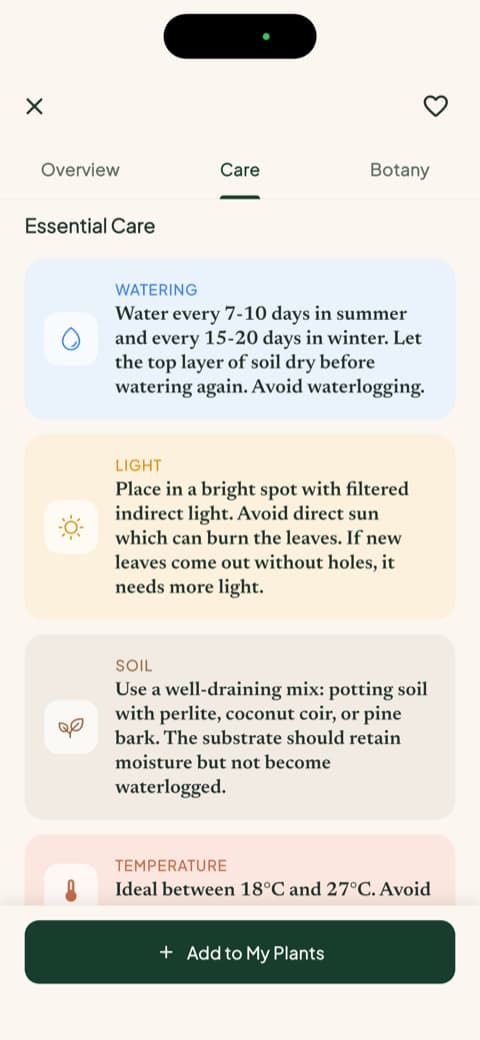
After that there is the care tab, with watering, light, soil, temperature, ideal pot, and how to propagate, all in plain human language. And there is the botanical part, with scientific classification, symbolism, and blooming season. I tapped in out of pure curiosity and read it to the end.
The garden became my favorite thing
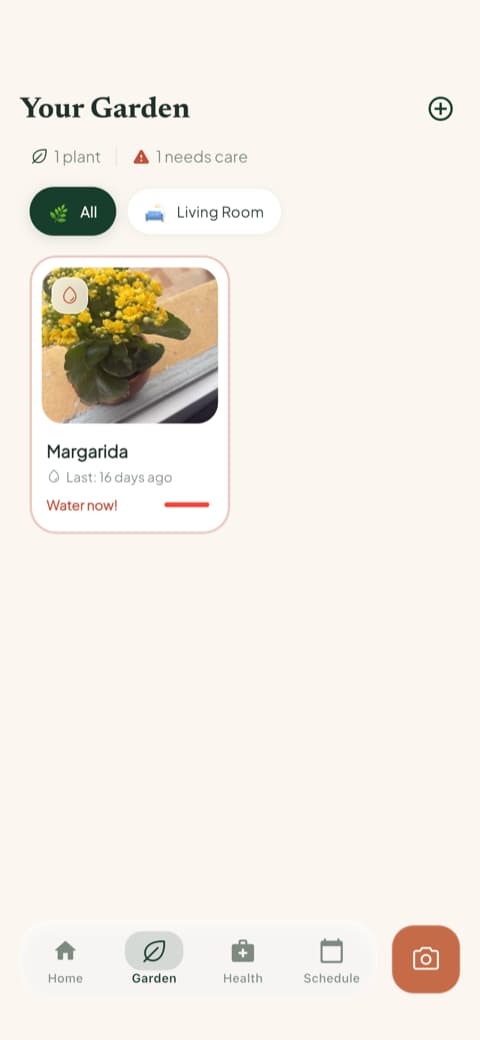
Once you identify a plant, the app asks which room of the house it lives in and adjusts the care for that light. I saved mine as the fern in the kitchen window and it suggested the right routine for that spot. The garden gathers every plant you added, organized by room, and each plant card tells you when watering is overdue. I check it in the morning the same way I check the weather.
There is also a care schedule that separates what is overdue, what is due today, what is coming up, and what you already finished, and it is not only watering: it includes fertilizing, pruning, rotating the pot, repotting, and even progress photos. If you have plants scattered around the house, that is what keeps you from forgetting somebody in a corner.
Milliliters instead of guesswork
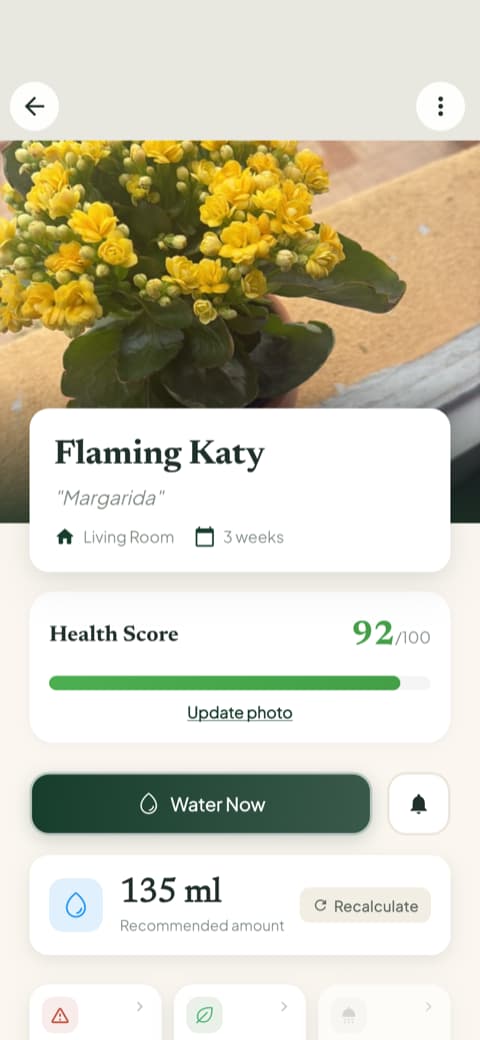
This is the detail that made me quit guessing for good. Inside each saved plant, Bloom shows a health score from 0 to 100 and the amount of water in milliliters calculated for that plant, in that pot, in that spot of the house. My kalanchoe came out at 135 ml, and there is a recalculate button for when you change the pot or move the plant somewhere else. Going from "water when the soil feels dry" to an actual number on the screen changed my relationship with the watering can.
Next to that sit the care history and the progress photos, which is where you get to watch the plant improve over time. Taking a photo once a month has become my little Sunday ritual.
Getting to know Blossom
The opening is breathtaking
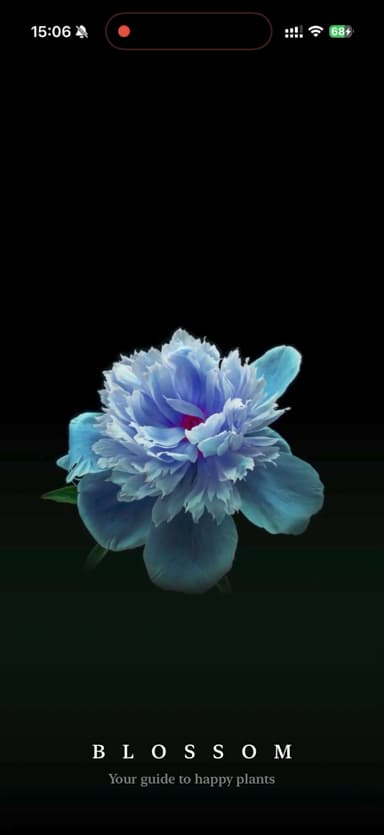
Blossom opens with a beautiful video of a blue flower unfurling in the dark, with the word "Blossom" and the line "Your guide to happy plants". I admit I stopped to watch it. It is one of the prettiest openings I have seen in a plant app, and it looks expensive right away. If you appreciate a carefully crafted look, you will enjoy that first impression.
It shows what it is for right away
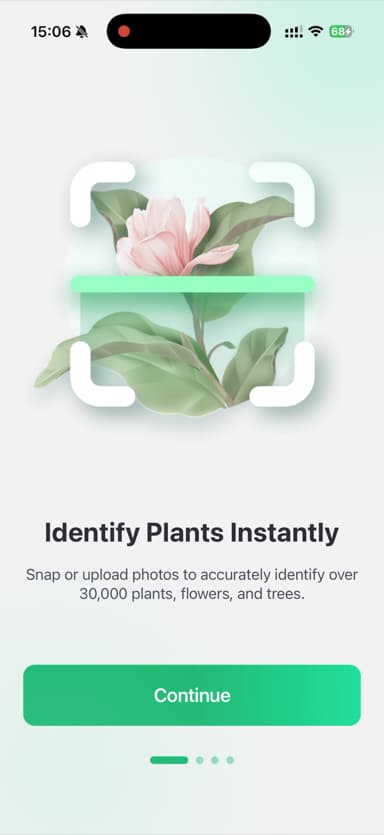
Next come a few screens explaining what the app does. The first says it instantly identifies more than 30,000 plants, flowers, and trees, with a lovely illustration of a flower being scanned. Then it shows that it also diagnoses problems, so you quickly get that it is there both to find a name and to rescue a sick plant.
The ratings show up early
On one of the following screens, Blossom shows its store rating, 4.6 stars, and more than 122,000 reviews, with the line "Top-Rated Plant Expert". It is a different choice from Bloom's: here the stars of the show are the numbers and the approval of a big crowd, not a character. If you like seeing that plenty of people approved before you invest your time, that counts in its favor.
It lets you set up your first plant before asking for anything
Something I thought was smart: before asking you for anything, Blossom invites you to add your first plant, searching by name or by photo. I added a sunflower and it showed me the profile with the care section ready, telling me how often to water and fertilize. It is nice to see the app actually working before any request, and that was the part of Blossom I liked most.
Let me be honest about one thing, because that is what a real review is for: right after that pleasant part, Blossom asks you to create an account before it lets you into the main screen. A few taps gets you through, but I admit I would have preferred to explore a bit more first.
Comparing point by point
Now that I have introduced you to both, let me organize what actually matters when it comes time to decide. I set aside the behind-the-scenes details and went for what counts for someone who just wants to take good care of their plants.
Identifying a plant from a photo
Both identify well, and neither one missed in my tests. Blossom is fast and pretty, handing you the name and the profile with that polished finish. Bloom takes a few extra seconds, but it shows the match percentage and delivers a richer profile, with alternative names, ideal conditions, and practical tips, so every identification turns into a mini lesson. If you only want the name, either one does the job. If you want to understand what you just got, Bloom is more generous with the explaining.
Day-to-day plant care
Bloom really worked on the organization. When you add a plant, it asks which room it lives in and adjusts the care for that spot. The schedule separates what is overdue, what is due today, and what comes next, and each plant also gets a health score and a watering amount in milliliters. Blossom does the basics well, with watering and fertilizing reminders coming from each plant's profile, and keeps everything in a "My plants" list. If you have several plants spread around the house, or if you never know how much water is too much, Bloom helps more.
Whether that plant is safe to have at home
Here the difference was clear. Bloom puts toxicity for cats, dogs, and children right in the plant profile, with no digging around, and it even has a shortcut to check that straight from the quick actions menu. It is the kind of thing that only seems like a detail until the day your cat decides to sample the new leaf. Blossom falls short on this one.
Tools beyond identification
Bloom has a quick actions menu that does more than I expected: identify a plant, diagnose a disease, measure the light in a room, identify a weed, check toxicity, and see water needs. I used the light meter to decide whether the monstera could handle that corner of the living room, and the weed identifier saved me from yanking out a seedling that was sprouting on its own in a pot. Blossom is more focused on identifying and diagnosing.
Content to learn more
Bloom brings complete care guides inside each plant profile, with watering, light, soil, temperature, ideal pot, and propagation, plus the botanical section with classification, symbolism, and blooming. I opened one meaning to skim and read the whole thing. Blossom has a nicely made discovery tab, with tips and even short videos to learn from as you scroll. If you enjoy quick, visual content, Blossom delivers. If you like going deep on a plant, Bloom goes further.
Look and feel
This one is partly personal taste, but it makes a difference over time. Bloom leans light, colorful, and cute, with Pip keeping you company. If you are a beginner and afraid of messing up, that warmth counts as a feature, not decoration. Blossom bets on a more sophisticated, elegant mood, with beautiful photography and that movie-like opening. It comes down to which mood you prefer.
Disease identification
Both help when a plant starts signaling that something is off. Blossom puts that feature front and center in the first screens, making it clear that it diagnoses problems, and it uses a line that got me: "Tired of killing your plants?". Bloom also diagnoses from a photo and, on top of that, shows you before any problem appears which diseases that species tends to get, sorted by risk level. In both apps the feature is obvious from the start, but Bloom holds your hand longer, until the plant gets better.
Who is each app for?
Bloom is for you if...
You like it when an app seems to care about you. You are a beginner and want someone guiding you without judging you. You have more than one plant at home and want care organized by room, all in one place. You live with a pet or a child and need to know what is safe to leave within reach. You want to stop guessing at watering and see the right amount on the screen. You enjoy reading complete guides about the plants you own.
Blossom is for you if...
You fall for a gorgeous look and a polished opening. You like seeing a rating and thousands of reviews so you can trust it right away. You enjoy quick, visual content, with videos to watch. You mostly want to identify and diagnose, without so many tools around it.
My honest conclusion
If you asked me which is the best app to identify and care for plants, my answer would be Bloom. It made me feel welcome from the very first screen, organized my plants by room, told me how many milliliters of water each one wanted, warned me about what was dangerous for my cat, and made me want to open the app in the morning the same way I open Instagram. Pip became my company.
But I would be unfair not to give Blossom its credit: it has one of the prettiest openings I have ever seen, it identifies well, it shows the trust of thousands of users, and it has that expensive look plenty of people will love. If what wins you over is a beautiful app with plenty of good reviews behind it, that might be the one for you.
If you are still on the fence, download both. Both let you try things out before you commit, so it is worth seeing which one fits your way of caring for plants. In my case, Bloom is the one that stayed on my phone. And the basil I almost killed a while back? It is thriving, waiting to be chopped over a bowl of pasta. We understand each other now.
And if your fern ever looks happy again, I will be happy right along with you.
This review was written after testing both apps hands on, on an iPhone. Apps change over time, so some screens may look different by the time you download them.
Related articles

The 6 Best Plant Apps for Beginners
New to plants and worried you'll kill them? Here are the six best plant apps for beginners, tested for how easy they make identifying and caring for your first plants.

The 5 Best Apps to Remember to Water Your Plants
Always forgetting to water your plants? Here are the 5 best apps that remember for you, tested for smart reminders that actually fit your routine.

The 7 Best Apps for People Who Always Kill Their Plants
If your plants keep dying no matter how hard you try, these 7 apps were made for you. Here are the ones that actually help keep a plant alive.