Botan Alternative: A Plant App That Is Simple From the First Use
Thinking about switching from Botan? Here is an honest look at where it shines, where it falls short, and the alternative winning over plant lovers.
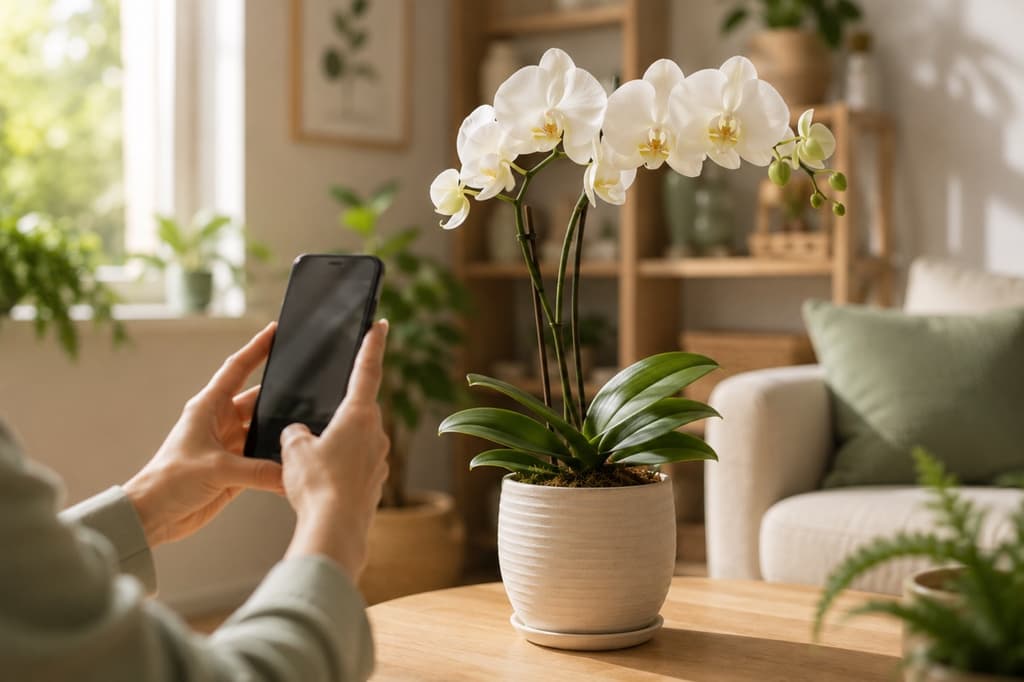
Botan makes a lovely first impression. You open the app and a friendly message greets you: welcome, let's grow together. The animations are polished, the screens are pretty, and the promise is clear. Point your camera at a plant and Botan will tell you what it is, and even what might be making it sick.
That warm hello is genuine. But somewhere between the greeting and your first photo, a lot of people start to feel like the app wants something from them before it has given anything back. If that feeling is what brought you here, you're in good company. Let's look at what Botan does well, where the experience can wear you down, and why so many plant lovers are settling in with Bloom instead.
What Botan genuinely does well
Fair is fair. Botan knows how to present itself. The welcome sequence is friendly, and the app shows off its two main talents right away with beautiful visuals: identifying plants and diagnosing diseases.
There are thoughtful touches, too. Before you take your first photo, Botan shows a helpful list of do's and don'ts, like centering the plant in the frame and finding good light, so your picture works on the first try. It also takes a moment to explain why reminders are useful before asking permission to send them, which is more courteous than most apps manage. Scroll down the home screen and you'll find articles and extra tools, so there's plenty to read and explore between waterings.
Where the experience starts to feel crowded
Here's the flip side. From the moment Botan opens, it starts asking. Permission to follow your activity across other apps. Permission to send notifications. Then, before you've identified a single leaf, a full offer screen slides up. And even after you reach the home screen, a large promotional banner sits at the top, occupying the space where you might expect to see, well, your plants.
None of this makes Botan a bad app. It simply means the experience is built around the app's needs as much as yours. Some people don't mind. Others open a plant app hoping for a quiet, pleasant corner of their phone, and all that asking wears thin fast.
Bloom flips the order: your plant comes first
Bloom was designed around one simple idea. The plant in front of you is the main event, and everything else can wait. The app is guided by Pip, a cheerful little sprout who feels less like a mascot on a sales mission and more like a gardening friend who's just happy you stopped by.
Take a photo and you're off.
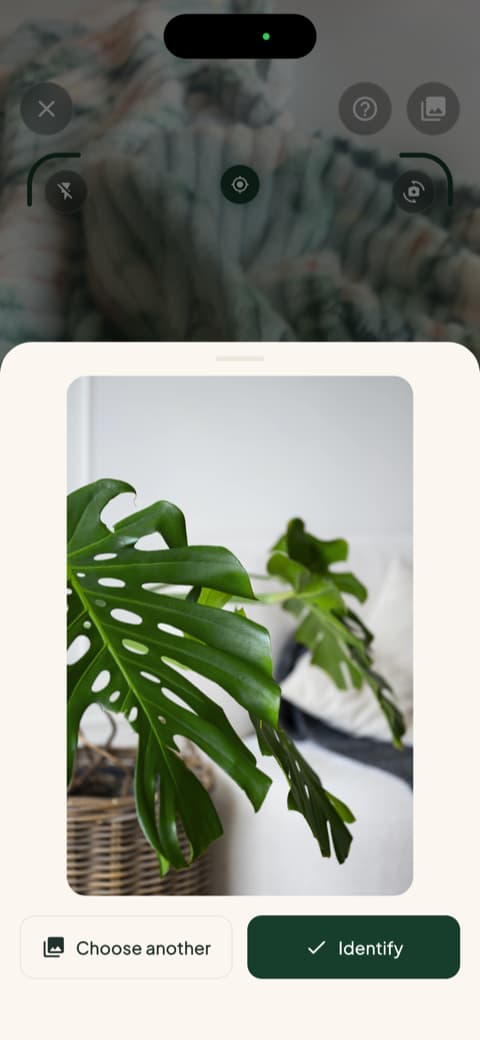
No hoops, no interruptions in the middle of the moment. Just you and your mystery plant.
Identification you can actually rely on
Behind Pip's friendly face sits some serious plant knowledge. Bloom recognizes more than 35,000 species and gets the identification right about 9 times out of 10. That number isn't a marketing flourish. It comes from independent research that put the technology behind Bloom to the test with real photos.
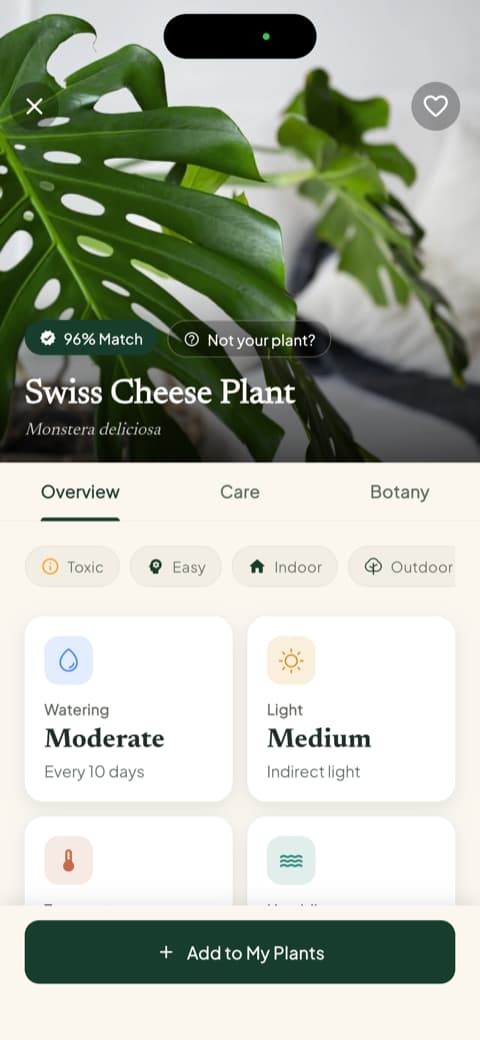
And the name is only the beginning. Along with it, Bloom hands you the full care picture in plain words: how often to water, how much light it wants, the temperature it prefers, and whether it belongs on the windowsill or out on the porch. You never get a Latin name and a shrug.
The safety check every household appreciates
Here's a detail that wins people over fast. Every plant profile in Bloom tells you, right up front, whether that plant is safe around cats, dogs, and children.
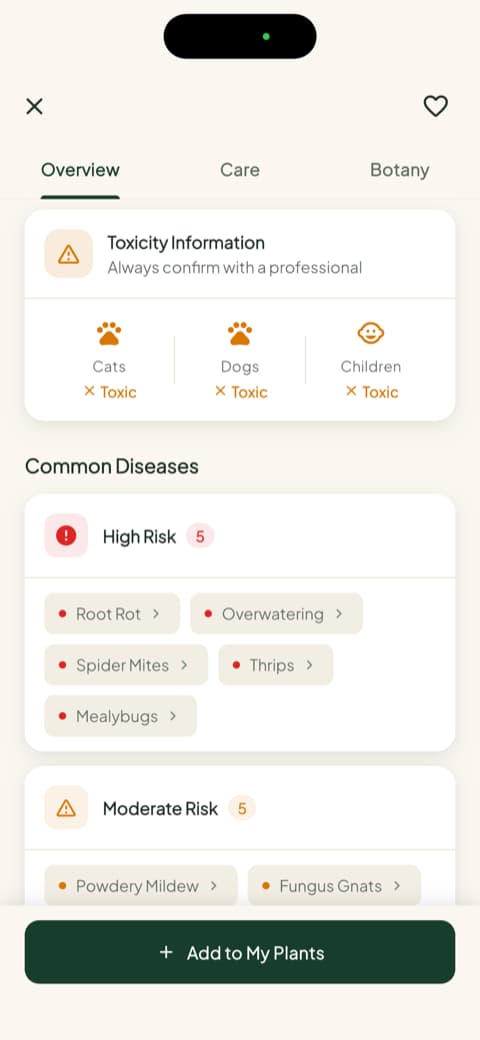
If you've ever caught your cat chewing on a leaf and spent the next hour searching the internet in a mild panic, you already know why this screen matters. Bloom puts the answer where you'll see it before the plant ever comes home, not buried somewhere you'd have to think to look.
Watering by the milliliter, not by the mood
Most houseplants don't die of thirst. They drown, slowly, from one well-meant extra watering after another. Bloom solves this with numbers instead of hunches. Each plant you add gets a health score and a specific amount of water, calculated for that exact plant, in that pot, in that spot of your home.
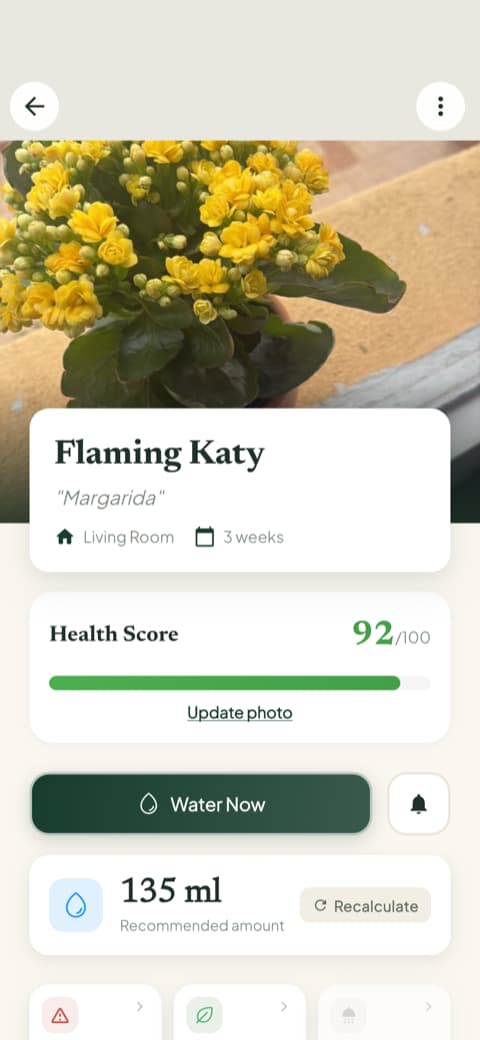
When it's time, Bloom gives you a gentle nudge. When it's not, it stays quiet. Your plants get consistency, and you get to stop second-guessing yourself every time you pick up the watering can.
A home screen that shows your garden, not a billboard
Open Bloom and the first thing you see is your own garden: your plants, their photos, and a friendly note about who needs attention today.
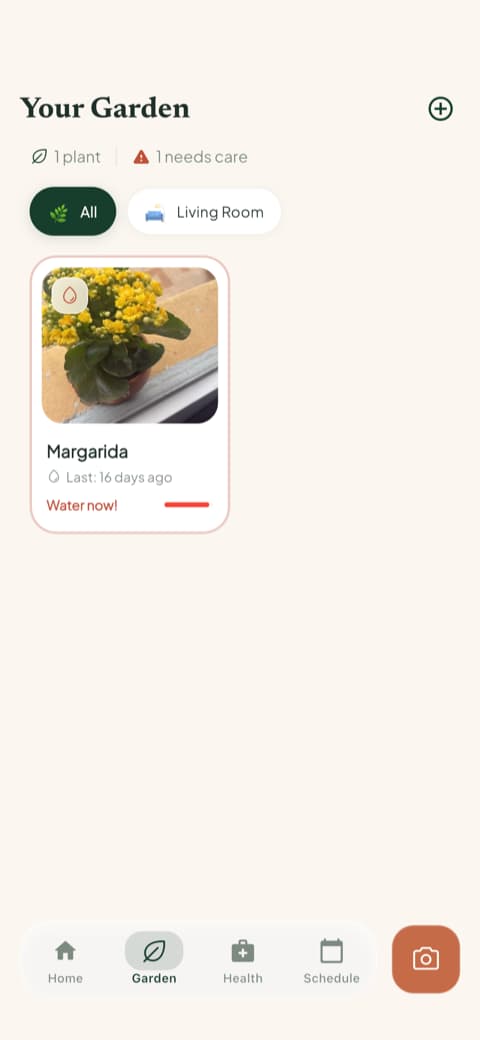
From there, the care schedule keeps everything organized, showing what's overdue, what's due today, and what's coming later in the week. Bloom also keeps a care history and progress photos for each plant, so months from now you can scroll back and actually see how far that scraggly little cutting has come. It's a small feature that turns plant care into something you can feel proud of.
And when something goes wrong, help is one tap away
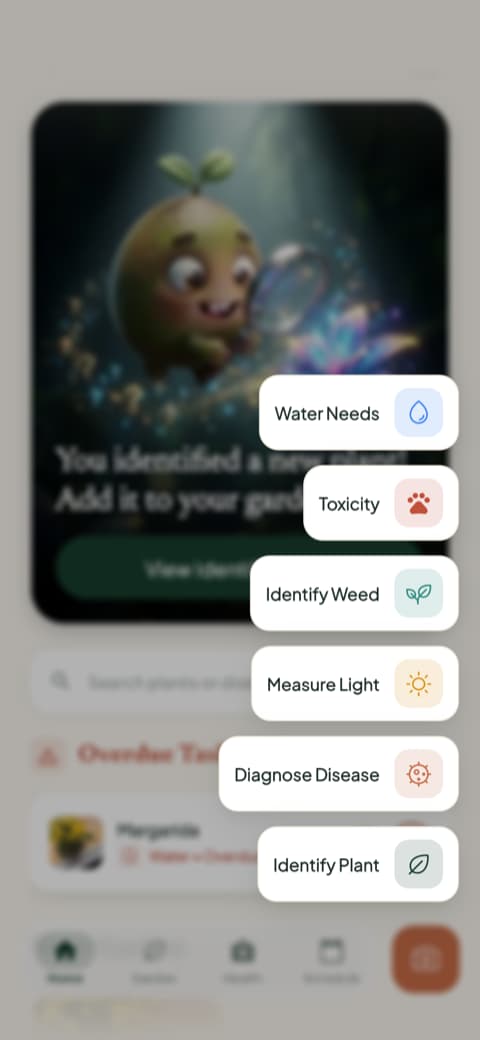
Yellowing leaves? Strange spots? Bloom can diagnose plant problems from a photo, and every plant profile lists the diseases that species is most prone to, sorted by how likely they are. There's also a light meter for finding the brightest corner of a room, a weed identifier for the garden, and a quick toxicity check, all gathered one tap from the home screen.
So, Botan or Bloom?
Here's the honest wrap-up.
Botan is a good-looking app with real strengths, especially its photo tips and its library of articles. If you don't mind the promotional layer wrapped around it, it can serve you well.
Bloom is for people who want the plant care itself to be the whole experience. Identify a plant in seconds, check if it's safe for the whole family, water the exact right amount, and let a friendly reminder carry the mental load. Bloom's community rates it 4.8 stars, and once you've had a home screen that greets you with your own garden, it's hard to go back.
Download Bloom, point the camera at your nearest plant, and let Pip introduce himself.
Related articles

The 5 Best Apps to Remember to Water Your Plants
Always forgetting to water your plants? Here are the 5 best apps that remember for you, tested for smart reminders that actually fit your routine.

The 6 Best Plant Apps for Beginners
New to plants and worried you'll kill them? Here are the six best plant apps for beginners, tested for how easy they make identifying and caring for your first plants.

The 7 Best Apps for People Who Always Kill Their Plants
If your plants keep dying no matter how hard you try, these 7 apps were made for you. Here are the ones that actually help keep a plant alive.