Plant Expert AI Alternative: Identify and Diagnose Plants Hands-On
Looking for a Plant Expert AI alternative? We took a close look at what plant lovers actually need and found a simpler way to identify and care for plants.
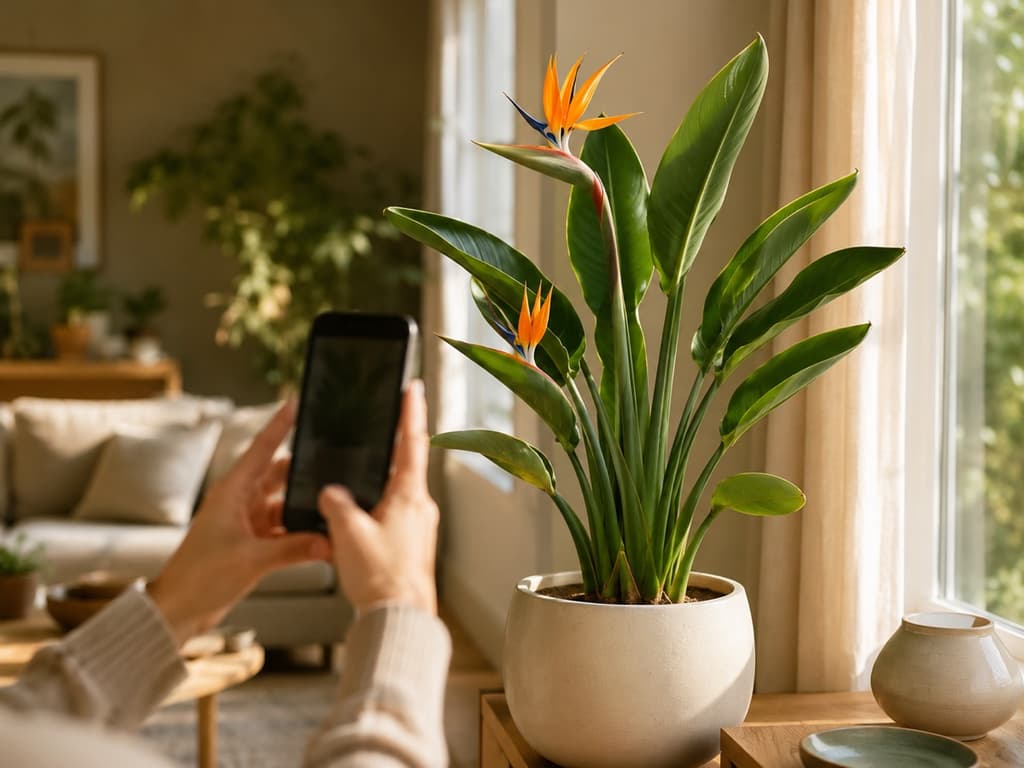
Search for a plant identifier in the App Store and you'll meet a whole family of green-looking apps. Plant Expert AI is one of them, and on first open it makes a good impression. Three friendly illustrated screens lay out three clear promises: identify plants with your camera, recognize plant diseases, and learn how to care for what you grow.
That's a solid pitch. It's also, word for word, what most of us actually want from a plant app.
The trouble is what happens between the promise and the plant. And that little moment is exactly why so many people end up looking for an alternative. If that's how you landed here, let me introduce you to Bloom, an app built on a very different idea: show people what you can do, then let them decide.
First, though, some honest credit.
What Plant Expert AI gets right
The presentation is genuinely nice. The illustrations are consistent and well made, the text is short and clear, and each screen focuses on one idea at a time. There's no wall of features to scroll through, no confusing menu maze. The app also speaks its users' language properly, with a fully translated experience rather than a half-finished one, which is more than some bigger apps can say.
Inside, the home screen offers sensible tools, including a light meter and a health check for your plants. The ingredients of a helpful plant app are all on the list.
The moment that makes people hesitate
Here's the part that catches people off guard. The introduction has four screens. The first three explain the app. The fourth looks exactly like the others, with a familiar Continue button at the bottom. But tapping Continue doesn't open the camera. Instead, you're asked to commit to the app before you've identified a single leaf, and if you step away from that screen, the same question comes right back in a new outfit.
Only after all of that do you finally reach the home screen. And since you haven't done anything yet, it's still empty, politely waiting for its first plant.
None of this means Plant Expert AI can't identify your pothos. It probably can. It just means the app asks for your trust before it has done anything to earn it. Plenty of people close it right there and go looking for an app that works the other way around.
Bloom starts with your plant, not with a decision
Bloom's first request is simple: take a photo. That's it. You point your camera at the mystery plant on your windowsill, tap Identify, and watch it work.
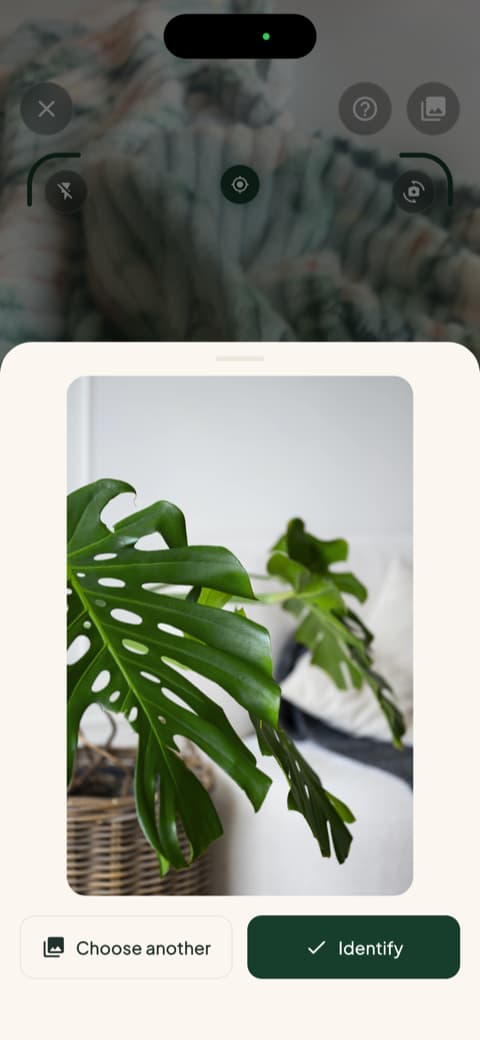
You'll also meet Pip, the cheerful little sprout who guides you through the app. Pip keeps things light, but the answers underneath are serious. Bloom recognizes more than 35,000 species and gets the identification right about 9 times out of 10, a level of accuracy confirmed by independent research rather than by the app's own marketing.
That's the whole philosophy in one gesture. You see the result first. The confidence comes from what the app does, not from what its introduction screens say.
An answer you can actually use
When Bloom identifies your plant, you don't just get a name to nod at. You get a match percentage, so you know how confident the result is, plus the care essentials right on the same screen: how often to water, what kind of light it wants, the temperature range it prefers.
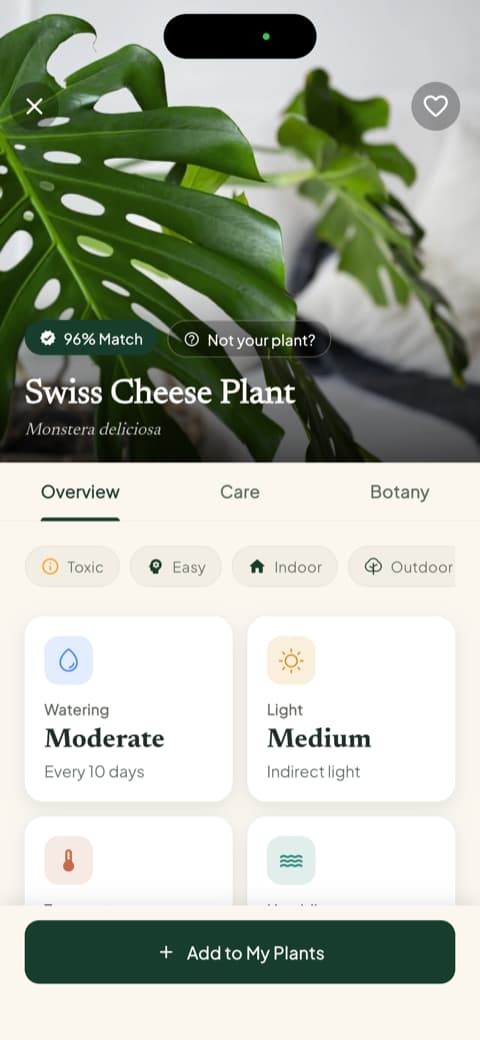
Want to go deeper? There are tabs for care details and botany, including propagation tips and what pot size your plant would choose if it could talk. It all reads like advice from a friend who happens to know plants.
Disease help before the leaves start drooping
Plant Expert AI promises to recognize diseases, and that's a genuinely useful feature. Bloom covers that ground and then goes a step further. Yes, you can photograph a sad-looking plant and get a diagnosis. But Bloom also tells you, for each specific plant you own, which problems it's most likely to face, ranked from high risk to low.
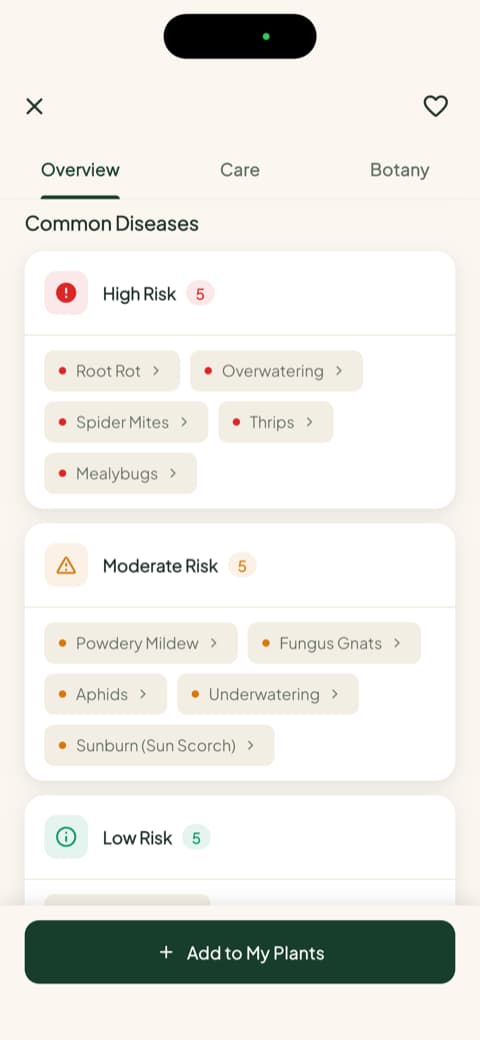
Knowing that your monstera is prone to root rot changes how you water it this week, not after the damage is done. That's the difference between reacting to trouble and staying ahead of it.
One question every plant app should answer: is it safe?
Here's something you won't find in Plant Expert AI's pitch at all. For every plant, Bloom tells you up front whether it's safe around cats, dogs, and children.
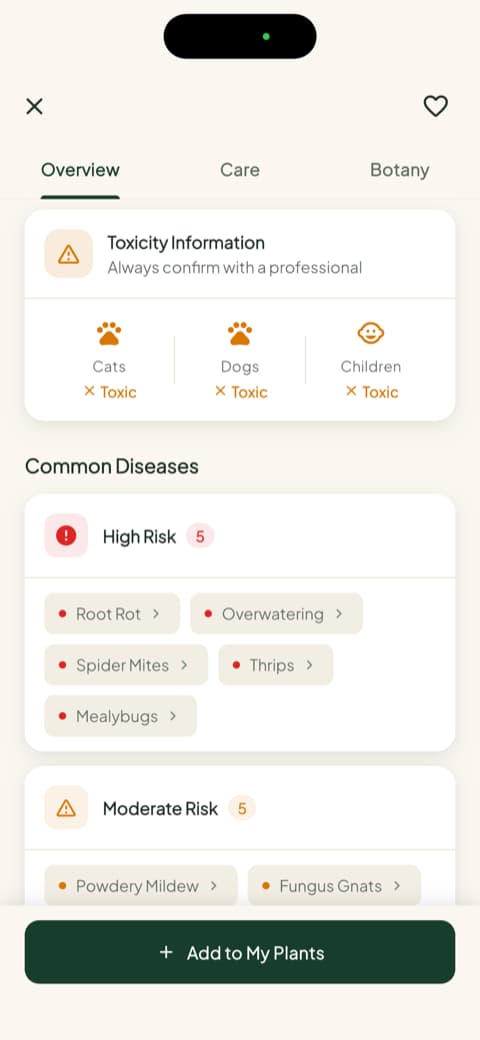
If a curious pet or a small child lives in your house, this single screen might be the most valuable thing in the whole app. It's the kind of detail that shows the app was designed with real homes in mind.
Watering by the milliliter, not by the mood
Most houseplants don't die of thirst. They drown, one well-intentioned extra watering at a time. Bloom solves this in the most concrete way possible: it tells you how much water your plant needs, in milliliters, calculated for that plant, that pot, and that spot in your home. Each plant also carries a health score, so you can see at a glance how it's doing.
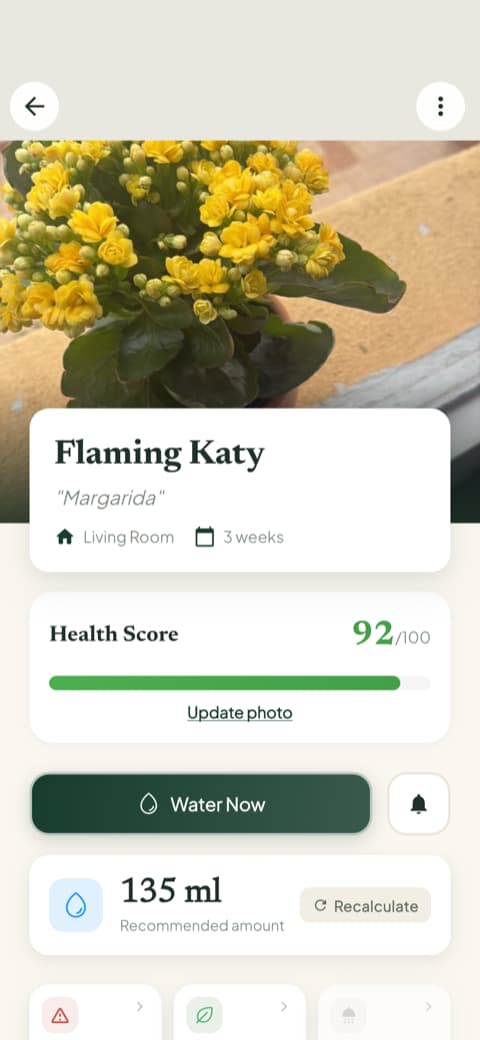
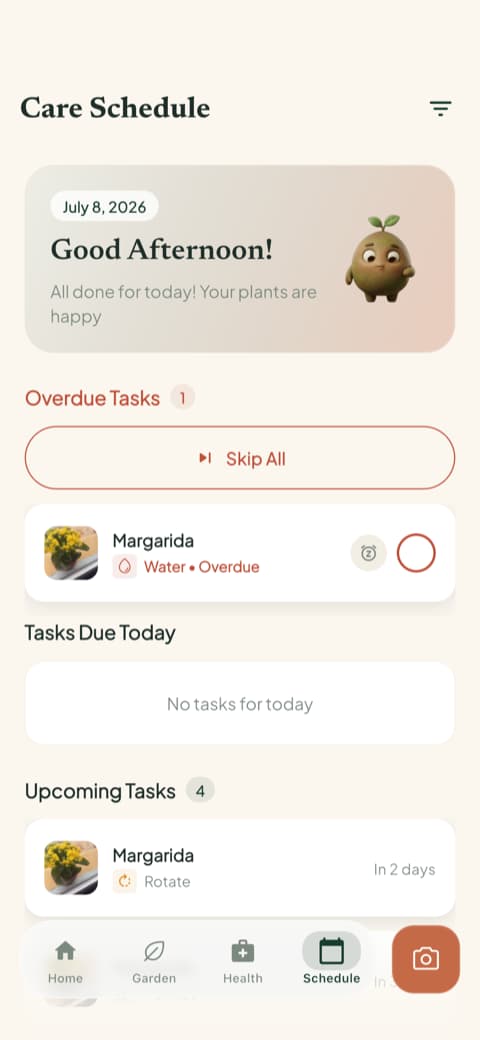
Then the care schedule quietly keeps the calendar for you. Watering, fertilizing, repotting, all organized into what's overdue, what's due today, and what's coming up.
Choosing between them
Time for the honest summary.
Plant Expert AI has an appealing introduction and a sensible set of features. If its promises match what you're looking for and you don't mind saying yes to an app early, before you've seen it in action, it may serve you fine.
Bloom flips the order. Photo first, answer first, safety information and watering guidance first, and your decision whenever you're ready. Add the friendly nudges from Pip and a 4.8-star rating from its community, and you get an app that treats trust as something to be earned.
Your plants can't read reviews. But you can watch an app identify them correctly, tell you if they're safe for your dog, and measure their water to the milliliter. That tends to settle the question.
Download Bloom, point your camera at a plant, and see for yourself. Pip is ready when you are.
Related articles

The 6 Best Plant Apps for Beginners
New to plants and worried you'll kill them? Here are the six best plant apps for beginners, tested for how easy they make identifying and caring for your first plants.

The 5 Best Apps to Remember to Water Your Plants
Always forgetting to water your plants? Here are the 5 best apps that remember for you, tested for smart reminders that actually fit your routine.

The 7 Best Apps for People Who Always Kill Their Plants
If your plants keep dying no matter how hard you try, these 7 apps were made for you. Here are the ones that actually help keep a plant alive.