PlantAI Alternative: Try Everything Before You Decide
PlantAI is popular, but is it the right fit for you? Compare the experience and discover a friendlier way to keep your plants thriving.
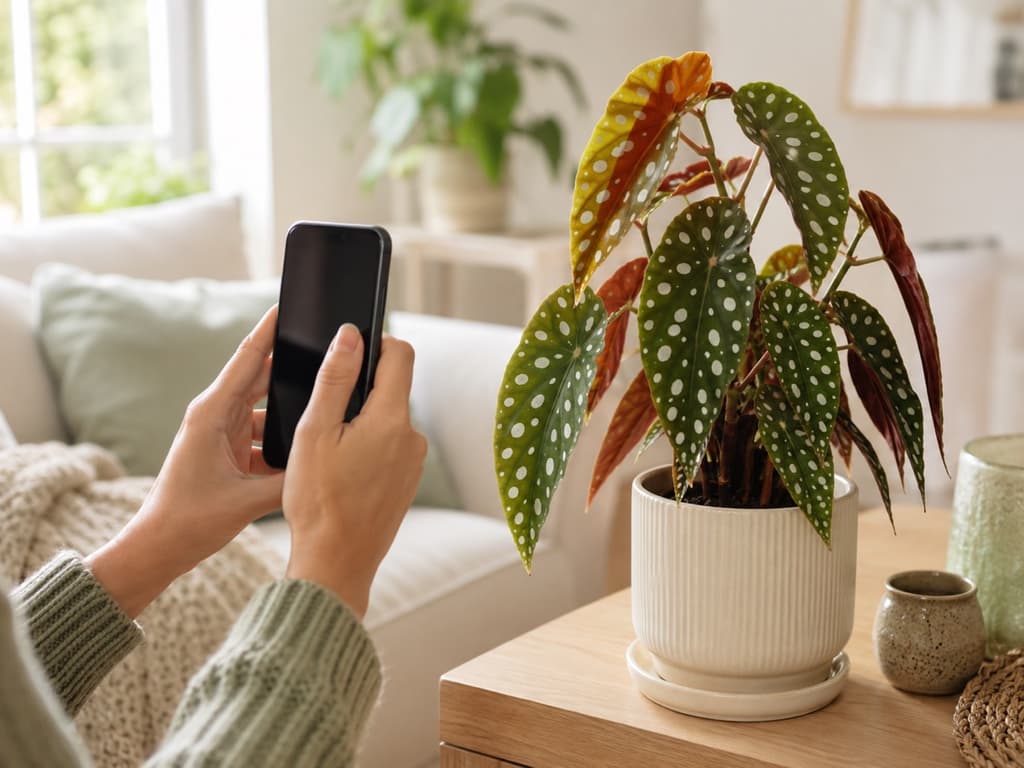
Maybe it started with a droopy pothos or a fern that turned crispy overnight. You went looking for help, found PlantAI, and liked what you read. An app where you can snap a photo, get a diagnosis, and even type questions to a botanist-style chat whenever something looks off. That sounds like exactly the kind of help a plant person needs.
Here's the part that gives some people pause. With PlantAI, you have to say yes before you get to look around. The app asks for a commitment right at the front door, before you've identified a single leaf or seen how any of it works.
Plenty of us prefer to try the shoes on before we walk out of the store in them. If that's you, let me introduce you to Bloom, a plant care app that takes the opposite approach. It shows you what it can do, right away, and lets the results speak for themselves.
First, though, let's be fair to PlantAI.
What PlantAI gets right
PlantAI has a genuinely appealing setup once you're inside. The home screen is colorful and welcoming, with a feed of trending plants and a chat where you can ask about whatever is worrying you, as many times as you like. Its tools menu is tidy and clearly labeled, covering plant identification, disease diagnosis, flowering problems, pruning, and even soil questions. The app also advertises a very large plant library, and everything unlocks the moment you're in, with no waiting around.
For someone who likes to talk through their plant problems in a conversation, that chat-first design has real charm.
But that design also shapes the whole experience. When the app is built around a chat, you do the asking. You type the question, you describe the symptoms, you follow up. And before any of that, you make your decision at the door, sight unseen. Some people are comfortable with that. Many aren't.
Bloom walks you in and shows you around
Bloom starts from a simple belief: an app should earn your trust by being useful, not by asking for it up front. Open Bloom and you meet Pip, a cheerful little sprout who acts as your guide. Pip walks you through what the app does, then gets out of the way so you can point your camera at a plant and see for yourself.
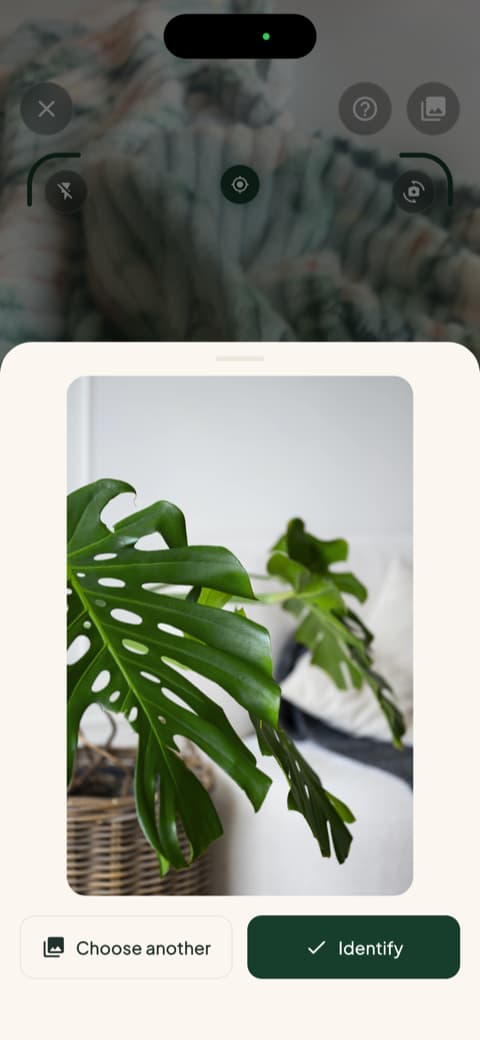
There's no chat window to fill in and no forms to describe your plant's symptoms. The camera does the talking.
An answer you can check with your own eyes
A few seconds after you snap the photo, Bloom shows you the result, along with how confident it is in the match. The technology behind Bloom recognizes more than 35,000 species and gets the identification right about 9 times out of 10, a level of accuracy confirmed by independent research rather than by our own marketing department.
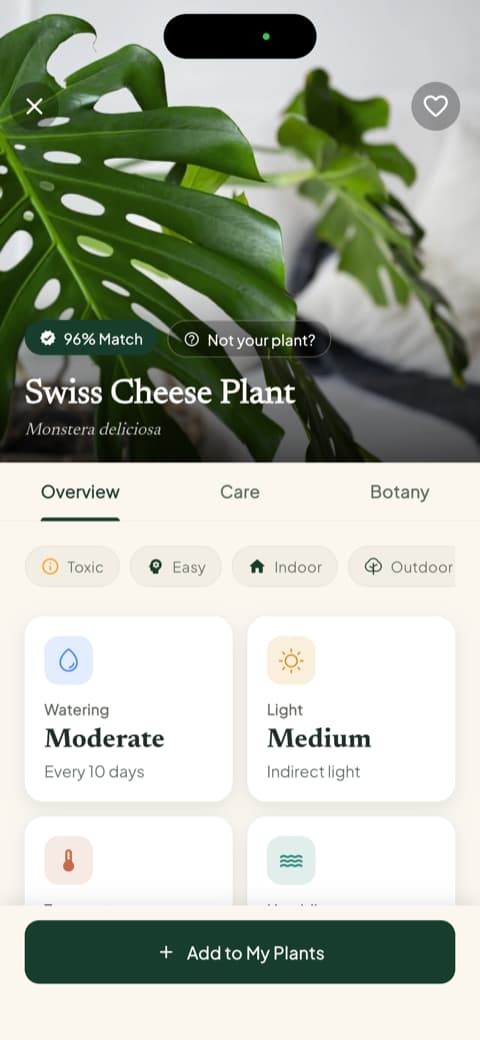
That little confidence number matters more than it seems. It means Bloom is being straight with you from the very first photo, which is exactly the tone you want from an app you'll rely on for years of plant care.
Care advice you never have to ask for
Here's where the difference between the two apps becomes easy to feel. In a chat-based app, the information you get depends on the questions you think to ask. Bloom flips that around. Every plant comes with its care guide already laid out: how often to water, what kind of light it wants, which soil it prefers, and the temperatures it can handle.
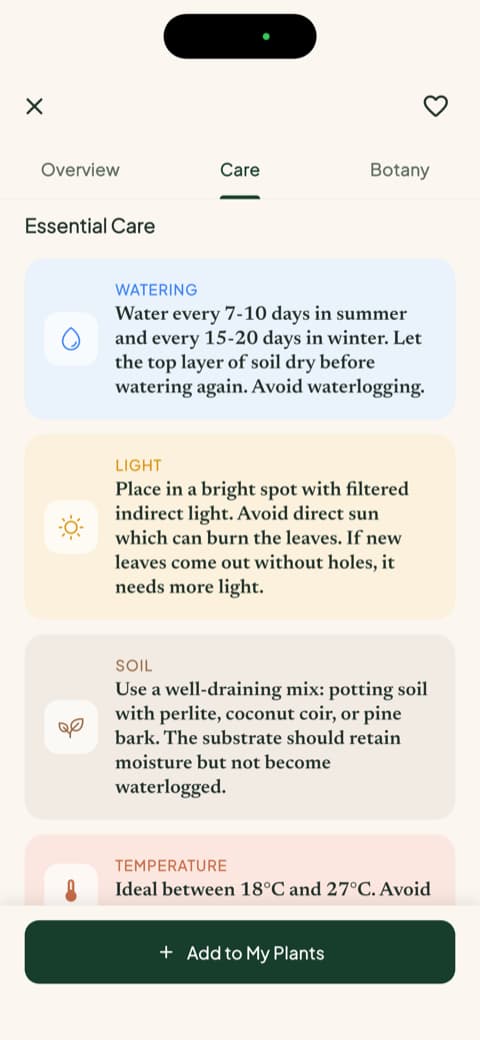
You don't need to know the right question. You don't need to describe anything. It's all just there, written the way a knowledgeable friend would explain it, no botany degree required.
Watering by the milliliter, not by the mood
Most houseplants don't die of thirst. They drown, one well-meaning extra watering at a time. Bloom solves this with numbers instead of vibes. Each plant you add to your garden gets a health score and a specific amount of water to give it, calculated for that plant, in that pot, in that spot in your home.
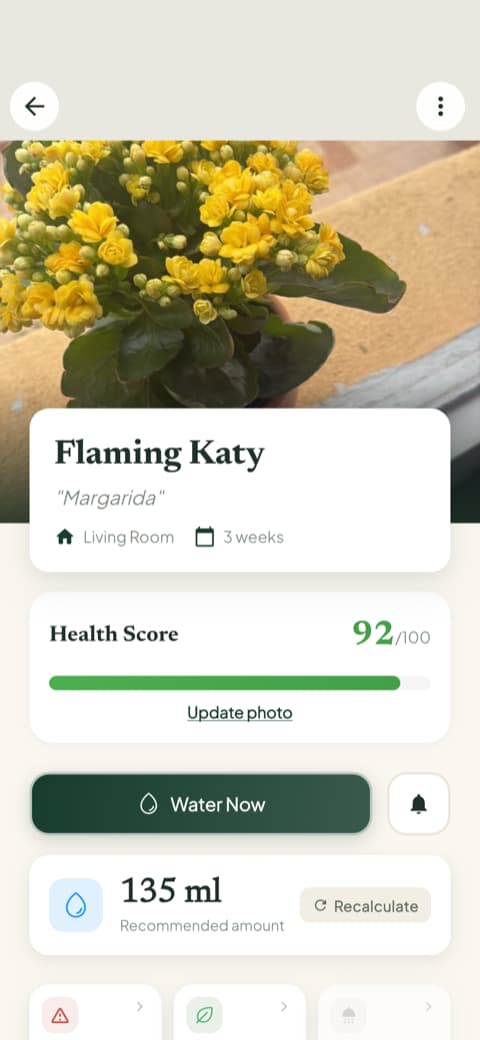
Watch the health score climb as you follow the routine. It's a small thing, but it turns plant care into something you can actually see improving week by week.
A schedule that carries the mental load
Knowing what to do is half the battle. Remembering to do it is the other half. Bloom keeps a care schedule for your whole collection, showing what's overdue, what's due today, and what's coming later. Pip gives you a gentle nudge when a plant needs you.
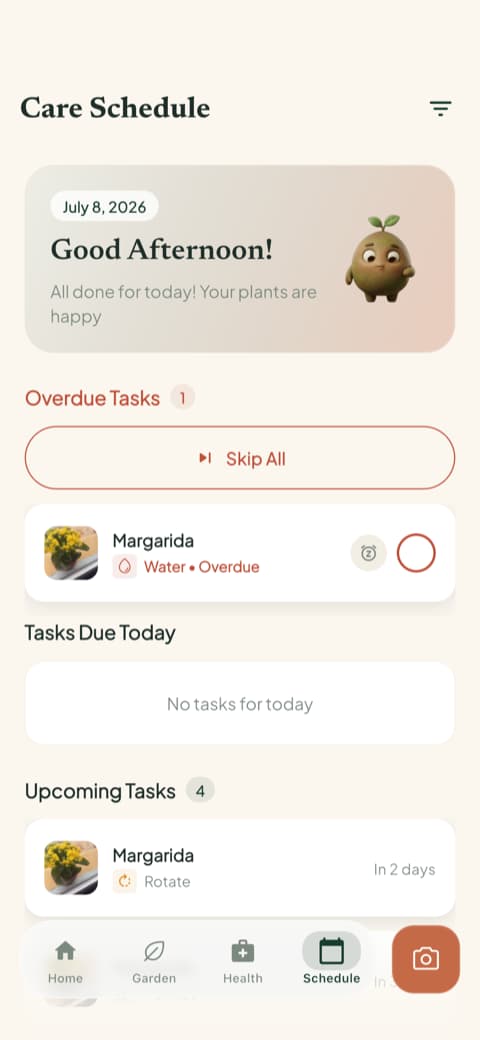
No typing a reminder into a chat. No trusting your memory. The schedule quietly does the remembering.
The full toolkit, one tap away
PlantAI deserves credit for its organized tools menu, and Bloom matches it with a toolkit of its own that lives one tap from the home screen. Diagnose a sick plant from a photo. Measure the light in any corner of the house. Check whether a plant is safe around cats, dogs, and kids. Identify a weed that popped up in the garden bed.
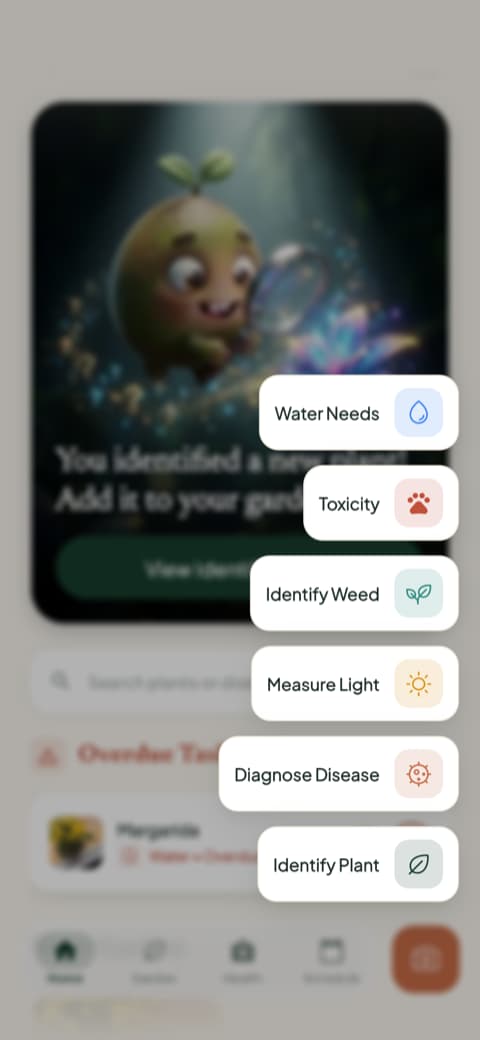
The difference is that you got to test all of this before deciding anything. That's not a small detail. That's the whole philosophy.
So which app belongs on your phone?
An honest wrap-up:
PlantAI may suit you if you enjoy a conversational style of plant help, like the idea of typing questions to a chat, and don't mind committing before you've had a look inside.
Bloom is for people who want to see the goods first. It identifies your plant in seconds, hands you the care plan without being asked, measures the watering down to the milliliter, and remembers every task so you don't have to. All of it out in the open from the first tap.
Bloom's community has rated it 4.8 stars, and the plants seem pretty happy too. If you'd rather judge an app by what it shows you than by what it promises, you know which door to walk through.
Download Bloom, point your camera at the nearest plant, and see for yourself. Pip will handle the introductions.
Related articles

The 6 Best Plant Apps for Beginners
New to plants and worried you'll kill them? Here are the six best plant apps for beginners, tested for how easy they make identifying and caring for your first plants.

The 5 Best Apps to Remember to Water Your Plants
Always forgetting to water your plants? Here are the 5 best apps that remember for you, tested for smart reminders that actually fit your routine.

The 7 Best Apps for People Who Always Kill Their Plants
If your plants keep dying no matter how hard you try, these 7 apps were made for you. Here are the ones that actually help keep a plant alive.