Plantaria Alternative: Complete Identification and Care for Your Plants
Before you settle on Plantaria, see this comparison. There is a simpler option for identifying plants, spotting problems, and watering on time.
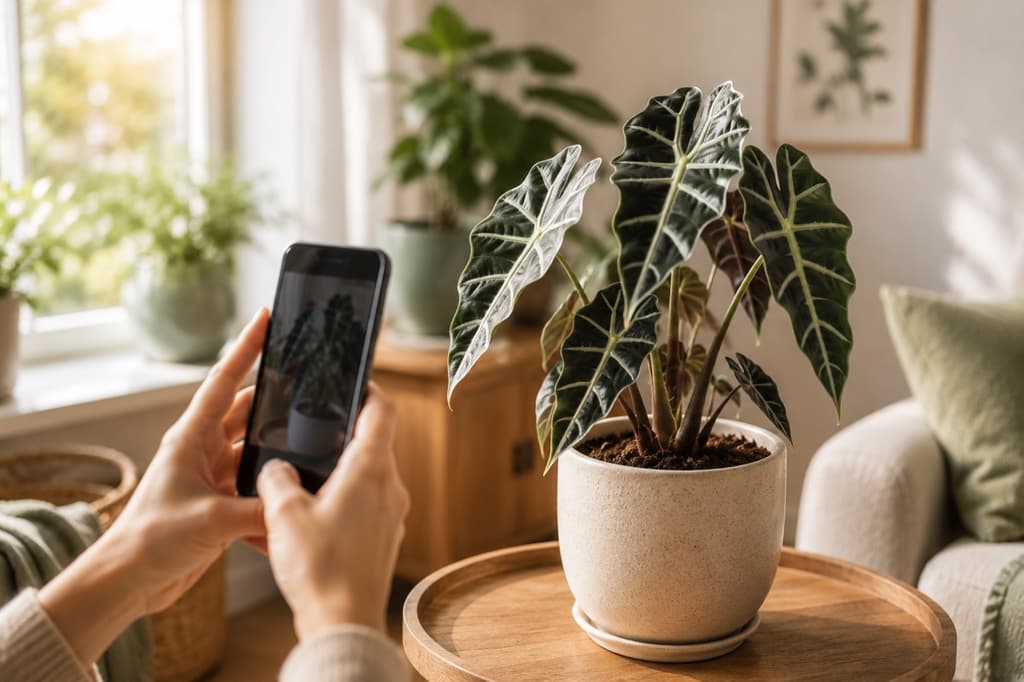
If you've gone looking for a plant identification app lately, chances are Plantaria showed up in your search. It makes a strong first impression. The app promises to name the plant in front of you, hand you a care manual, and help you rescue a plant that has seen better days. The welcome screen counts millions of saved plants, and a whole wall of happy reviews backs that up.
Those are all things a plant lover genuinely wants.
Here's the part that gives some people pause. Before you've photographed a single leaf, Plantaria has a few requests of its own. Permission to follow your activity across other apps. Permission to send notifications. A quick question about how many stars you'd give it so far. And then a full-screen offer that stands between you and the camera, with no visible way to skip past it.
None of that makes Plantaria a bad app. It just means the welcome can feel a little like paperwork. If you'd rather start with your plant and let an app earn its place in your pocket from there, let me introduce you to Bloom.
What Plantaria does well
Fair is fair. Plantaria presents itself beautifully. The tour through its features is clear and easy to follow. You see exactly what you're getting: a camera that scans plants, care cards with details like temperature and toxicity, and a diagnosis feature for plants that look unwell. That last one speaks to a real fear. Nobody enjoys watching a plant fade and not knowing why.
The app also leans on an impressively large community, and once you're inside, it lands you on a tidy home screen with your garden and a diagnose button front and center.
The friction isn't in what Plantaria offers. It's in the order of things. The app asks for your trust, your notifications, and your commitment before you've seen it identify one real plant. Plenty of people are happy to settle in first. Plenty of others just want to point the camera.
With Bloom, the first question is about your plant
Bloom flips that order. Open the app, snap a photo, and you're off. You'll also meet Pip, a cheerful little sprout who guides you through everything, less like a salesperson and more like a friend who happens to know a lot about leaves.
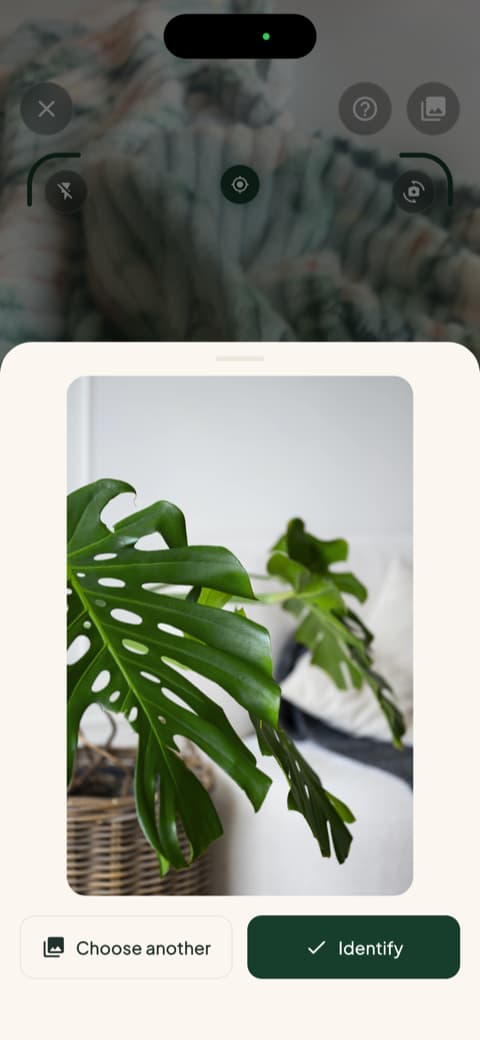
And the answers hold up. Bloom recognizes more than 35,000 species and gets the identification right about 9 times out of 10, a level of accuracy confirmed by independent research rather than our own applause.
A name is nice. A plan is better
Once Bloom knows your plant, it doesn't stop at the name. You get a clear picture of what this particular plant wants from you: how often to water, how much light it needs, what temperatures it can handle, and whether it belongs on the windowsill or the patio.
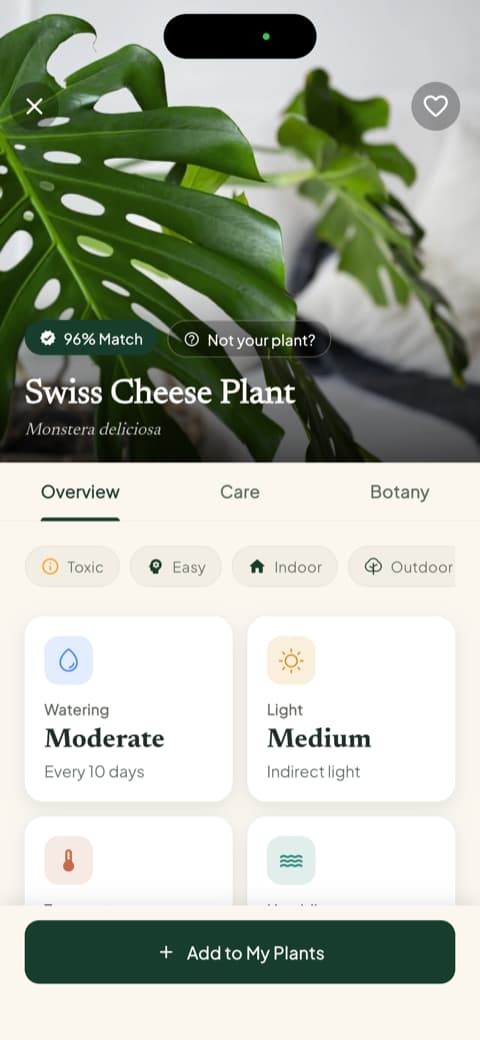
It's all written the way a good friend would explain it. Short, warm, and free of botanical homework.
Catch trouble before the leaves do
Plantaria makes a big promise around diagnosing sick plants, and it's a promise worth making. Bloom keeps it too. Snap a photo of a struggling plant and Bloom will tell you what's likely going on.
But Bloom adds a step that matters even more: prevention. Every plant profile includes a list of the diseases and pests that plant is most likely to face, sorted by how much risk they pose.
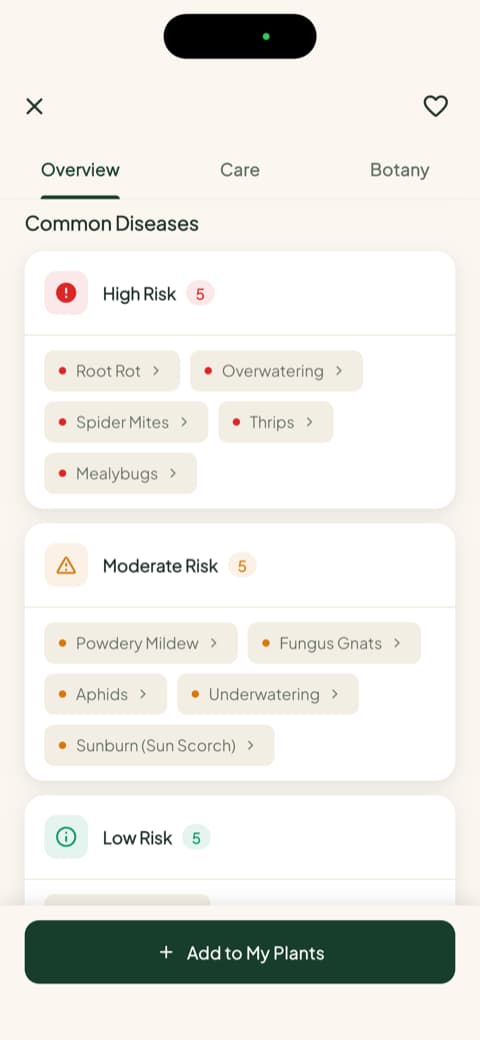
Knowing that your Monstera is prone to root rot changes how you water it this week, not how you mourn it next month.
Watering measured in milliliters, not guesswork
Most houseplants don't die of thirst. They drown, one well-intentioned splash at a time. Bloom replaces the guessing with an actual number. Each plant in your garden gets a health score and a recommended amount of water, calculated for that plant, in that pot, in that corner of your home.
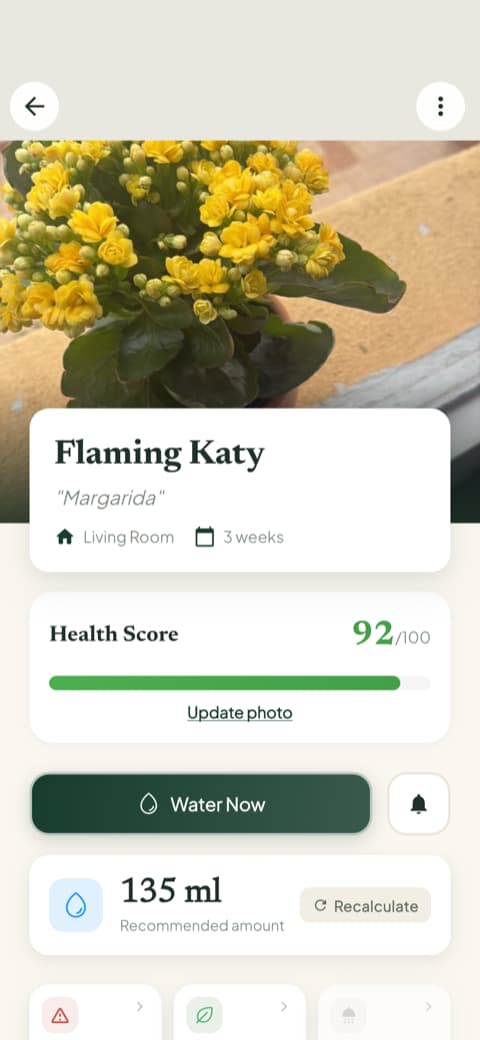
When an app tells you "water moderately," you nod and guess anyway. When it says 135 milliliters, you pour with confidence.
Your plant's story, told in photos and checkmarks
Here's a small feature that ends up meaning a lot. Bloom keeps a care history for every plant, along with progress photos you can flip through. You see the day you brought it home, the rough patch in March, and the new leaf that finally unfurled.
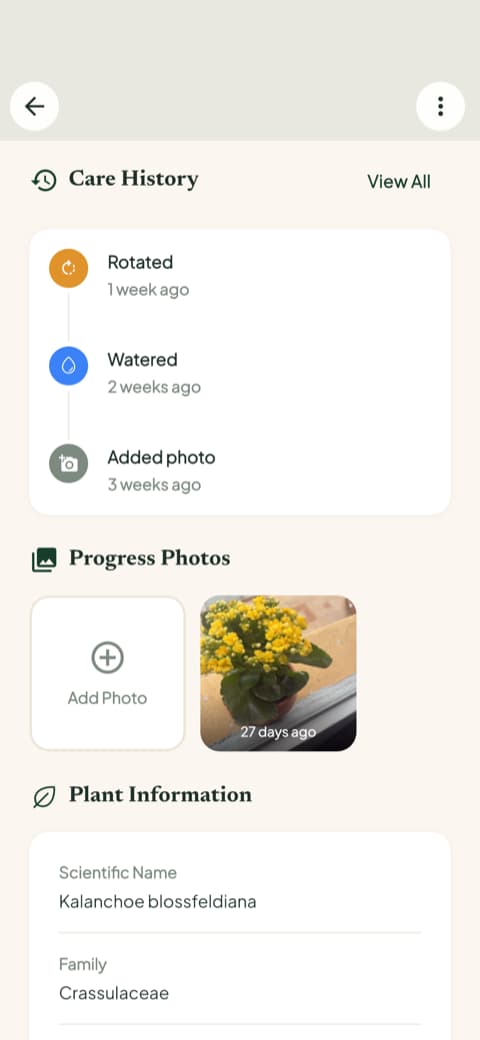
It turns plant care from a chore list into a story you're a part of. And on the hard weeks, scrolling back to see how far a plant has come is surprisingly good motivation.
Reminders that make sense, and a toolbox close by
Bloom does ask to send you notifications eventually, but only after you can see exactly what they're for. The care schedule lays out what's overdue, what's due today, and what's coming, so a reminder never feels random.
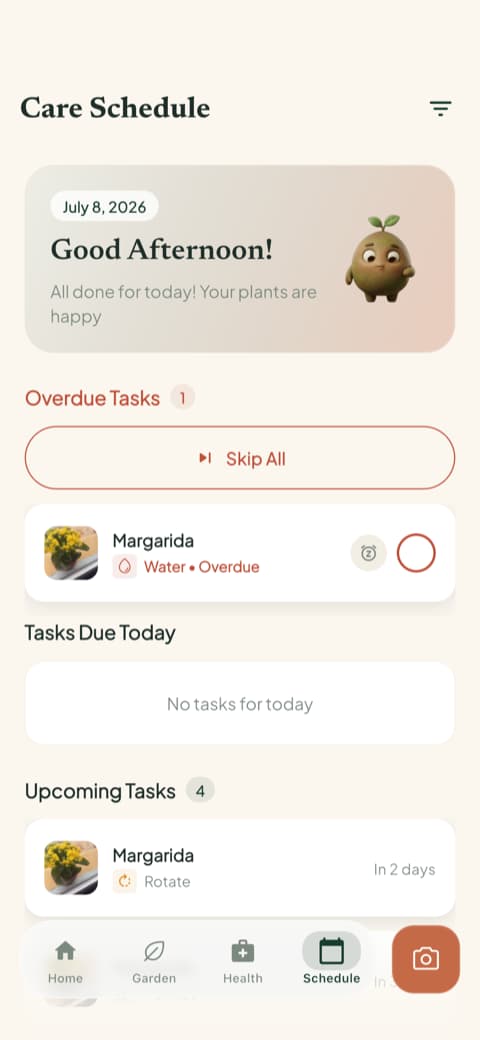
And when you need more than reminders, the extra tools are one tap away. You can measure the light in any spot of your home, check whether a plant is safe around cats, dogs, and children, identify a weed in the garden, or run a photo diagnosis on a plant that looks off.
So which app should you pick?
Here's the honest version.
Plantaria may suit you if you like its polished presentation, its focus on rescuing sick plants, and you don't mind committing up front before you explore.
Bloom is for people who want to start with the plant. Take a photo, get a name and a plan, learn what risks to watch for, and water with real numbers instead of hunches. Then watch the whole story unfold in your plant's own photo album.
Bloom's community has already identified more than 25,000 plants and gives the app a 4.8-star rating. Your plants don't need you to fill out paperwork first. They just need someone who pays attention, and a little green sprout named Pip is happy to help with that.
Download Bloom, point your camera at a plant, and see for yourself. It takes seconds.
Related articles

The 6 Best Plant Apps for Beginners
New to plants and worried you'll kill them? Here are the six best plant apps for beginners, tested for how easy they make identifying and caring for your first plants.

The 5 Best Apps to Remember to Water Your Plants
Always forgetting to water your plants? Here are the 5 best apps that remember for you, tested for smart reminders that actually fit your routine.

The 7 Best Apps for People Who Always Kill Their Plants
If your plants keep dying no matter how hard you try, these 7 apps were made for you. Here are the ones that actually help keep a plant alive.