Plantaria or Bloom: which is the best app to identify and care for plants?
Plantaria or Bloom? I downloaded both plant apps, used them in my everyday routine, and I'll tell you honestly which one is worth it for identifying and caring for your plants.
There's a succulent on my bookshelf that I swore was indestructible. Well, I managed it anyway. I overwatered it, then underwatered it, then moved it a thousand times hoping that would help, and one day I caught myself standing there apologizing out loud to a wilted little plant. If you've been there too, I think you and I are going to get along just fine. The problem is almost never a lack of love. It's the lack of someone to tell you, at the right moment, what that plant is actually asking for.
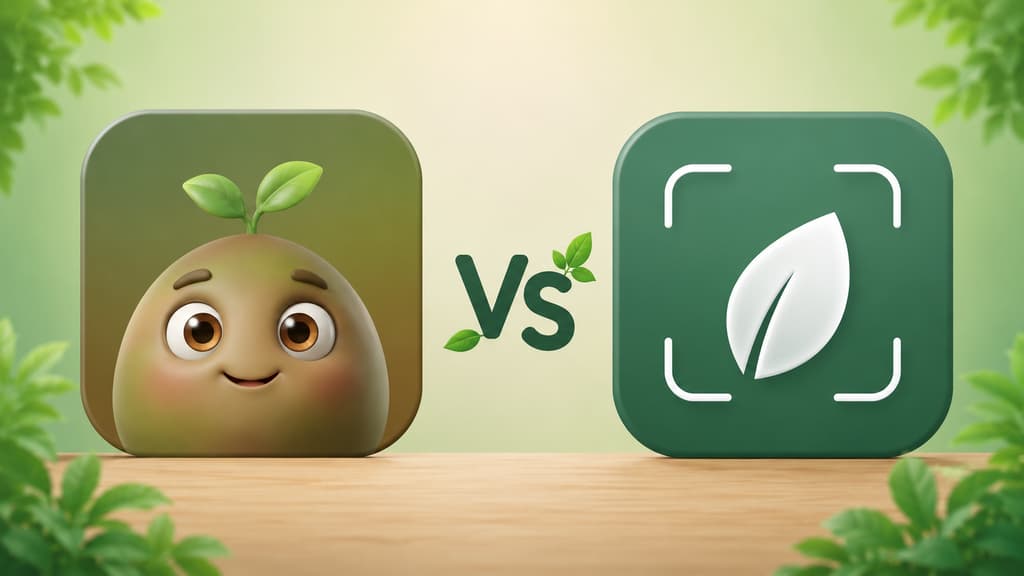
Looking for that someone is how I ended up downloading the two apps that keep showing up when you search for "app that identifies plants": Bloom and Plantaria. On paper they promise the same things, name your plant from a photo, teach you how to care for it, and remind you to water. But sitting down with one and then the other is a genuinely different experience, and that's where the differences show up. This is everything I wish I'd known before installing both.
The short version, if you're in a hurry
If you just want the quick answer, here's the condensed take on what each one does best.
You only want to find out the name of that plant right now and get on with your day: either one works.
You like seeing the numbers up front, with millions of plants saved and plenty of reviews to read before you start: Plantaria.
You're a beginner and you want an app that feels like a friend walking you through it, with a cute character and an easy, low pressure start: Bloom.
You want to poke around the app before deciding anything: Bloom lets you in and even lets you add plants, while Plantaria takes you straight to the subscription screen.
You have several plants at home and want to organize care room by room, all in one place: Bloom.
You have a cat, a dog, or a small kid at home and need to know whether a plant is toxic: Bloom.
You never know how much water to give and you'd love an actual number instead of a guess: Bloom.
Now, if you've got a few more minutes with me, I'll tell you how each app felt, with screenshots so you can see it in practice.
Getting to know Bloom
The first screen won me over
When you open Bloom, you're greeted by Pip, a little 3D character that looks like a sprout with arms and enormous eyes. I know it can sound silly from the outside, but that warmth is exactly what was missing from every other app I'd tried. Instead of a cold list of features, Pip shows up to say hi and tell you the two of you are going to figure out what's going on with your plants together. When you arrive as lost as I did, that changes the mood immediately.
Bloom shows what it can do first
After Pip says hi, Bloom doesn't interview me at all. It runs through a few short screens showing what it can do: identify a plant in seconds, with more than 35,000 species in its catalog, remind you when it's watering day, and tell you what's wrong when a plant gets sick. Then comes the accuracy screen, showing it gets it right about nine times out of ten and that outside testers checked that, plus a screen with the 4.8 community rating and notes from people already using it. And then you're in, camera in hand. I'll admit I liked not having to answer anything before I could start.
Identifying an actual plant
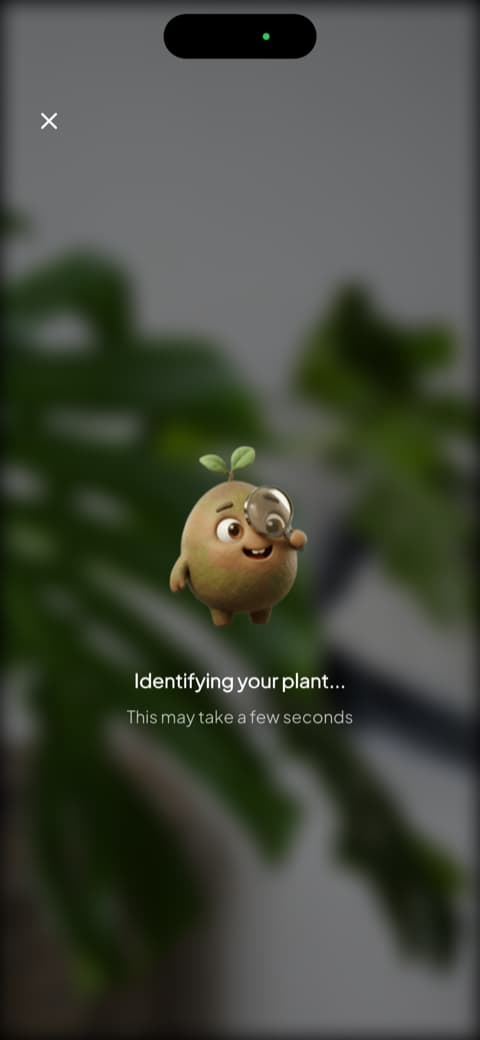
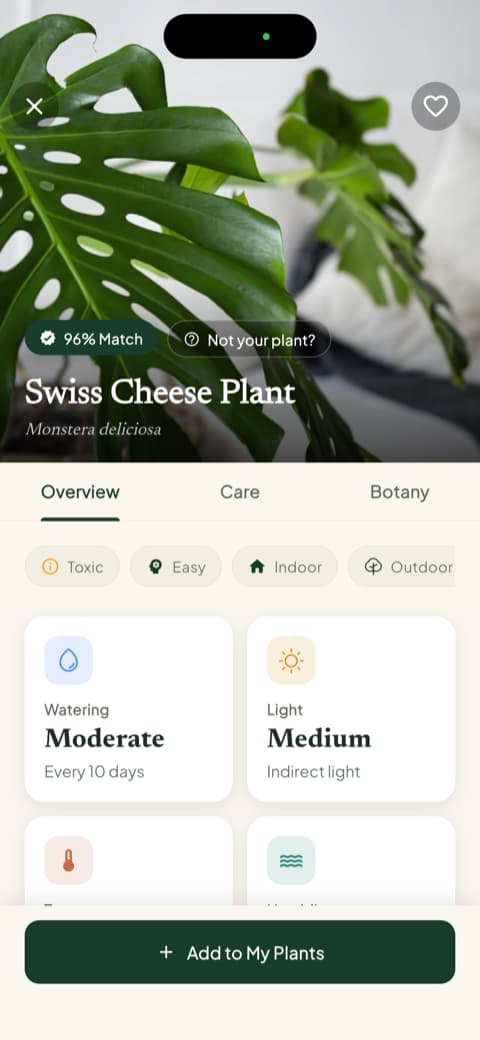
This is where the app shines. You open the camera, point it at the plant, and Pip pops up with a magnifying glass, investigating. It's goofy, I know, but it turns the wait into part of the fun instead of a spinning wheel. When it's done, you get the plant profile with a match percentage, the common and scientific names, and tabs for overview, care, and botany. Right on the first screen you see watering frequency, light type, temperature range, and ideal humidity. I tested it with a Swiss cheese plant (the famous monstera) and the profile was so complete that I finally understood what that kind of plant expects from us. The app recognizes more than 35,000 species and gets it right roughly nine times out of ten, which matches what I saw in daily use.
The part that earned my trust: toxicity and water in milliliters
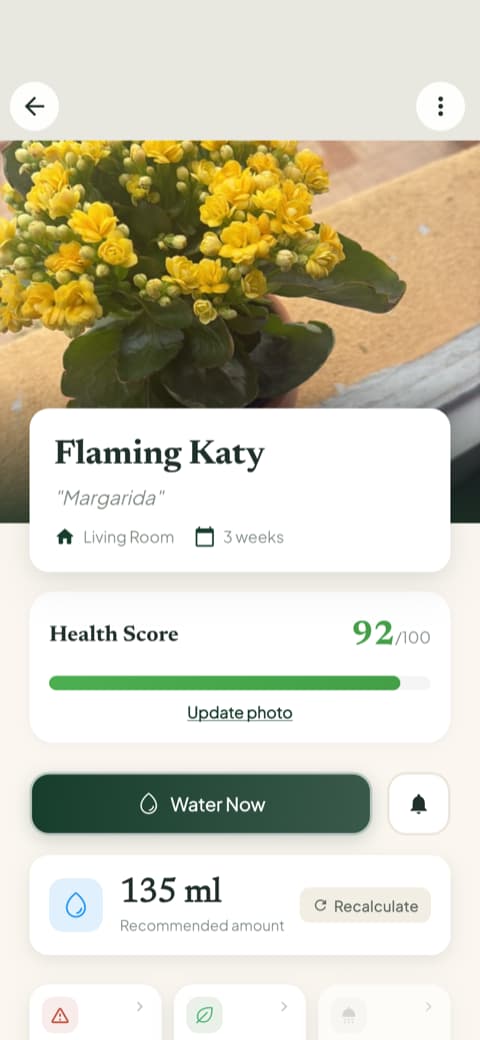
There are two things in Bloom I haven't seen anywhere else, and they're the reason I stuck with it. The first is the toxicity info right there in the profile, broken out by cat, dog, and child. I have a cat who chews on everything, so knowing that before I buy a new plant saves me a scare. The second is the watering amount in milliliters, calculated for that specific plant, that pot, and that spot, with a button to recalculate if you repot. Going from "water when the soil is dry" to an actual number on the screen completely changed my relationship with watering, because my problem was always a heavy hand. Every plant also gets a health score from 0 to 100, which is a fast way to see who's thriving and who's calling for help.
"My Garden" became my favorite corner
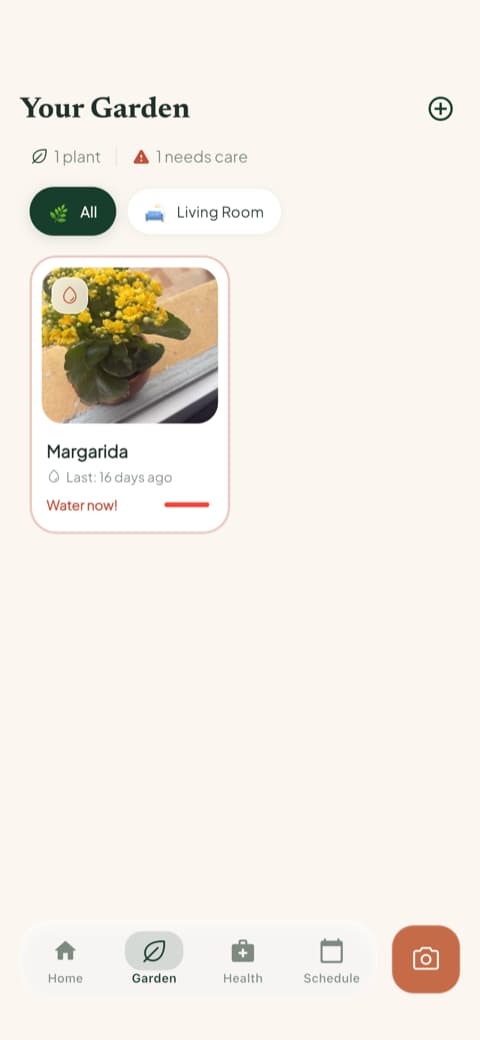
After identifying, the app asks which room the plant lives in and adjusts the reminders for that light. I saved mine as the kitchen window fern and it immediately suggested the right care for that brightness level. "My Garden" gathers every plant you've added, each one showing an overdue watering flag right on its card. I check it in the morning the same way I check the weather. If you have more than one plant scattered around the house, that room-by-room map is what keeps you from forgetting somebody in a corner.
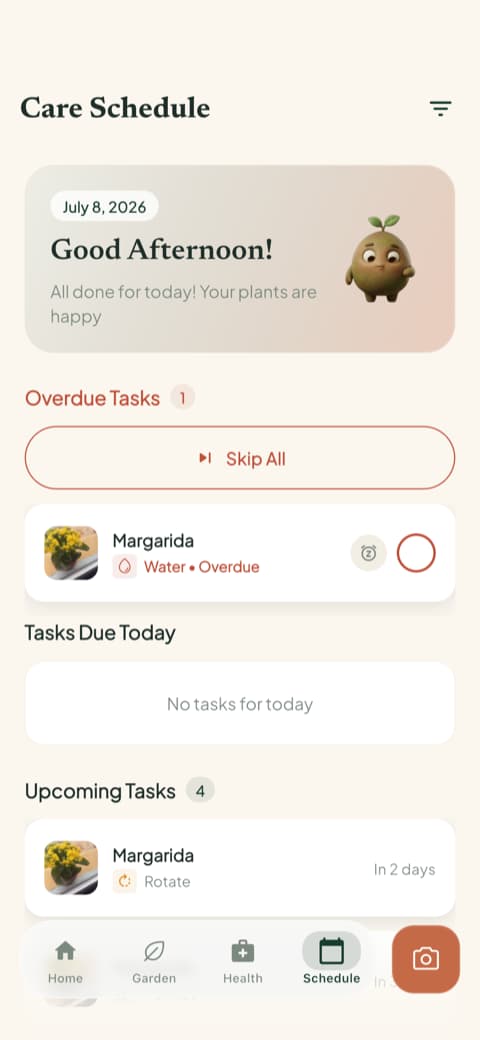
Alongside it there's the care schedule, which sorts what's overdue, what's due today, what's coming up, and what you've already done. It isn't only watering: fertilizing, pruning, rotating the pot, repotting, and even the progress photo all show up. It was the first time I could see my whole house on a single screen.
Content you actually want to read
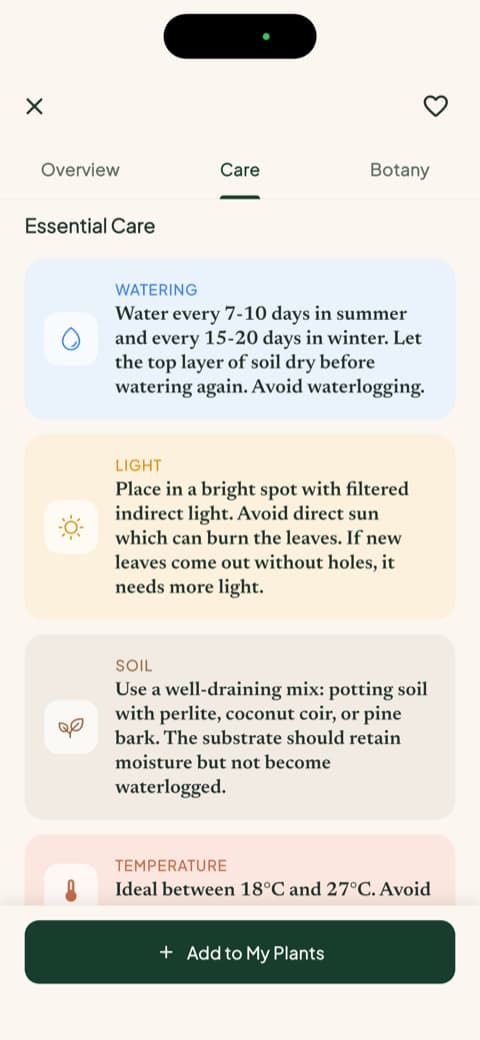
There's a guides section that surprised me. Instead of generic text copied off the internet, these are full guides per plant, covering watering, light, soil, temperature, ideal pot, and propagation, plus the botanical side with classification, symbolism, and blooming. I clicked into the rosemary one out of curiosity and caught myself reading to the end. It's an app that entertains, not just one that works. If you like learning while you care for things, that carries real weight in the routine.
Getting to know Plantaria
An opening that leads with the crowd's confidence
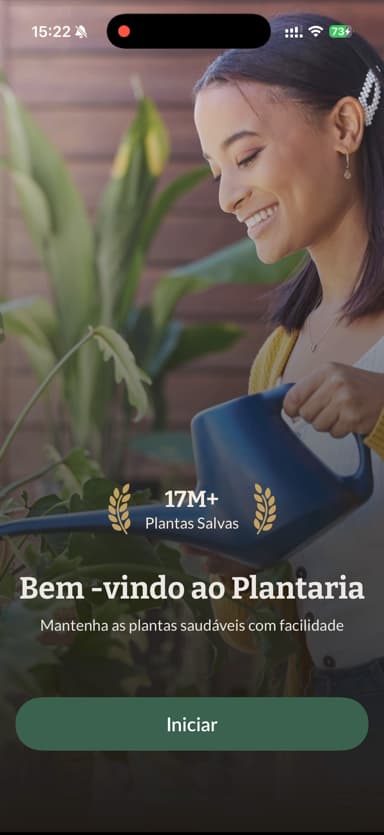
The first screen shows a smiling person holding a plant and a badge reading "more than 17 million plants saved," plus a big button that says "Start." It's a different choice from Bloom's. Here, instead of a character saying hello, what comes first are the numbers and the sense that a lot of people have been down this road before you. If you like proof that an app works before investing your time, that counts in its favor.
It shows you what it's for right away
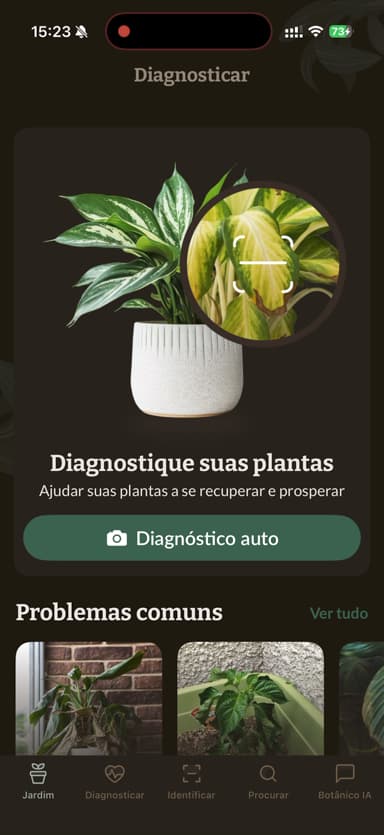
Next come a few screens explaining what the app does. First the camera identification, then a little care card showing things like ideal temperature and whether the plant is toxic, and right after that the disease diagnosis feature and the promise of helping a plant recover. It's a quick way to understand that the app is both for learning a name and for rescuing a leaf that isn't doing well. The illustrations are pretty and get the message across without dragging.
Right after, it shows a wall of five-star reviews and the line "over 1 million happy plant parents." That's a lot of praise stacked in one place, and if you're the type who relaxes when you see that plenty of people already gave it their blessing, you'll like this part.
One difference worth being honest about
Here's a point I wish someone had warned me about, because that's what an honest review is for. In Bloom, without signing up for anything, I was able to identify plants, build my garden, and wander around the app to see whether I liked it. In Plantaria, after those intro screens, it took me straight to the subscription screen and wouldn't let me continue without deciding right then. There was no little corner to close it and keep looking around. It's not the end of the world, and some people won't mind at all, but if you like trying before committing, that difference matters.
What it's like inside
Past that point, Plantaria's main screen is tidy and direct, with a space for diagnosing your plants and your garden area for tracking what you've added. The camera is easy to find and the path to identifying a new plant is short. It works well and delivers what it promises, no mystery.
Comparing them point by point
Now that I've introduced you to both, let me organize what actually matters when you're deciding. I set aside the behind-the-scenes details and focused on what counts for someone who just wants to take good care of their plants.
Identifying a plant from a photo
Both identify well. I put a succulent, basil, a fern, a monstera, and a ZZ plant in front of each one and neither missed. Plantaria is fast and hands you the name with a nice polished finish. Bloom takes a few extra seconds but delivers a fuller profile, with the match percentage, alternative names, fun facts, and practical tips, so each identification turns into a mini lesson. If you only want the name, either one does the job. If you want to understand what you just brought home, Bloom is more generous with the explaining.
Everyday plant care
Bloom really went all in on organization. When you add a plant, it asks which room it lives in and tunes the reminders to that spot. The schedule shows what's overdue and what's due today, and watering comes with the amount in milliliters instead of a "water moderately" that nobody knows how to interpret. Plantaria delivers the basics well, with your garden area to gather your plants and care reminders coming from each profile. If you have several plants spread around the house, Bloom's room-by-room split does more to keep anyone from slipping out of sight.
Safety if you have pets or kids
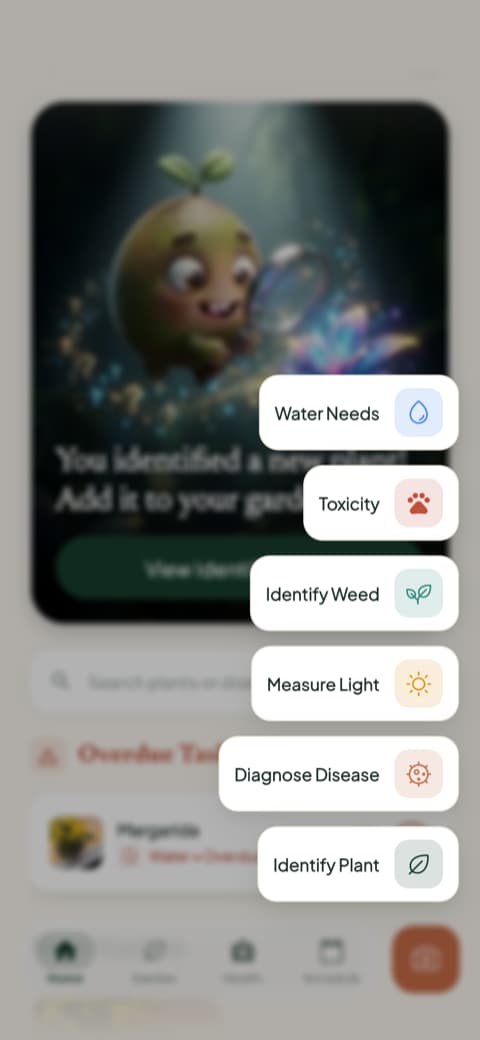
Both talk about toxicity, but in different ways. Plantaria shows the warning inside the plant's care card. Bloom breaks it out by cat, dog, and child, and it also has a shortcut in the quick actions menu just for checking toxicity when you're unsure about a new plant. If you have an animal at home or a small child crawling near the pots, that detail stops being a detail.
Content for learning more
Bloom includes long, well-organized guides, written like magazine features. You glance at one and want to read it. Plantaria leans more on each plant's care card, the kind with just the right amount of information, straight to the point. If you want only the essentials so you don't mess up, Plantaria delivers. If you like going deep on a plant and reading at your own pace, Bloom goes further.
Disease identification
Both help when a plant signals that something is off. Plantaria makes that clear in its very first screens, showing that it diagnoses problems and promising a plan to bring a sick plant back. Bloom diagnoses too, and it also shows the disease risks typical of that species, sorted into high, moderate, and low, so you know what to watch for before a problem shows up. Add the care history and the progress photos, and you can look back and understand what changed since the last crisis. When you're anxious and convinced you're about to lose a plant, that kind of tracking is calming.
Look and feel
This one is partly personal taste, but it makes a difference over the long run. Bloom leans bright, colorful, and cute, with Pip playing travel companion. If you're a beginner and afraid of getting it wrong, that warmth counts as a feature, not decoration. Plantaria goes for a cleaner, more matter-of-fact mood, with pretty photos and plenty of praise from other users. It's a personality choice, not a quality gap.
How each one gives you access
Here the choices are quite different, and this is where the scale tipped clearly to one side for me.
In Bloom you get in, identify a plant, and even add two plants to your garden without signing up for anything. In other words, you get to feel what the app's routine is actually like, with reminders arriving and full profiles in hand, before deciding anything. That's how I realized I was going to keep using it.
In Plantaria the path is different. After the intro screens, it asks you to subscribe before showing you the app from the inside. You see the illustrations of what it promises, but you only really get to know it after subscribing. If you already know what you want, that might not bother you at all. If you like testing with your own plants before committing, Bloom wins this part easily.
Who is each app for?
Bloom is for you if...
You like it when an app feels like it cares about you. You're a beginner and want someone guiding you without judging. You want to explore and add your first plants before deciding. You have more than one plant at home and want care organized room by room, all in one place. You have a cat, a dog, or a kid and need toxicity info at hand. You want to know how many milliliters of water to pour and you enjoy reading full guides about the plants you own.
Plantaria is for you if...
You feel reassured seeing millions of plants saved and a pile of reviews right up front. You prefer a care card that's straight to the point, no detours. You don't mind subscribing before exploring the app. You want a clean, pretty app with no character tagging along.
My honest conclusion
If you asked me which is the best app to identify and care for plants, my answer would be Bloom. It made me feel welcome from the very first screen, let me wander around and add my first plants before any commitment, organized everything by room, told me how many milliliters of water each one wanted, warned me what was dangerous for my cat, and made me want to open the app in the morning the same way I open Instagram. Pip became my company, and the schedule became my reminder that plants have routines too.
But I'd be unfair if I didn't give Plantaria its credit: it identifies well, it's clear and easy to follow, it shows the confidence of millions of users, and it has direct care cards, the kind that settle a question fast when you just want the information and nothing else. If your heart beats harder for reviews and a stripped-down look, it might be the one for you.
If you're still torn, start with Bloom, because it lets you experiment with your own plants before you decide. In my case, it's the one that stayed on my phone. And that succulent I swore I'd lost? It's putting out new leaves again, all proud of itself, like it never gave me any trouble at all. We understand each other now.
And if your fern looks happy again someday, I'll be happy right along with you.
This review was written after testing both apps hands-on, on an iPhone. Features and screens may change depending on your region and the version you download.
Related articles

The 6 Best Plant Apps for Beginners
New to plants and worried you'll kill them? Here are the six best plant apps for beginners, tested for how easy they make identifying and caring for your first plants.

The 5 Best Apps to Remember to Water Your Plants
Always forgetting to water your plants? Here are the 5 best apps that remember for you, tested for smart reminders that actually fit your routine.

The 7 Best Apps for People Who Always Kill Their Plants
If your plants keep dying no matter how hard you try, these 7 apps were made for you. Here are the ones that actually help keep a plant alive.