Plantify Alternative: From a Photo to a Care Plan in Seconds
Thinking about switching from Plantify? Here is an honest look at where it shines, where it falls short, and the alternative winning over plant lovers.
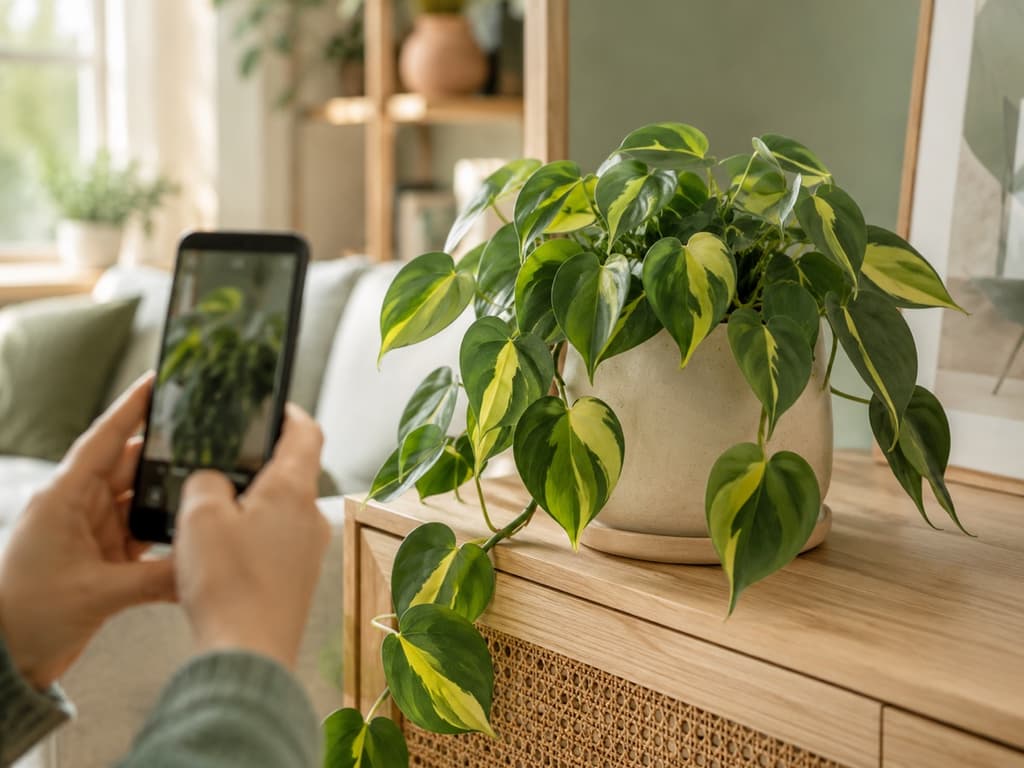
Plantify has a lot going for it. It looks beautiful from the very first screen, more than 4 million people have given it a try, and it makes a genuine effort to get to know you before showing you around. If you have searched the app store for a plant identifier lately, you have almost certainly crossed paths with it.
And yet, plenty of plant lovers end up looking for an alternative. Not because Plantify does anything terribly wrong, but because of a simple mismatch. You download a plant app with one thing on your mind, and that thing is usually a plant. Plantify would rather chat about you first.
That gap is exactly where Bloom fits. Here is an honest look at both apps, so you can decide which one deserves the spot on your home screen.
What Plantify does well
Credit where credit is due. Plantify makes a lovely first impression, with polished illustrations and a warm welcome. It asks about your goals, the challenges you face with your plants, and your experience level, all so it can shape the app around you. Once you are inside, the home screen gathers its identification and diagnosis tools in one place, and there is even a built-in chat helper for your questions, plus the ability to identify mushrooms along with plants.
The flip side is the road you walk to get there. Before your first identification, Plantify has quite a few questions. What do you want from the app? What do you struggle with? How experienced are you? Which notifications would you like? Where did you hear about Plantify? Then the app pauses to review your answers, and after that, an invitation to subscribe appears before you reach your first plant.
It is all friendly and thoughtfully designed. But if you are standing in front of a droopy fern with your phone in one hand, it can feel like a long hallway before you finally step into the garden.
Meet Bloom: the app that lets your plants do the introductions
Bloom starts from the opposite idea. Instead of interviewing you, it gets to know your plants, and everything personal grows from there. Your guide is Pip, a cheerful little sprout who welcomes you in, celebrates your progress, and nudges you when a plant needs attention. Less like filling out a form, more like gardening with a friend.
Behind that friendly face, the technology holds up. Bloom recognizes more than 35,000 species and gets the identification right about 9 times out of 10, a level of accuracy confirmed by independent research rather than wishful thinking.
Two taps between your camera and an answer
Here is the whole flow. Open Bloom, snap a photo, tap identify. That is it. No quiz, no waiting screen, no detour.
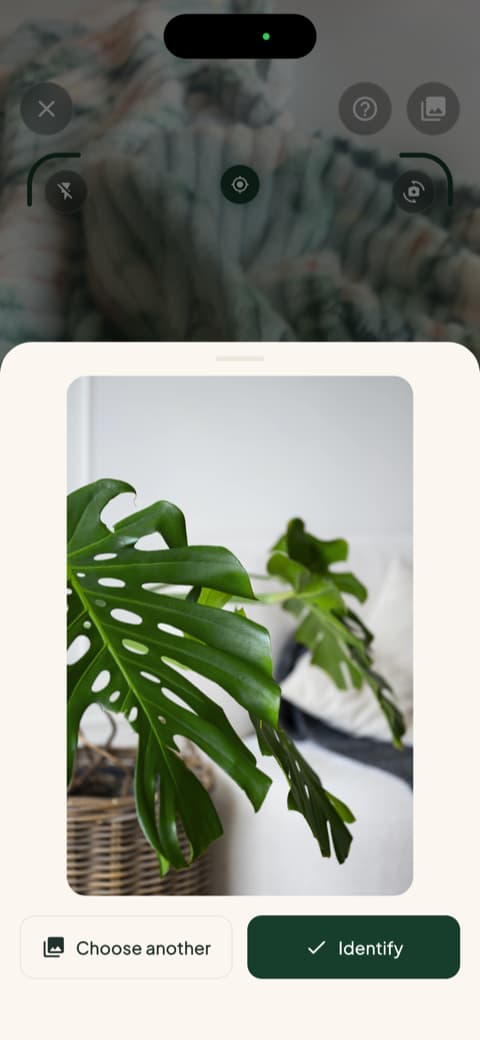
A few seconds later you have your plant's name, and this is where Bloom really earns its keep. Along with the name comes everything you need to keep that plant happy: how often to water, what kind of light it loves, its comfortable temperature range, even the humidity it prefers.
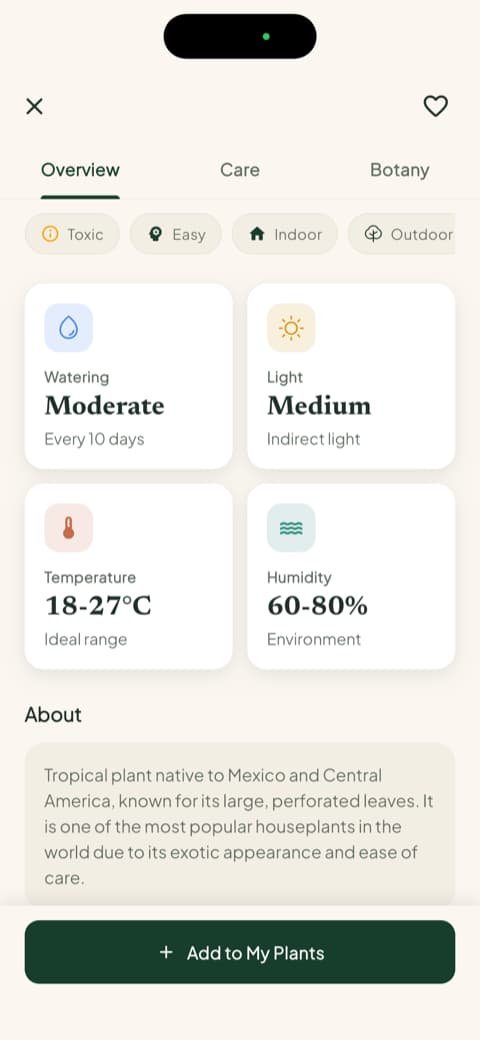
Everything is written the way a helpful neighbor would say it. No botanical vocabulary test required.
Personal advice that comes from your plant, not a questionnaire
Plantify personalizes by asking whether you are a beginner or an expert. Bloom personalizes by paying attention to your actual plant. Add a plant to your garden and Bloom considers the plant itself, the pot it lives in, and the spot you keep it in, then tells you exactly how much water it needs, measured in milliliters. Each plant also carries a health score, so you can see at a glance how it is doing.
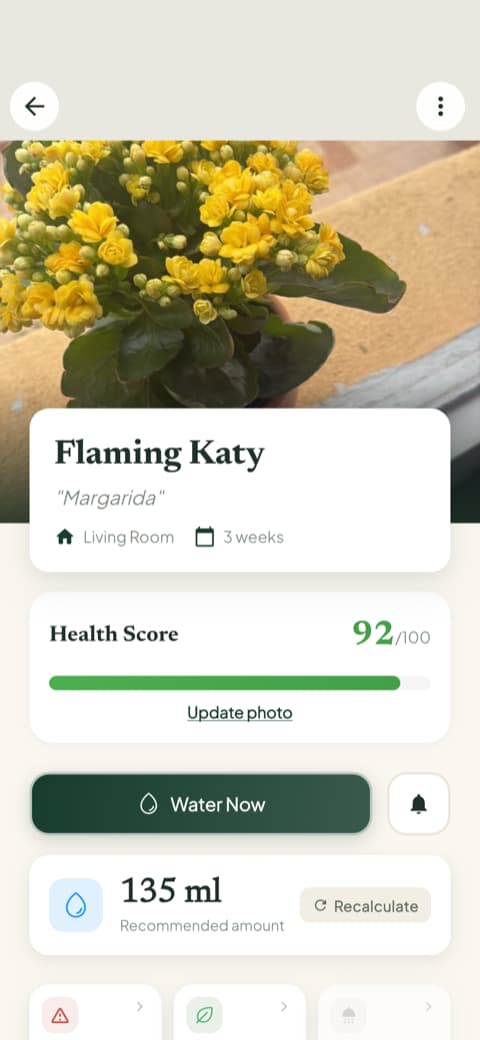
That is the kind of personal that actually changes how your plants grow. Not a profile about you, a care plan about them.
Safety answers before the plant comes home
Here is a detail that wins people over for good. Every plant you identify in Bloom comes with clear safety information for cats, dogs, and children, displayed right up front.
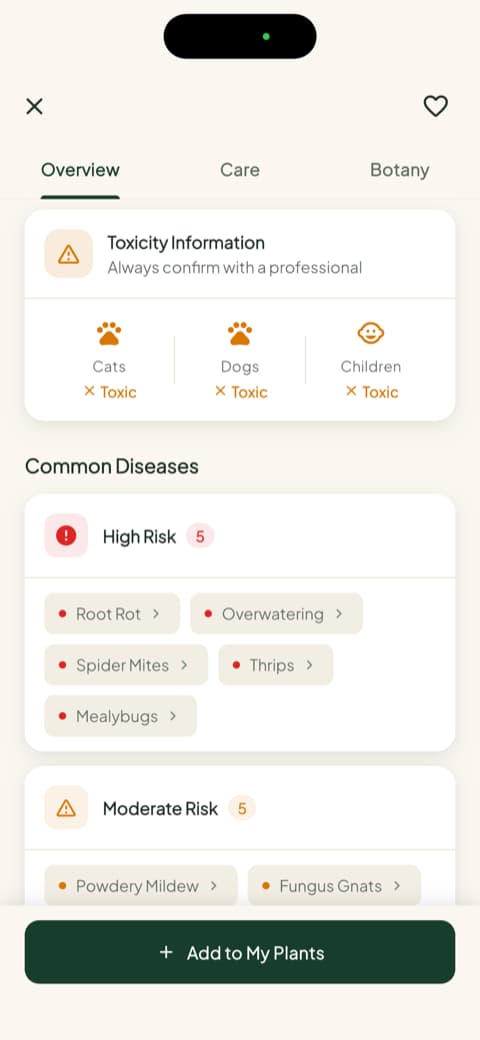
You can check a plant at the nursery, before you buy it, and know in seconds whether it belongs in a home with pets or little ones. It is a small feature that prevents big scares.
Your whole garden, checked in one glance
Once your plants are in Bloom, the app quietly keeps watch. The garden view shows every plant with its photo and flags the ones that need something today, so a five-second glance replaces the mental checklist.
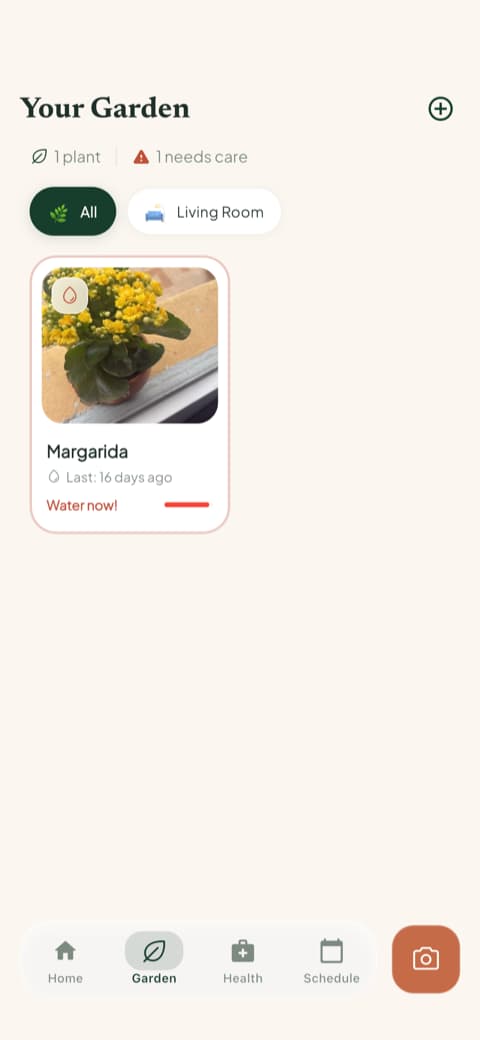
There is a full care schedule behind it, with overdue, current, and upcoming tasks, plus a care history and progress photos for each plant. Six months from now, you can scroll back and watch that struggling cutting turn into a showpiece.
Every tool one tap away, no typing needed
Plantify offers a chat where you can type out your questions, and some people enjoy that. Bloom takes a more direct route: the answers are built into tools that sit one tap from the home screen. Diagnose a sick plant from a photo. Measure the light in any corner of your home. Check water needs. Confirm a plant is safe for your pets. Identify a weed in the yard.
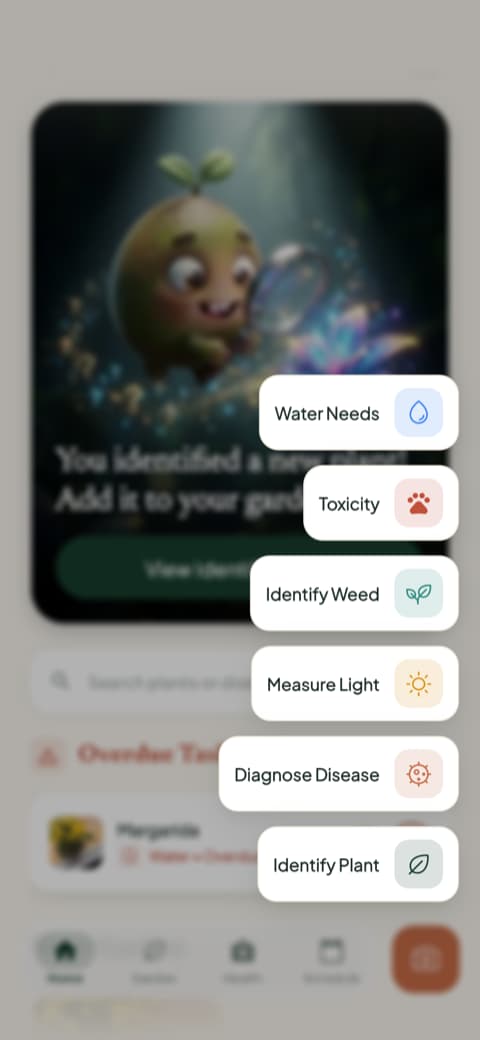
When your plant looks off, you do not have to describe the spots on its leaves in words. You show Bloom a photo, and it tells you what is wrong and what to do about it.
So which app should you choose?
An honest closing thought.
Plantify is a good fit if you enjoy a guided, personalized welcome, like the idea of chatting with an assistant about your plants, and do not mind answering some questions before you get started.
Bloom is for people who want the answer now and the care to stay personal without any interview. Photo, name, care plan, safety check, and a friendly reminder from Pip when watering day comes around. The app adapts to your plants automatically, because they are the ones it studies.
Bloom holds a 4.8-star rating from its community, and its plant parents have already identified tens of thousands of plants. If you would rather spend your time with your plants than with a questionnaire, you know which way to go.
Download Bloom, point your camera at the nearest plant, and let Pip handle the rest.
Related articles

The 6 Best Plant Apps for Beginners
New to plants and worried you'll kill them? Here are the six best plant apps for beginners, tested for how easy they make identifying and caring for your first plants.

The 5 Best Apps to Remember to Water Your Plants
Always forgetting to water your plants? Here are the 5 best apps that remember for you, tested for smart reminders that actually fit your routine.

The 7 Best Apps for People Who Always Kill Their Plants
If your plants keep dying no matter how hard you try, these 7 apps were made for you. Here are the ones that actually help keep a plant alive.