Plantify or Bloom: which is the best app to identify and care for your plants?
Plantify or Bloom? I used both plant apps on my own real plants and I'll tell you straight which one is worth your time.
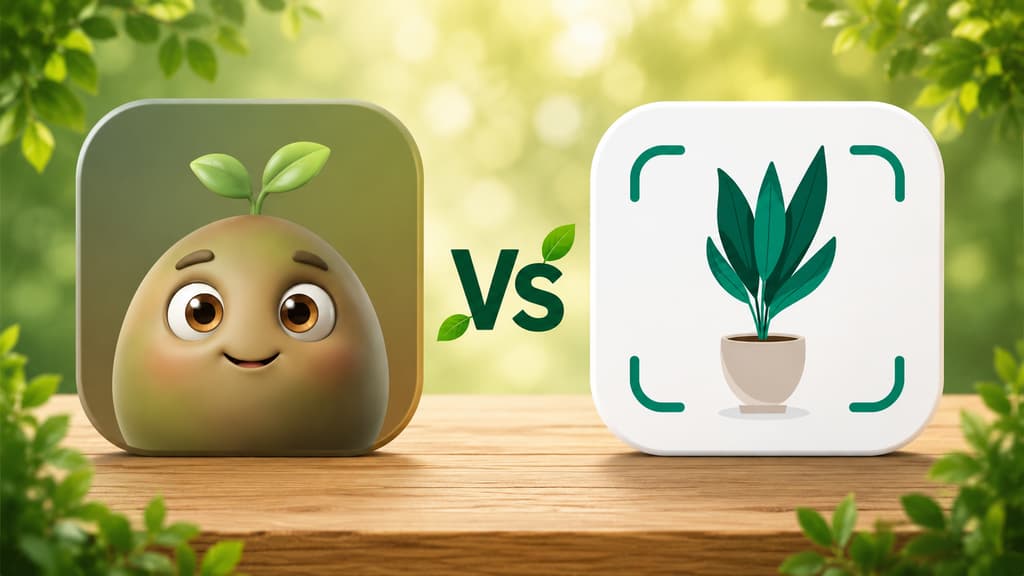
Anyone who has read my other posts knows that Bloom has lived on my phone ever since I got tired of being the official succulent killer of the family. But over the last few weeks Plantify decided to follow me everywhere, with those 4 million users in the ad, and it planted a little doubt in my head: am I missing something? So I did what I always do in these situations. I downloaded it, used it on my actual plants, poked around every corner for two weeks and came back to tell you how it went. If you are torn between the two, this one is for you.
The short version for anyone in a hurry
Quick answers, in no particular order of favoritism:
You want to identify a plant and get a full profile that feels like a mini lesson: Bloom.
You want to identify mushrooms too, not just plants: Plantify, this was the feature that surprised me most.
You are a beginner and want an app that welcomes you, with a cute character along for the ride: Bloom.
You like the idea of chatting with an assistant that answers your questions: Plantify.
You have a lot of plants and want everything organized room by room: Bloom.
You have a cat, a dog or a small child at home and need to know if a plant is toxic: Bloom, it tells you right on the profile.
You never know how much water to give: Bloom, which talks in milliliters instead of "water when the soil dries out".
Now let me tell you what living with each one was actually like, because no summary replaces the day to day.
Going back to Bloom with comparison goggles on
The hello that still wins me over
Even though I already knew Bloom, opening it again for this comparison reminded me why it stuck around. The first thing you meet is Pip, a little 3D character who looks like a wide-eyed sprout, greeting you the way someone opens their front door for you. It might sound like a detail, but when you arrive in this world convinced you cannot keep a cactus alive, being welcomed like that changes the mood of the whole experience.
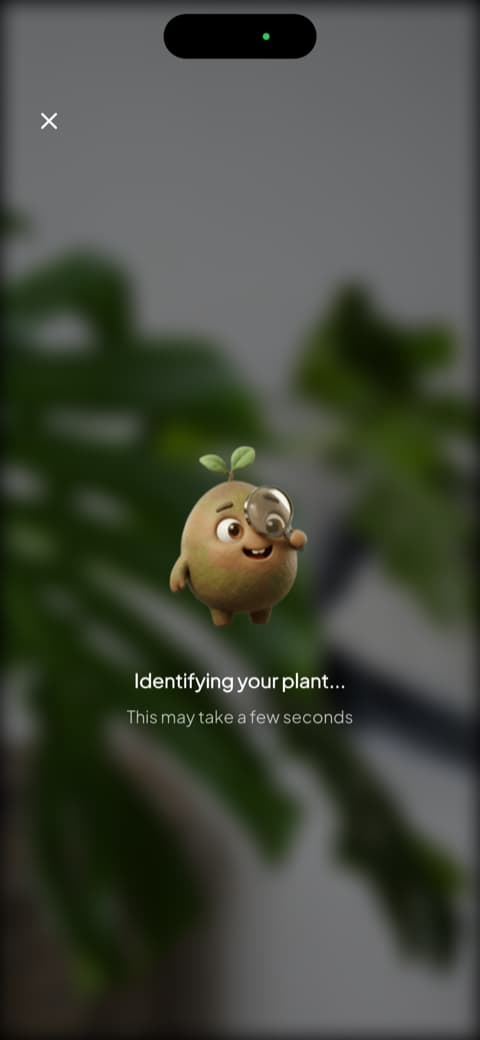
And the opening is still easy because it asks nothing of you: after Pip says hello, a few short screens walk you through what the app does, identify a plant in seconds, remind you when it is time to water, figure out what is wrong with a sick plant, plus how often it gets the answer right and the 4.8 rating the community gave it, with notes from people who use it. Then it is over and you can point the camera. I have said this before and I still think there is nothing better than an app that introduces itself instead of interviewing you.
The identification that turns into a lesson
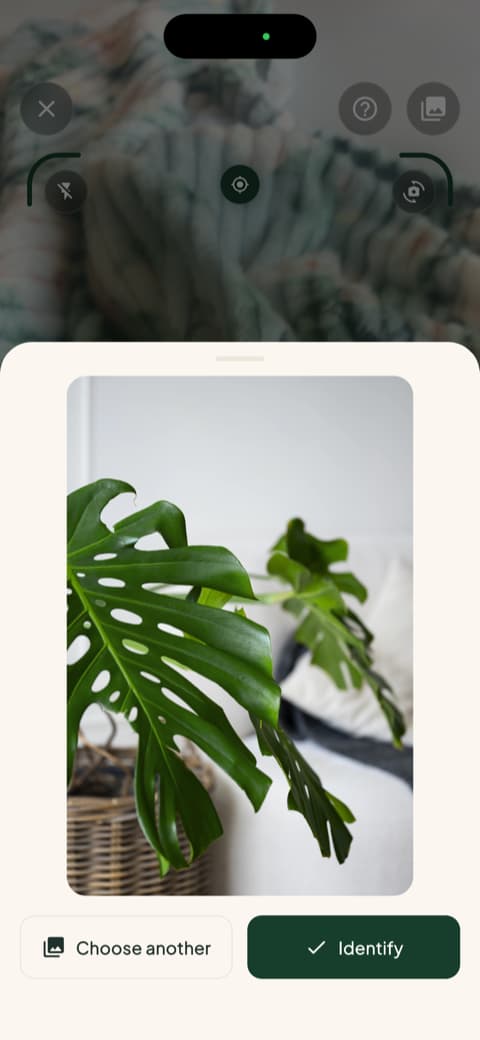
I pointed the camera at my Swiss cheese plant, the official guinea pig of all my tests, and Bloom asked me to confirm the shot before going to work. Seconds later the result came in, with a match percentage, common name and scientific name, and tabs for overview, care and botany right underneath. The app recognizes more than 35,000 species and gets it right about nine times out of ten, a number that has been checked in independent testing, and in two weeks it never once slipped up on me.
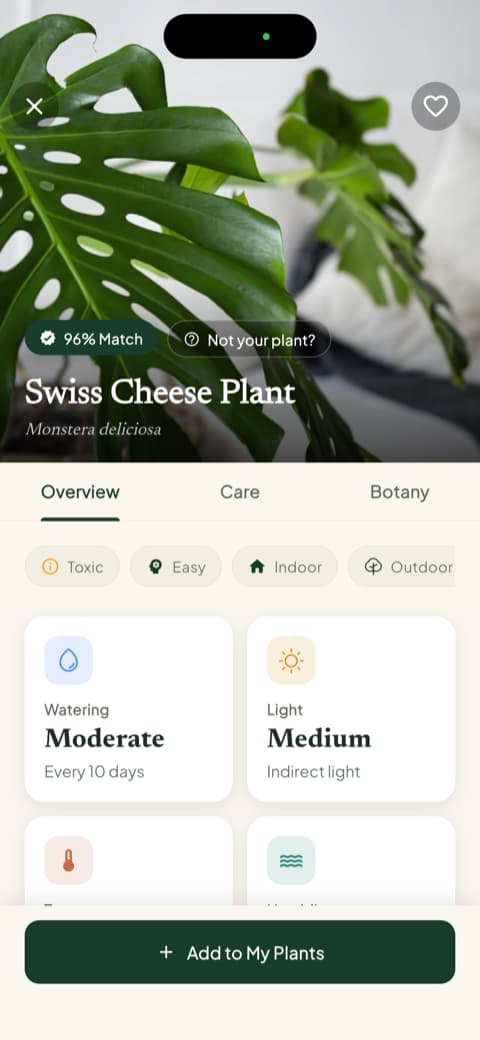
That same screen already gives you watering frequency, light type, temperature range and ideal humidity. And there are two things I now look at before anything else: the toxicity warning for cats, dogs and children, which instantly settles whether the plant can stay within reach of whoever lives with you, and the amount of water in milliliters, calculated for your pot size and the spot the plant sits in. There is even a button to recalculate when you repot. Reading those profiles is how I stopped watering by guesswork, and how the fern on my kitchen windowsill, survivor of so many of my stories, is still going strong today.
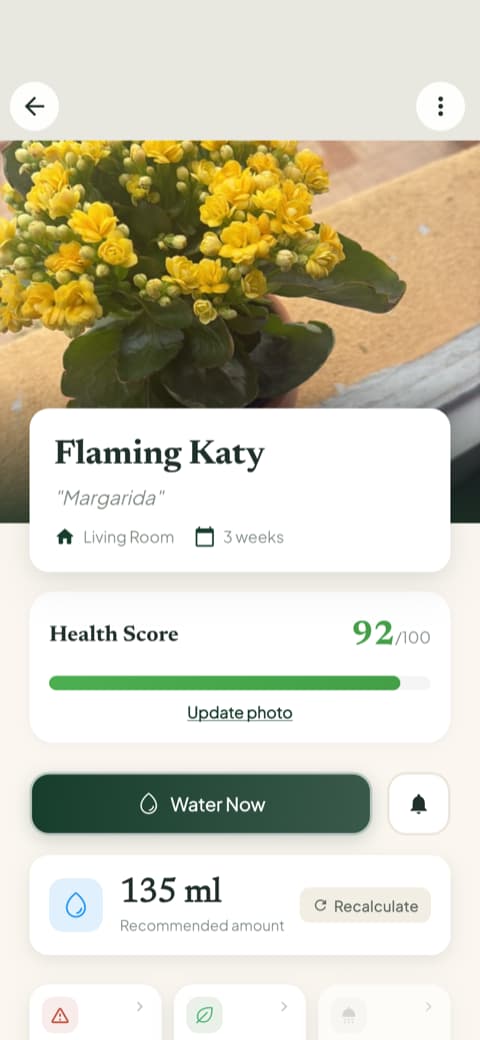
My garden, the way my brain works
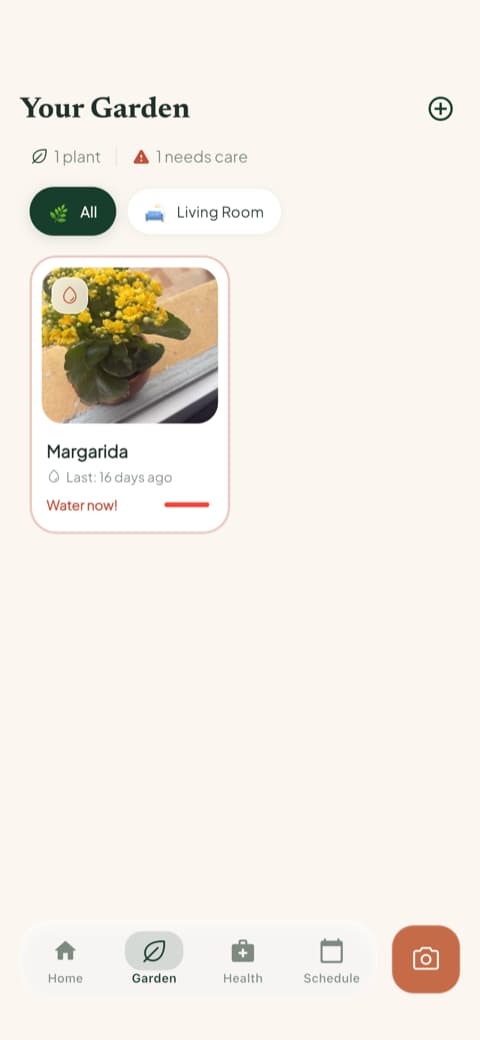
When you save a plant, Bloom asks which room it lives in and adjusts the care to the light in that corner. The garden tab shows everyone in a list, and the card itself flags when watering is overdue. Each plant gets a health score from 0 to 100 that rises and falls depending on how well you keep up, and I will admit I compete with myself to watch my Swiss cheese plant's score climb. Opening that screen in the morning has become a habit, right alongside coffee.
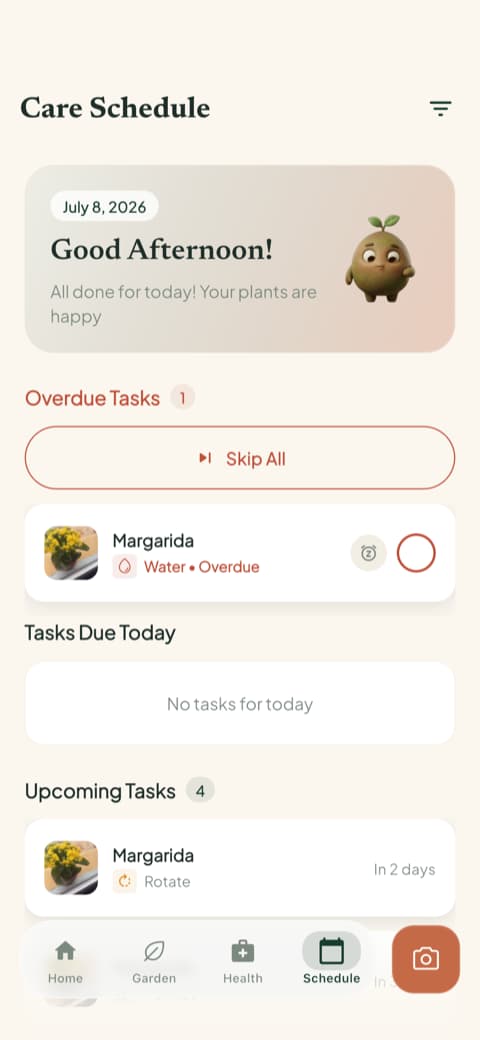
Just outside the garden sits the care schedule, which separates what is overdue, what is due today and what is coming up, and keeps a record of what you have already done. It is not only watering: it covers fertilizing, pruning, rotating the pot, repotting and even the progress photo, which slowly builds a visual history of each plant. Looking back at photos of my ZZ plant from three months ago was the most satisfying thing I did all month.
And the guides are still my favorite treat: detailed write-ups on watering, light, soil, temperature, ideal pot and propagation for each species, plus a botany section with classification, symbolism and flowering. The rosemary guide, the one that hooked me way back, is still the example I give everybody.
Getting to know Plantify
An arrival that impresses with numbers
Plantify's first screen is pretty and to the point: "Welcome to Plantify", a gorgeous photo of a Swiss cheese plant (a coincidence that made me smile) and a badge saying more than 4 million people use the app. That many people together inspires confidence right away, and everything on screen is written in plain, clear language.
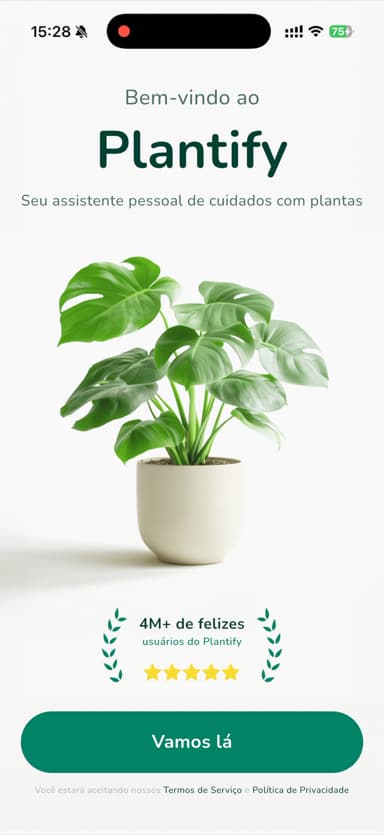
Two honest notes about the start. First: before it even says hello, a pop-up asks whether Plantify can keep track of what you do in other apps. You can decline without any fuss, but it is an odd way to open a conversation, and the app had to win me back afterward. Second: the opening questionnaire is long. It asks your goal, your biggest struggle, your experience level, which alerts you want and even where you heard about the app, then closes with an "analyzing your answers" screen and a climbing percentage. None of it is hard, I just felt it took a beat too long before letting me in to play.
The home screen is a Swiss Army knife
Once I was through the door, Plantify started winning me over. The main screen is clean and organized: identify a plant, diagnose a sick plant and, this is the curious one, identify a mushroom. I had never seen that in a plant app. I tested it on a cheeky little mushroom that popped up in my fern's pot after a rainy week and it named it on the spot. It does not change my life, but it is the kind of feature that is fun and could genuinely help if you hike or have a yard.
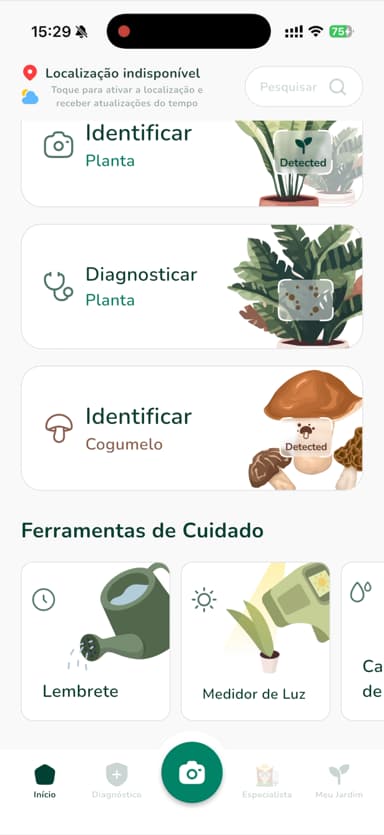
Further down are the care tools: watering reminders, a light meter to check whether that corner of the living room is bright enough, and so on. It is a generous set of features in one place.
The botanist that talks back
Plantify's most likable feature is the AI Botanist, a chat where you describe your plant's problem and it answers like an actual conversation. I told it about my dramatic basil and it walked me through questions about the plant name and the symptoms, and even complimented the name I made up for it. It comes in handy when your question does not fit in a photo, something like "can I leave this plant on the balcony through winter?".
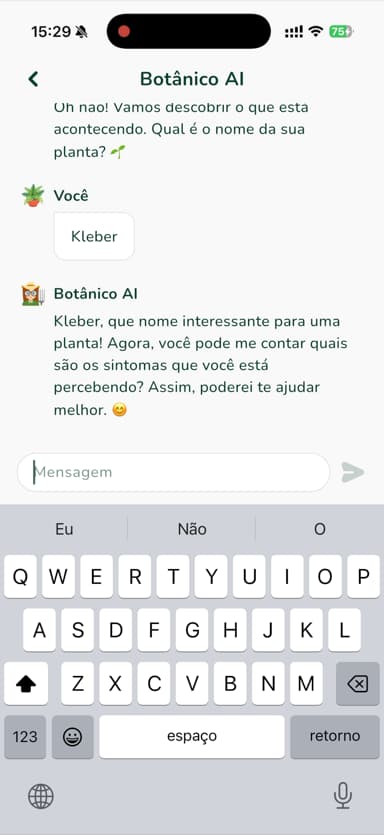
The honest observation: the chat is lovely to talk to, but the answer arrives at conversation pace, a question here, a reply there. In Bloom, when a plant is sick, you show the photo and get a diagnosis with step by step instructions, and the species profile also lists disease risks sorted into high, moderate and low, so you know what to watch for before trouble shows up. They are two different ways of calling for help, and I feel better looked after by the second one.
Comparing point by point
Identification by photo
Both identify well. I put a Swiss cheese plant, a fern, basil and a ZZ plant in front of both and neither one missed. The difference is what comes after the name: Bloom hands you that packed profile, with match percentage, care, botany and the toxicity alert for pets and kids, while Plantify gives you a more straight to the point answer. And Plantify identifies mushrooms, which Bloom does not. If you want to learn about every plant you discover, Bloom is more generous. If you want speed and variety in what you can identify, Plantify holds its own.
Everyday care
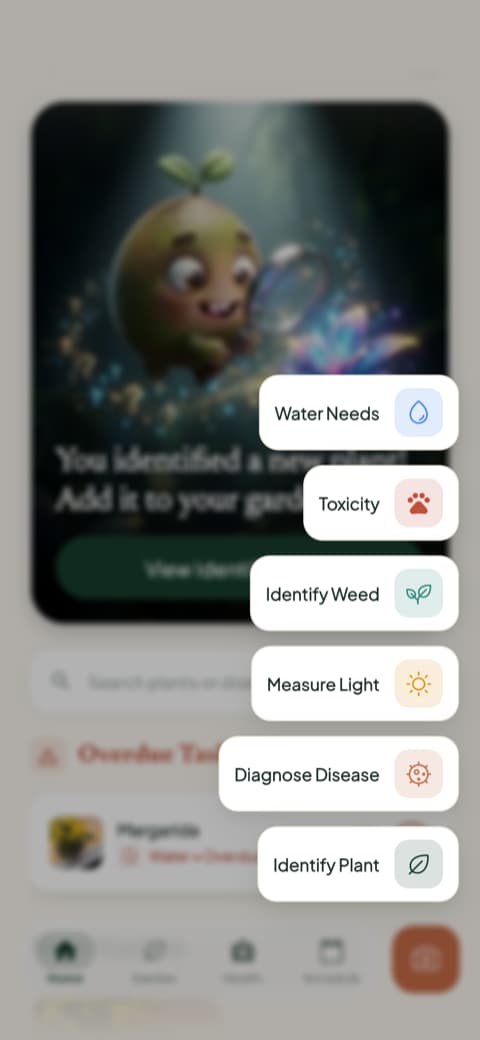
This is where the way each app organizes your home really counts. Bloom asks which room each plant lives in, adjusts care to that light, flags overdue watering right on the plant card and pulls everything into a schedule with what is late, what is due today and what is coming. Plantify has the reminders and the light meter, which is genuinely charming for deciding where to put a new plant, but its plant organization is simpler. Worth saying that Bloom measures light too, in a quick actions menu that also holds disease diagnosis, weed identification, a toxicity check and water needs. With a lot of plants scattered around the house, Bloom is the one that kept me from forgetting anybody.
Learning while you care
Bloom takes this one comfortably: the care guides and the botany section are the kind of content you read all the way through without noticing. Plantify makes up for it with the AI Botanist, which answers specific questions on the spot. I would say Bloom is the teacher who prepared the lesson and Plantify is the classmate who texts back fast. Both have value, but a well-taught lesson is the one that sticks.
Mood and personality
Plantify is clean, green and organized, with the feel of an efficient assistant. Bloom is colorful and warm, with Pip along as mascot and accomplice. Neither one gets this wrong. It is about which suits you. I arrived in this world needing encouragement more than efficiency, and I still find myself in Bloom.
How much each one lets you try
This part caught my eye in the comparison. In Bloom you walk in, see what it can do, identify a plant and even add two plants to your garden without signing up for anything, so you get to feel the app working with your own plants before deciding anything.
Plantify takes another road: after that long questionnaire, it asks you to commit before showing you what it can do. It is not a crime, and plenty of apps work that way. It just bothered me to have to decide about an app I had not seen from the inside yet.
Who is each app for?
Bloom is for you if...
You are starting out and want an app that welcomes you instead of grading you. You want every identification to come with a full profile, a toxicity warning for cats, dogs and children, and watering in milliliters, no guessing. You have plants spread around the house and want everything organized by room, with a care schedule and a health score. You like watching your plants change through photos.
Plantify is for you if...
You want a Swiss Army knife: identify plants, identify mushrooms, measure light and chat with an assistant, all in one app. You like getting answers in chat form. You prefer a more neutral, direct look, with no mascot.
My honest conclusion
At the end of those two weeks, my answer to that nagging little doubt is this: Plantify is a good app, better than I expected when its ad started chasing me around. The AI Botanist is friendly, the light meter is useful and the mushroom identification pulled a genuine "well, that's fancy" out of me. If it had shown up in my life earlier, the story might have gone differently.
But it showed up later, and the spot was taken. Bloom is still the app I open in the morning with my coffee, because it does things the way that keeps me hooked: identification that turns into a lesson, a garden organized by room, a schedule that will not let me forget anybody, water measured in milliliters and photos that show a plant getting better over time. Plantify visited for two weeks and it was a pleasant visit. Bloom lives here.
If you are still on the fence, start with what you can try with no strings attached: download Bloom, identify one plant, add it to your garden and see whether that way of caring feels like yours.
And if your fern ever looks happy again, I will be happy right along with you.
This review was written after using both apps in real life, on an iPhone. Features and screens may change depending on your region and when you download them.
Related articles

The 5 Best Apps to Remember to Water Your Plants
Always forgetting to water your plants? Here are the 5 best apps that remember for you, tested for smart reminders that actually fit your routine.

The 6 Best Plant Apps for Beginners
New to plants and worried you'll kill them? Here are the six best plant apps for beginners, tested for how easy they make identifying and caring for your first plants.

The 7 Best Apps for People Who Always Kill Their Plants
If your plants keep dying no matter how hard you try, these 7 apps were made for you. Here are the ones that actually help keep a plant alive.