PlantIn Alternative: Identify and Treat Your Plant in a Few Taps
Thinking about switching from PlantIn? Here is an honest look at where it shines, where it falls short, and the alternative winning over plant lovers.
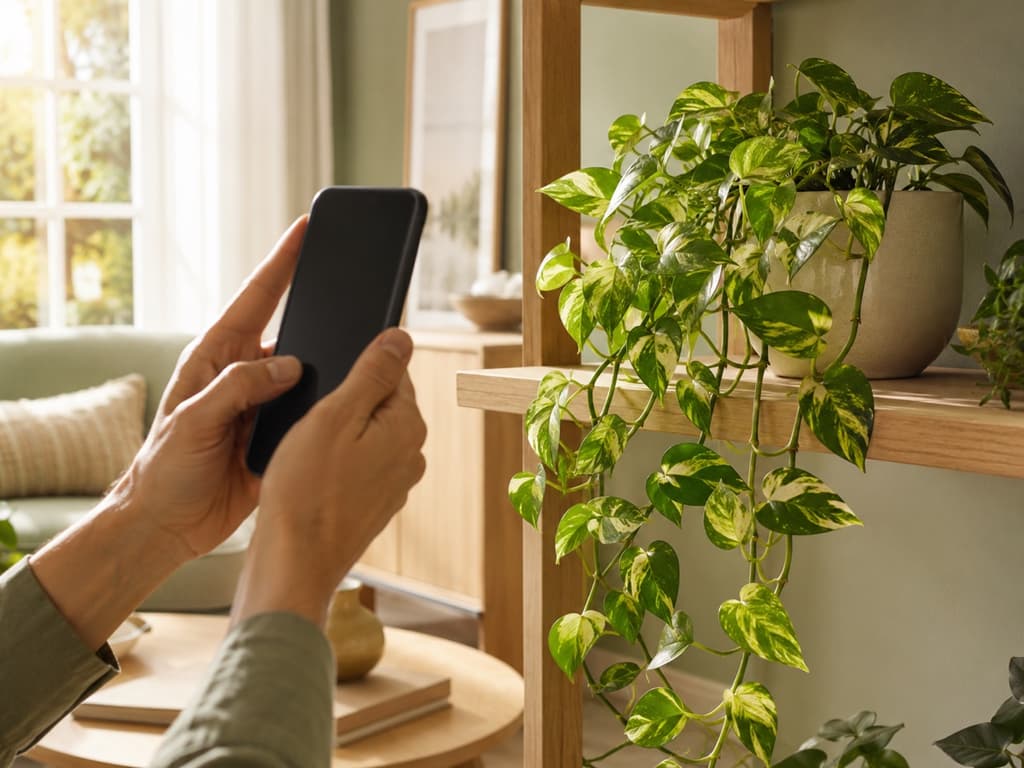
Most of us download a plant app for one very specific reason. A leaf turned yellow overnight, or a friend gave us a cutting with no name tag, and suddenly we need answers. PlantIn is one of the apps people find first, and to be fair, it makes a good first impression. There's a friendly welcome, a tour of the features, even a clever demo where the app identifies a plant for you before you've photographed a single leaf.
Here's the thing, though. Between creating an account, sitting through the introduction slides, and closing the subscription screens that pop up along the way, some people never quite get to the part where they're actually caring for their plant. If you've ever thought, "I just want to point my camera at this thing and get an answer," you're the person this article was written for.
Because there's another way to do this, and it's called Bloom.
What PlantIn gets right
Let's start with an honest compliment. PlantIn knows how to show off its best feature. During setup, it hands you a sample plant and walks you through identifying it, so you see the app working before you've even stepped into your garden. That's smart, and it works. The care cards are genuinely detailed too, covering difficulty level, watering, and fertilizing for each plant. Add reminders for watering, pruning, and feeding, plus a photo tool for spotting diseases, and you have a capable app.
But capable and comfortable are not always the same thing. PlantIn asks you to sign up for an account before you've done anything at all, and the subscription offers appear early and then again when you reach for certain features. None of this is unusual for a big app. It just adds up. You came to check on a plant, and somewhere along the way it started to feel like paperwork.
Meet Bloom, where the plants come first
Bloom was built around a simple belief: a plant app should feel as pleasant as the hobby itself. When you open Bloom, you're greeted by Pip, a cheerful little sprout who acts as your guide. Pip isn't there to sell you anything. Pip is there to help you figure out what that mystery plant on your windowsill is, and then to help you keep it alive.
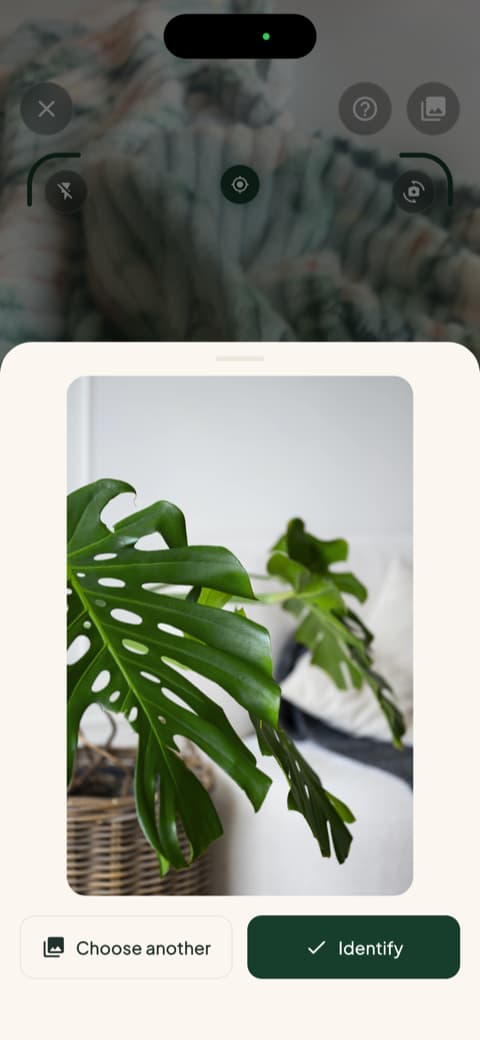
The friendliness sits on top of serious technology. Bloom recognizes more than 35,000 plant species and gets the identification right about 9 times out of 10. That's a 93 percent accuracy rate, and it isn't a number we made up in a meeting. It comes from independent research on the identification technology Bloom uses, published in the scientific journal AoB PLANTS.
From "what is this?" to "here's how to care for it" in seconds
Identification is only useful if it leads somewhere. When Bloom names your plant, it immediately shows you what that plant actually needs: how often to water, how much light it wants, what temperature keeps it comfortable, and whether it belongs indoors or out.
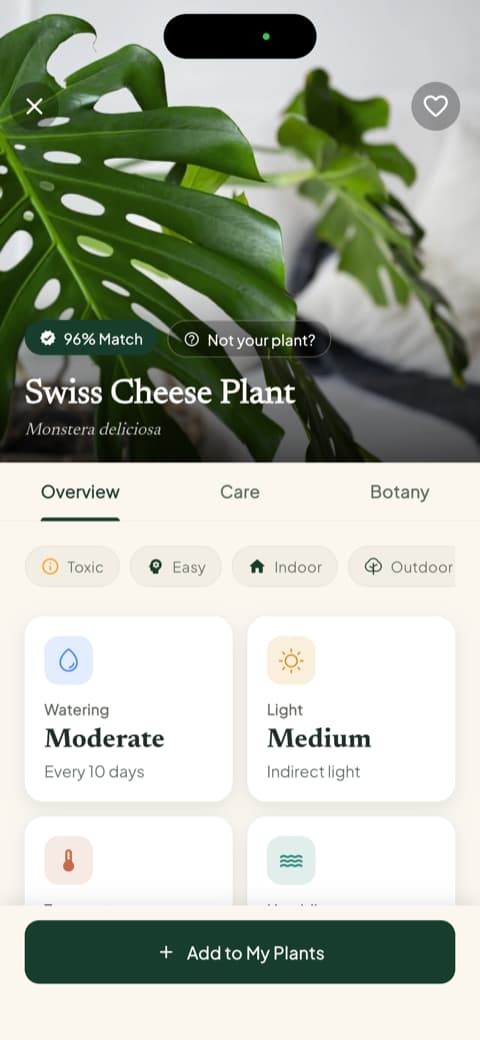
Everything is explained the way a knowledgeable friend would explain it. You won't need to look up a single term, and you won't wonder what to do next, because the app tells you.
The safety check most apps forget
Here's a question worth asking before any plant comes into your home: is it safe? Plenty of popular houseplants are toxic to cats, dogs, or small children, and most people find out the hard way. Bloom puts this information front and center. Every plant profile includes a clear toxicity section covering cats, dogs, and children, so you know before the plant is sitting on your coffee table.
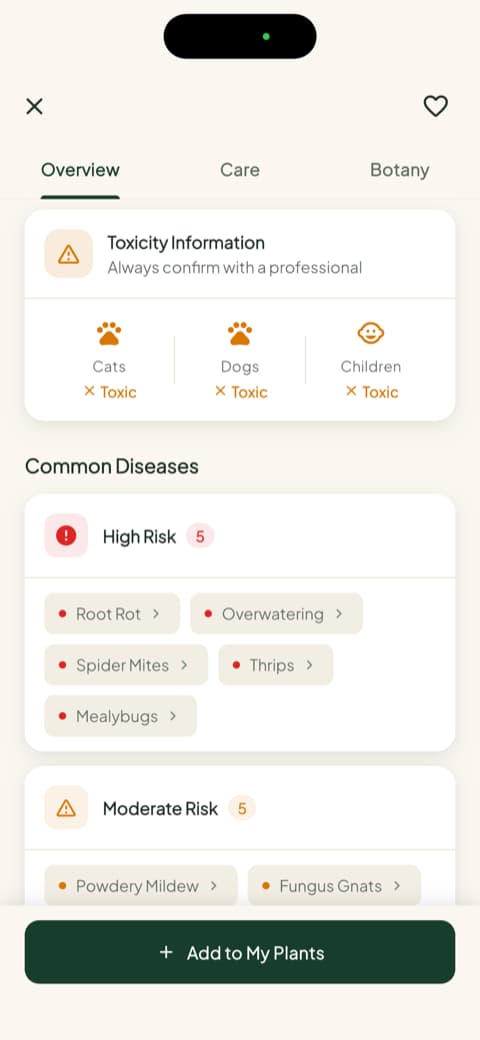
If you've got a cat who chews everything green or a toddler in the grabbing phase, this single screen might be the most valuable feature in any plant app.
Watering advice you can actually measure
"Water moderately" is the kind of advice that has killed millions of houseplants. Moderately compared to what? Bloom skips the vague language entirely. For each plant you add, it calculates a specific amount of water in milliliters, based on your plant, your pot, and where it lives in your home. Each plant also gets a health score, so you can see at a glance how it's doing and watch that number climb as your care improves.
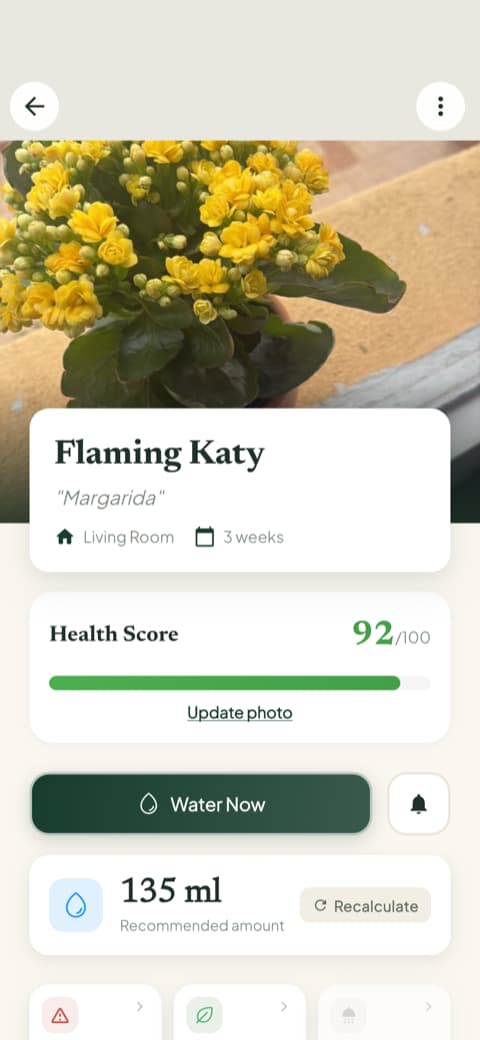
It's a small difference that changes everything. When you know the exact amount, watering stops being a guessing game and starts being a thirty-second task you can feel good about.
A garden that fills up with your real plants
Some apps feel empty until you've done a lot of setup work. Bloom gets personal fast. Every plant you identify can join your garden, where it gets its own profile, its own care plan, and its own alerts. Open the app on any given morning and your garden tells you exactly who needs attention.
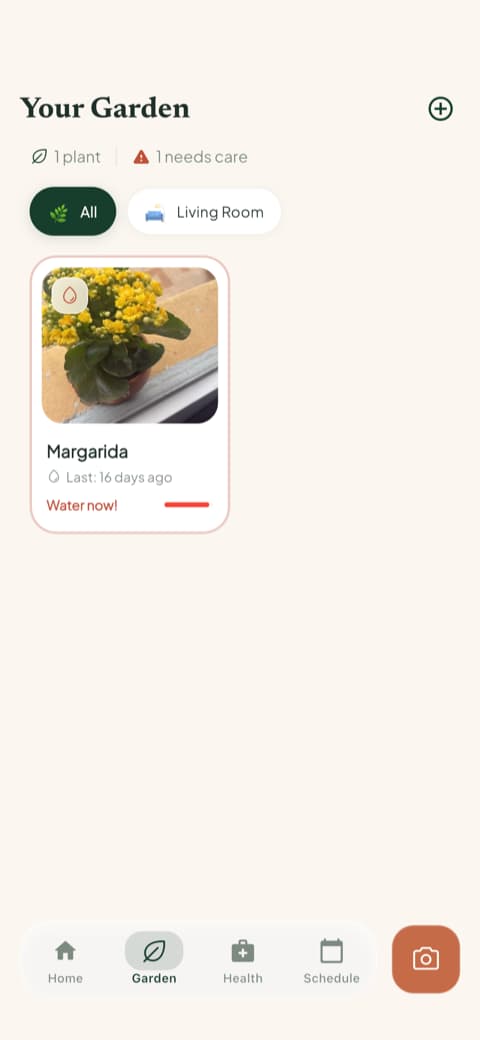
And because your plants each have their own schedule, the reminders arrive when your plant needs them, not on some generic weekly timer.
Six tools, one tap, zero hunting
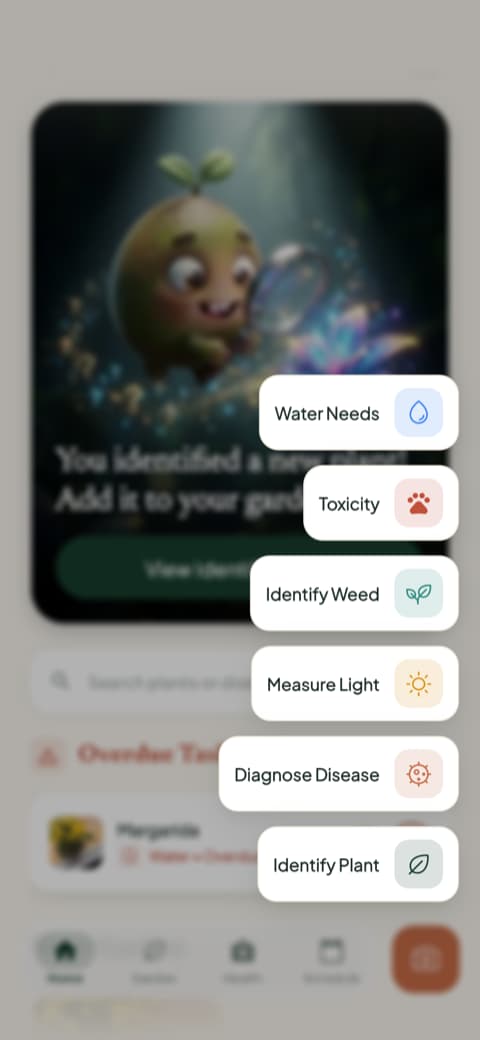
Everything else Bloom can do lives one tap from the home screen. Need to figure out if that corner by the bookshelf gets enough light? There's a light meter. Noticed strange spots on a leaf? Photograph it and get a diagnosis. Something suspicious sprouting in the flower bed? The weed identifier will name it. Pet safety, water needs, plant identification, all in the same little menu.
So, PlantIn or Bloom?
Here's our honest take.
PlantIn is a solid choice if you enjoy a guided experience and don't mind a few extra steps before you get going. Its onboarding demo is genuinely clever, and its care reminders cover the essentials.
Bloom is for people who want the shortest possible distance between "what is this plant?" and "now I know exactly how to care for it." Accurate identification, honest safety information, watering measured to the milliliter, and a friendly sprout named Pip cheering you on. The community has rated it 4.8 stars, which tells you the simplicity is working.
Your plants don't care which app you use. But you might, every single day.
Download Bloom, snap a photo of your nearest plant, and let Pip take it from there.
Related articles

The 6 Best Plant Apps for Beginners
New to plants and worried you'll kill them? Here are the six best plant apps for beginners, tested for how easy they make identifying and caring for your first plants.

The 5 Best Apps to Remember to Water Your Plants
Always forgetting to water your plants? Here are the 5 best apps that remember for you, tested for smart reminders that actually fit your routine.

The 7 Best Apps for People Who Always Kill Their Plants
If your plants keep dying no matter how hard you try, these 7 apps were made for you. Here are the ones that actually help keep a plant alive.