Plantion Alternative: More Information About Your Plant From Every Photo
Plantion is popular, but is it the right fit for you? Compare the experience and discover a friendlier way to keep your plants thriving.
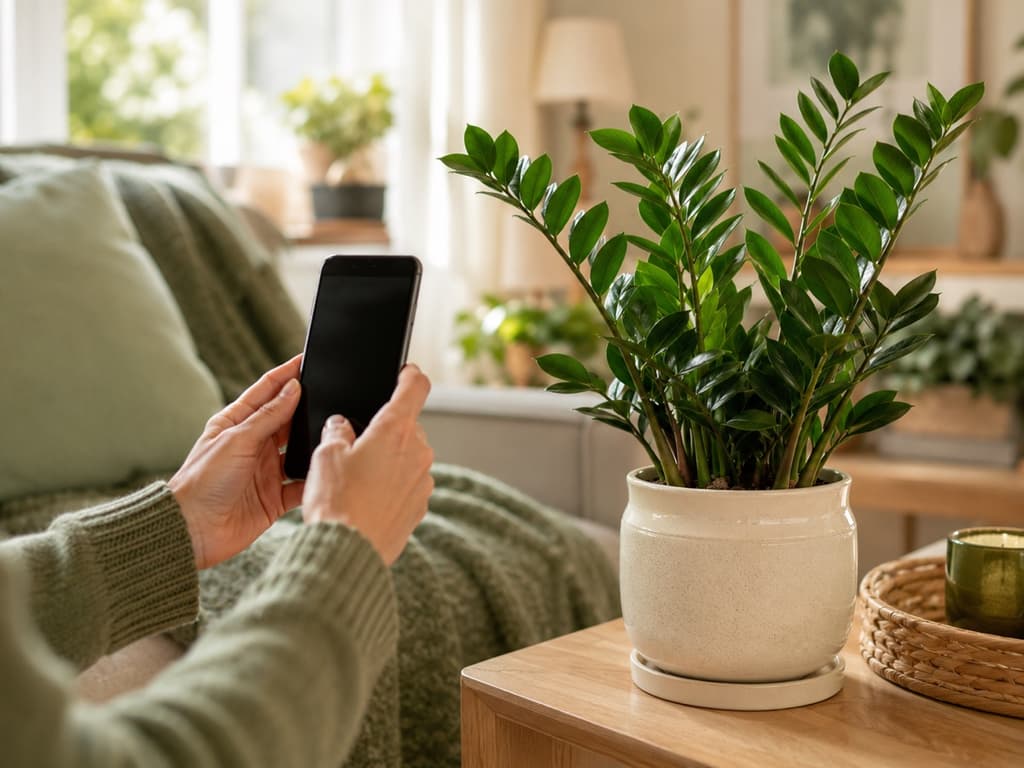
Most people find Plantion the same way. There is a plant on the windowsill that came without a name, or a droopy fern that used to look much happier, and someone in the house says, "just use an app for that." Plantion is one of the tidier options you will come across. It opens with a friendly greenhouse illustration, keeps its menu short, and puts a big camera button exactly where your thumb expects to find it.
And yet plenty of plant lovers try it, pause, and start looking for an alternative. Usually not because they wanted a bigger app. They wanted a deeper one. An app that does more with the photo they just took, and that earns their trust before asking for anything in return.
That is the corner where Bloom lives. Here is a fair look at both apps, so you can decide which one deserves the spot on your home screen.
What Plantion gets right
Plantion deserves real credit for restraint. The home screen is a simple grid with four clear choices: search, your garden, history, and diagnose, plus that camera button front and center. Nothing is buried. Nobody gets lost. If you have ever abandoned an app because you could not find the one feature you actually came for, Plantion's clean layout will feel like a relief.
The rough edges show up in the details. The very first thing Plantion asks of you, before you have pointed the camera at a single leaf, is whether you want to upgrade to premium. Then a banner keeps the question alive on the main screen. And depending on your settings, some screens greet you in one language and finish the sentence in another, which can leave you wondering if you tapped something wrong.
None of this makes Plantion a bad app. But first impressions matter when you are about to trust an app with a living thing. And a plant app should probably prove itself with a plant before it asks you for a decision.
Meet Bloom, and meet Pip
Bloom handles the welcome differently. Before anything else, you meet Pip, a cheerful little sprout who shows you around the way a good friend walks you through their garden. You take your first photo and get your first answer before the app asks anything of you.
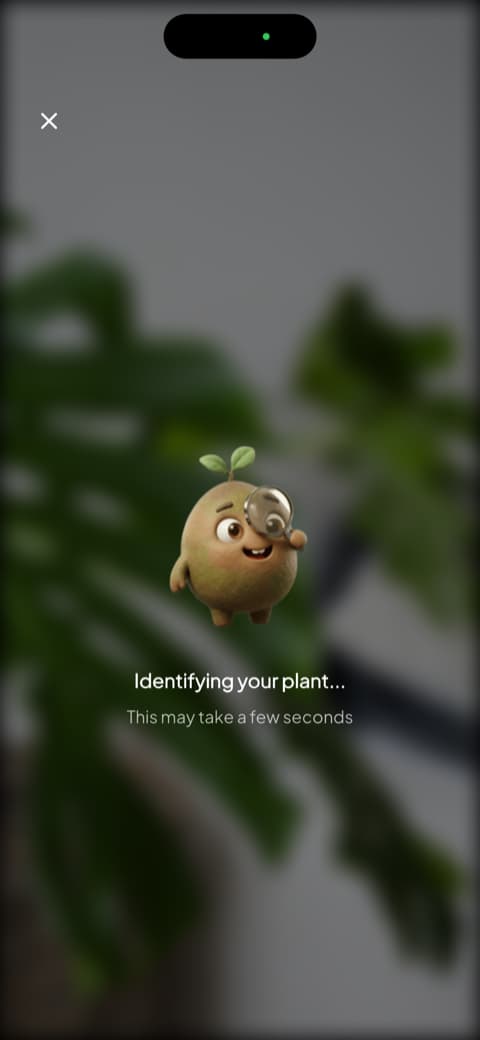
Underneath the friendly face sits serious plant knowledge. Bloom recognizes more than 35,000 species and lands on the right answer about 9 times out of 10, a level of accuracy confirmed by independent research, not just by our own fondness for the app.
First the name, then the plan
Identification is where many plant apps stop. It is where Bloom gets going. Along with the name, you immediately see how often your plant wants water, the kind of light it prefers, its comfortable temperature range, and the humidity that keeps it thriving. One screen quietly answers the next five questions you were about to type into a search bar.
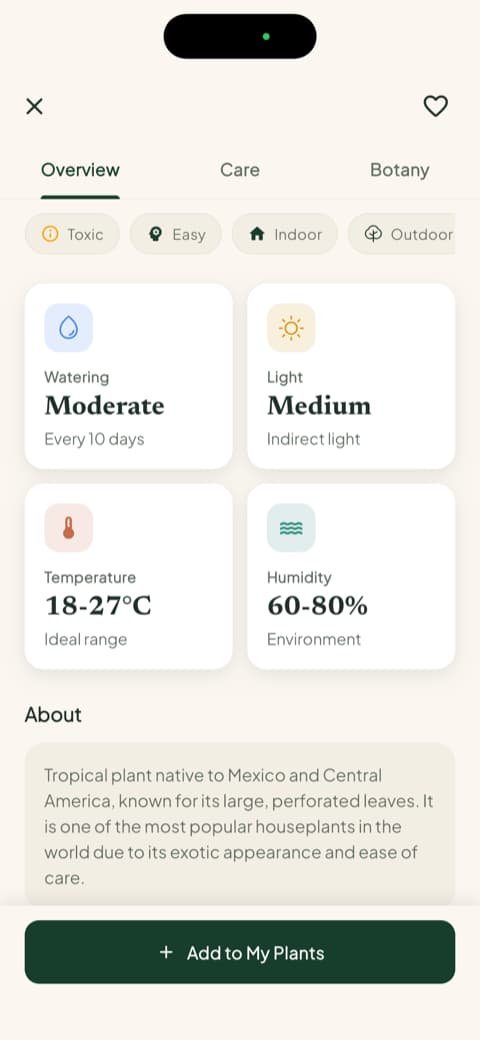
Everything is written the way a kind neighbor would explain it over the fence. Clear words, short sentences, no botany lecture.
The safety check most apps skip
Here is a detail nobody thinks about until the day they really need it. Is this plant safe around the cat? The dog? The two-year-old who tastes everything within reach? Bloom answers that question for every plant you identify, right on the plant's profile, before you learn it the hard way.
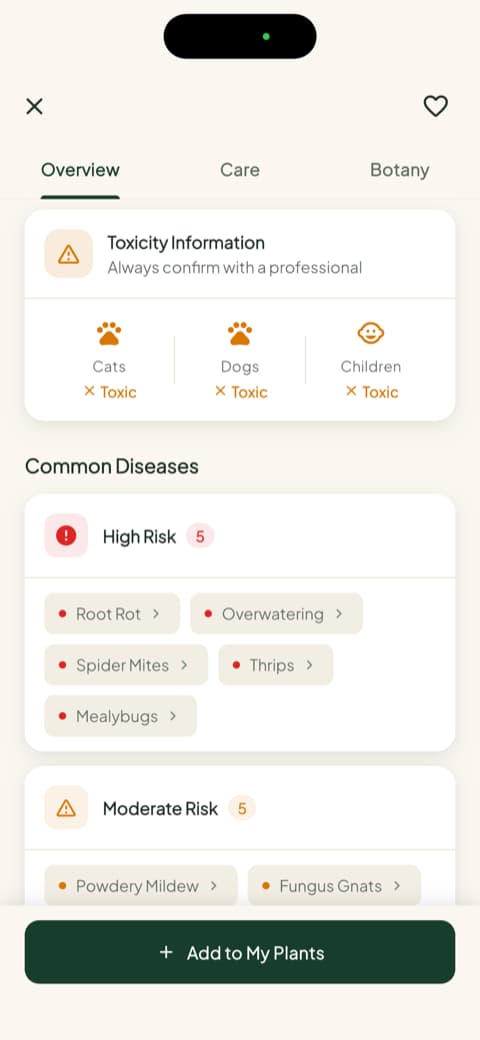
For a household with pets or small kids, this single screen is reason enough to keep Bloom on the phone.
Watering by the milliliter, not by the maybe
"Water regularly" is advice that has drowned a lot of houseplants. Bloom skips the vague part entirely. Every plant in your garden gets a health score, and when watering day comes, Bloom tells you how much to pour, measured in milliliters and calculated for that specific plant, its pot, and the spot where it lives in your home.
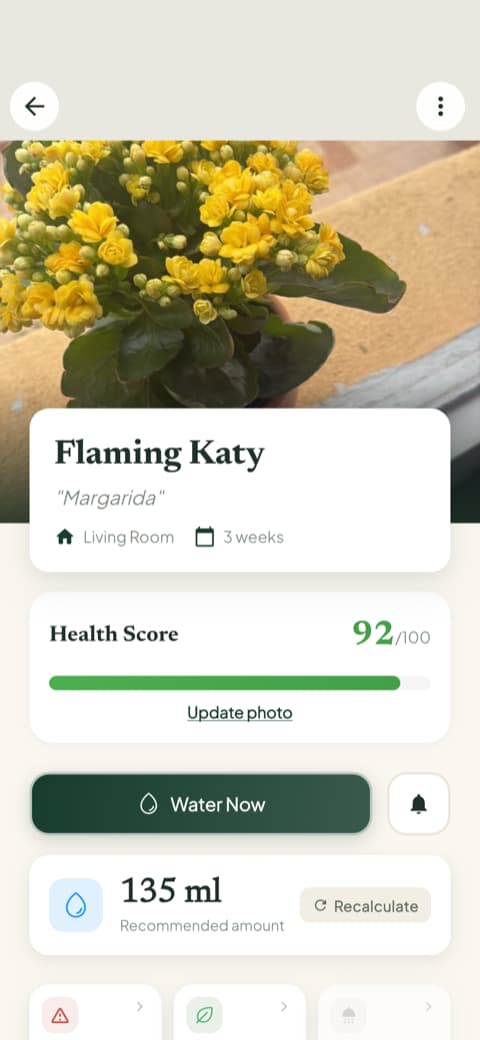
And when life gets loud, the care schedule keeps count for you. Watering, fertilizing, repotting, each task shows up when it is due and waits patiently until you check it off.
A garden screen that feels alive
Open Bloom and your garden greets you like a little dashboard of green lives. Each plant appears with its photo, its health, and a gentle flag when something needs you, like a "water now" nudge you can handle in two seconds.
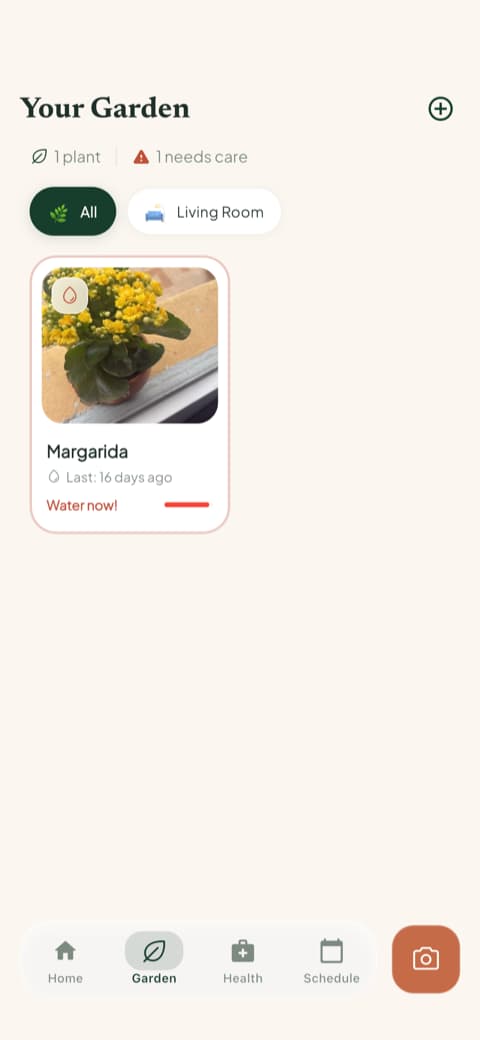
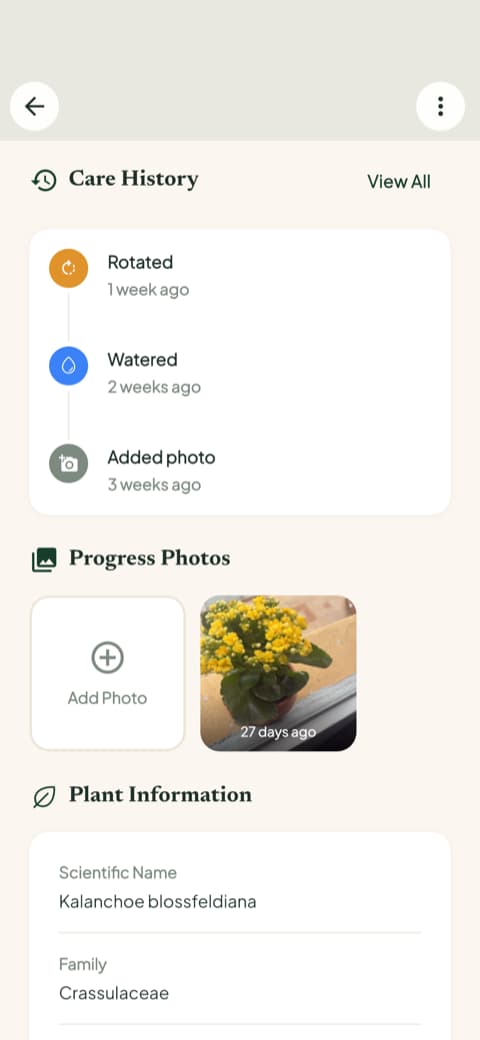
Plantion offers a garden section too, along with a history button. Bloom simply takes both ideas further. Each plant's page keeps a care history of every watering and feeding, plus progress photos, so you can scroll back through the months and watch a scraggly cutting grow into the pride of the living room.
There is more tucked one tap away when you need it. A photo diagnosis for sick plants, a light meter for finding the brightest corner of the house, and a weed identifier for the garden bed. You will not trip over these tools, but they are there the moment a leaf looks wrong.
So which app belongs on your phone?
Here is the honest answer.
Plantion is a reasonable pick if you want a minimal identifier with a tidy menu and a quick camera button, and you do not mind making the premium decision before you have tried much of the app.
Bloom is for people who want the photo to be the beginning, not the whole story. Identify the plant, find out if it is safe for the family, water it in the right amount, and let the care schedule remember everything else, with Pip cheering quietly from the corner. Bloom's community rates the experience 4.8 stars, and the reason shows up with your very first photo: the name arrives with the care that plant actually needs.
Download Bloom, snap that mystery plant, and watch a name turn into a plan. Pip will take it from there.
Related articles

The 5 Best Apps to Remember to Water Your Plants
Always forgetting to water your plants? Here are the 5 best apps that remember for you, tested for smart reminders that actually fit your routine.

The 6 Best Plant Apps for Beginners
New to plants and worried you'll kill them? Here are the six best plant apps for beginners, tested for how easy they make identifying and caring for your first plants.

The 7 Best Apps for People Who Always Kill Their Plants
If your plants keep dying no matter how hard you try, these 7 apps were made for you. Here are the ones that actually help keep a plant alive.