PlantMe or Bloom: which plant app is right for you?
PlantMe or Bloom? I put both plant identification and care apps to work on my own houseplants, and here is the straight answer on which one is worth it.
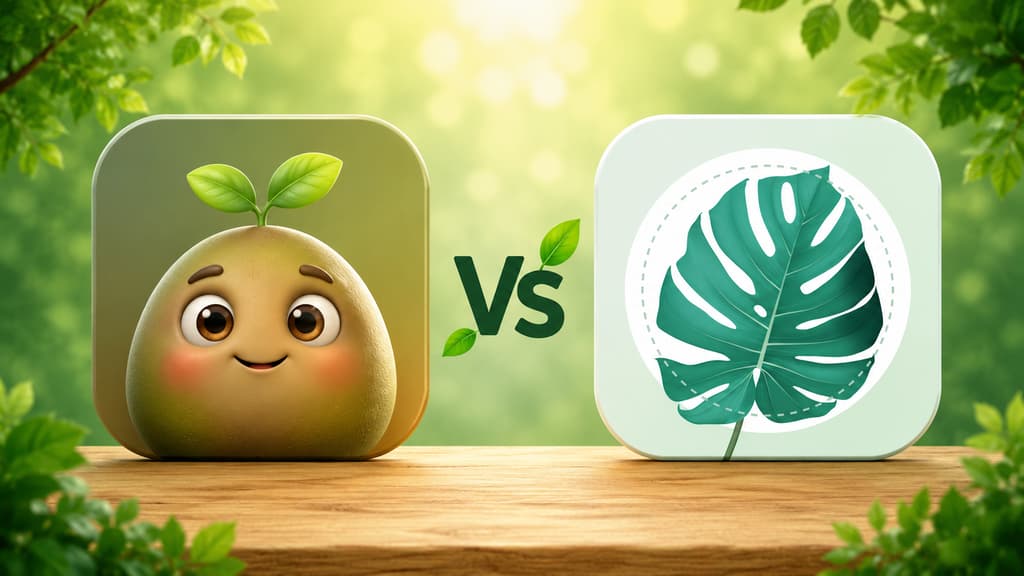
I was doing one of those Sunday cleanups on my phone the other day when it hit me: the "Plants" folder on my iPhone now has more residents than my actual plant shelf. Anyone who follows my reviews knows how this whole thing started, with a row of succulents that did not survive me and a fern on the kitchen windowsill that became my redemption project. Anyway, this round started with me scrolling the App Store looking for plant apps worth a real test, and that is how PlantMe ended up going head to head with Bloom, which you already know well from my other reviews.
I used both on my actual plants, in my actual routine, and this is what I would tell you if we were chatting on the porch with the Swiss cheese plant listening in.
The short version, if you are in a hurry
Quick takes, in no particular order of favoritism:
You want to walk around the app before you commit to anything: with Bloom, you can get in, poke around and identify plants with no strings attached.
You need to know whether the new plant is dangerous for the cat or the toddler crawling across the living room: Bloom.
You want the whole experience, from the very first screen to the last care guide, written in plain, everyday language: Bloom.
You like the idea of a plant community living inside the app: PlantMe, which has a whole tab for it.
You want to identify a plant and walk away with a full profile, almost a mini lesson: Bloom.
You appreciate practical tips on how to photograph a plant so you get it right the first time: PlantMe does a lovely job here.
You want care organized room by room, with a schedule that shows you what slipped past due: Bloom.
Now let me tell you what living with each one was actually like, because that is what really decides it.
Getting to know Bloom
A visit that starts with a hello
For anyone just joining: Bloom opens with Pip, a little 3D character who looks like a wide-eyed sprout and greets you like an expected guest. The first few screens show you what the app does: identify a plant in seconds, remind you when to water, diagnose disease. Then comes the accuracy screen, backed by independent testing, and the rating the community gave it, with notes from people already using it. After that it lets you in. No interview first, no question about how many plants I own or what my skill level is.
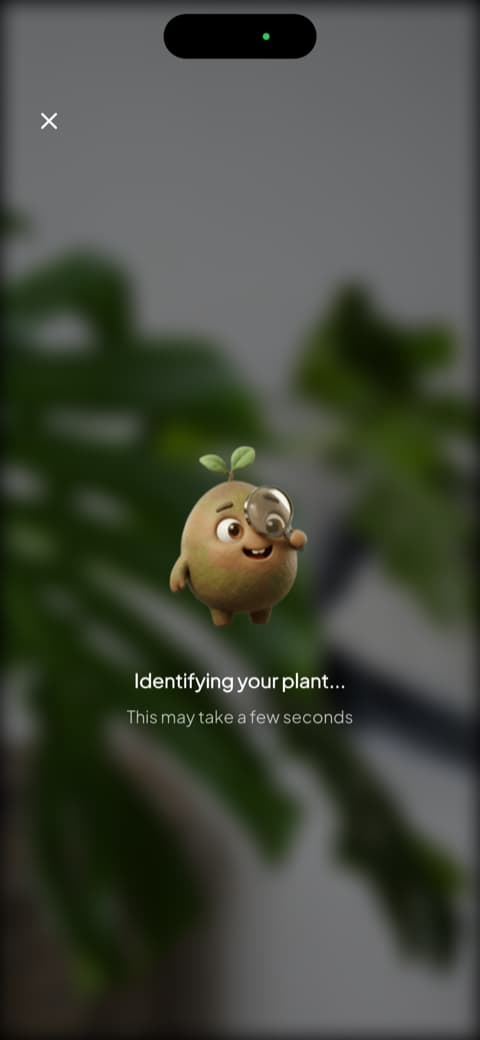
The detail I always make a point of noting: Bloom lets you come in and use it without locking you into anything up front. You can explore, identify a plant and even move your first two residents into the garden without subscribing. Sounds small, but in a minute you will see why it became such a big deal in this comparison.
The plant profile that is worth a whole lesson
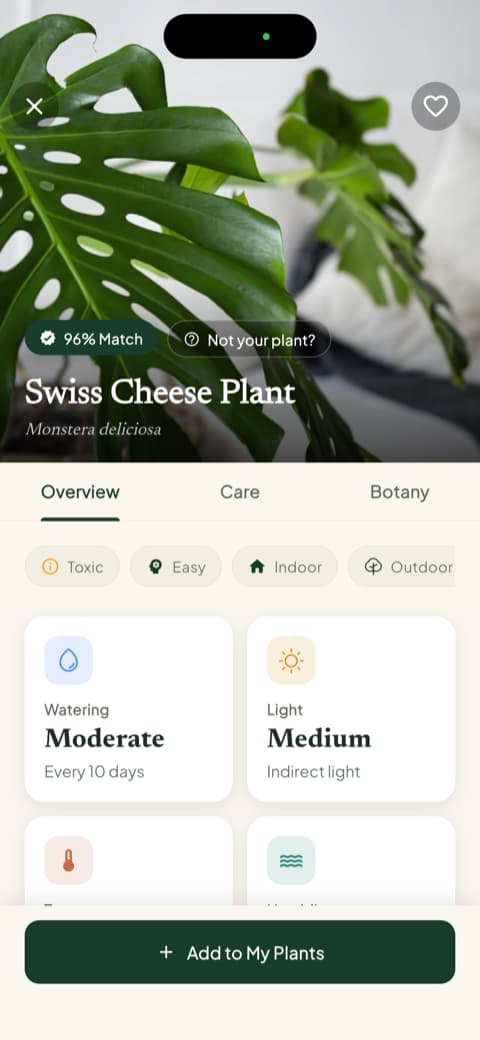
I pointed the camera at the Swiss cheese plant, Pip showed up with his magnifying glass, and seconds later the profile appeared: match percentage, common name, scientific name and three tabs splitting overview, care and botany. That same screen already shows watering, light, temperature range and ideal humidity, and right below it the line I now check before anything else: toxicity for cats, dogs and children. It is the kind of answer that gives you the name and, along with it, some understanding of the plant. These profiles are what finally retired my guess-and-pour watering habit.
Watering in milliliters and a health score
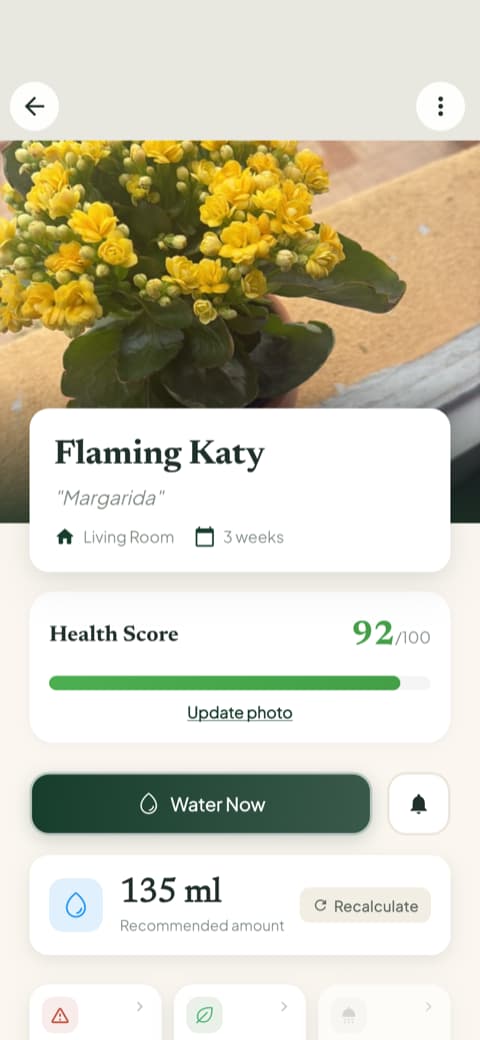
This is the part that changed my daily routine the most since those early reviews. Once a plant is saved to your garden, Bloom does not just say "water today." It calculates the amount in milliliters based on the species, the pot size and where the plant lives, and there is even a button to recalculate if you repot it or move it to a different corner. At first I thought that was overkill. Two weeks of measuring with a cup later, I understood that my problem was never forgetting to water. It was watering way too much.
Alongside that comes the health score, from 0 to 100, which rises and falls depending on how well you keep up with care. The kitchen fern started with a number I will not be sharing here and is now sitting comfortably in the nineties.
Every plant in its own room
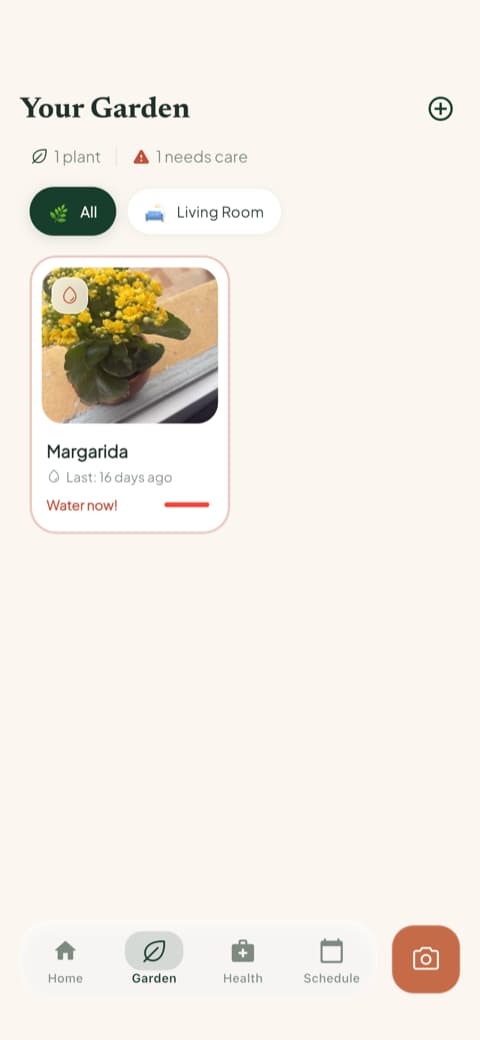
When you save a plant, Bloom asks which room it lives in and tunes the reminders to the light in that spot. The garden tab lines everyone up, flags overdue watering right on the card, and the care schedule separates what is past due, what is for today, what is coming up and what you already finished. It is not only watering either: fertilizing, pruning, rotating the pot, repotting and even the progress photo all show up. My basil, which nearly became a memory once, now gets watered on the right day because the app nudges me.
Genuinely good reading
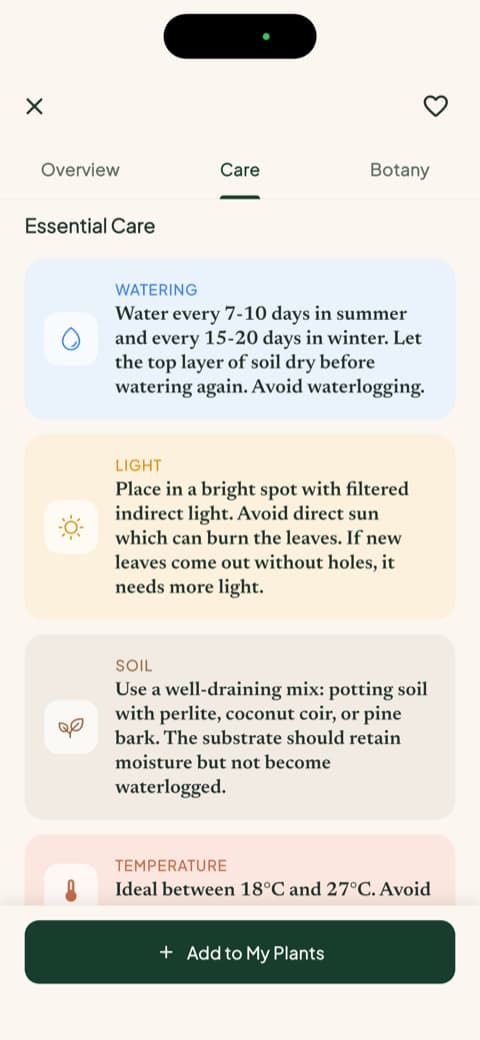
Bloom has detailed care guides for each species, written in human language: watering, light, soil, temperature, best pot and propagation. Then comes the botany section, with classification, symbolism and blooming season. The rosemary one is still my favorite. This is the kind of content that turns a tool into company.
Getting to know PlantMe
A very pretty start
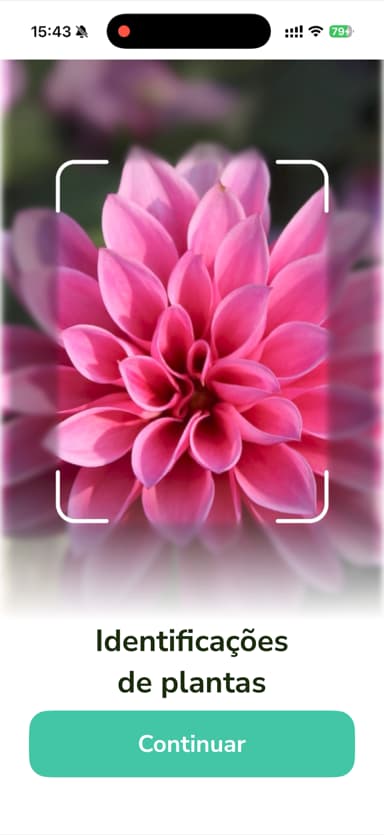
PlantMe opens with big screens and gorgeous photography: a pink dahlia filling the whole display to introduce plant identification, then a succulent being scanned to show off disease diagnosis, and a preview of the community, which works like a wall of photos and questions from other plant owners. Visually, it is one of the prettiest openings I have seen in this category.
The door only opens for subscribers
And here comes the chapter that changed the tone of my visit. Right after those intro screens, PlantMe asks you to subscribe, and no matter how hard I looked, I could not find a way into the app without starting one. It is take it or leave it before you have seen a single leaf from the inside. What bothered me most is the timing: you are asked to commit at the exact moment you know the least about what you are committing to. You have seen three beautiful photos and nothing else. No test drive with your own plant, no look at the care screens, no way to check whether the app fits the way you actually live with your plants.
Once you are inside, it is friendly
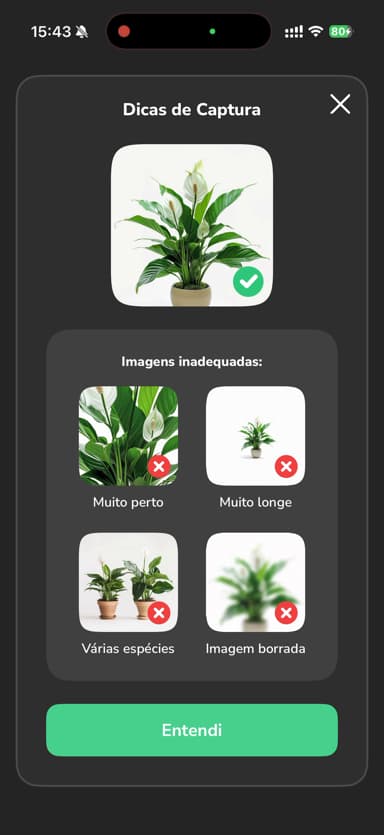
I subscribed so I could tell you the rest, and I will admit the experience improves on the other side. Before turning on the camera, the app explains why it needs it and shows a "Capture Tips" screen with examples of what works and what gets in the way: too close, too far, several species in one frame, blurry shot. I found it a quick and genuinely useful lesson, the kind that saves you from a frustrating first attempt.
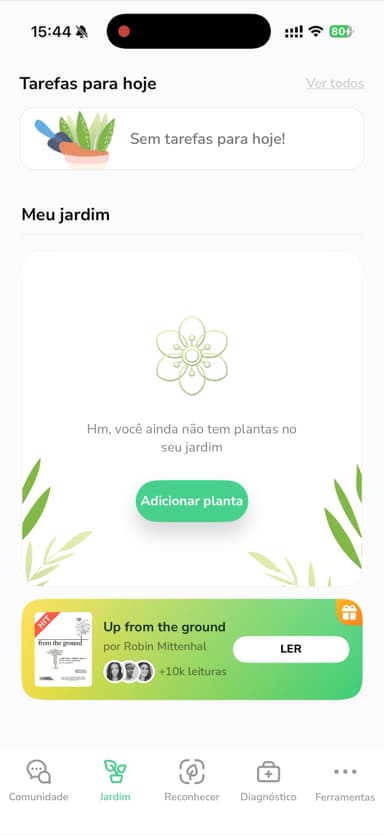
The home screen is pleasant too: "Tasks for today" at the top, "My garden" right below, and tabs for community, identification, diagnosis and tools. It is clean and well organized. The community is a nice extra, since you get to see photos and questions from other users, though a good share of what I found was people asking the same handful of beginner questions.
Comparing them point by point
Identifying a plant from a photo
Both identify well, and PlantMe earns extra points for the photo tips before the camera opens. The difference is what comes after the shutter. PlantMe hands you the name and care information. Bloom hands you that generous profile, with match percentage, propagation, disease risks sorted by severity, toxicity and context that is a pleasure to read. If your question is just "what plant is this?", both answer it. If the question is "and how do I take care of it starting today?", Bloom answers with more care.
Day-to-day plant care
Both have reminders and a task list for the day, and that is great. What tipped it for me was the organization: Bloom separates plants by room, adjusts care to the light in each corner of the house and tells me how much water to pour, in milliliters. In PlantMe, the garden is one single list, functional but without that layer of context. If you have three pots, it makes no difference. If you have plants in the living room, the bedroom and the kitchen, you feel it by the end of the week.
Clarity before you commit
This is the point I have to treat seriously, because I have watched people agree to things they did not fully understand. Bloom shows you its hand first. You meet Pip, identify a plant, read a full profile and set up your garden, and only then does the question of subscribing come up, once you actually have something to base the answer on. PlantMe reverses that order. The most important decision in the whole experience is the one you make with the least information, and I do not think that is a small thing.
Diagnosis and extras
Both diagnose disease from a photo, and both worked well in my tests with suspicious leaves. PlantMe adds the community, which Bloom does not have in that format. Bloom adds a quick actions menu that I use more than I expected: measuring the light in a corner of the house, identifying a weed that showed up in a pot, checking toxicity and confirming water needs. It also adds a care history with progress photos, which is where I can see the fern from three months ago and today's fern side by side.
How each one lets you in
This was the point that stuck with me most in this comparison, so it deserves its own section.
PlantMe asks you to start a subscription before you get to see the app from the inside. I found no way around it: either you accept, or you stand at the door admiring the pretty intro photos.
Bloom does the opposite. You can walk in, chat with Pip, identify a plant and put two plants in your garden without signing up for anything. Is that a lot? Depends on you. For me it was enough to find out whether the app matched my routine before deciding anything, and that is how I like to be treated by an app.
Who is each app for?
Bloom is for you if...
You want to try before you commit, at your own pace and with no surprises. You want a full care system that reads like it was written for a person, from the opening screens to the botany guides. You have plants scattered around the house and want each one in its own room, with reminders that land on the right day, water amounts that are actually measured, and profiles that genuinely teach you something. And you want to know, before you buy that pretty leaf, whether it is dangerous for your cat.
PlantMe is for you if...
You like the idea of a plant community inside the same app, with photos and questions from other users. You appreciate the photo tips before you point the camera. And you do not mind subscribing before you get to explore.
My honest conclusion
PlantMe surprised me more than once: the opening screens are beautiful, the photo tips are a rare kindness and the community has a nice neighborly feel to it. You can tell there is a good app in there.
The problem is that it keeps that good app behind a decision you have to make in the dark. And when I compare it to what it felt like to arrive at Bloom, get welcomed by Pip, identify the Swiss cheese plant, find out on the spot that it is toxic to my sister's cat, poke around at my own pace and only then decide whether it was worth subscribing, the difference in respect for my time is hard to ignore. In the end, Bloom is the one that stayed on my phone, reminding me to water the fern with the right measurement and getting me to read about rosemary until I lost track of the hour.
If you want the community, and you are fine committing before you peek, PlantMe delivers what it promises. If you want an app that wins you over first and asks later, that talks to you clearly from hello to the last care guide, Bloom is my pick. The kitchen plants, once again, back me up on this one.
And if your fern ever starts looking happy again, I will be happy right along with you.
This review was written after using both apps in real life, on an iPhone. Features, screens and availability may change depending on your region and when you download them.
Related articles

The 6 Best Plant Apps for Beginners
New to plants and worried you'll kill them? Here are the six best plant apps for beginners, tested for how easy they make identifying and caring for your first plants.

The 5 Best Apps to Remember to Water Your Plants
Always forgetting to water your plants? Here are the 5 best apps that remember for you, tested for smart reminders that actually fit your routine.

The 7 Best Apps for People Who Always Kill Their Plants
If your plants keep dying no matter how hard you try, these 7 apps were made for you. Here are the ones that actually help keep a plant alive.