Planto Alternative: Identify Your Plant From the Very First Photo
Before you settle on Planto, see this comparison. There is a simpler option for identifying plants, spotting problems, and watering on time.
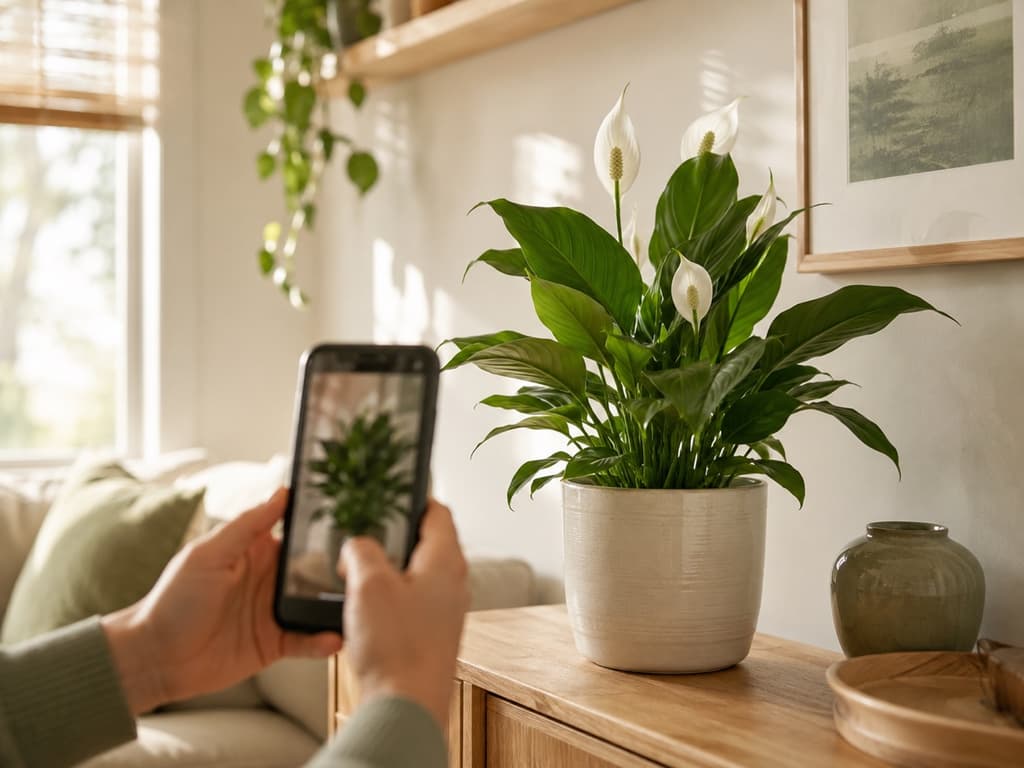
Picture this scene. There's a plant on your windowsill you can't name, so you download Planto. The first screen is lovely, a big beautiful photo and a clear promise to help you identify and care for any plant. You tap to begin.
Then come the questions. Why are you here? How experienced are you? Which plants do you like? How many do you own? How much time do you have? After that, a little spinner tells you your personal plan is being prepared. And through all of it, the plant on your windowsill is still sitting there, nameless, waiting its turn.
There's nothing wrong with an app wanting to know you better. But plenty of people open a plant app for one reason, to get an answer about a real plant in front of them, right now. If that's you, let me introduce you to Bloom.
What Planto gets right
Let's be fair, because Planto earns some genuine compliments. It's a good-looking app with a clear purpose from the very first screen. The setup questions are easy to tap through, and the step where you pick your favorite plant types uses actual photos instead of a plain list, which is a nice touch. Once you reach the home screen, the tools are laid out neatly, identify a plant, diagnose a problem, browse an encyclopedia, keep a task list.
The catch is everything standing between you and those tools. Five questions, a loading screen building your plan, an offer screen, and if you try to close that screen, another one appears to ask if you're sure. By the time you finally land on the home screen, you've done a fair amount of tapping, and your mystery plant still doesn't have a name. Some of the most useful tools are also waiting behind a lock once you get there.
If you've ever felt that setup fatigue, keep reading.
Meet Bloom and Pip: the answer comes first
Bloom flips the order. Instead of asking who you are before it helps you, it helps you first and gets to know you along the way. The app is guided by Pip, a cheerful little sprout who feels less like a setup wizard and more like a friend looking over your shoulder saying, ooh, let's find out what that one is.
So the very first thing Bloom asks for is not your gardening resume. It's a photo.
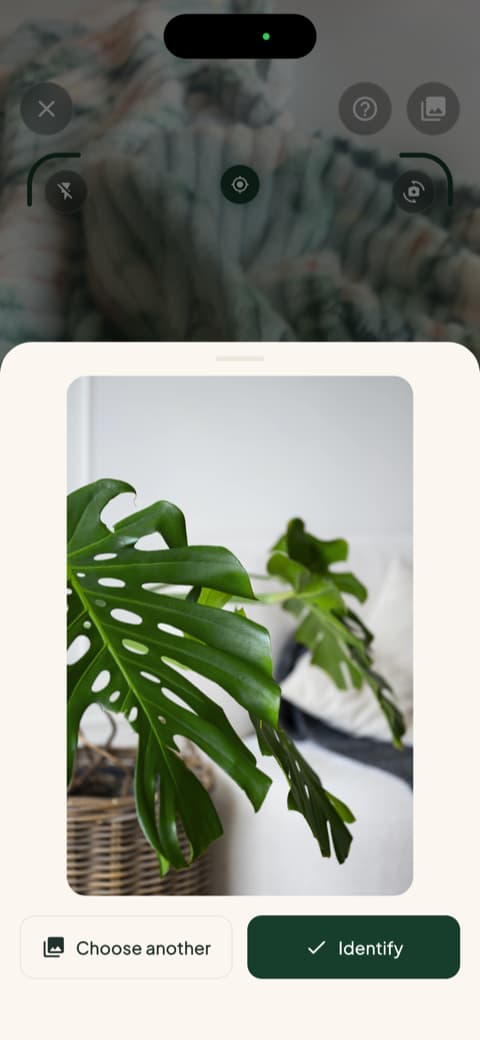
The technology behind Bloom recognizes more than 35,000 species and gets the identification right about 9 times out of 10. That accuracy has been confirmed by independent research, so it's not just a friendly mascot making promises.
One photo, and you actually know your plant
A few seconds after you snap that photo, Bloom hands you the name, and then keeps going. You see how often to water, how much light your plant wants, what temperature keeps it comfortable, and whether it belongs indoors or out. All of it written the way a helpful neighbor would say it, not the way a textbook would.
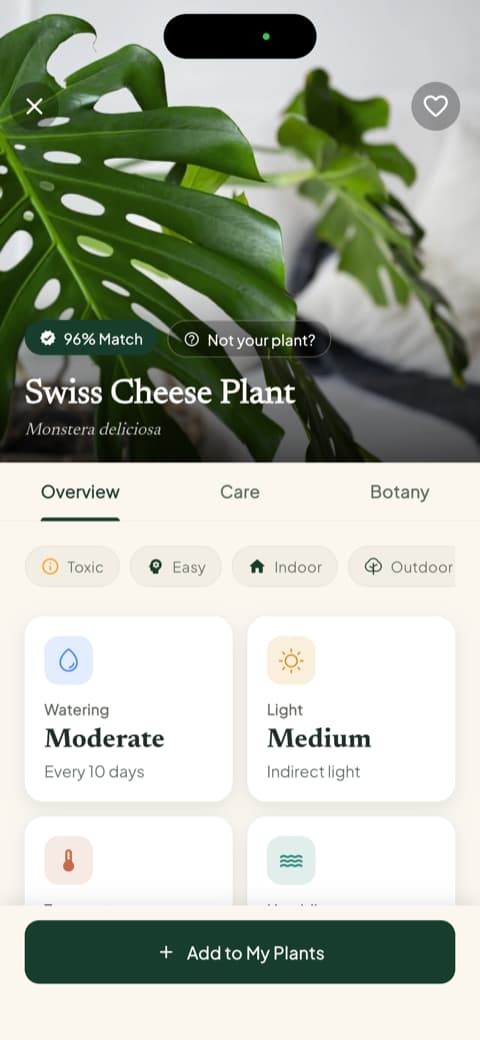
Notice what didn't happen there. Nobody asked your skill level. Bloom simply gives you clear instructions that work whether it's your first plant or your fortieth.
The safety check most apps forget
Here's a detail that means a lot in a real home. Every plant profile in Bloom tells you up front whether that plant is safe around cats, dogs, and children. Not hidden in a long article, not three menus deep. Right there.
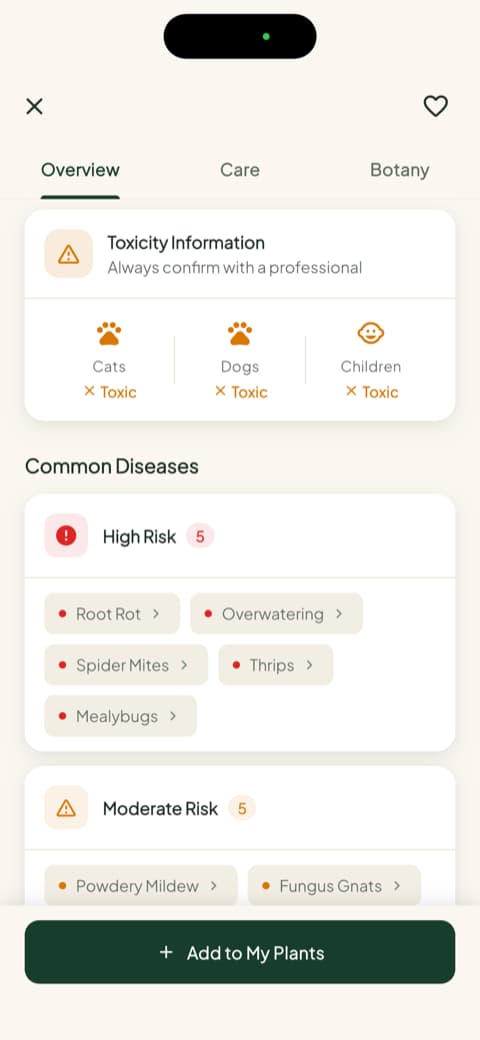
If you've ever caught a pet chewing a leaf and then spent twenty nervous minutes searching the internet, you understand exactly why this screen exists.
Watering measured in milliliters, not vibes
Most houseplants don't die from neglect. They drown, one well-meaning extra watering at a time. Bloom replaces the guesswork with an actual number. Each plant in your garden gets a health score and a recommended amount of water, calculated for that specific plant, its pot, and its spot in your home.
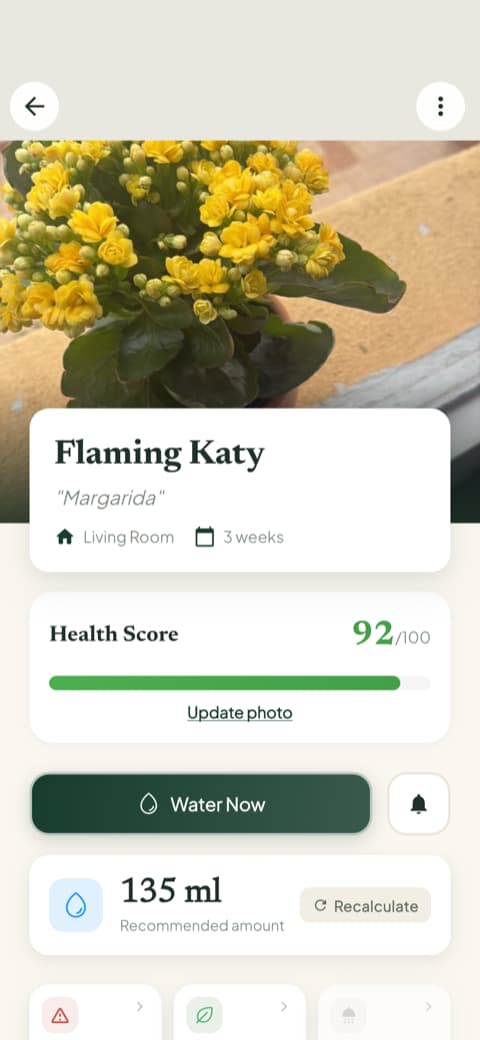
And Bloom's care schedule keeps the calendar for you, showing what's overdue, what's due today, and what's coming up, so watering day never sneaks past you again.
Personalization that comes from your plants, not a survey
Remember Planto's quiz, the one that builds your profile before you've done anything? Bloom takes the opposite road. It learns about you from what actually happens with your plants. Every watering and feeding is saved in a care history, and you can add progress photos over time, so each plant builds its own little story.
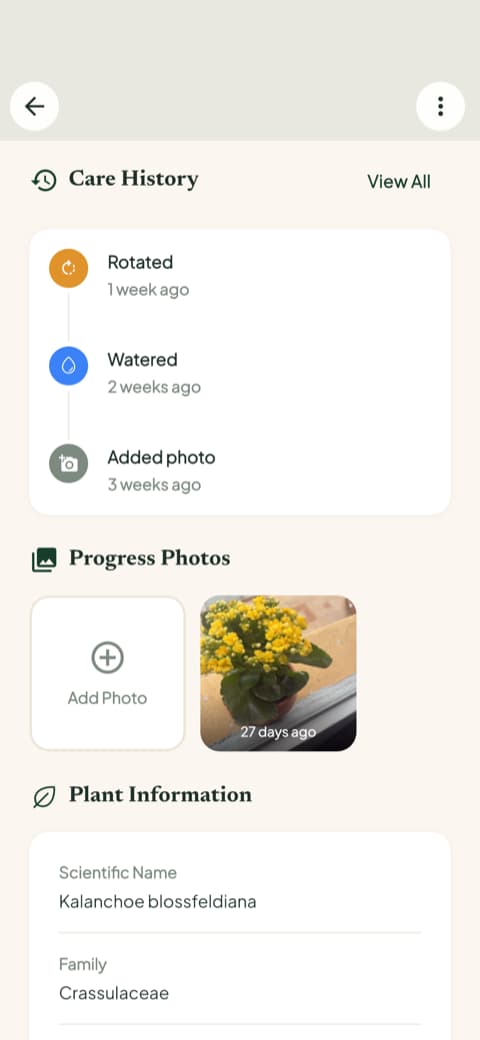
That's personalization you can see and trust, because it's built from your real routine, not from how you answered five questions on day one.
And when something goes wrong, help is one tap away
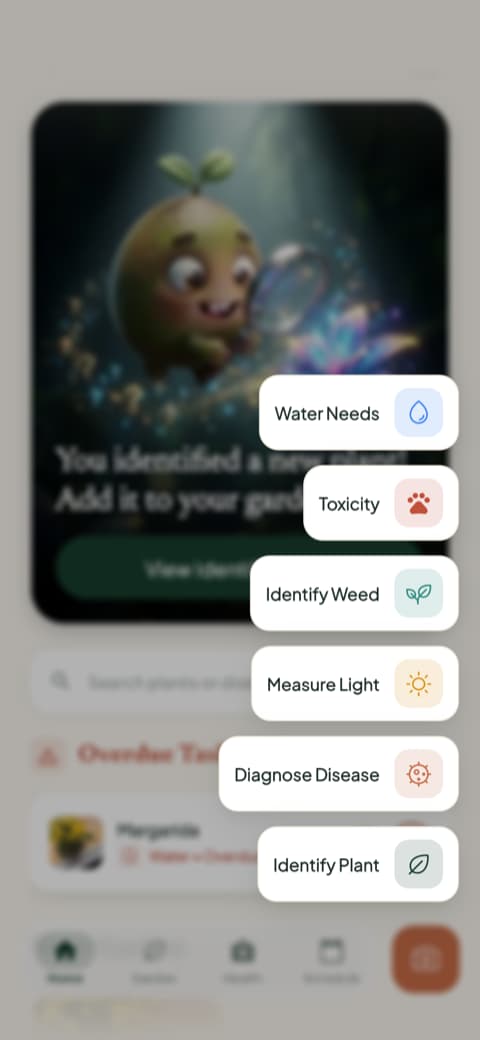
Yellow leaves? Strange spots? From the home screen, one tap opens Bloom's toolbox. You can diagnose a sick plant from a photo, measure the light in any corner of your home, check water needs, look up toxicity, and even identify weeds out in the yard.
So which app should you choose?
Here's the honest wrap-up.
Planto is a reasonable pick if you enjoy a guided setup and like the feeling of an app arranging itself around your answers before you begin.
Bloom is for people who want the help first and the formalities never. Take a photo, get the name, learn the care, know if it's safe for the family, and water the right amount. The app fits itself to your plants as you go, quietly and without a questionnaire.
Bloom holds a 4.8-star rating from its community, and the plant on your windowsill is still waiting for its name.
Download Bloom, take one photo, and meet your plant properly. Pip will handle the rest.
Related articles

The 5 Best Apps to Remember to Water Your Plants
Always forgetting to water your plants? Here are the 5 best apps that remember for you, tested for smart reminders that actually fit your routine.

The 6 Best Plant Apps for Beginners
New to plants and worried you'll kill them? Here are the six best plant apps for beginners, tested for how easy they make identifying and caring for your first plants.

The 7 Best Apps for People Who Always Kill Their Plants
If your plants keep dying no matter how hard you try, these 7 apps were made for you. Here are the ones that actually help keep a plant alive.