Planto vs Bloom: which is the best app to identify and care for plants? I tested both
Bloom or Planto? I tested both plant identification apps and give you an honest comparison of which one is really worth it for keeping your plants happy.
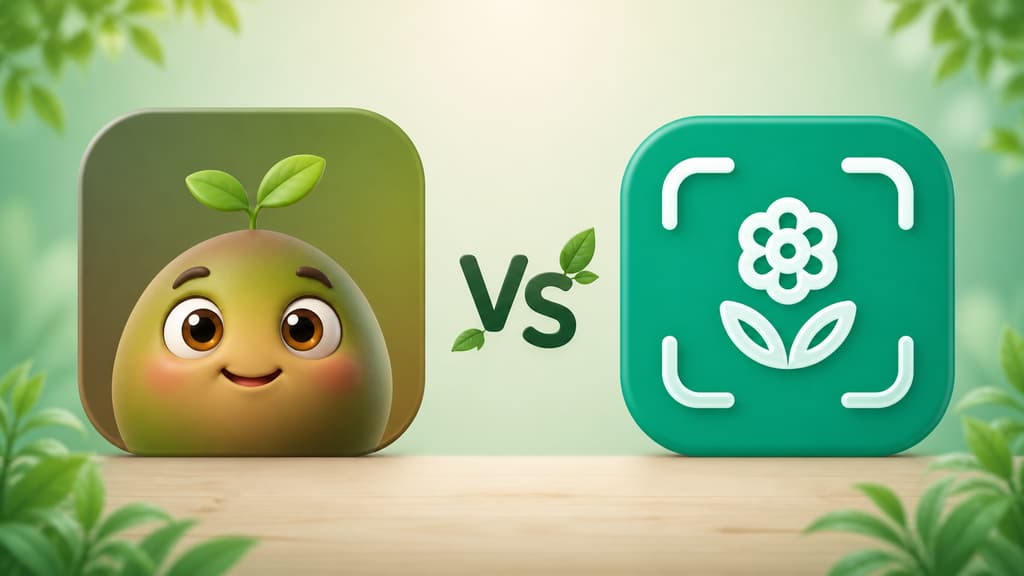
I have killed more succulents than I care to admit. I started looking for a plant app because I got tired of guessing whether my fern was thirsty, sunburned, or just going through a rough patch. If you landed here, you are probably in the same boat: you want an app that can name the plant your aunt handed you, remind you to water at the right time, and actually tell you what to do with it.
Over the past few weeks I tested the two apps that keep showing up in every search: Bloom and Planto. Both promise photo identification, care tips, and a way to keep everything alive. But using them feels very different. This is the article I wish I had read before downloading both.
The short version, if you are in a hurry
If you just want to know which one to pick, here it is:
You want an app that feels like a friend walking you through it, with a cute character and a real conversation: Bloom.
You want to identify one plant on the spot and move on with your day: Planto works, but Bloom does that well too.
You have several plants and want watering, feeding, and pruning organized in one place: Bloom.
You have a cat, a dog, or a small kid at home and need to know whether a plant is toxic: Bloom.
You want good reading material about each plant after you identify it: Bloom.
Now, if you have a few more minutes with me, I will tell you how each app actually felt, with screenshots so you can see it for yourself.
Getting to know Bloom
The first screen won me over
When you open Bloom, you are greeted by Pip, a little 3D character that looks like a sprout with arms and enormous eyes. I know that can sound silly from the outside, but that warmth is exactly what was missing in the other apps I tried. Instead of a cold list of features, Pip pops up to say hi and tells you that the two of you are going to figure out what is going on with your plants together.
And that is basically all it asks of you up front, which is to say nothing at all. No form, no quiz about your gardening level. Instead of interviewing you, Bloom uses a few quick screens to show what it can do: identify a plant in seconds, remind you to water on time, take a look at a sick leaf. Then it turns you loose to point the camera. As someone who kills plants without blinking, I liked being able to try it first and tell it about my life later. That kind of detail is what separates an app that feels clinical from one that feels like a friend.
When it shows you it knows its stuff
At some point a friendly comparison shows up telling you how often Bloom gets it right. More than 35,000 species recognized and roughly 9 correct calls out of 10, which lines up with independent validation. The chart is cute, but the real test is using it. Spoiler: with every common plant I put in front of the camera, it nailed all of them.
Identifying a plant for real
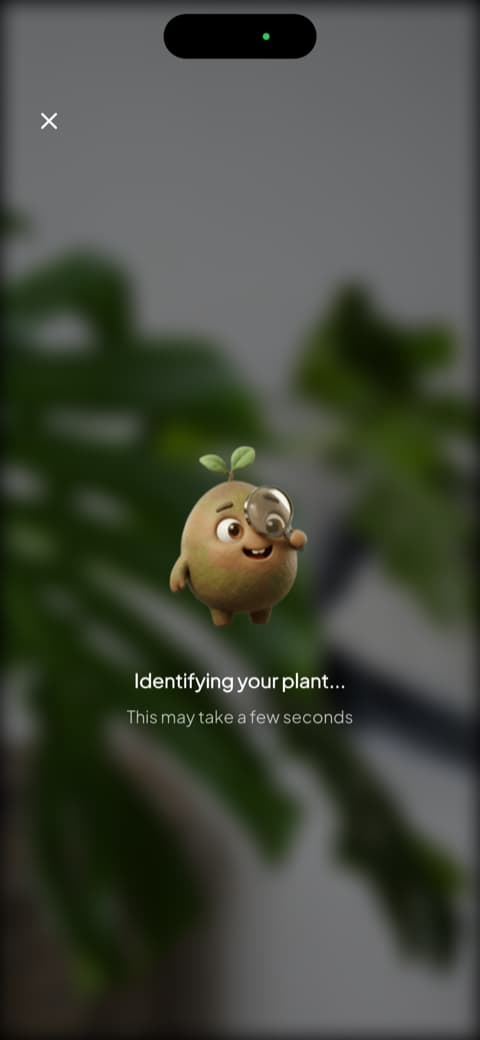
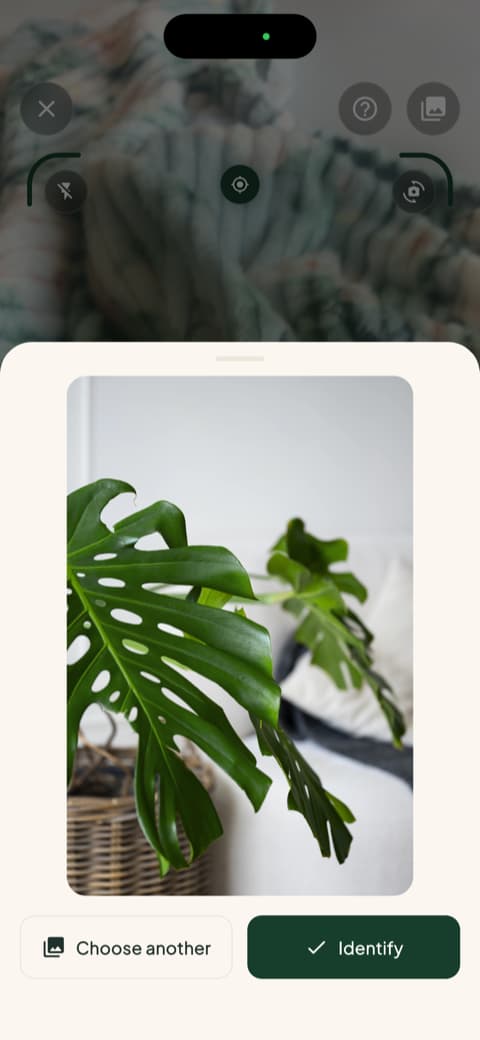
This is where the app shines. You open the camera, point it at the plant, and Pip shows up with a magnifying glass, doing his little investigation. It is goofy, I know, but the animation means the wait is not just a spinning wheel.
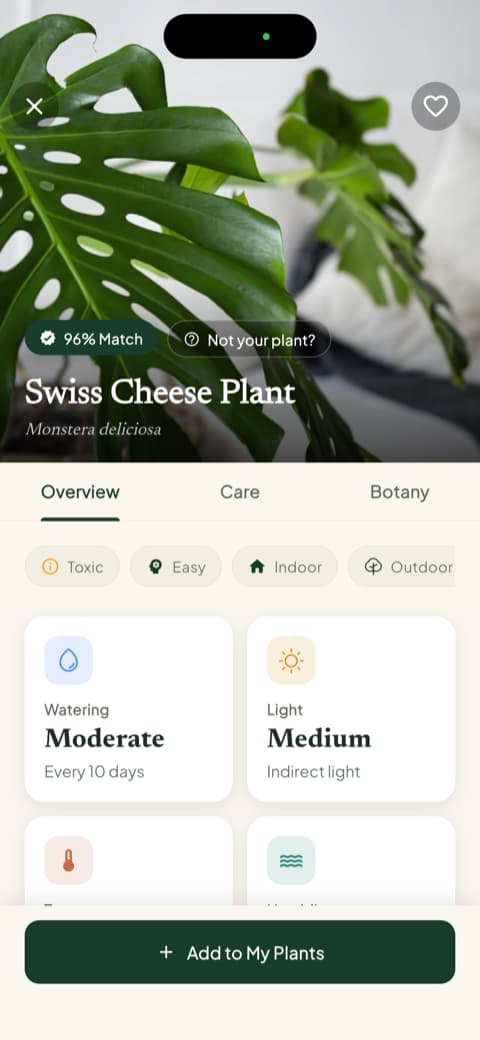
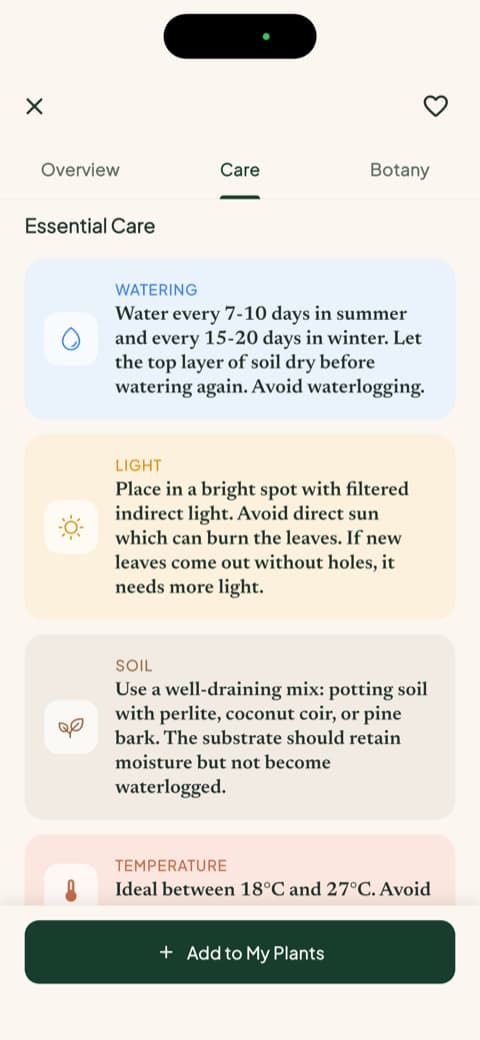
When it finishes, you get the match percentage, the common name and the botanical name, and three tabs to dig deeper: overview, care, and botany. On that same screen you can already see watering frequency, light type, temperature range, and ideal humidity, without a single extra tap.
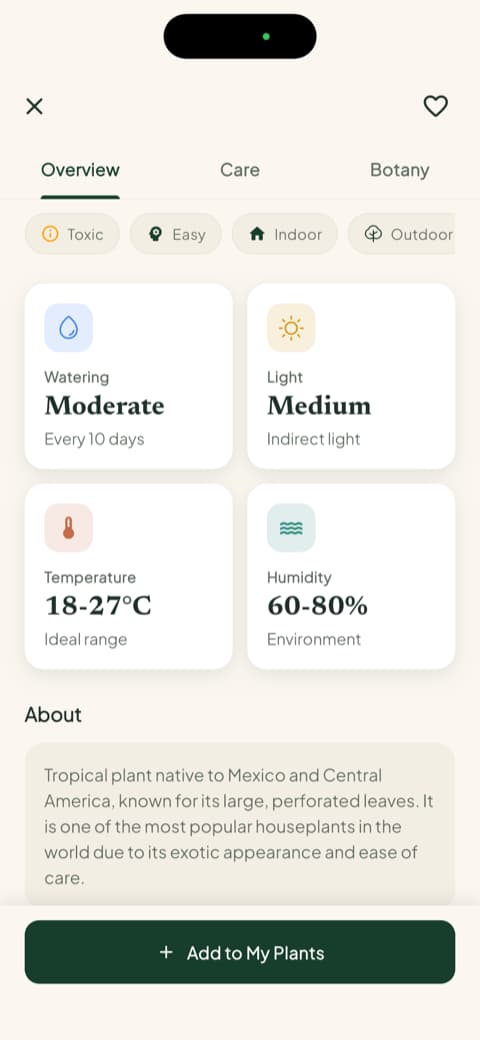
I tested it with a Swiss cheese plant (the famous monstera) and the profile came back with far more information than I expected. If you are just starting out, having all of that organized for you makes an enormous difference.
The plant profile: health, watering in milliliters, and toxicity
This is the moment I realized Bloom is not just an identifier with a pretty name. Every plant in your garden gets a health score from 0 to 100, which works like a quick temperature check on how it is doing.
And there is something I had never seen in another app: instead of telling you to water moderately, it gives you the amount of water in milliliters, calculated for that plant, that pot, and that spot in your home. Change the pot or move the plant to a different corner and you just ask it to recalculate. It was the first time I stopped watering by gut feeling.
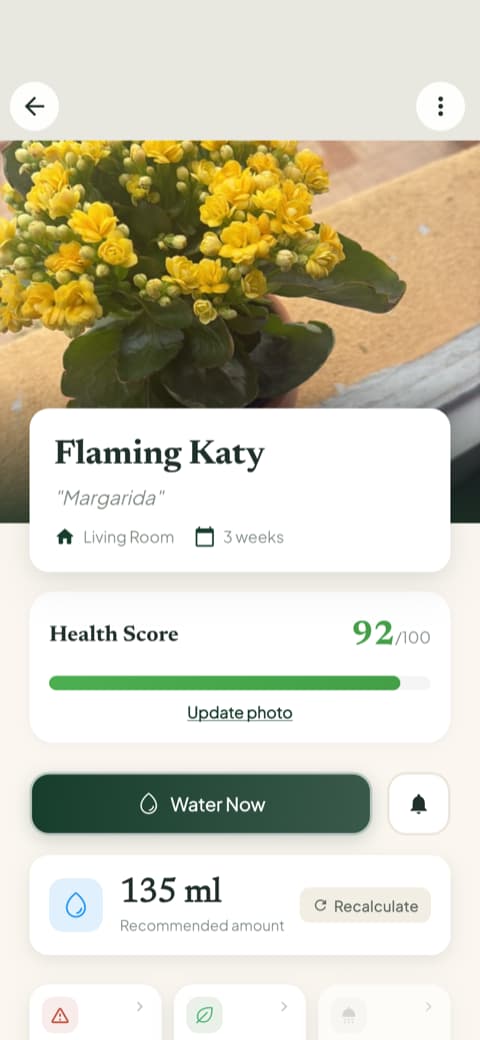
Another thing that ended up being decisive for me: the profile tells you whether the plant is toxic to cats, dogs, and children. I have a cat who believes every new leaf is a snack, so that information is worth its weight in gold. I used to dig through forums with a scientific name in hand trying to figure this out.
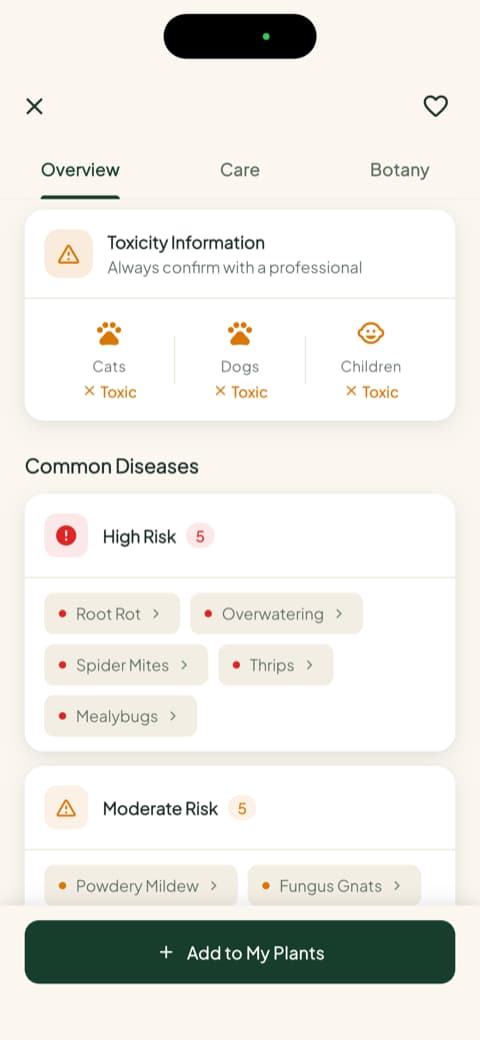
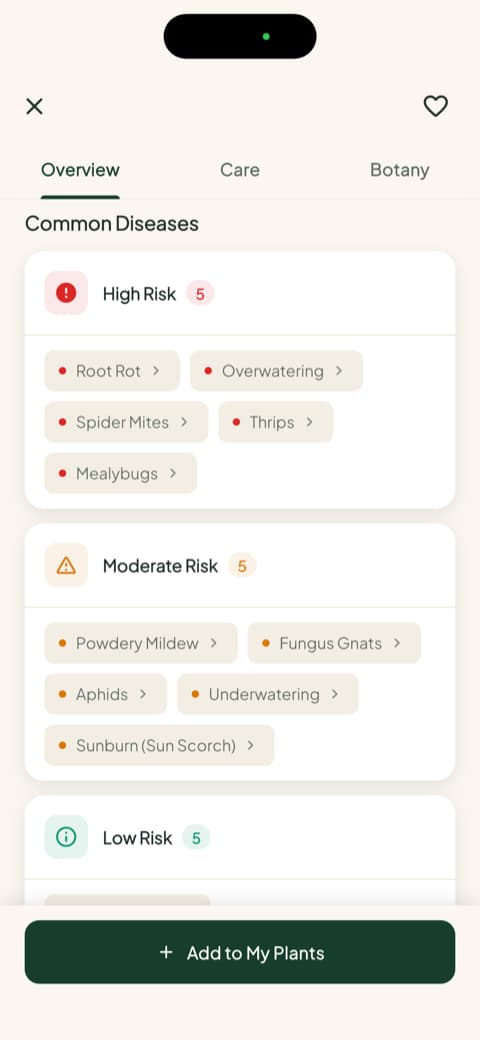
The app also lists the most common disease risks for that species, sorted into high, moderate, and low. It is useful for knowing what to watch for before a problem shows up.
"Your Garden"
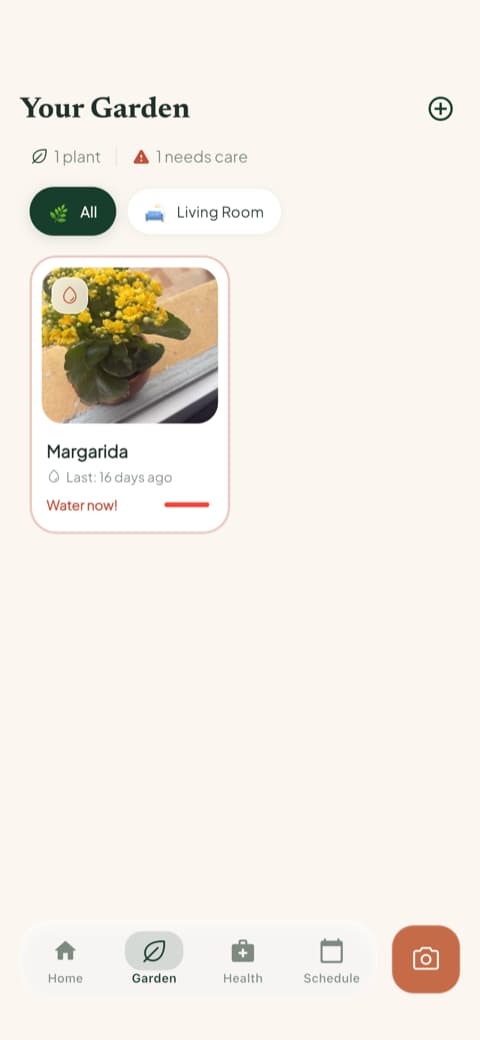
The garden became my favorite corner of the app. It is a visual list of the plants you have added, organized by room, with an overdue watering alert right on the card. I check it in the morning the same way I check the weather.
The care schedule
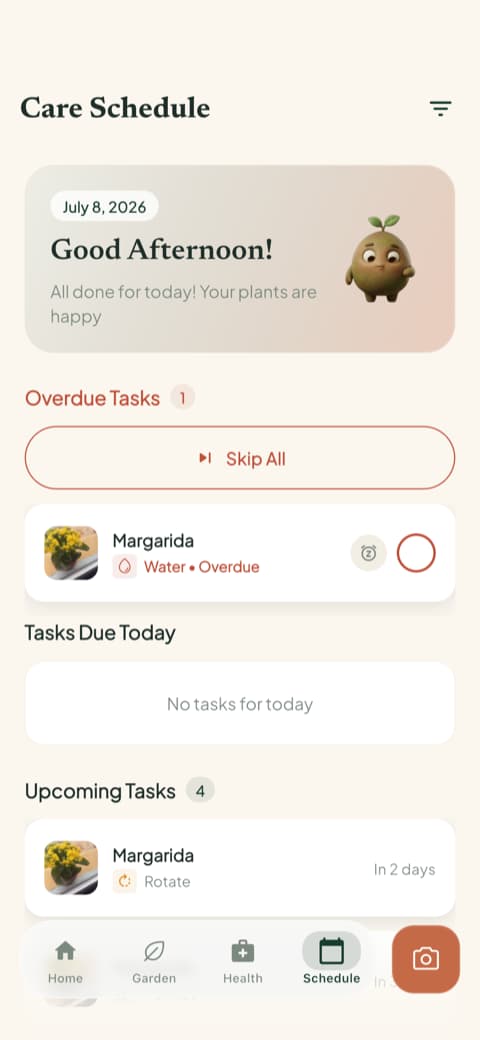
This is the part that helped me most day to day. The schedule shows what is overdue, what is due today, what is coming up, and what you have already finished. And it is not only watering: feeding, pruning, rotating the pot, repotting, and even progress photos are in there.
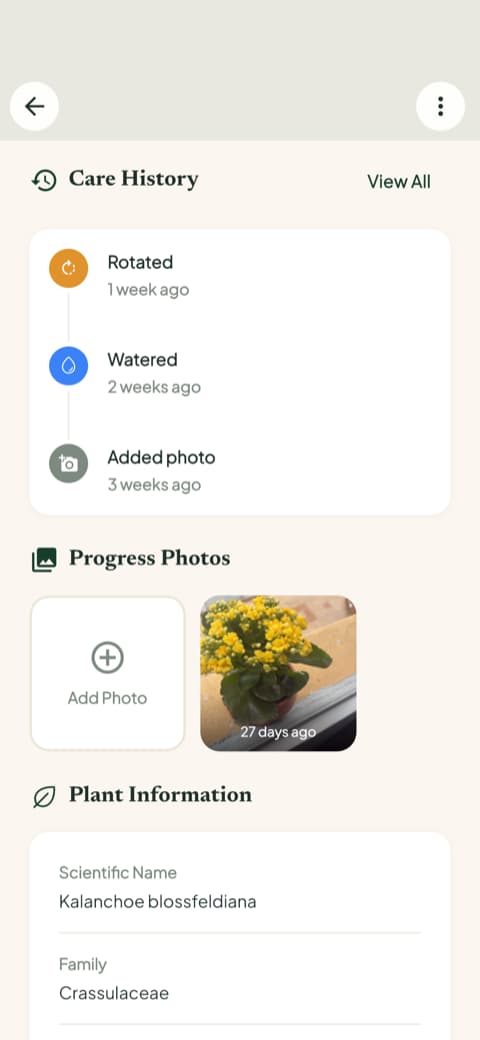
Because every task gets logged, the app builds a care history and a timeline of progress photos. Looking at the same plant three months apart is more motivating than I expected, especially when it started out looking rough.
The quick actions menu
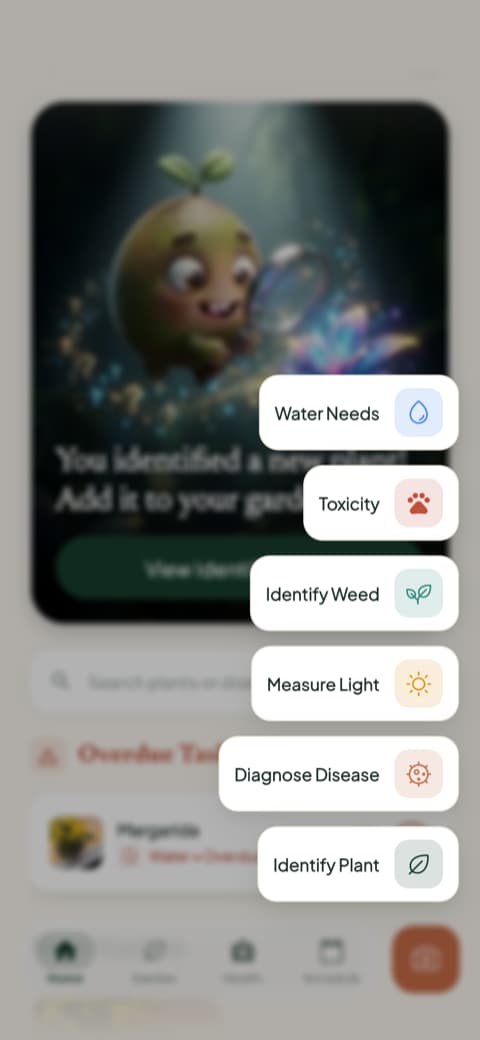
There is a shortcut menu I use more than I expected: identify a plant, diagnose a disease, measure the light in a room, identify a weed, check toxicity, and see water needs.
The light meter was a pleasant surprise. I would have sworn that corner of my living room was bright, and it turned out to be low light for almost everything I had sitting there. I moved three pots after that. The weed identifier is also a lifesaver if you have a garden bed or a big planter, because it is not always obvious whether the thing that sprouted out of nowhere is a weed or something worth keeping.
Content that is actually worth reading
The care guides surprised me. Instead of generic text copied off the internet, you get full write-ups per plant, covering watering, light, soil, temperature, the right pot, and propagation, plus a botany section with classification, symbolism, and flowering. I opened the one for an herb out of curiosity and caught myself reading to the end.
To wrap it up: the app has a 4.8-star rating, more than 25,000 plants identified, and more than 14,000 people using it. It is not a huge crowd, but it is enough to show the app is being looked after.
Getting to know Planto
The first screen is pretty, but colder
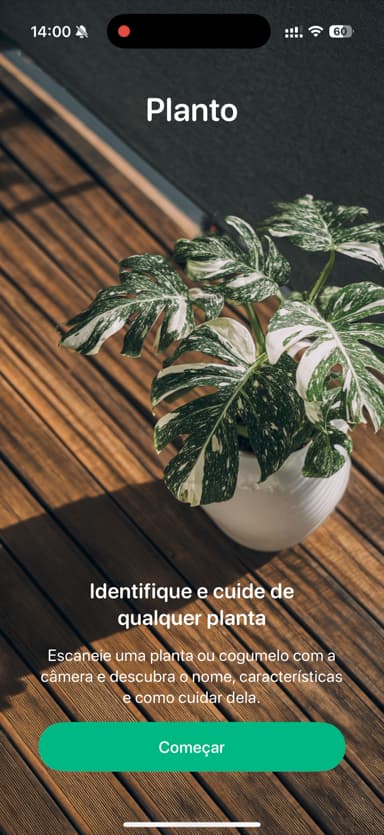
Planto opens with a beautifully shot photo of a plant filling the whole screen and a "Get started" button. The line is direct: identify and care for any plant. The look is elegant and it tells you right away what the app is for. It is a different design choice from Bloom's: here the focus is the plant itself, not a character.
The opening questions
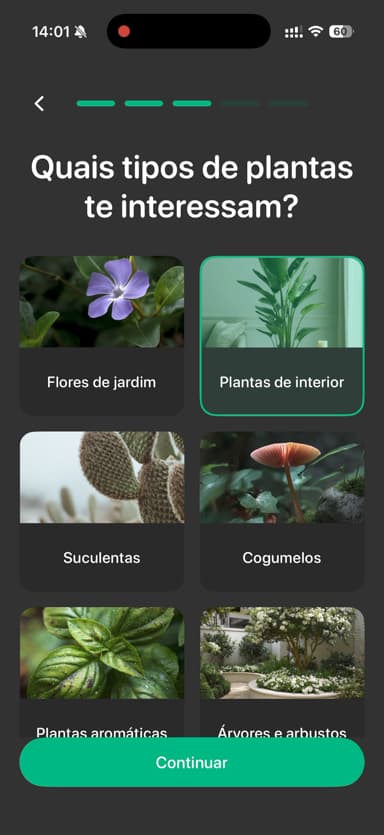
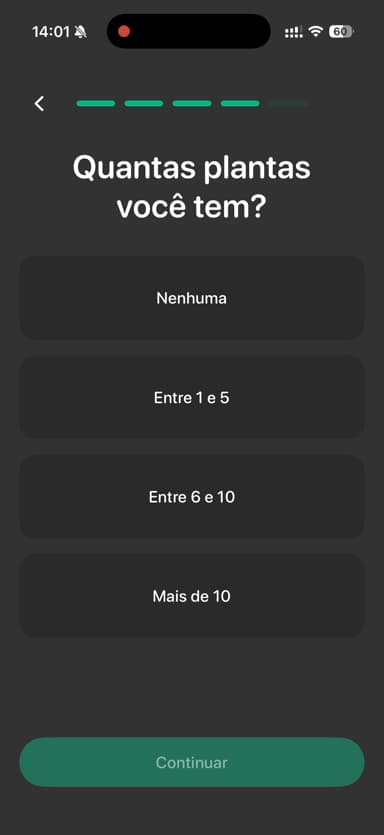
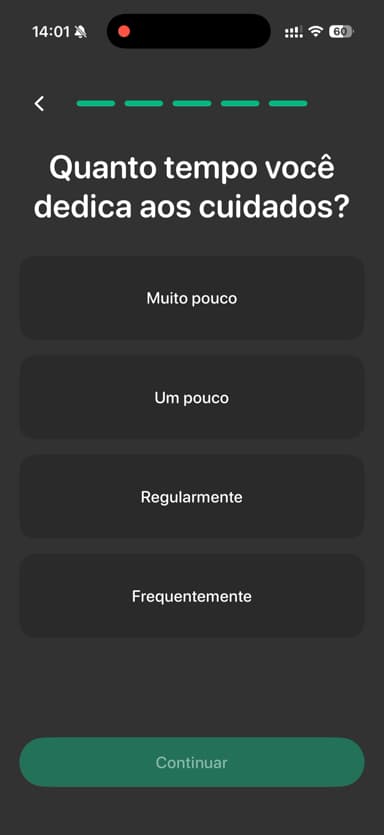
Planto asks you questions right away. Why you are using the app, what your gardening level is, what kinds of plants interest you, how many you have, and how much time you give them.
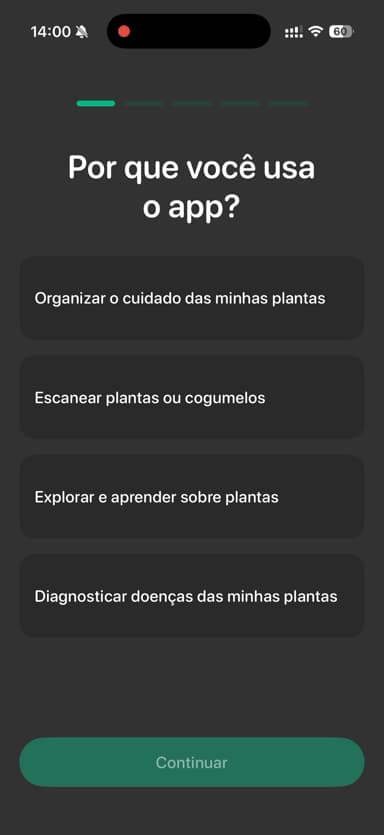
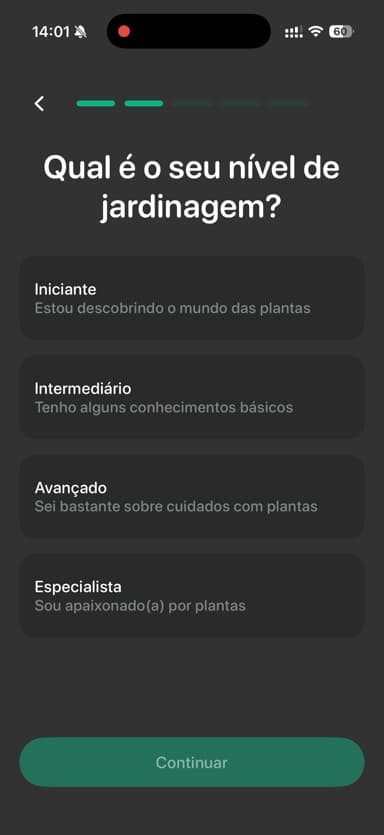
This is the biggest difference between the two at the door. Planto wants to get to know you before it lets you use anything, while Bloom gets straight to the point, shows what it can do and hands you the camera. The tone of Planto's questions is more serious too, without the lightness that lets you laugh at yourself. Nothing wrong with that, it is just a more matter-of-fact app. If you like feeling that the app was tuned to your situation before your first use, this opening may be exactly your thing.
The "personalizing" screen
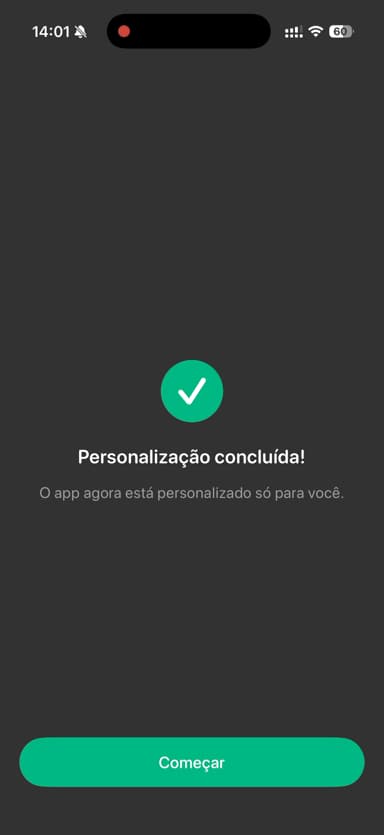
After the questions, a screen shows up saying it is putting together a plan just for you, and then confirms that everything is set. It is quick, and it leaves you feeling like the advice you get next was picked for your situation.
The home screen and what you can do
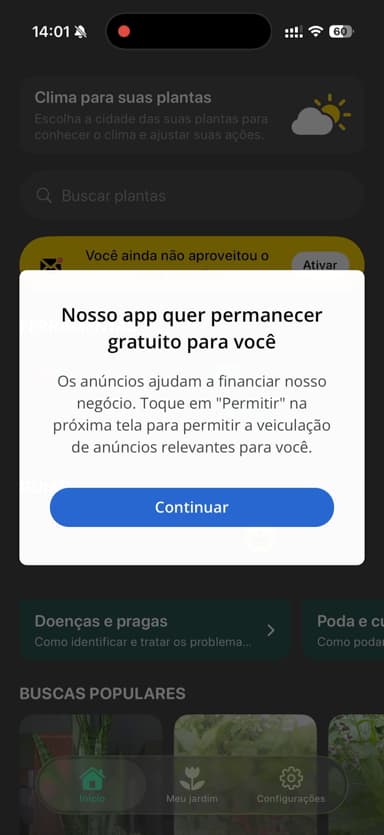
Planto's main screen is very visual: a colorful banner up top, shortcuts to identify and diagnose a plant, and a prompt to unlock the rest. It works, it is easy to use. I did miss Bloom's long guides and the feeling of having my own little plant corner inside the app.
Comparing them point by point
Now that you have met both, let me organize what actually weighs on the decision. I skipped the technical minutiae and went straight to what matters for someone who just wants healthy plants.
Identifying a plant from a photo
Both do it well. I threw a succulent, basil, a fern, a monstera, and a ZZ plant at both apps and neither one missed. Planto is more direct: point the camera, get the name, done, back to your life. It is a fast experience, ideal when you only want to satisfy your curiosity.
Bloom gives you a fuller result, with a match percentage, care and botany tabs, and the watering, light, temperature, and humidity data on the same screen. It takes a few seconds longer, but every identification turns into a mini lesson.
If you only want the name, either one solves it. If you want to understand what you just brought home, Bloom is far more generous.
Everyday plant care
Planto covers the basics: it reminds you to water and gives general guidance for each species. It works fine if you want a simple nudge without much setup.
Bloom goes well beyond that. It organizes your garden by room, builds a schedule with overdue, current, and upcoming tasks, and tells you how much water to give in milliliters, taking the pot and the location into account. It also gives every plant a health score, so one glance tells you who needs attention.
If you are like me and sometimes forget the cat's name, you will appreciate an app that reminds you at the right moment without piling on.
Safety if you have pets or kids
This was not on my radar when I started testing and it became one of the biggest factors. Bloom shows right on the plant profile whether it is toxic to cats, dogs, and children, and there is even a shortcut just for checking toxicity. In Planto I did not find anything equivalent given that kind of prominence.
If you have an animal at home or a small kid crawling near the pots, that changes the conversation quite a bit.
Content for learning more
Planto stays focused on doing its two jobs, identifying and caring, with no extra editorial space. If you prefer a lean app without much reading, that path may suit you better.
Bloom includes long, well organized guides written like magazine features, with a practical half and a botanical half. I opened one meaning to skim and read the whole thing. If you like learning while you tend to your plants, that counts for a lot.
Tone and warmth
This one is a bit subjective, but it matters over the long haul. Planto talks to you like a well built product: direct, clear, no frills. If you value getting straight to the point, that is a strength.
Bloom leans into the tone of a gardening friend, with Pip keeping you company along the way. It is a personality choice, not a question of technical quality.
If you are a beginner and afraid of messing up, that warmth counts as a feature, not decoration.
Spotting problems and diseases
Both offer photo diagnosis, and both do the job. Bloom shows you disease diagnosis early on, while you are still getting acquainted with the app, as a small demonstration. I found that useful because I understood what it could do before I had even added a plant of my own. On top of that, it lists the typical disease risks for the species sorted by severity, which helps you prevent instead of just react.
How each one lets you in
The two apps take very different approaches here, and it changes how you get to know them.
With Bloom you can get in, identify plants, and add 2 plants to your garden before committing to anything. In other words, you experience the whole flow, from snapping a leaf to getting the watering reminder, and only then decide whether to keep going. That is how I made up my mind, testing it on my actual plants.
With Planto you can see the home screen, but right after the opening questions most of the app stays locked until you sign up. You can look around, you cannot really use it.
For someone like me who likes to try before deciding, that difference counts for a lot.
Who is each app for?
Bloom is for you if...
You like it when an app seems to care about you. You are a beginner and want someone guiding you without judging. You have more than one plant at home and want the care organized in one place. You want to know whether a plant is safe for your cat or your kid. You like reading about the plants you own.
Planto is for you if...
You want a simple, fast app to identify plants here and there. You like a clean look, a tight focus, and getting straight to the point without distractions. You are not interested in tracking each plant over time.
My honest conclusion
If you asked me which is the best app to identify and care for plants, I would say, without hesitation, Bloom. Because Bloom made me feel welcome, organized my plants by room, told me how many milliliters of water each one needed, warned me about what was toxic to my cat, and made me want to open the app in the morning the same way I open Instagram. Pip became my companion.
Planto is a competent app. It identifies well, it looks good, and it delivers what it promises. If you just want something practical in the moment, it does the job.
If you are still torn, download both and see which one matches the way you like to take care of things. In my case, Bloom is the one that stayed on my phone.
And if your fern ever looks happy again, I will be happy right along with you.
This review was written after testing both apps hands on, on an iPhone. The apps are updated often, so some screens may look different by the time you download them.
Related articles

The 5 Best Apps to Remember to Water Your Plants
Always forgetting to water your plants? Here are the 5 best apps that remember for you, tested for smart reminders that actually fit your routine.

The 6 Best Plant Apps for Beginners
New to plants and worried you'll kill them? Here are the six best plant apps for beginners, tested for how easy they make identifying and caring for your first plants.

The 7 Best Apps for People Who Always Kill Their Plants
If your plants keep dying no matter how hard you try, these 7 apps were made for you. Here are the ones that actually help keep a plant alive.