Plantsnap or Bloom: which is the best app to identify and care for plants?
Plantsnap or Bloom? I used both plant identification apps in my everyday routine, and here is the straight answer on which one is worth it.
Anyone who follows my reviews already knows my track record with succulents that did not survive me. But there is one detail of that saga I do not think I have ever shared: before the apps, my method for finding out a plant's name was to send a photo to the family group chat and hope an aunt would answer. Sometimes it worked. Most of the time I got three different names and zero watering instructions. That is how I ended up in the world of plant apps, and that is why today I bring you one more comparison: Bloom, which you already know from my other reviews, against PlantSnap, one of the oldest and best known names when it comes to identifying a plant from a photo.
I used both with my real plants, in my real house, and this text is the conversation we would be having if we were drinking coffee with the ferns nearby.
The short version, for anyone in a hurry
The quick rundown, in no particular order:
You want an app that sticks with you day to day, with watering reminders and your plants organized by room: Bloom.
You like social feeds and want to see plant photos from people all over the world: PlantSnap, which has a community built into the app.
You want to identify a plant and walk away with a full profile, almost a mini lesson: Bloom.
You have a cat, a dog, or a small child at home and need a toxicity warning right away: Bloom.
You do not mind ads and pop-ups showing up while you use the app without subscribing: PlantSnap gets the job done.
You prefer a calm, uninterrupted experience from start to finish: Bloom.
If you want to understand the reasoning behind each of those lines, come with me and I will tell you how it went from the inside.
Getting to know Bloom
The app that shows what it can do before asking for anything
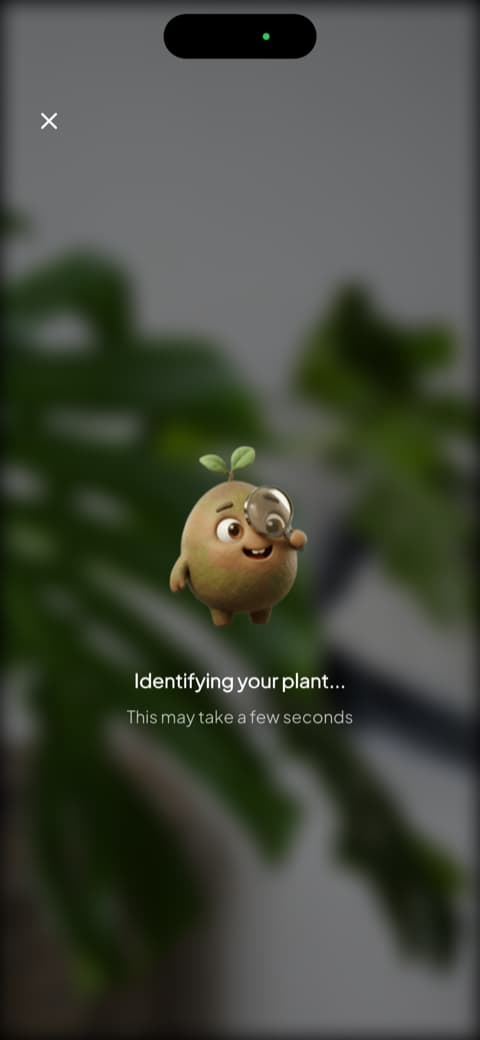
For anyone new to my writing: Bloom opens with Pip, a little 3D character who looks like a wide-eyed sprout and welcomes you like an expected guest. The first screens show you what the app does: identify a plant in seconds, remind you when to water, diagnose disease. Then comes the accuracy screen, backed by independent testing, and the rating the community gave it, with notes from people already using it. And that is that. No interview, no tally of how many plants I own, no question about my skill level. It showed me what it could do and let me point the camera.
The profile that made me stop guessing at watering
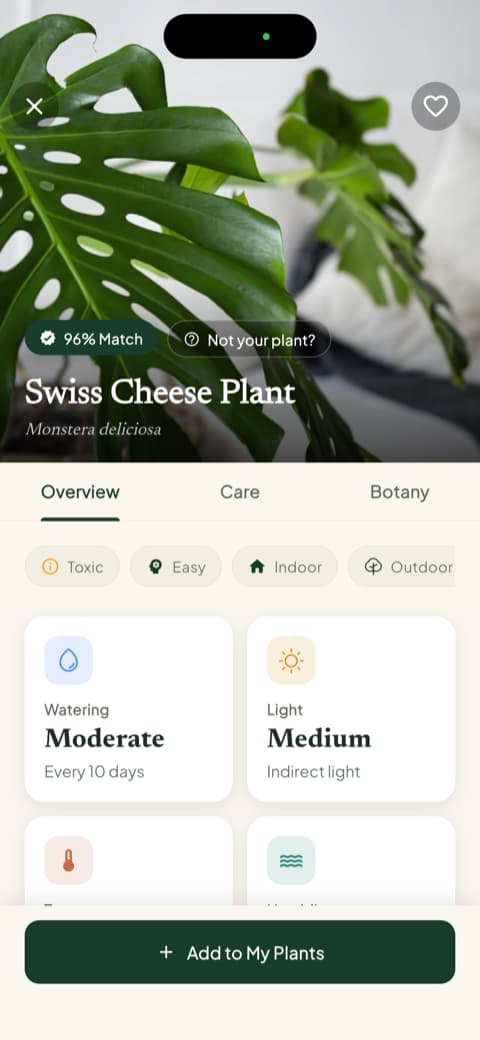
I pointed the camera at my Swiss cheese plant, Pip showed up with his little magnifying glass investigating, and seconds later the result came back with the match percentage, the common name, and the scientific one. Right below it, the Overview, Care, and Botany tabs, and on that same screen the watering frequency, the light type, the temperature range, and the ideal humidity. The app recognizes more than 35,000 species and gets it right about 9 times out of 10, a number confirmed by independent testing, so I stopped second-guessing it a long time ago.
Toxicity, milliliters, and a health score
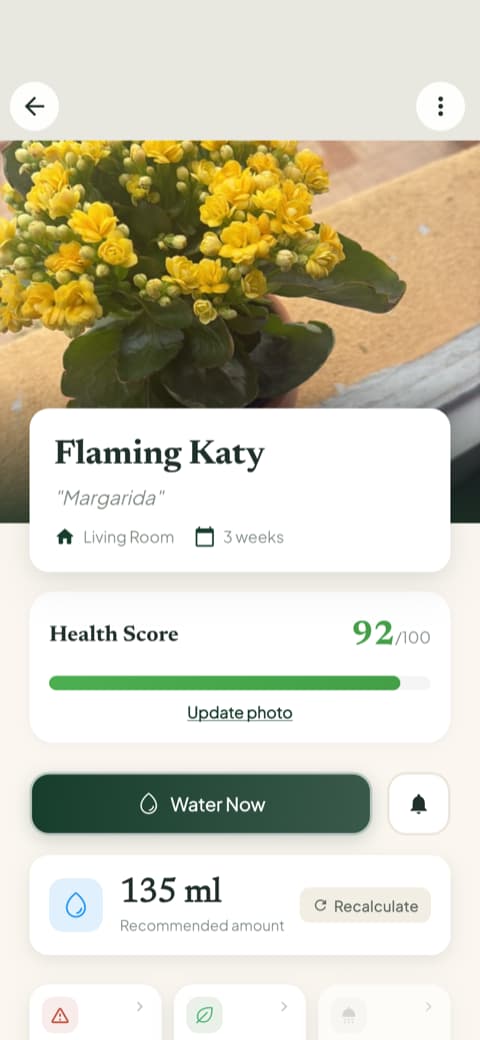
This is where Bloom stopped being just an identifier for me. Each plant profile includes a toxicity warning broken down by cat, dog, and child, which for anyone with a pet or a small niece or nephew around is not a detail, it is a priority. There is also the plant health score, from 0 to 100, and the watering amount in milliliters, calculated for the pot size and for the spot where the plant lives, with a recalculate button for when you move it somewhere else. I spent years watering by eye. Seeing an actual number on the screen finally cured my heavy hand.
My plants, each one in its own corner
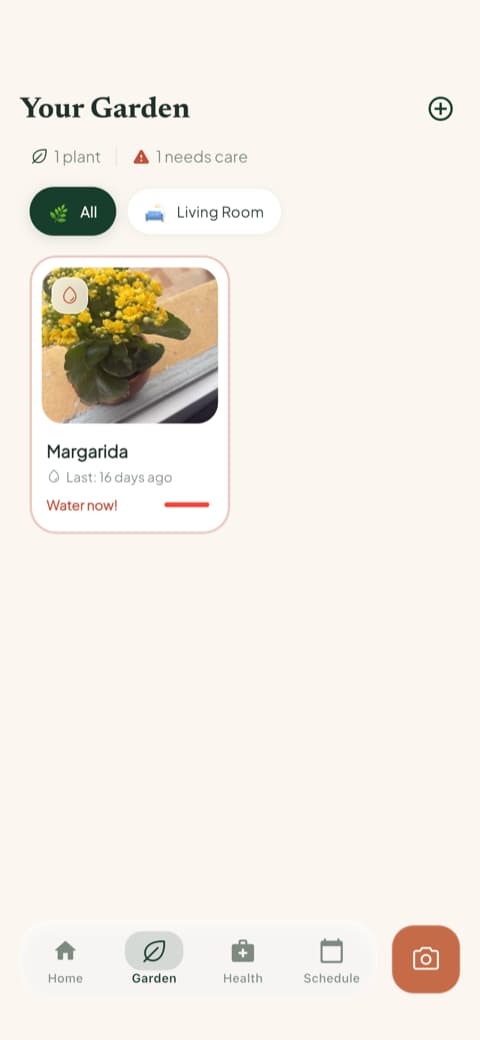
When you save a plant, Bloom asks which room it lives in and adjusts the care to the light in that spot. The "My garden" tab lines everyone up, with an overdue watering flag right on the card. And there is the care schedule, which separates what is overdue, what is due today, and what is coming up, including fertilizing, pruning, rotating the pot, repotting, and progress photos. The fern on the kitchen window, once the symbol of my failure, is now the first thing I check in the morning, even before the weather.
Reading that actually holds your attention
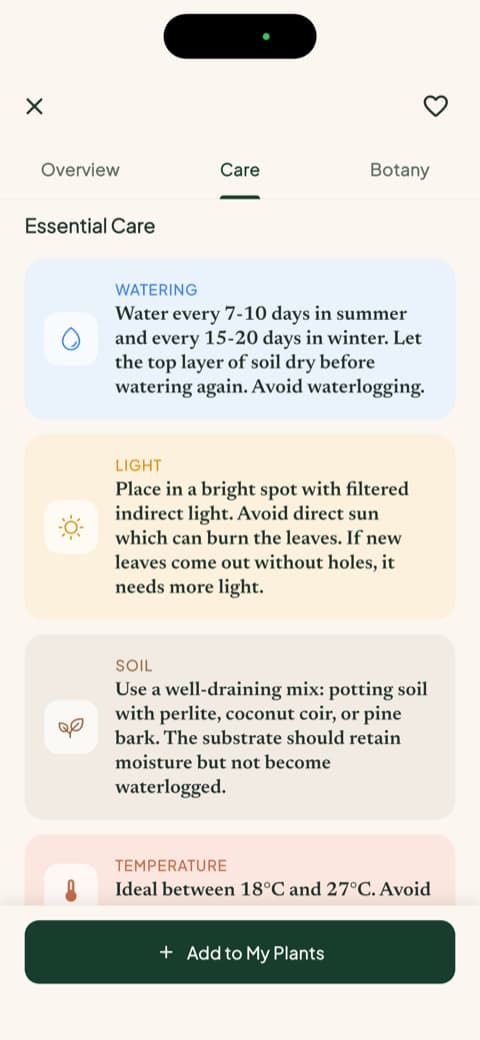
Every plant comes with long care guides, laid out like a magazine feature: watering, light, soil, temperature, ideal pot, and propagation, plus the botany section with classification, symbolism, and blooming. There are also the species disease risks, sorted into high, moderate, and low, which is one of those pieces of information you did not know you wanted until you saw it. The rosemary guide is still my favorite. It is the kind of content that turns the app into company, not just a tool.
Getting to know PlantSnap
A pretty opening, but a rushed one
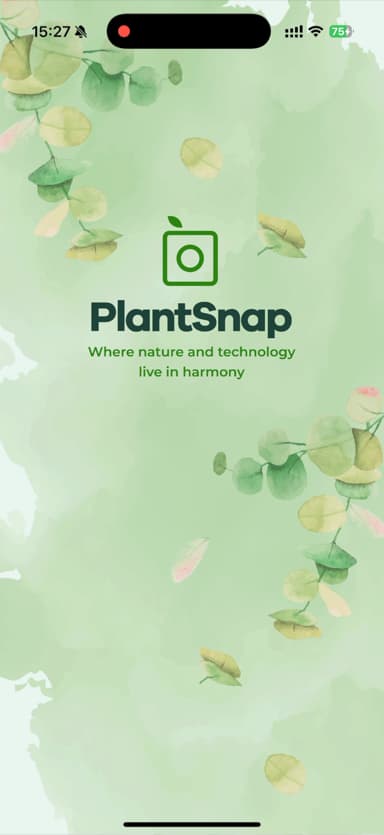
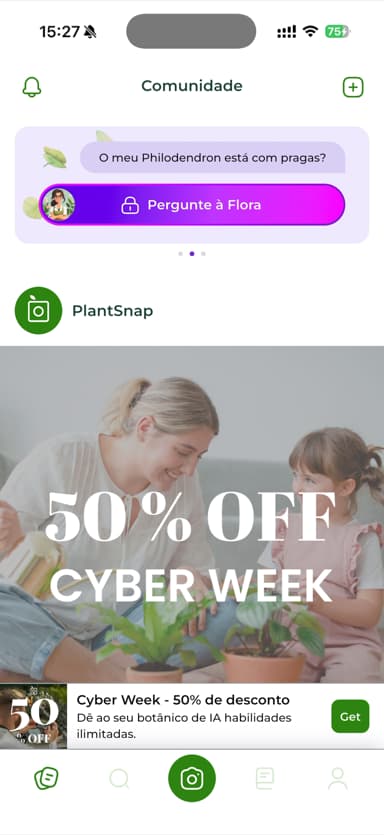
PlantSnap opens with a gorgeous screen, a watercolor green background and the tagline about nature and technology living in harmony. I was ready to be charmed. Except that, before showing me a single plant, it stacked two pop-ups back to back and then an offer screen. All of this before I saw the first leaf. None of it stops you from using the app and you can dismiss everything, but the first impression felt more like a sales pitch than a welcome.
You can get in without an account, and it asks what you are looking for
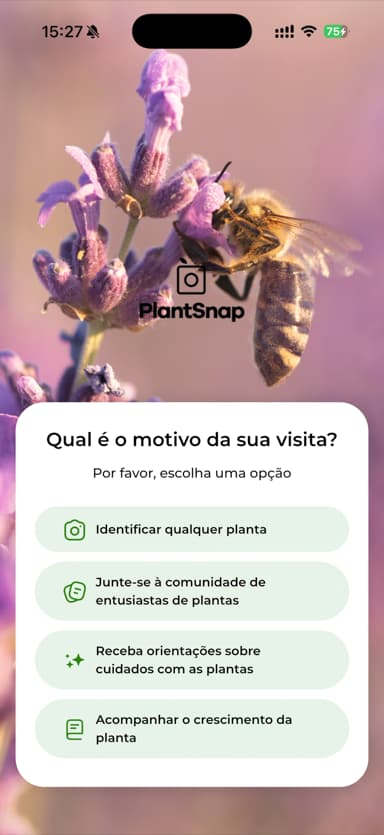
The sign-up screen offers Facebook, Google, Apple, and email, but the "x" in the corner lets you walk in with no account at all, just to take a look around. I like that kind of freedom. Next it asks the reason for your visit: identify plants, join the community, or track the growth of your own. I found the question friendly, and it tells you right away what the app is best at.
The community is the heart of the app
The PlantSnap home screen is not a to-do list, it is a feed of plant photos posted by people around the world, like an Instagram made entirely of green. That is a treat if you love getting inspired, seeing species you have never seen, and feeling part of a club. Now, my caveat: the moment I landed on that feed, I was greeted by a run of pop-ups, one after another, between tips and offers, and anyone using it without a subscription has an ad banner living at the bottom of the screen. You can close everything and get on with your life, but in that first moment there was a lot coming at me at once.
Comparing point by point
Identifying a plant from a photo
Both identify, and both do it well. The difference is in what comes with it. PlantSnap hands you the name and moves on. Bloom takes a few seconds longer and gives you back a generous profile, with context, trivia, and practical instructions. If your question is "what plant is this?", both answer. If your question is "okay, now what do I do with it?", Bloom answers better.
Everyday care
Here the scale tips clearly. Bloom was built to stay with you: a care schedule with what is overdue and what is due today, plants sorted by room, watering in milliliters, and a health score for each one. It was Bloom that saved my basil from a lapse of memory that would have been fatal. PlantSnap has care guides and the option to track your plants' growth, but the "remind me to water the living room one on Thursday" routine is not its strength. It was born to identify plants and to bring people together, not to be your green planner.
What you can do beyond identifying
This point became obvious when I opened Bloom's quick actions menu. Besides identifying a plant, there is disease diagnosis, a light meter so you can find out whether that corner of the living room actually works, a weed identifier, and a toxicity check. Not to mention the care history and the progress photos, which build a timeline for the plant. I compared the photo of my Swiss cheese plant from two months ago with the one from now and nearly called the family over to look. PlantSnap sticks to identification and simple growth tracking.
Community and inspiration
This point goes to PlantSnap, no argument. The feed with photos from around the world and the plant map are features Bloom simply does not have in that format. If you are the type who loves posting the aloe in bloom and getting a comment from a delighted stranger, PlantSnap gives you that stage.
The experience of using it
Being fully honest: Bloom is more pleasant to use. The journey is clean, it lets you use it before asking for anything, and nothing interrupts you halfway through. On PlantSnap, anyone using it without a subscription lives with ads and those persistent pop-ups, especially in the first few minutes. Subscribers get rid of the ads, that is true, but Bloom's sense of order still comes out ahead.
Who is each app for?
Bloom is for you if...
You want an app that cares alongside you: it flags the watering with the right amount, organizes plants by room, shows each one's health score, and teaches you about them calmly, without interruption. You have a pet or a child at home and want to know right away whether that leaf is dangerous. You are just starting out and want to feel supported.
PlantSnap is for you if...
You want a straight-to-the-point plant identifier in your pocket. You enjoy the social side of gardening and want to see and show off plants in a worldwide community. You have the patience to close a pop-up or two along the way.
My honest conclusion
PlantSnap won me over in one specific moment: when I lost myself scrolling through a feed of other people's plant photos, a pastime I did not know I needed. As an identifier and a club for plant lovers, it delivers what it set out to do.
But when the dust settled and I looked at which app was actually caring for my plants with me, it was Bloom. Bloom was the one nudging me at the right watering time, and with the right amount, the one that knew which window each plant lives in, the one that warned me that one of mine was dangerous for my sister's cat, the one that had me reading about rosemary on a Saturday night purely for fun. I opened PlantSnap to wander; I opened Bloom because my plants needed me, and that difference, for me, settles the choice.
If you just want to find out a plant's name and chat with other gardeners, PlantSnap is an honest pick. If you want an app to call your own, one that turns care into a habit, Bloom is my recommendation, and the kitchen fern would back me up.
And if one day your fern starts looking happy again, I will be happy right along with you.
This review was written after using both apps hands-on, on an iPhone. Features, screens, and languages may change depending on your region and on when you download them.
Related articles

The 5 Best Apps to Remember to Water Your Plants
Always forgetting to water your plants? Here are the 5 best apps that remember for you, tested for smart reminders that actually fit your routine.

The 6 Best Plant Apps for Beginners
New to plants and worried you'll kill them? Here are the six best plant apps for beginners, tested for how easy they make identifying and caring for your first plants.

The 7 Best Apps for People Who Always Kill Their Plants
If your plants keep dying no matter how hard you try, these 7 apps were made for you. Here are the ones that actually help keep a plant alive.