Greg Alternative: Watering Reminders and Much More in One App
Before you settle on Greg, see this comparison. There is a simpler option for identifying plants, spotting problems, and watering on time.
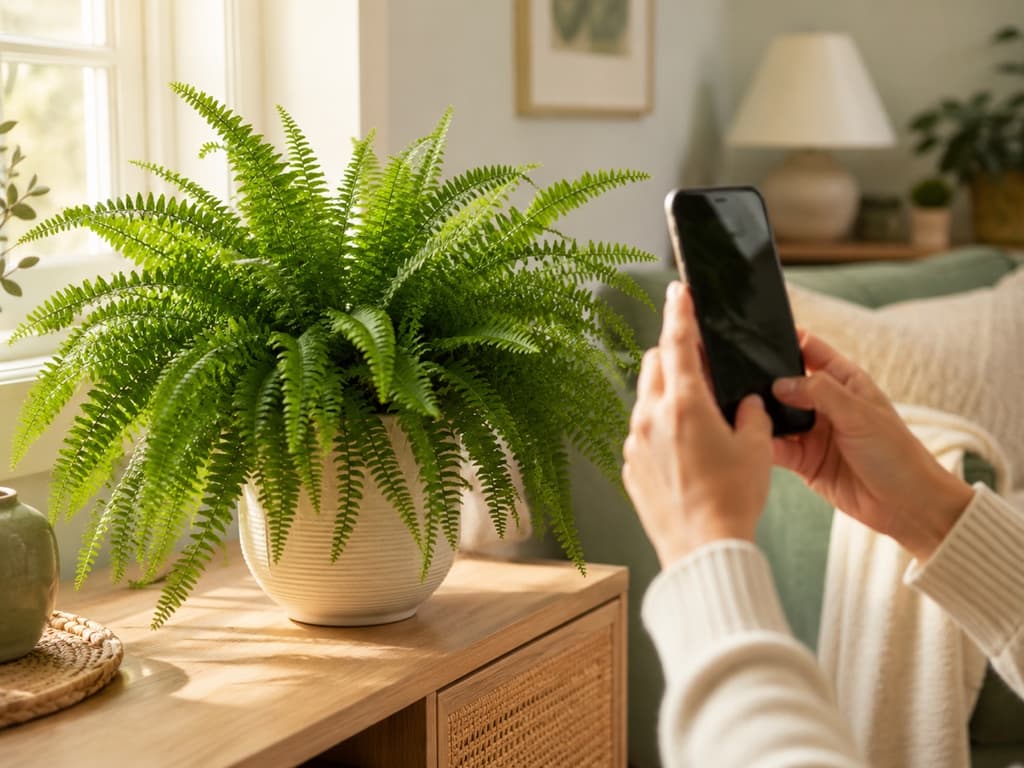
Greg has earned its fans, and it earned them fairly. The app's whole promise is to help you grow healthy plants on autopilot, and when it comes to watering reminders, it delivers with genuine charm. It builds schedules around your plant's species and your local environment, even using local weather to fine-tune when your plants need a drink. For a lot of people, that alone was worth downloading.
But here's the thing about watering reminders. They're the answer to only one of the questions we ask about our plants. What is this plant I just brought home? Why are the leaves turning yellow? Is this one safe around the cat? How much water does "water it" actually mean?
That's the territory where Bloom has been quietly winning people over. It handles the reminders too, then keeps going where Greg tends to stop.
Let's look at both apps honestly, because they each have a case to make.
What Greg genuinely does well
Credit first. Greg's watering schedules feel smart because they are personalized. The app considers your specific plant and your local conditions instead of handing everyone the same generic calendar. The onboarding is friendly too, asking how many plants you have and how much experience you bring, so the guidance can meet you where you are. And there's a lively community feed where plant people post photos, ask questions, and cheer each other on.
There are a couple of trade-offs worth knowing before you commit. Greg asks you to create an account before you can really look around, and a good part of its toolkit, including the plant identifier and the indoor sunlight gauge, belongs to the Super Greg membership. None of this makes Greg a bad app. It simply means Greg asks for a little commitment up front, before it shows you everything it can do.
If you'd rather have an app that starts helping from the very first photo, keep reading.
Meet Bloom, and meet Pip
Bloom is built on a simple idea: caring for plants should feel like a pleasant habit, not another system to manage. Your guide through it all is Pip, a cheerful little sprout who pops up to explain things the way a good neighbor would, without the lecture.
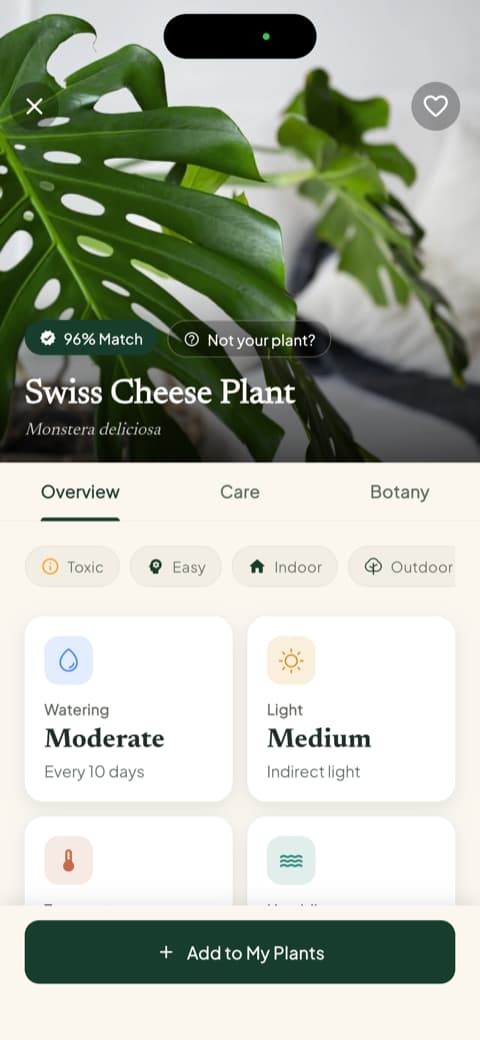
Behind the friendly face, the technology pulls its weight. Bloom recognizes more than 35,000 species and gets the identification right about 9 times out of 10. That accuracy has been validated by independent research, which matters, because any app can compliment itself.
Care advice starts with knowing your plant
Reminders are only as good as the information behind them, and that's why Bloom puts identification first. After the photo, you don't just get a name. You get the full portrait: how often to water, what kind of light it wants, the temperature range it prefers, even the humidity it enjoys.
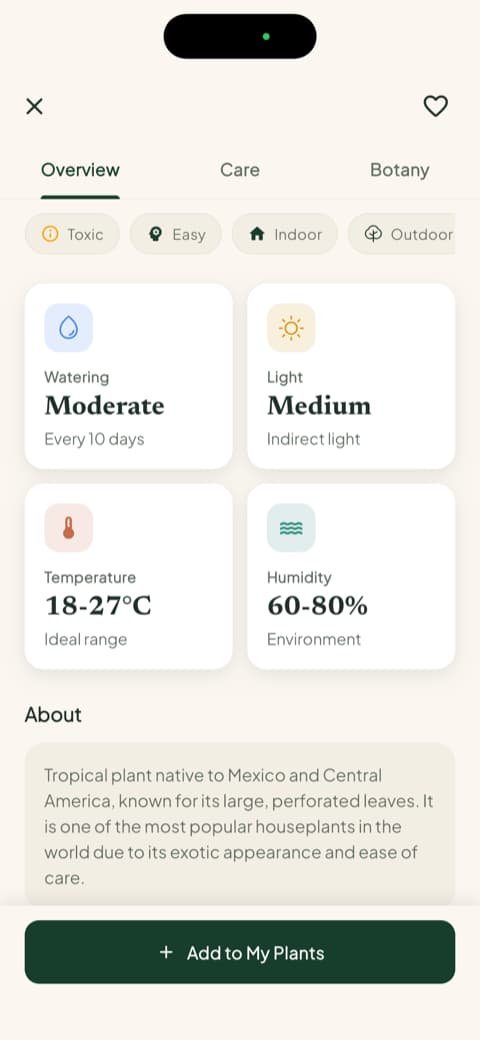
Everything is written for humans, not botanists. If you've ever nodded along to care advice you didn't fully understand, you'll appreciate the difference.
Watering that answers "how much," not just "when"
This is the heart of the comparison, since watering is Greg's home turf. A reminder tells you when to grab the watering can. It still leaves you standing over the pot wondering how much to pour, and that's exactly how well-meaning plant parents drown a perfectly healthy pothos.
Bloom closes that gap. Each plant in your garden gets a health score and a specific amount of water, measured in milliliters, calculated for your plant, its pot, and its spot in your home.
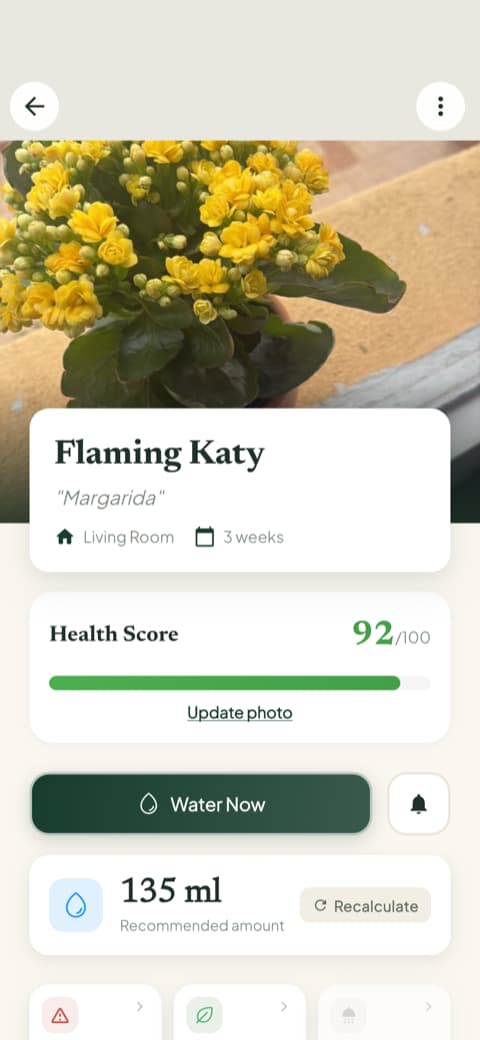
It's a small detail that changes everything, because overwatering, not neglect, is how most houseplants actually meet their end.
Your whole garden, one glance
When you open Bloom, your plants greet you like a little neighborhood. Anyone who needs attention says so right on their card, and the camera button sits one tap away for whatever you find on your next walk.
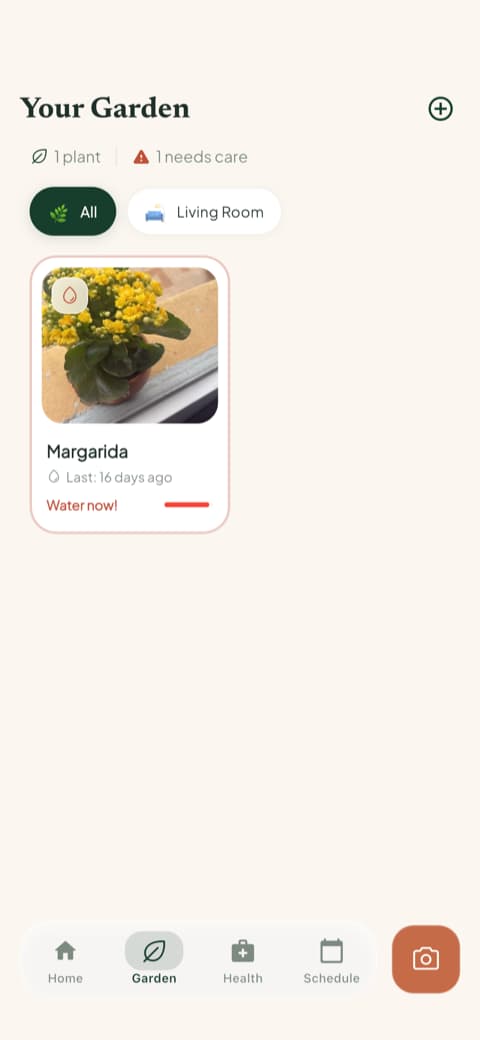
No digging through menus to find out how everyone is doing. The app tells you, then gets out of your way.
The screen pet owners check first
Here's a Bloom feature that tends to seal the deal for households with animals or small children. Every plant profile shows, right up front, whether that plant is safe around cats, dogs, and kids.
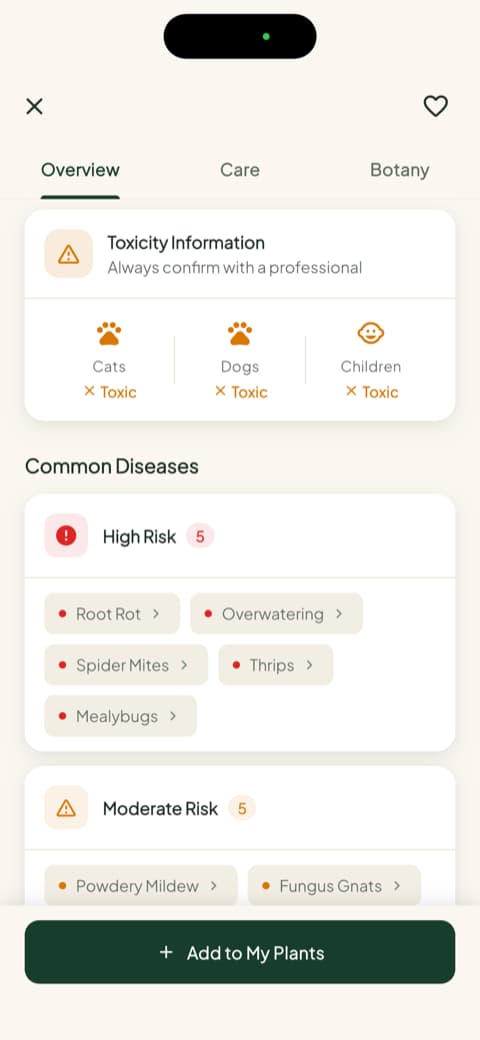
If your cat treats every new leaf as a snack invitation, this single screen is worth the download by itself.
When something looks wrong, take a photo
Plants can't tell you what hurts, but their leaves usually can. With Bloom, you photograph the troubled spot and get a diagnosis with clear next steps. The same quick menu holds a light meter for testing any corner of your home, a weed identifier for the yard, and that toxicity checker, all one tap from the home screen.
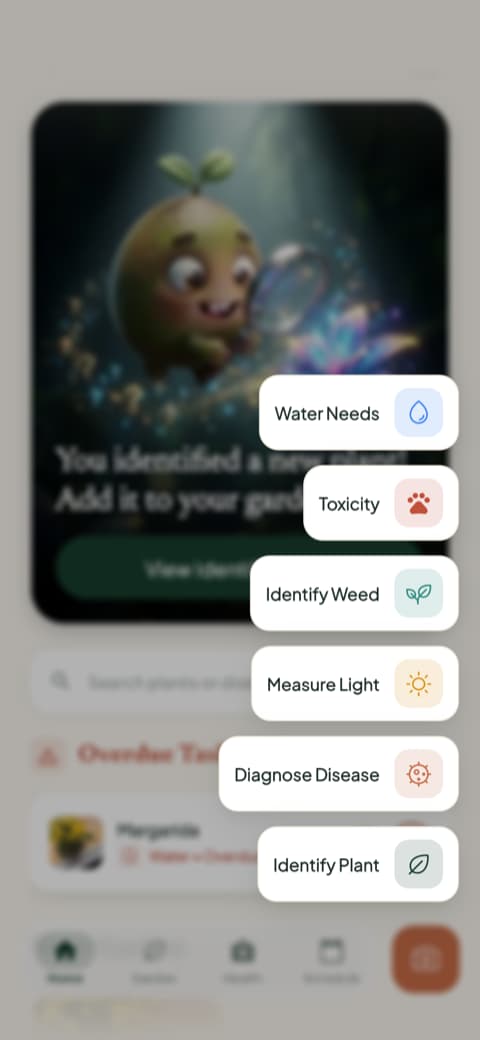
Instead of posting a photo and hoping a fellow plant lover replies in time, you get an answer on the spot.
So, Greg or Bloom?
Here's the honest bottom line.
Greg is a solid choice if watering reminders are your main need and you enjoy being part of a plant community. It does the autopilot thing well and does it with personality.
Bloom is for people who want the complete picture without the complexity. Identify any plant in seconds, check if it's safe for pets and kids, water the exact right amount, catch problems from a photo, and let Pip nudge you when something needs attention. It's the difference between an app that reminds you and a companion that actually guides you.
Bloom holds a 4.8-star rating from its community, and thousands of plant lovers have already made the move. Your plants won't know the difference, but you will, probably around the time the yellow leaves stop showing up.
Download Bloom and meet Pip today. Your first identification takes about three seconds.
Related articles

The 6 Best Plant Apps for Beginners
New to plants and worried you'll kill them? Here are the six best plant apps for beginners, tested for how easy they make identifying and caring for your first plants.

The 5 Best Apps to Remember to Water Your Plants
Always forgetting to water your plants? Here are the 5 best apps that remember for you, tested for smart reminders that actually fit your routine.

The 7 Best Apps for People Who Always Kill Their Plants
If your plants keep dying no matter how hard you try, these 7 apps were made for you. Here are the ones that actually help keep a plant alive.