Plant App vs Bloom: I tested both plant apps and here's which one is worth it
Plant App or Bloom? I tested both plant identification and care apps and I break down, honestly, what each one does well and which is worth your time.
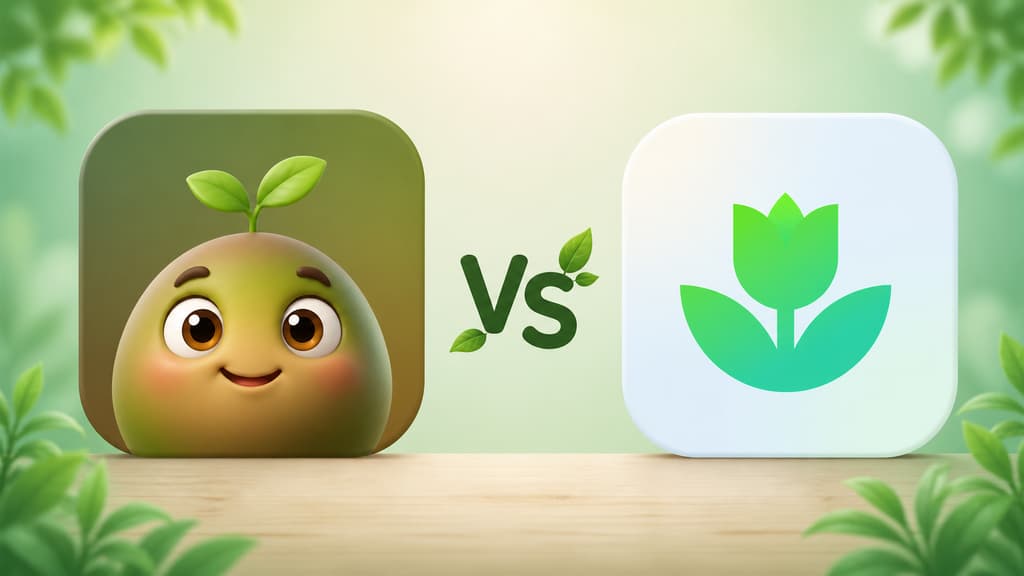
I have buried more succulents than I care to admit. That is exactly why I started looking for a plant app in the first place. I was tired of guessing whether the fern was thirsty or whether that yellow patch on my monstera meant too much sun. Maybe you are right where I was, wanting an app that can tell you what that plant is, remind you to water it at the right time, and not test your patience with every tap.
Over the last few weeks I sat down and properly tested two apps I kept seeing everywhere: Bloom and the Plant App. Both promise to identify a plant from a photo, hand you care tips, and help you keep everything looking good. But using them feels very different. This is the honest review I wish I had read before downloading either one.
The quick version for people in a hurry
If you just want the short answer, here it is:
Want an app that feels like a friend walking you through it, with a cute character, good humor, and no forms to fill out before you can use it, go with Bloom.
Want something simple and clean that gets straight to the point when you need a plant identified, the Plant App does the job.
Have several plants and need watering, feeding, and pruning reminders in one place, Bloom handles it better.
Have a cat, a dog, or a small kid at home and want to know whether that leaf is dangerous, Bloom answers that right on the plant's profile.
Like reading in depth about every plant you own, Bloom delivers more.
Now, if you have a few more minutes to hear me out, let's take it slowly.
Getting to know Bloom: the app that feels like a friend
Pip and the first impression
The first thing you see when you open Bloom is Pip, a little 3D character who looks like a sprout with arms and enormous eyes. It might sound silly from a distance, but that warmth is exactly what was missing from every other plant app I had tried. Instead of a cold list of features, Pip says hi and invites you to figure out together what is going on with your plants.
Bloom shows what it can do first
Before dropping you into the app, Bloom does not interview you, it introduces itself. A few short screens walk you through what it does: identify a plant in seconds, remind you when it is time to water, and figure out what is wrong with a leaf. No form, no quiz about your gardening level. Given how many plants I have killed, I was quietly grateful I did not have to declare that to anyone.
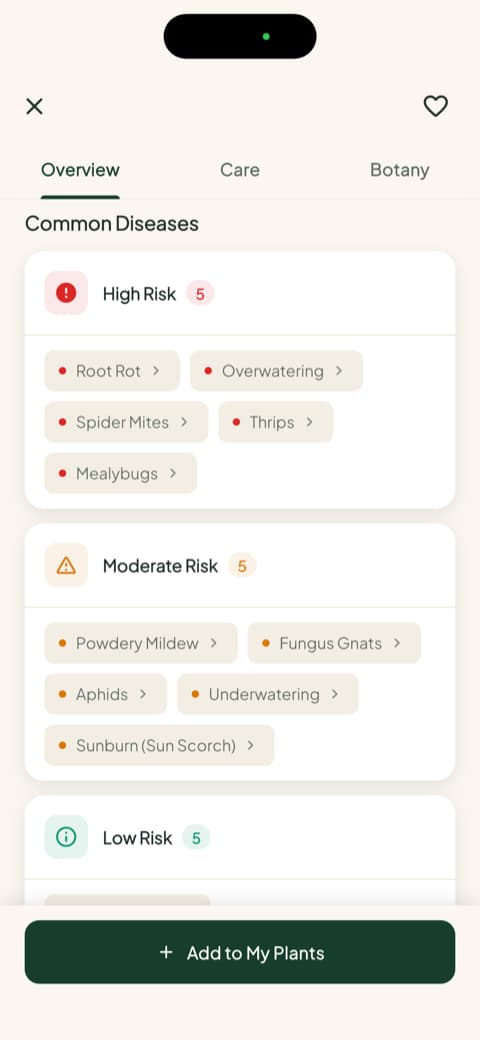
At one of those early stops, Bloom runs a quick preview of its disease diagnosis. You watch a leaf being examined and you already understand what the app can do, before you have even added a plant of your own. Later, on each plant's profile, that same idea turns into a proper list of the diseases the species is most prone to, sorted by risk level.
Right after that a chart shows up comparing identification accuracy: 53% for other apps against 93% for Bloom, with the source cited right on screen (Plant.id/Kindwise and a 2020 AoB PLANTS study). In practice that means getting it right roughly 9 times out of 10, across a catalog of more than 35,000 species. What really counts is testing it yourself, and with the common plants I put in front of the camera it got every single one, with the care cards filled in properly.
Identifying a real plant
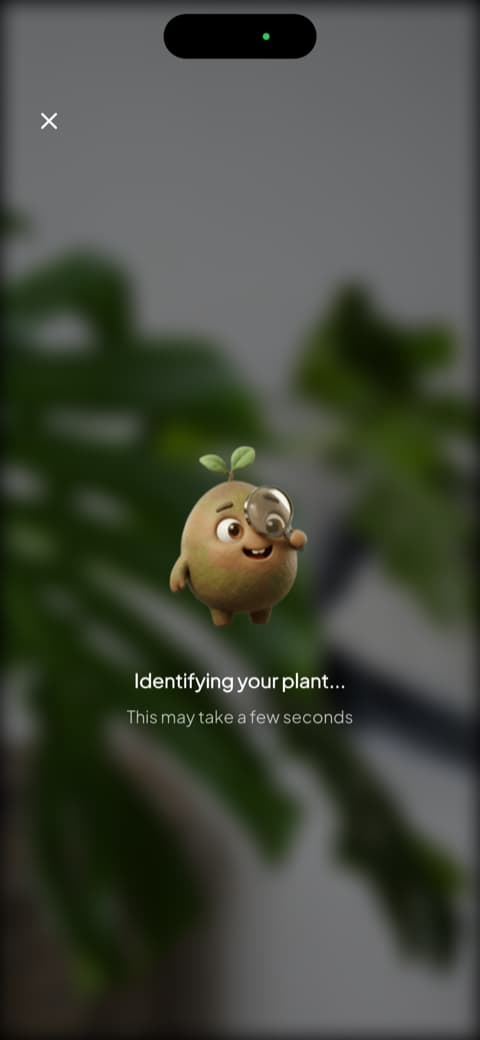
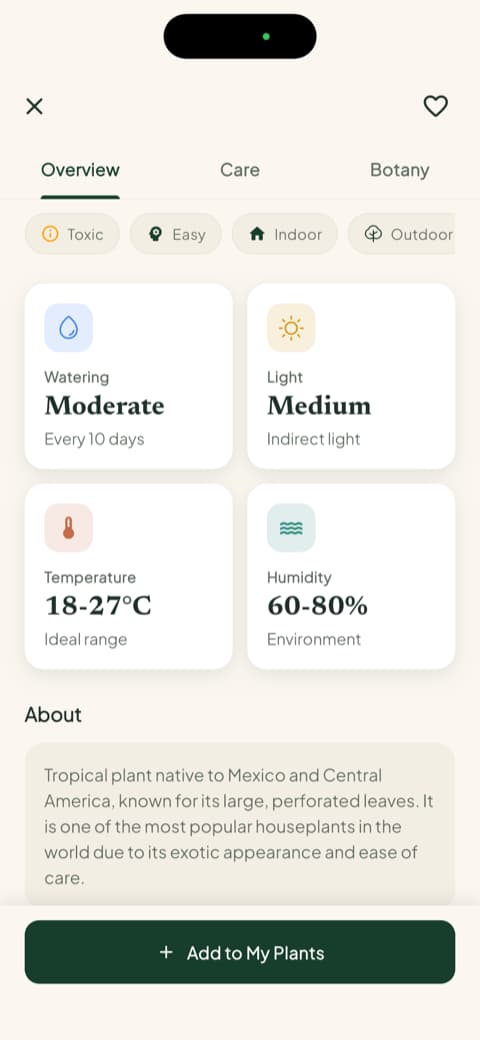
This is where the app shines. You open the camera, point it at the plant, and Pip shows up with a magnifying glass, investigating. The animation makes the wait worth it, and it is far more charming than a spinning wheel. When it finishes, you get the match percentage, the common name, the scientific name, and three tabs: overview, care, and botany. The very first screen already shows watering frequency, light type, temperature range, and ideal humidity.
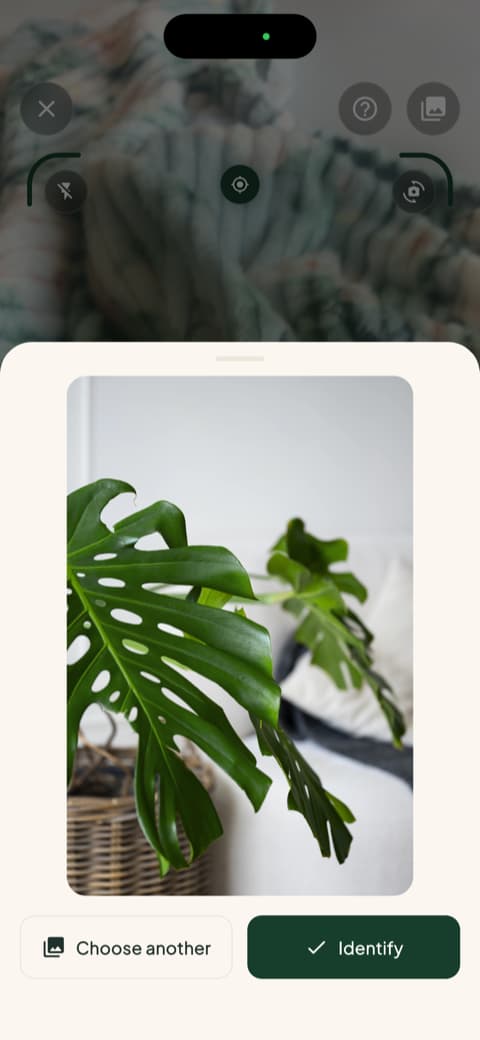
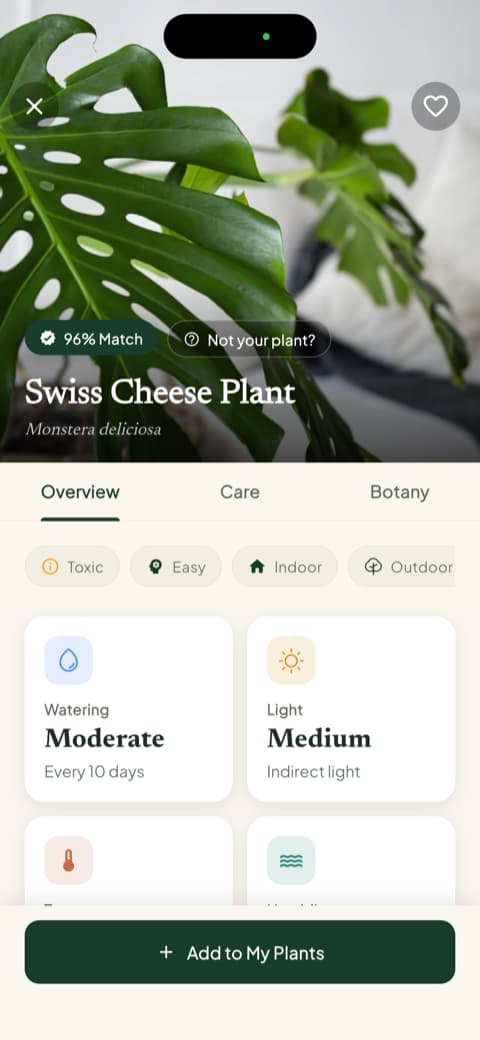
I tried it with a Swiss cheese plant (the famous monstera) and the profile came back thorough, with a 96% match. If you are just starting out, that much organized information makes an enormous difference.
The part that made me stay: toxicity for pets and kids
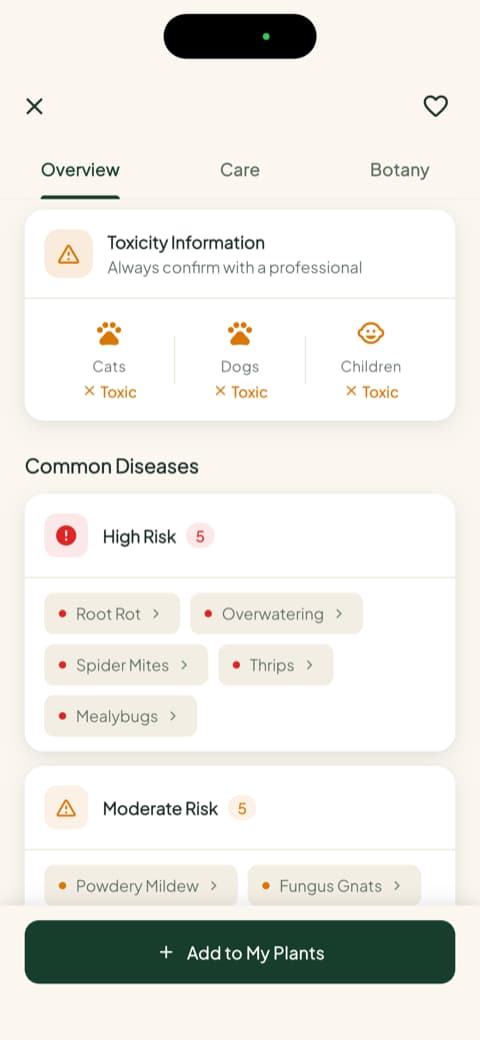
Scroll down that same profile a bit and there is a toxicity block telling you, separately, whether the plant is dangerous for cats, for dogs, and for children. I have a cat who loves chewing on leaves, and that information used to send me digging through three browser tabs. Here it sits right there, next to the disease risks for the species split into high, moderate, and low.
Saving the plant to your garden
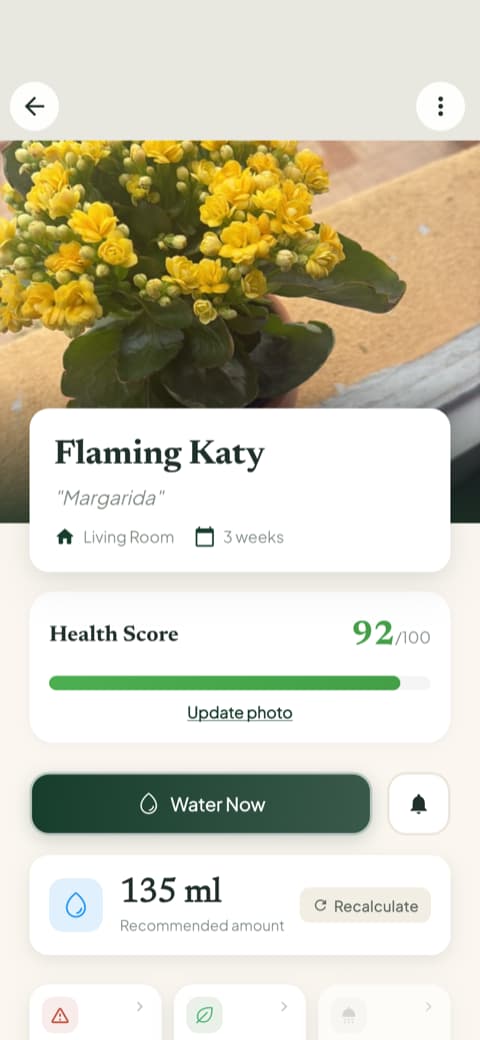
Once it is identified, the app asks which room of the house the plant lives in and how far it sits from a window. I saved my kalanchoe as "Daisy" and from then on her profile took on a life of its own: a health score from 0 to 100 (mine was at 92) and the amount of water in milliliters calculated for that plant, that pot, and that corner of the house. It came out to 135 ml, with a recalculate button in case I move the pot. Not watering by guesswork anymore is the thing that changed my routine most.
The "My Garden" screen
The garden became my favorite place. It is a visual list of the plants you have added, organized by room, and the card itself flags when watering is overdue. I check it in the morning the same way I check the weather.
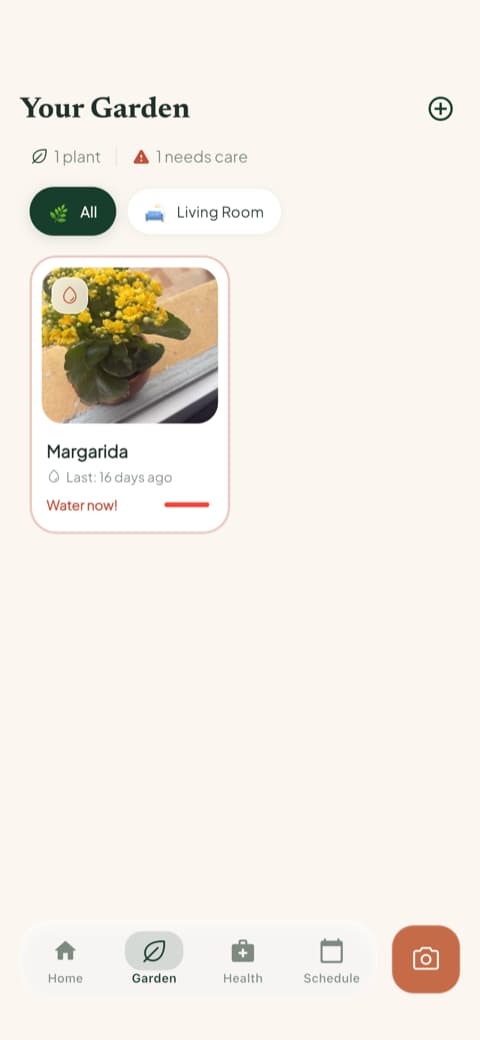
Each plant also keeps a care history and progress photos, so you can see side by side how it looked last month and how it looks today. With my fern that was a little embarrassing at first and very satisfying later.
The quick actions menu
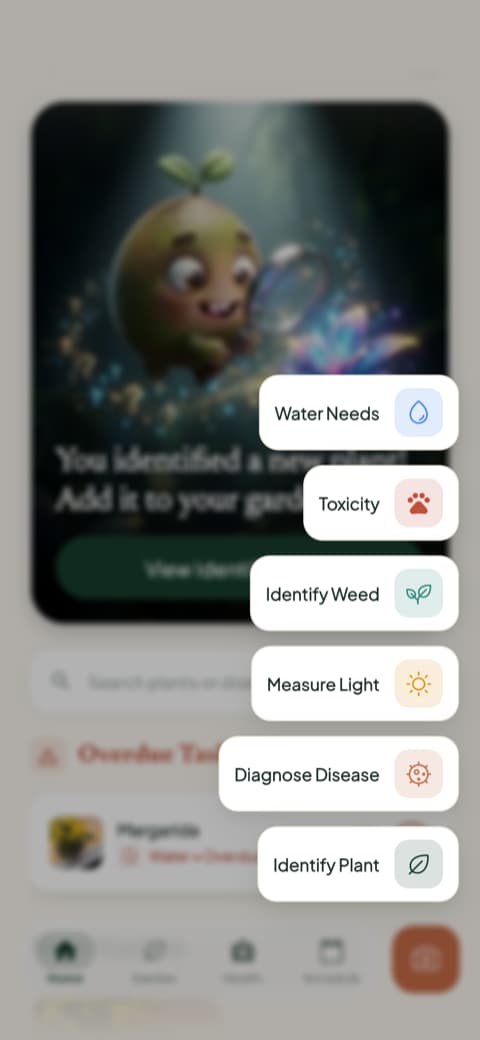
The center button opens a spread of tools I was not expecting: identify a plant, diagnose a disease, measure the light in a room, identify a weed, check toxicity, and see water needs. I used the light meter on the balcony to understand why my succulent was stretching, and the weed identifier saved me from yanking out a seedling that turned out to be an actual plant.
Content that is genuinely good to read
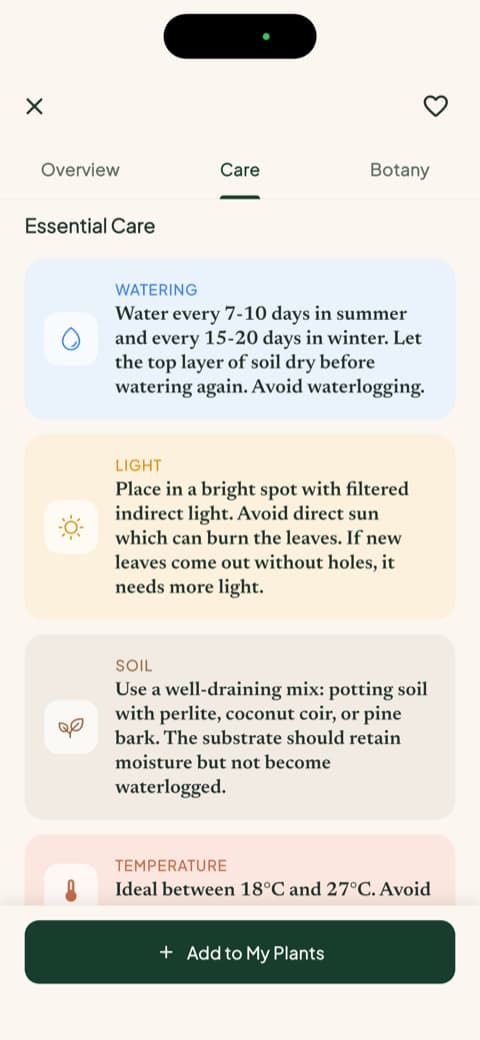
The care guides surprised me. Instead of generic text copied off the internet, they are plant by plant explanations of watering, light, soil, temperature, ideal pot, and propagation, written in plain human language. I clicked out of curiosity and caught myself reading to the end.
Reminders that actually help
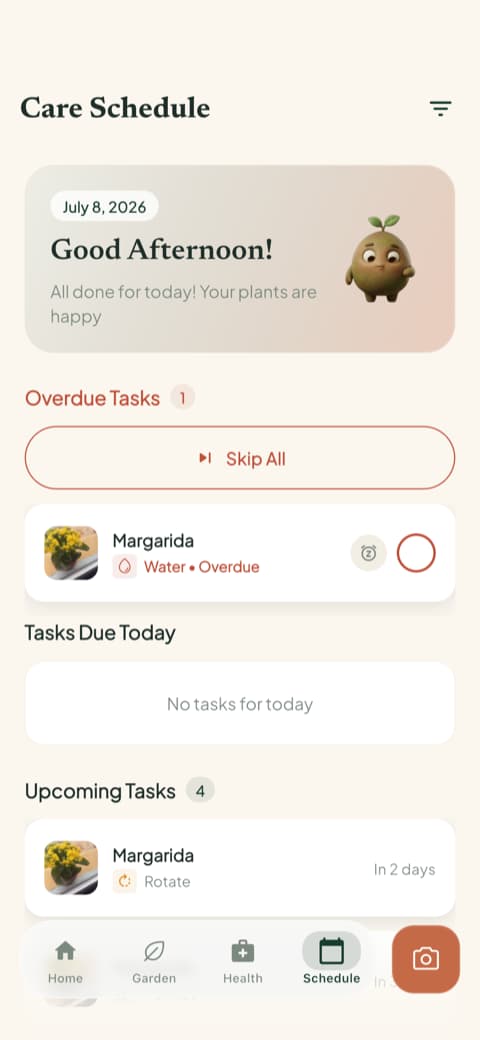
The care schedule separates what is overdue, what is due today, what is coming up, and what is already done. The tasks go beyond watering: feeding, pruning, rotating the pot, repotting, and even the follow up photo. I left notifications on only for my most forgettable plants, and that alone rescued a basil plant on a hectic Friday.
Getting to know the Plant App: simple, direct, and pretty
Now let me tell you about the Plant App, in my own words, no rushing.
A home screen that breathes
The Plant App looks like a well made app, with good photography and a tidy layout. The home screen is clean, with the main tools front and center (identify a plant, light meter, trending plants). If you prefer something lean, with no frills, you will like this approach.
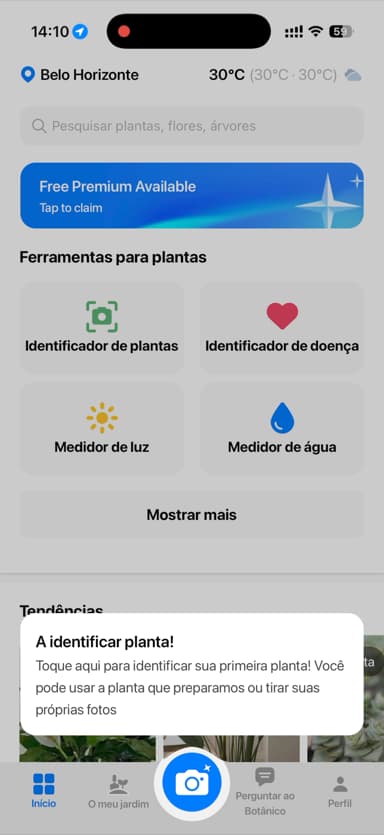
A sample plant so you can try it right away
The Plant App offers you a sample plant right off the bat, so you can test the identification even if you do not have a real plant next to you. That is handy if you downloaded the app on the bus, at work, or on the couch, curious to try it with no photo on hand.
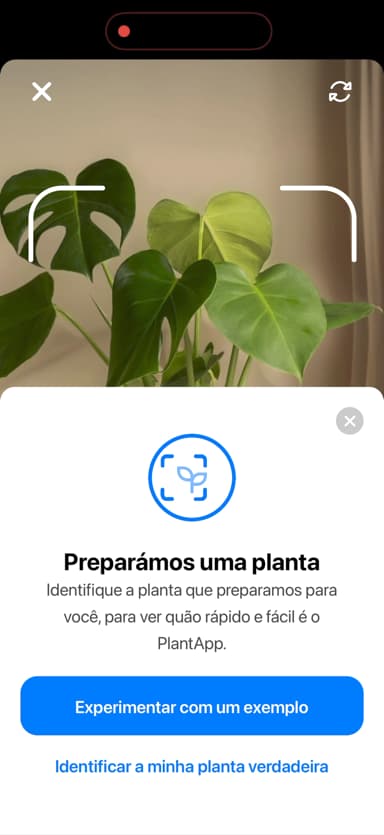
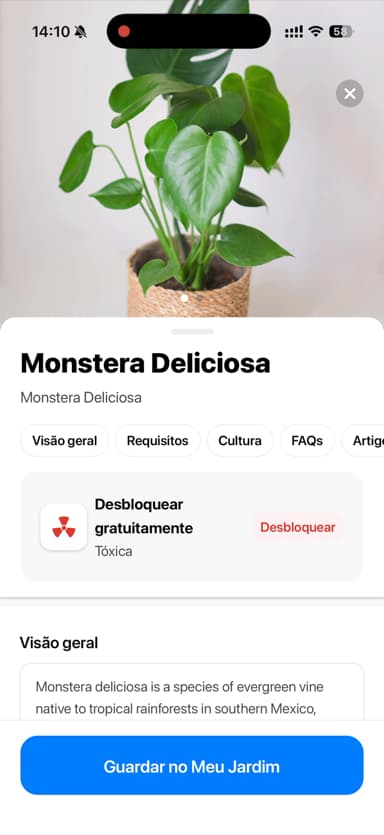
An identification screen that gets to the point
When the identification result comes up, it gives you the plant's name, a nice photo, and the main care data: water, light, temperature. It is a well built screen, pleasant to look at, and it delivers on the promise of telling you what that plant is without any detours. A few details stay locked, which is a shame right when you are curious and want to keep reading.
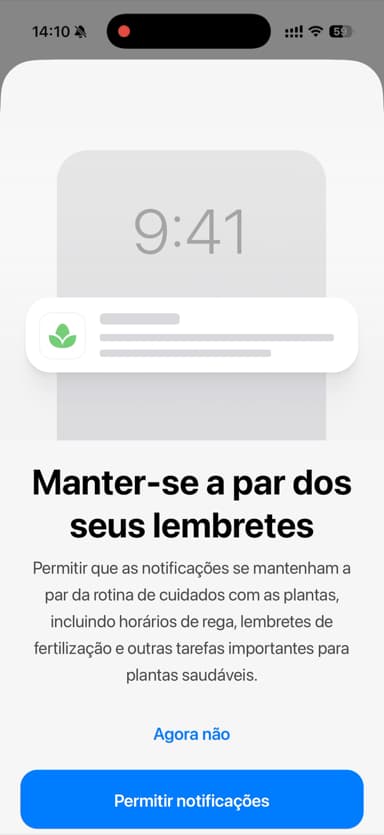
It explains the reminders before turning them on
Another nice touch is that it tells you what the reminders are for before it switches them on, so you know what you are agreeing to. Small thing, but it makes you want to say yes.
Fast, practical identification
Overall, the Plant App is an app that knows what it is doing. It identifies well, it looks good, and it is quick. If you just want to satisfy your curiosity about the cutting your neighbor gave you, it handles that elegantly.
What actually sets them apart in practice
Now that you know both, let me lay out what really carries weight when you are deciding, without getting into boring technical detail.
Identifying a plant from a photo
Both identify well. I threw a succulent, basil, a fern, a monstera, and a ZZ plant at both of them and neither one missed. The difference is in what comes after the name. The Plant App hands you the result plainly, with the essentials, perfect for anyone who wants speed. Bloom shows the match percentage and opens the plant up in three layers, overview, care, and botany, with toxicity for cats, dogs, and children plus the list of diseases the species is most prone to.
If you only want the name, either one works. If you want to understand what you just adopted, Bloom is more generous.
Day to day plant care
Here the gap widens. Bloom asks which room the plant lives in and uses that to calculate watering in milliliters, not "water when the soil feels dry." Add the health score for each plant and the schedule with overdue, today, and upcoming tasks, and you end up with something closer to a routine than to a list of reminders. If you have plants scattered around the house, that mapping keeps you from losing track of anyone.
Tools beyond identification
Both have a light meter, but in Bloom it shares a menu with the weed identifier, photo based disease diagnosis, and the toxicity check. It is the kind of thing you do not go looking for on the day you download an app, and you are grateful for on the day you need it.
Content for learning more
Bloom includes long, well organized guides written like magazine features. I opened one meaning to skim and read the whole thing. If you like learning while you take care of things, that counts for a lot.
The personality of each one
This point is a bit subjective, but it makes a difference over time. Bloom leans into the tone of a gardening friend, with Pip popping up on the screens and celebrating alongside you. If you are a beginner and afraid of messing up, that warmth counts as a feature, not decoration.
Who is each app for?
Bloom is for you if...
You like it when an app seems to care about you. You are a beginner and want someone guiding you without judging you. You have more than one plant at home and want the care organized in one place. You share the house with a pet or a kid and need to know which leaves are a problem. You enjoy reading about the plants you own and watching them evolve in photos.
The Plant App is for you if...
You want something simple and fast for identifying plants now and then. You like a clean look, focused features, and getting straight to the point. You are not interested in tracking each plant's routine after the identification.
My honest conclusion
If you asked me "what is the best plant app?", I would answer, without hesitating, Bloom. Because Bloom made me feel welcome, organized my plants, told me how much water each one needs, warned me about what was dangerous for my cat, and made me want to open the app in the morning the same way I open Instagram. Pip became good company.
The Plant App is a competent, well built app that does what it promises. If you just want practicality in the moment, it delivers.
If you are still torn, download both. In Bloom you can get in, identify your plants, and add 2 of them to your garden right away, so you can get a real feel for the app before deciding. In my case, Bloom is the one that stayed on my phone. And if one day your fern starts looking happy again, I will be happy right along with you.
This review was written after testing both apps hands on, on an iPhone. Screens and features may change depending on the version you download.
Related articles

The 5 Best Apps to Remember to Water Your Plants
Always forgetting to water your plants? Here are the 5 best apps that remember for you, tested for smart reminders that actually fit your routine.

The 6 Best Plant Apps for Beginners
New to plants and worried you'll kill them? Here are the six best plant apps for beginners, tested for how easy they make identifying and caring for your first plants.

The 7 Best Apps for People Who Always Kill Their Plants
If your plants keep dying no matter how hard you try, these 7 apps were made for you. Here are the ones that actually help keep a plant alive.