Planta or Bloom: which is the best plant care app?
Planta or Bloom? I used both plant care apps in my everyday routine, and I am telling you honestly which one is worth it for you.
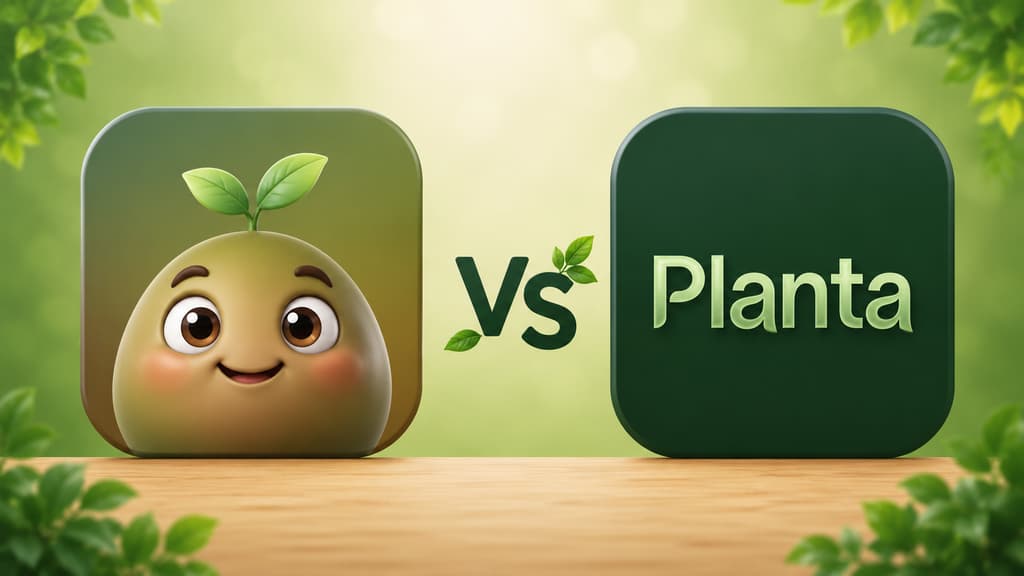
Every time I admitted to someone that I kept killing succulents, the answer was the same: "download Planta, it is the famous one." And that is fair. The Planta app is sort of the celebrity of gardening apps, with a shelf full of app store awards. Somewhere along the way, though, I also met Bloom, which nobody had recommended to me and ended up being the one that stayed on my phone. So I did what I wish someone had done for me: I used both, slowly, with my real plants, and I am going to tell you how it went without any fluff.
If you landed here trying to decide which one to download, pull up a chair. This one is for you.
The short version, for anyone in a hurry
Mixing the best of both, here is the quick take:
You want a care schedule so detailed it accounts for how far the plant sits from the window: Planta.
You are a beginner and you want an app that welcomes you, with a cute little character guiding you from the first tap: Bloom.
You like a dark, elegant, award-winning look: Planta.
You want to identify a plant and get a full profile that feels like a mini lesson: Bloom.
You want to know exactly how many milliliters of water to give, and whether the plant is toxic to cats, dogs or kids: Bloom.
You want to poke around the app before creating any account: Bloom.
You like seeing award badges and millions of users before you trust something: Planta.
You want to organize a bunch of plants room by room without forgetting anyone: Bloom.
Both apps will keep your plants alive, so the decision is more about the personality of each one than about the feature list. Now let me tell you what it was actually like.
Getting to know Bloom
An app that says hello
Bloom opens with Pip, a little 3D character that looks like a wide-eyed sprout, greeting you the way you greet a guest. I have said this in other articles and I will say it again without embarrassment: it sounds silly until you show up lost, holding a droopy plant, and find an app that talks to you instead of handing you a manual.
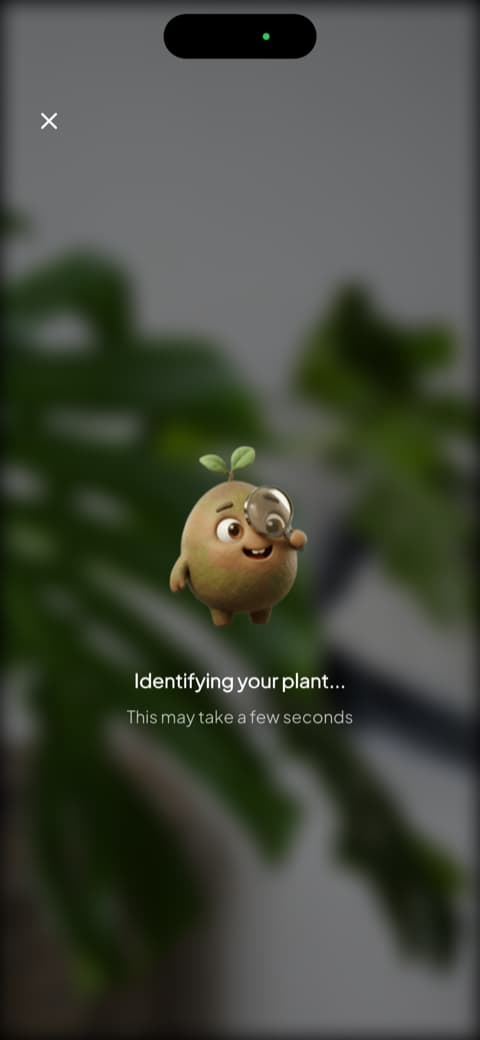
The first few screens make the pitch clear: it recognizes more than 35,000 species and gets it right about nine times out of ten, with independent validation behind that number. For someone with my track record as a serial succulent killer, reading that before taking the first photo is genuinely calming.
The identification that turned into a lesson
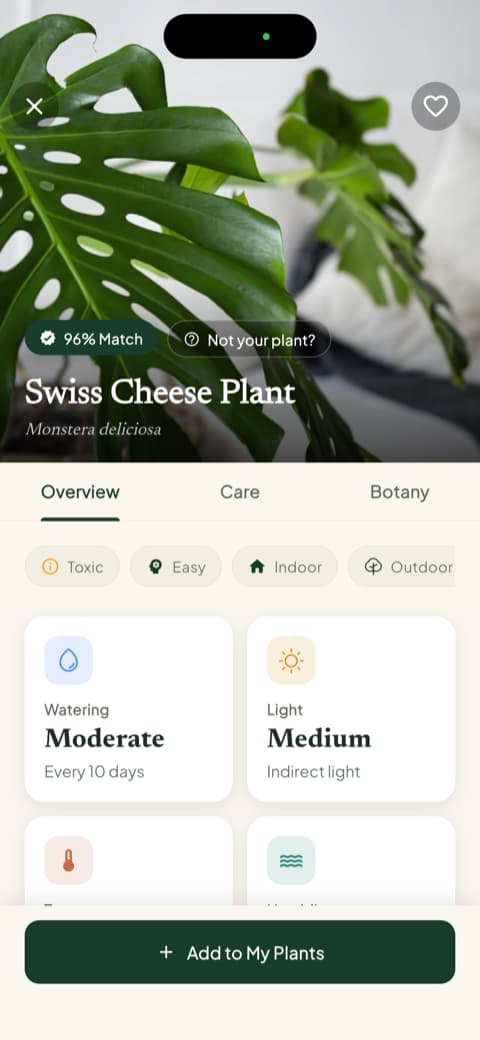
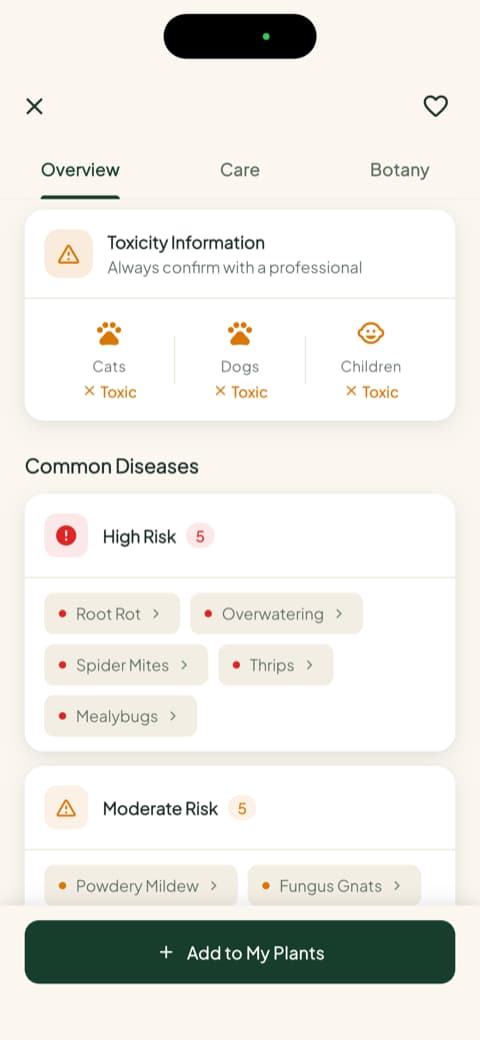
I pointed the camera at my Swiss cheese plant and Pip appeared with a magnifying glass, investigating. Seconds later came the profile with the match percentage, the common name, the scientific name and three tabs: Overview, Care and Botany. On that same screen I could already see watering frequency, light type, temperature range and ideal humidity. Scrolling a little further, the part I did not expect: toxicity broken out separately for cats, dogs and children, plus a list of the most common diseases for the species, sorted into high, moderate and low risk. Reading those profiles is what finally got me to stop watering by guesswork.
Water in milliliters and a health score
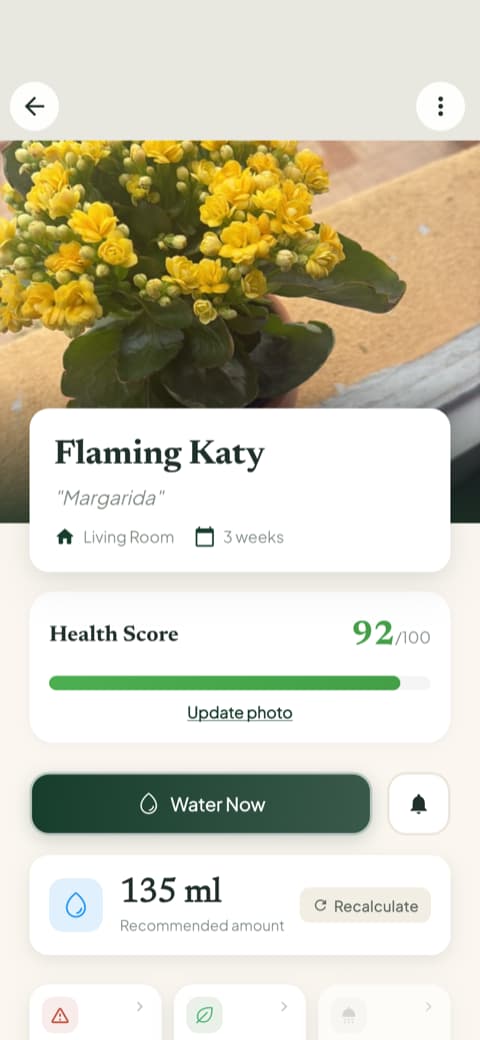
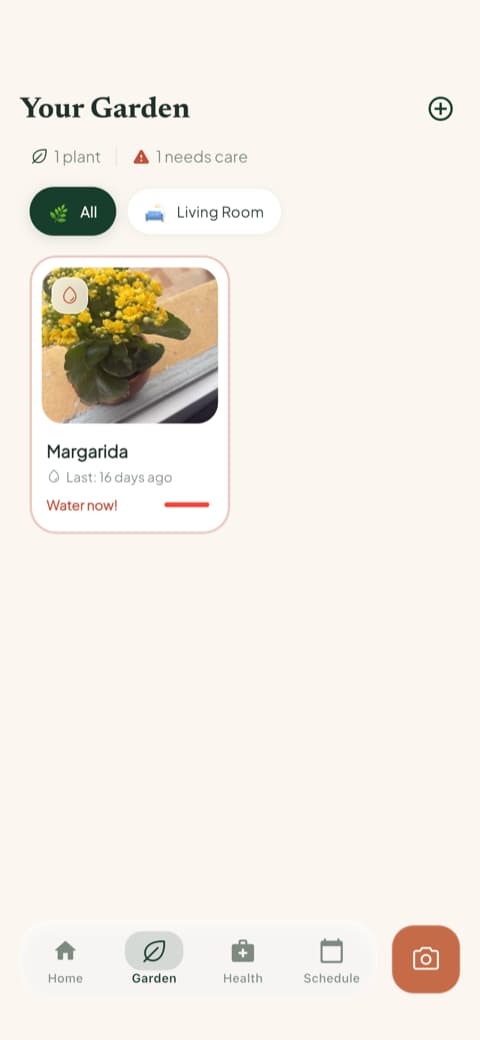
This part won me over for good. Every plant that joins my garden gets a health score from 0 to 100, and watering time does not come with that vague "water when the soil feels dry" advice. Bloom tells you the amount in milliliters, calculated for that plant, that pot and that spot in your home, with a button to recalculate if something changes. My kalanchoe, which I named Daisy, went from barely surviving to showing off once I started measuring the water instead of eyeballing it.
My garden, room by room
When you save a plant, Bloom asks which room it lives in and adjusts the care for that light. My fern on the kitchen windowsill is still going strong, and believe me, that fern has been through things. The garden tab shows all your plants with the watering reminder right on the card, and the care schedule separates what is overdue, what is due today, what is coming up and what you already finished, including feeding, pruning, rotating the pot, repotting and even the progress photo. It became part of my morning, right alongside coffee and the weather forecast.
Guides you actually want to read
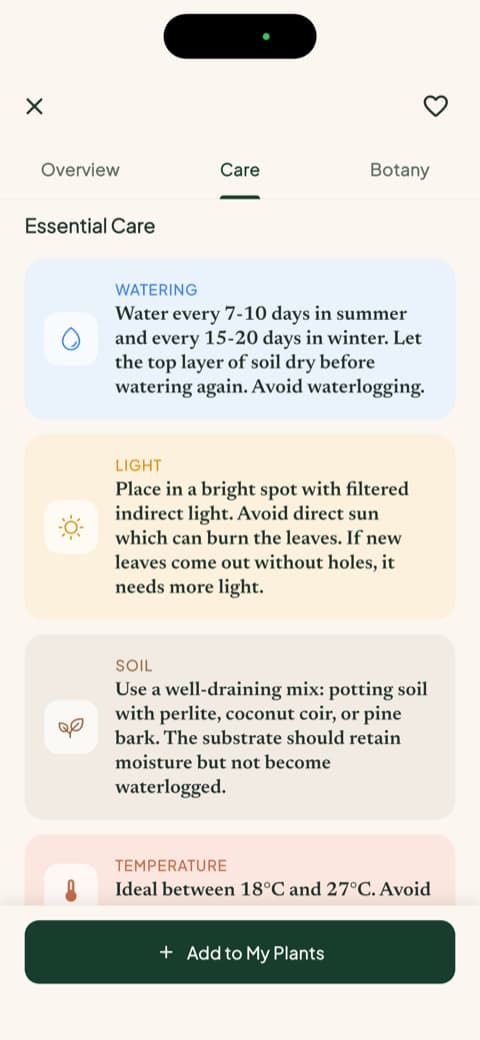
Bloom has detailed care guides for each species: water, light, soil, temperature, the right pot and how to propagate, all written in human language. Then there is the botany section, with classification, symbolism and blooming season. I went in to settle a silly question about rosemary and came out having read about what it symbolizes. That is the kind of detail that turns an app from a tool into company.
Getting to know Planta
The reputation arrives before the app does
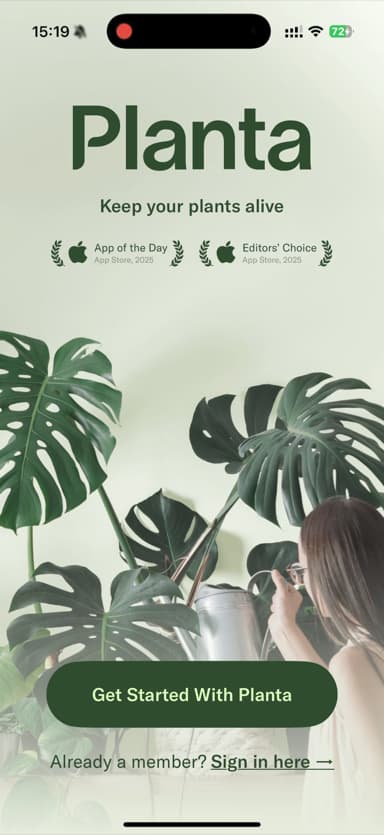
The first screen of the Planta app shows exactly why everyone recommends it: the motto "Keep your plants alive" and the App of the Day and Editors' Choice badges from the App Store, all sitting on a gorgeous photo of Swiss cheese plants. It looks great, it inspires confidence, and it makes very clear that a lot of people signed off on this before you did.
Before it turns you loose in the app, it runs through a set of questions: where your plants live, how many you have, your skill level. Planta has a sense of humor here, with options ranging from "hopeless" to "I am Linnaeus!" (the father of botany, a name I had to look up). I found it charming. It is a different route from the one Bloom takes now, because there is no interview over there at all: Pip greets you, a few quick screens show what the app can do, and you are already pointing the camera at something. One wants to get to know you first, the other wants to show you what it can do first. One thing about Planta is worth a heads up, though. Before it lets you in, the Planta app asks you to create an account with Apple, Google or email. Nothing impossible to deal with, but if you just wanted a quick look around before signing up for anything, now you know what is waiting for you.
The level of detail is impressive
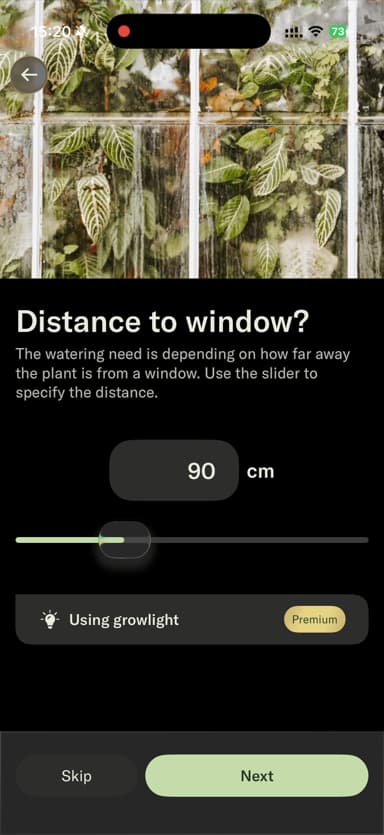
When it is time to add your first plant, the Planta app shows what it is made of. It asks for the room, the light in that space and even the distance from the plant to the window, in centimeters, with a slider to fine tune it. I went and got a tape measure, laughing at myself the whole time. If you love precision, it is delightful, because the app uses that to calculate your plant's thirst down to the detail. If you only wanted a basic reminder, it can feel like a lot of homework right at the door.
A home screen that talks to you
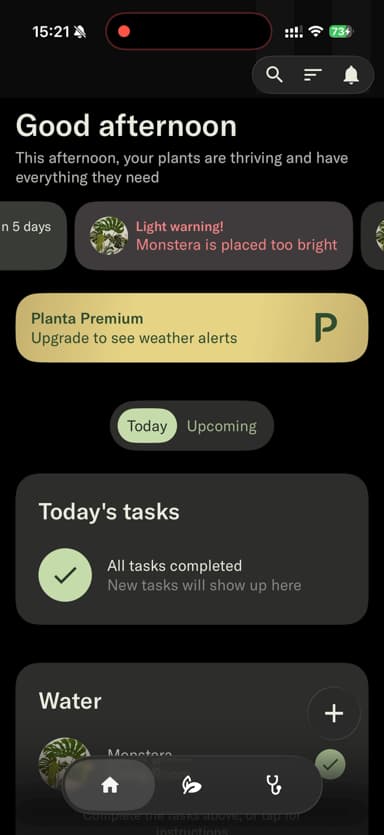
Planta's home screen is dark, sophisticated, and it opens with a greeting telling you how your plants are doing right now. The detail that impressed me most: it warned me that my monstera was getting too much light where I had put it. That goes well beyond "time to water," and I will admit I felt a healthy pang of envy over that feature. The day's tasks sit right below, with the satisfaction of checking everything off.
Comparing them point by point
Identifying a plant from a photo
In Bloom, identifying plants is the heart of the app: you point the camera and get that generous profile, full of context. In the Planta app, identification exists and works, but it is not where the app puts its energy. The focus there is squarely on the care schedule. If figuring out the names of your plants is what excites you most, Bloom delivers that experience more completely and with a lot more fun.
Everyday care
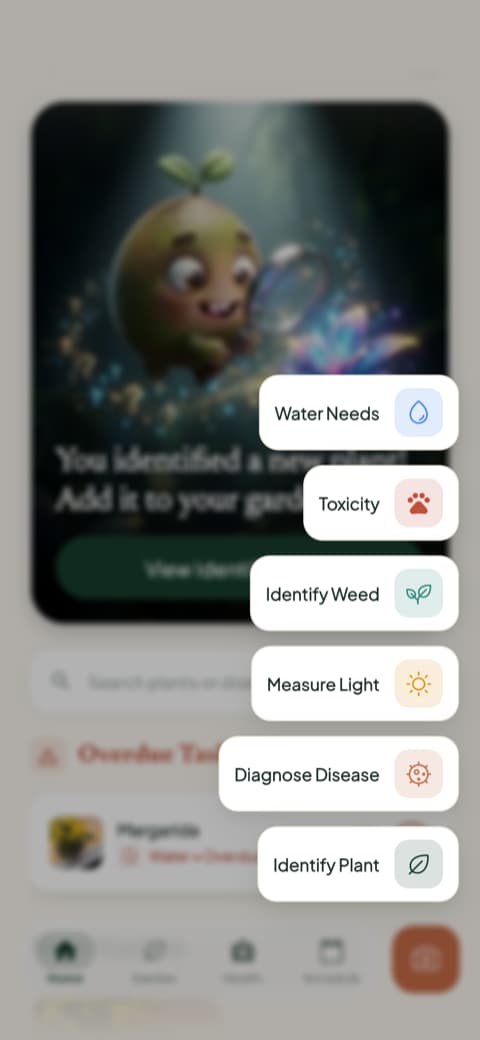
This is where Planta shines. Its schedule factors in the season, the light in the room and even that window distance you measured, and warnings like the strong light on my monstera are genuinely useful. Bloom solves the same problem with a different philosophy: it organizes plants by room, keeps the care schedule always in view and saves your history with progress photos so you can watch the plant change. And in the quick actions menu it has the tools I assumed only Planta would have: measuring the light in a room, diagnosing disease from a photo, checking toxicity, seeing how much water is needed and even identifying weeds. With both apps, my plants were well cared for. The difference is that Planta asks more of you during setup, while Bloom spares you the homework.
Safety for everyone you live with
This one became the tiebreaker for me after my cat decided to chew on a leaf. Bloom shows toxicity for cats, dogs and children right on the plant profile, no searching required, and it lists the disease risks for the species sorted by severity. The Planta app keeps its attention on the care schedule, and Bloom was where I got that answer on the very first screen without hunting for it anywhere.
Content and learning
Bloom takes this one comfortably: complete care guides and a botany section you actually want to finish, all in plain, friendly language. Planta has solid guidance inside each plant's profile, but the format is more technical and reads more like a reference sheet than a conversation.
Mood and personality
Planta is the elegant, dark, award-winning app that speaks to you like a competent specialist. Bloom is the bright, colorful app that speaks to you like a friend who happens to know plants. There is no right and wrong here, only what matches you. Having arrived in this world feeling like a serial succulent killer, I found myself more at home in the second one.
Who is each app for?
Bloom is for you if...
You are just starting out and want to feel supported, not graded. You want to identify plants and learn about each one through complete profiles and guides. You want to know how much water to give, in milliliters, and whether a plant is safe for a home with pets or kids. You have plants scattered around the house and want everything organized by room, without measuring anything with a tape measure.
Planta is for you if...
You already know your way around plants and want a precise schedule that accounts for light, season and position in the house. You feel reassured by an award-winning app with plenty of recognition behind it. You do not mind creating an account before you get to explore.
My honest conclusion
Planta deserves its reputation. It is beautiful, carefully made and it looks after plants with a rigor that impresses, and that warning about the light on my monstera won over a small piece of my heart. But when my two weeks with both apps ended and I looked at which one I was opening because I wanted to, it was Bloom. It let me start using it before asking for any commitment, turned every identification into a lesson and organized my plants the way my brain works: by room, with the next task right in front of me.
My suggestion is simple. If you are the type who wants a perfect care spreadsheet and enjoys dialing in every setting, the Planta app will serve you well. If you want an app that teaches, welcomes and still gets the job done, Bloom is my pick. It is the one that stayed on my phone, and the kitchen fern will back me up on that.
This review was written after using both apps in real life, on an iPhone. Languages, features and screens may change depending on your region and on when you download them.
Related articles

The 6 Best Plant Apps for Beginners
New to plants and worried you'll kill them? Here are the six best plant apps for beginners, tested for how easy they make identifying and caring for your first plants.

The 5 Best Apps to Remember to Water Your Plants
Always forgetting to water your plants? Here are the 5 best apps that remember for you, tested for smart reminders that actually fit your routine.

The 7 Best Apps for People Who Always Kill Their Plants
If your plants keep dying no matter how hard you try, these 7 apps were made for you. Here are the ones that actually help keep a plant alive.