Plantion or Bloom: which is the best app to identify and care for plants?
Plantion or Bloom? I used both plant apps on my own real plants and I will tell you honestly which one is worth keeping to identify and care for yours.
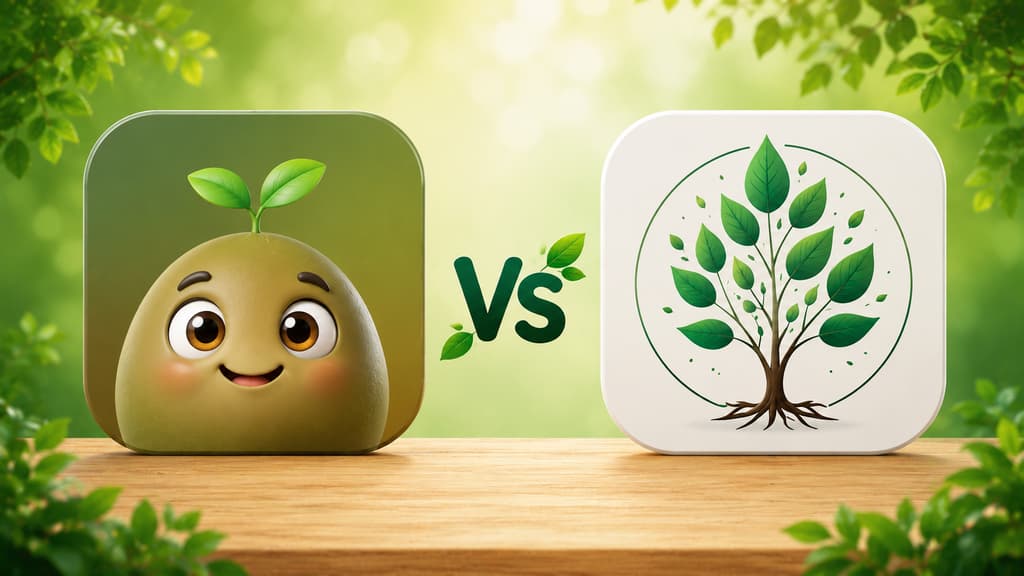
This comparison started with a screenshot on my phone. A friend, one of those people who knows I have become the woman who tests plant apps, sent me a shot of Plantion asking "is this one any good?". And me, someone who has watered a fern purely on guesswork and nearly lost a basil plant to plain forgetfulness, could not answer without trying it properly. So I downloaded Plantion and used it side by side with Bloom, the app that has been living on my phone for a while now.
If you landed here trying to decide which one to install, this is the answer I gave her, only slower, with more detail, and with screens from both apps so you can see it with your own eyes. Both promise to identify a plant from a photo, help you take care of it, and let you know when something needs attention. But using one and using the other feels very different, and that is what I want to talk about.
The short version if you are in a hurry
If you just want the quick answer, here it is, mixing in what each one does best.
You want a home screen stripped down to four big buttons and nothing else: Plantion.
You are a beginner and want an app that feels like a friend walking you through it, with a cute character by your side from the very first screen: Bloom.
You want to know whether a plant is toxic to your cat, your dog, or the kid in the house: Bloom.
You never know how much water to pour and wish someone would just tell you in milliliters: Bloom.
You like a dark, elegant look with pretty illustrations: Plantion.
You want a full profile for every plant plus articles you actually feel like reading: Bloom.
You want to find out what is wrong with a sick plant and be guided until it recovers: Bloom.
You only want to identify a plant on the spot and move on with your day: either one will do.
Now, if you have a few more minutes with me, let me tell you what it was like living with both.
Bloom, the one already at home
Pip still wins me over every single day
Anyone who has read my other posts knows I am in love with Pip, Bloom's little 3D character that looks like a sprout with enormous eyes. When you open the app for the first time, he is the one who greets you, as if to say "relax, we will figure out what your plants need together". It sounds like a silly detail, but for someone who arrives convinced they have a black thumb, that welcome changes the mood instantly.
Bloom shows what it can do first
One thing I like is that it does not interview you, it introduces itself. After Pip says hello, a few short screens walk you through what the app does: identify a plant in seconds, remind you when it is time to water, figure out what is wrong with a sick plant. One screen is just about how often it gets the answer right, checked in independent testing, and another shows the 4.8 rating the community gave it, with a few notes from people who use it. Then it is over and you can point the camera. Getting straight to using it, with nothing to fill in first, put me at ease right away.
Every plant profile is a mini lesson
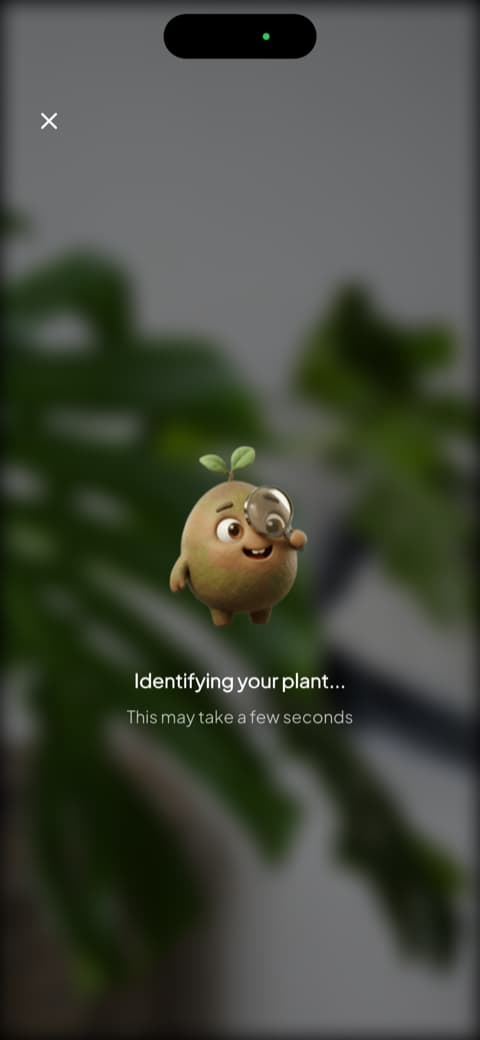
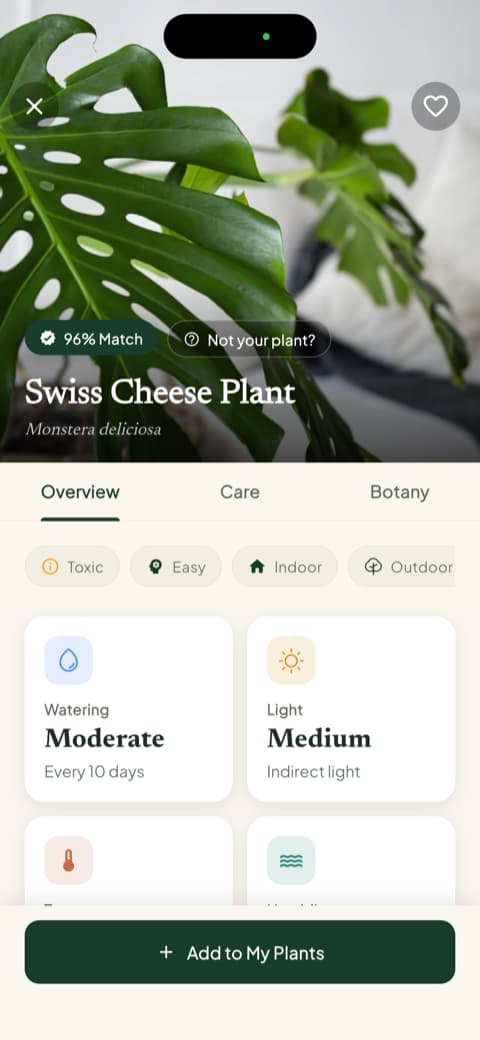
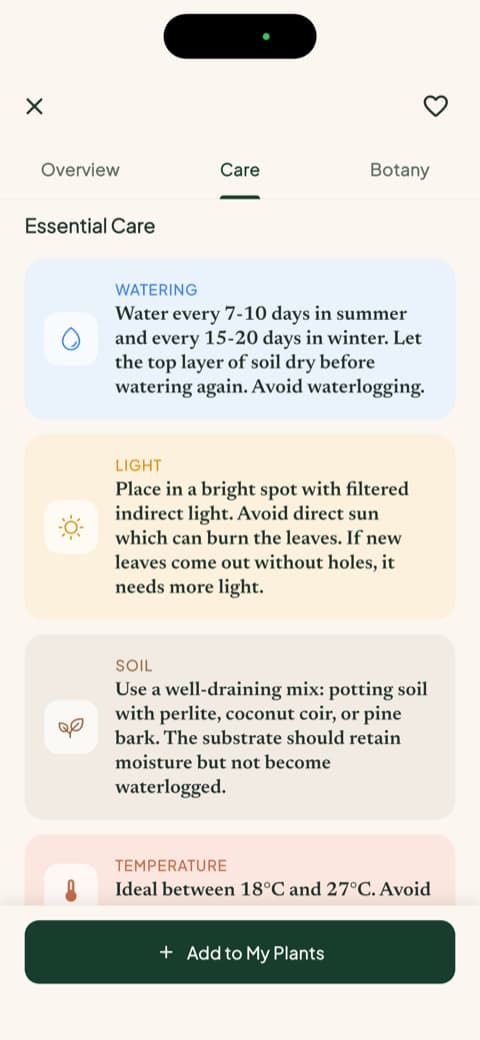
When it is time to identify, you point the camera and Pip shows up with a magnifying glass, investigating. It recognizes more than 35,000 species and gets it right close to 9 times out of 10, which matches what I felt while using it. When it finishes, you get what is, to me, Bloom's strongest point: the match percentage, the common and scientific names, and the Overview, Care, and Botany tabs. The very first screen already shows watering frequency, light type, temperature range, and ideal humidity. I tested it once more on my Swiss cheese plant and caught myself reading things I still did not know, even though I had identified it before.
Two things I did not know I needed
The first one is toxicity. The profile tells you, without making you dig through forums, whether the plant is dangerous for cats, dogs, or children. That settled an old worry of mine about a leafy plant I had left right at my little nephew's hand level.
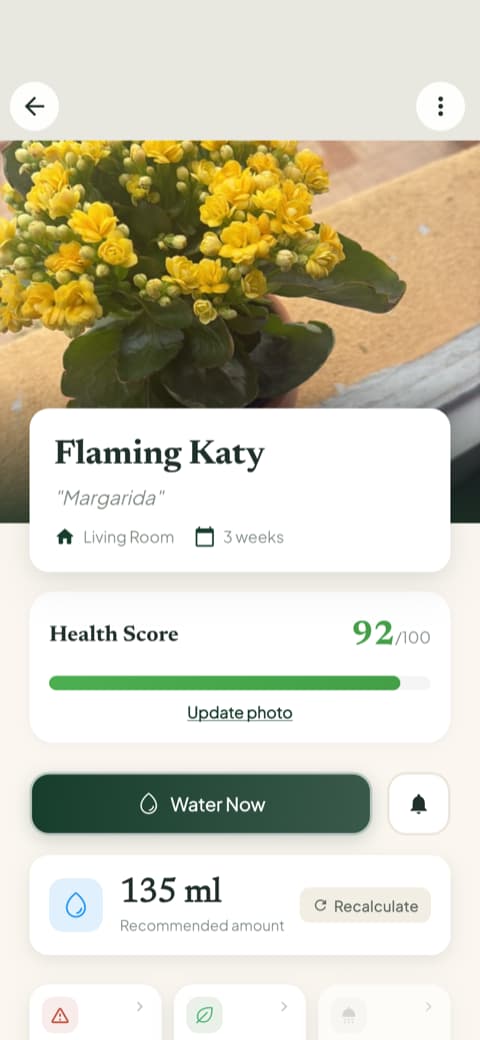
The second one is watering in milliliters. Instead of "water when the soil dries out", Bloom calculates the amount of water based on the plant, the pot, and where it lives, and it lets you recalculate if anything changes. Add the health score from 0 to 100 that each plant gets, and I finally stopped watering on guesswork.
My Garden is still my morning ritual
Every plant you identify can be saved to a room in your home, and the card itself flags when watering is overdue. My fern is still saved as "kitchen window fern", and My Garden shows me how each plant is doing right up front. I still open that tab in the morning the same way I check the weather. That system, by the way, is what saved the famous basil I almost let die.
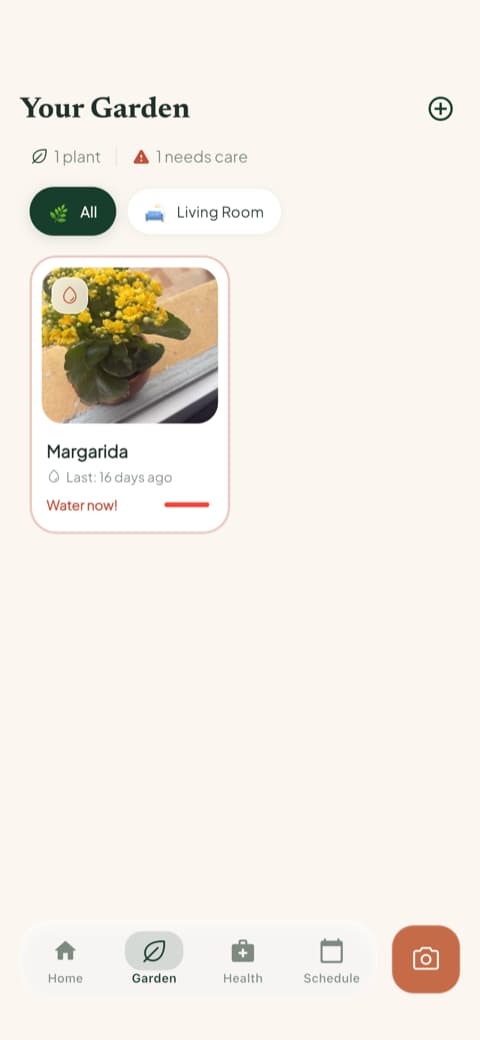
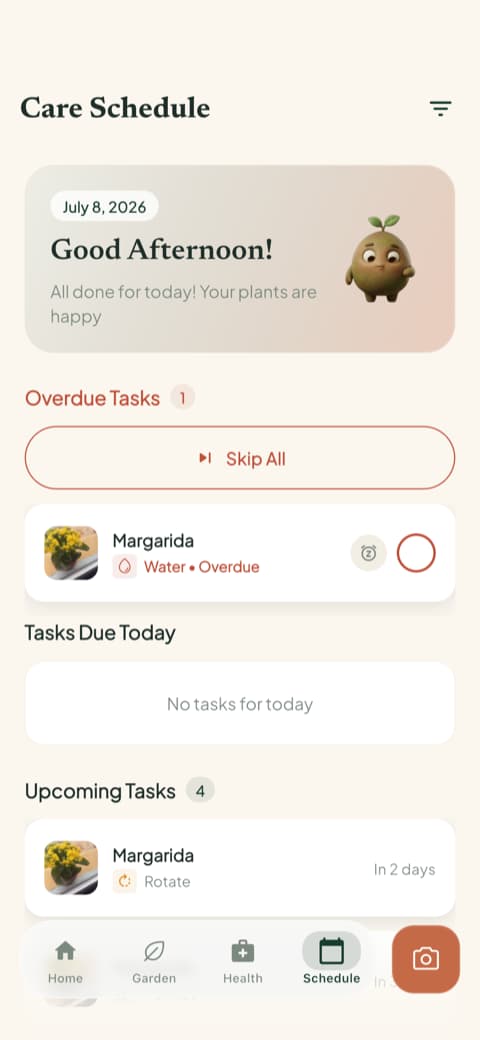
Alongside the garden there is the care schedule, which separates what is overdue, what is due today, what is coming up, and what is already done, including fertilizing, pruning, rotating the pot, repotting, and even the follow-up photo. And there is the quick actions menu, which gathers plant identification, disease diagnosis, room light measurement, weed identification, and toxicity check. The light meter surprised me the most: I found out that the corner where I kept insisting on keeping a plant got far less light than I would have sworn.
And when something goes wrong, like a yellowing leaf or a bug in the soil, Bloom not only tells you what it is but walks you through what to do and keeps a history with progress photos, so you can watch the plant improve week by week. That part, sticking with you until the plant recovers, is what keeps me hooked.
Plantion, the straight-to-the-point newcomer
A pretty arrival with no fuss
Plantion's first screen is a lovely illustration of a woman surrounded by plants in a greenhouse, with the city in the background. The dark look with green accents gives it a modern feel that I liked right away. And its personality already shows here: no introduction, no conversation. One continue button and you are in.
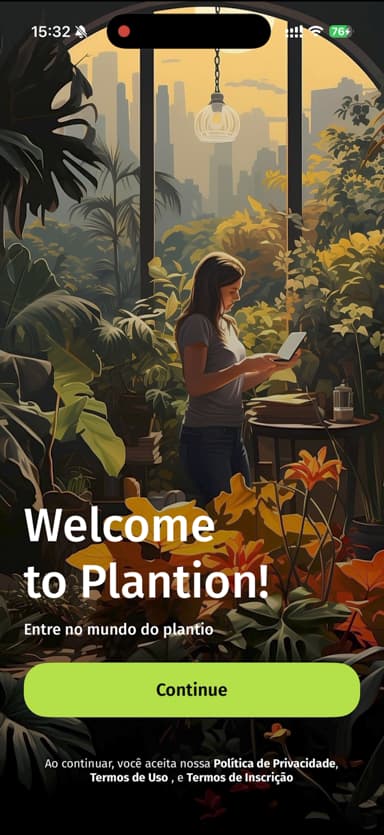
I will be honest about one thing, because that is what a real review is for: right at that arrival, before I had seen the app actually working, it pushed the subscription screen at me. You can close it with the X and keep exploring, so it is no tragedy, but I confess I would rather get to know the app first and talk about subscribing later, the way Bloom does.
The home screen is pleasantly simple
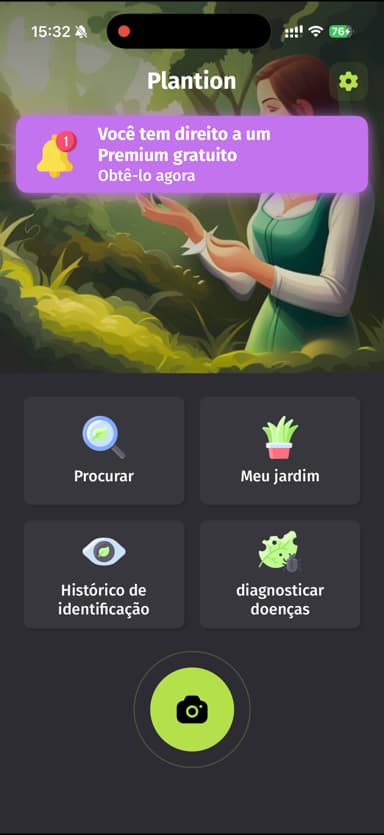
Once you get past that, Plantion hands you one of the easiest home screens I have ever seen: four big buttons, Search, My Garden, Identification History, and Diagnose Diseases, with a huge camera button underneath. There is no way to get lost. My friend, who has zero patience for apps, would love this part.
Its garden is organized by spaces too
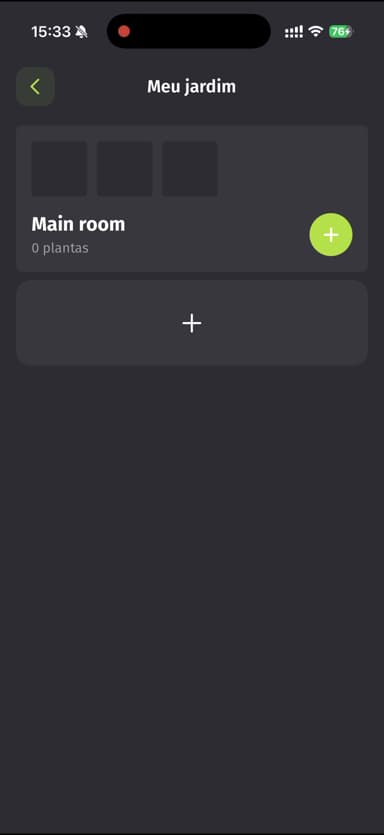
Plantion's My Garden lets you create spaces to group your plants, like living room, balcony, bedroom. The idea is good and similar to Bloom's room-by-room split. The difference is that here it starts empty and bare, and it is on you to build the whole thing, while Bloom guides you along and already suggests the right care for each corner of your home.
One detail that bugged me a little
Here and there Plantion feels unfinished around the edges. Labels do not always match: the garden space showed up pre-named "Main room" and never asked whether I wanted something else, and a couple of lines in the settings look unfinished next to the rest. Nothing that gets in the way of using it, but it breaks the spell a bit, especially for someone who is new to plant apps and needs every word to be clear. It is the kind of thing Bloom, which is clear from the first screen to the last, does not let slip.
Comparing them point by point
Now that I have introduced you to both, let us get to what actually tips the decision.
Identifying a plant from a photo
Both handle the common houseplants just fine. The difference is what comes with the answer. Plantion gives you the name and the information straight up, and it keeps a history of your identifications, which is handy if you identify a lot of things while out walking. Bloom shows you how confident it is in that result and turns every identification into a profile full of context, with care, botany, the diseases that species tends to get, and fun facts. If you only want the name, either one works. If you want to understand the plant you just discovered, Bloom explains it with more care.
Everyday care
Both remind you to look after your plants and let you organize everything by spaces in your home. Bloom goes further: it asks which room the plant lives in, calculates the water in milliliters for that specific pot, gives it a health score, and lays everything out in a schedule showing what is overdue and what is due today. In Plantion, building the garden is more manual and setting up your own reminders requires subscribing. It works, but it asks more of you.
Diagnosing a sick plant
Both have the feature, and in Plantion it even gets its own button on the home screen, which makes it easy to find in a moment of panic. The difference is what happens next: Bloom not only points out the problem but tells you what to do and keeps progress photos, with Pip along for the ride. If you have ever watched a plant fade without knowing why, that follow-through is worth a lot.
Safety if you live with a pet or a child
Plantion has no answer here. Bloom brings toxicity for cats, dogs, and children right into the plant profile, and it also lets you check that straight from the quick actions menu, even before you buy the plant. If you have animals at home, this single item carries a lot of weight.
Content to learn more
This is an area where Bloom pretty much plays alone. It has long, well-written guides on watering, light, soil, temperature, the right pot, and propagation, the kind you start reading out of duty and finish for pleasure, plus the botany side with classification, symbolism, and blooming. Plantion is more of a tool than a magazine: it gives you the plant information and that is that. If you like learning while you care, Bloom delivers a lot more.
Look and feel
Plantion goes for elegant dark, with carefully made illustrations and a clean home screen of four buttons. Bloom is light, colorful, and cute, with Pip keeping you company. They are opposite personalities, and there is no right or wrong here, only what suits you. I like feeling accompanied, so I go with Bloom's mood. My friend from the screenshot would probably prefer Plantion's restraint.
Who is each app for?
Bloom is for you if...
You are a beginner and want an app that guides you without judging you. You have plants scattered all over the house and want the care organized room by room, with the right heads-up for each corner. You live with a pet or a child and want to know at a glance what is toxic. You never know how much water to pour and want the measurement handed to you. You like learning and want complete guides about your plants. You want real help when a plant gets sick.
Plantion is for you if...
You want the shortest path between opening the app and pointing the camera. You like a dark, elegant look. You identify plants out on the street all the time and like having that history at hand. You do not need extra content, just the tool doing its job.
My honest conclusion
I told my friend the same thing I am telling you here: Plantion is good, yes. It is simple, pretty, and gets to the point. If she only wanted a quick identifier, I would not talk her out of it.
But the app that stays on my phone is still Bloom. It keeps me company, organizes my plants by room, tells me how much water each one wants, nudges me when I fall behind, tells me whether the new leaf is dangerous for my sister's cat, teaches me something new every week, and stays with me when a leaf decides to turn yellow. It is the difference between an app that answers a question and an app that takes care of your plants alongside you.
When in doubt, download both and feel out which one fits the way you care for things. In Bloom you can get in, identify something, and put two plants in your garden before deciding anything, which helps a lot when it comes time to choose. That is what I told my friend with the screenshot, and that is what I am telling you too. My fern, once the symbol of my failure, is now spread wide open on the kitchen windowsill like it is saying thank you.
And if one day your fern looks happy again, I will be happy right along with you.
This review was written after testing both apps hands-on, on an iPhone. The apps get updated often, so some screens may look different by the time you download them.
Related articles

The 5 Best Apps to Remember to Water Your Plants
Always forgetting to water your plants? Here are the 5 best apps that remember for you, tested for smart reminders that actually fit your routine.

The 6 Best Plant Apps for Beginners
New to plants and worried you'll kill them? Here are the six best plant apps for beginners, tested for how easy they make identifying and caring for your first plants.

The 7 Best Apps for People Who Always Kill Their Plants
If your plants keep dying no matter how hard you try, these 7 apps were made for you. Here are the ones that actually help keep a plant alive.