The 7 Best Plant Identification Apps by Photo
Two independent 2025 reviews disagree on almost every photo identification app. We compared both studies to show which apps have a free mode and what each one actually delivers after naming your plant.
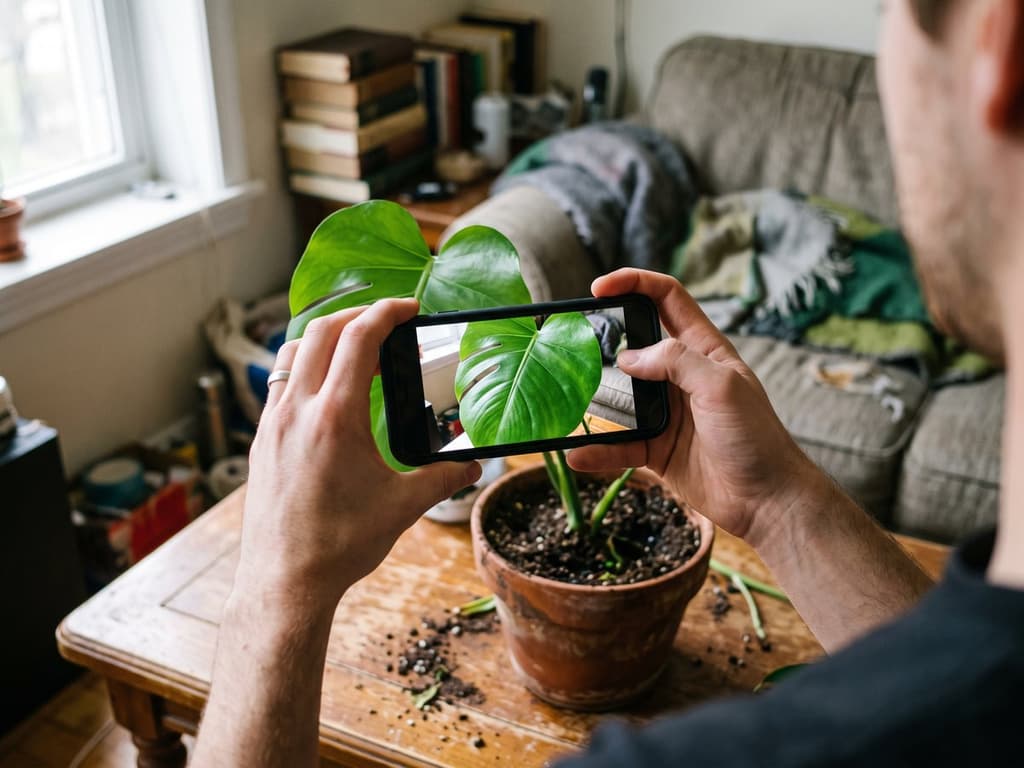
Our top recommendation is Bloom: it identifies plants using the Plant.id engine, which has scored 93% accuracy in independent university tests. It offers a free mode and is the only app of the seven that takes you straight from identification to a care plan, putting watering, light, and toxicity info on a single screen. It holds a 4.8 rating with over 1,000 reviews. If you only want the scientific name and nothing else, PlantNet will also do the trick completely free.
This guide is for people who have a plant at home and do not know what it is, not for botanists. Getting a name is the easy part: any of these seven apps will give you a name in three seconds. The hard part is knowing if that name is correct, and what you should actually do with it.
Comparing the Apps at a Glance
The table below summarizes our findings. The accuracy ratings for the six competitors come from external, independent tests: a Wirecutter review by The New York Times, updated July 10, 2025, and a test by James Common on the blog Common by Nature, published May 15, 2025. The rest of the data comes from our own hands-on testing of each app.
App | Best for | Free mode | Measured accuracy | What you get after the name |
|---|---|---|---|---|
Bloom | Moving from photo to care plan | Yes, 2 identifications per month | 93% (Plant.id engine, university tests) | Watering, light, toxicity, and schedule |
PlantNet | Getting the scientific name and nothing else | Yes, unlimited | 9.7/10 | Name, family, and Wikipedia link |
PictureThis | Species catalog and details | Limited, easy to trigger subscription | 9.0/10 | Long description, toxicity, and videos |
LeafSnap | Accurate identification | Limited, easy to trigger subscription | 9.9/10 | Short plant profile |
Google Lens | Not installing anything | Yes | 6.7/10 | Web search results |
Seek (iNaturalist) | Real community confirmation | Yes | 6.2/10 | Community database entry |
Flora Incognita | Offline use on hikes | Yes, unlimited | 8.9/10 | Botanical factsheet |
The two metrics in the accuracy column are different and cannot be compared directly. The 0 to 10 scores come from a test of 10 difficult species, which we explain in the next section. The 93% score for the Plant.id engine used by Bloom comes from university evaluations testing model accuracy across a much larger dataset of species.
One extra option that is not an app: if you have an iPhone, the built-in visual lookup can identify plants directly inside the Photos app without installing anything. It is great for quick curiosity but does not offer much else.
How We Evaluated the Apps and What Third-Party Tests Show
Bloom is our own app, and we want to be upfront about that. We also do not have a botanist on our team and will not pretend we do. That is why we separate our findings into two categories.
What we checked ourselves by opening each app: the photo capture flow, what appears on the results screen, whether the free plan has limits, and which operating systems the app supports. This is based on hands-on observation.
What we cite from third parties, always with names and dates. These are two public, independent tests conducted with different methodologies:
Wirecutter, "The Best Plant Identification App", updated on 07/10/2025: 14 staff members of the website and their families tested 7 apps in 9 US states, on iPhone and Android, in urban and rural environments. They evaluated accuracy, ease of use, ads, and unauthorized charges.
Common by Nature, "The Best Plant App for Beginner Botanists", 05/15/2025: 10 British species, one photo per species, score from 0 to 10 with a deduction when the correct answer appeared outside of first place. It includes difficult cases on purpose: a fern, a grass, and a sedge.
Both tests focused on garden and wild plants, not houseplants. Keep this limitation in mind when looking at the scores, and it explains why our table includes a column for care information that neither of those studies measured.
Wirecutter (July 2025) and Common by Nature (May 2025) agree on PlantNet, which took first place in both tests, but they disagree completely on LeafSnap. LeafSnap earned the highest accuracy score in the UK test with a 9.9 out of 10, yet Wirecutter placed it in their dismissed category. One test measured naming accuracy, while the other evaluated the entire app experience. High accuracy does not save an app if it signs you up for unwanted subscriptions or fails to save your photos.
1. Bloom: From Photo to Care Plan
The other six apps on this list stop once they give you a name. Bloom starts there.
You take a photo, the app identifies the species, and on the exact same screen, it delivers what most people actually want: how often to water, how much light the plant needs, whether it is toxic to cats and dogs, and what care tasks are coming up. The plant is added to your virtual garden inside the app, complete with a watering schedule and automated reminders.
It is the difference between knowing your plant is a Zamioculcas zamiifolia and knowing that watering it every week will kill it. Wirecutter noted this gap when describing their own top pick, stating that PlantNet "does not provide more information than it promises," meaning readers who want care instructions have to look elsewhere.
For the identification itself, Bloom uses the Plant.id engine, the same highly regarded recognition tool featured on this list, boasting 93% accuracy in independent university tests.
Bloom offers a free mode with 2 identifications per month and access to the watering schedule. This is rarer in this category than you might think, as most subscription-based apps only offer a trial period rather than a permanent free option. The photo-based disease diagnosis tool, which helps when your plant is already struggling, is part of the paid version. The app holds a 4.8 rating with over 1,000 reviews and is available exclusively for iPhone.
2. PlantNet: The Top Scorer in Both Tests
If you only want to know the scientific name, PlantNet is an excellent, reliable option.
It took first place in both independent tests: 9.7/10 in James Common's review, correctly identifying 9 out of 10 species on the first try, and it was Wirecutter's top pick after their 14-person trial. There are no ads or subscription pop-ups because it is a citizen science project rather than a commercial product.
PlantNet displays the probability percentage for each suggestion, a feature missing from most other apps. Seeing "78%" next to a name helps you know when to double-check the results. According to the creators, cited by Wirecutter in 2025, the app recognizes roughly 77,000 of the world's estimated 360,000 plant species.
Here are two important things to consider before installing:
It stops at the name. You get the scientific name, family, genus, conservation status, and a link to Wikipedia. It does not provide watering, light, or toxicity details.
Your photos go into a public database. Wirecutter checked the privacy details with a project engineer: if you use the app without an account, you share the species name, date, and GPS coordinates. If you create an account, your photos are published under a CC BY-SA license, which allows third parties, including commercial entities, to use and adapt your images with your username displayed. You can use the app without logging in.
3. PictureThis: The Largest Species Catalog
This is the most famous name in the category, and its plant profiles are incredibly detailed. A single identification brings up a long description, popular cultivars, toxicity explanations, photos from other users, and even videos. Wirecutter, which did not choose it as their top pick, still acknowledged that it is the best app to consider if you want deep species details.
In the UK accuracy test, it scored 9.0/10, failing only on remote sedge (Carex remota), a plant group that trips up almost every app.
Our two complaints are about the user experience, not the accuracy, and both were also noted by Wirecutter: it is very easy to subscribe by accident, and the privacy policy allows the collection and sharing of data for advertising purposes. If you are looking for other options, we have an article dedicated to alternativas ao PictureThis.
4. LeafSnap: Highest Accuracy with a Major Catch
LeafSnap scored 9.9/10, the highest score in the May 2025 test, tying with ObsIdentify. It did not get a single species wrong, with its only minor point deduction coming from sea spleenwort, which proved incredibly difficult for all competitors.
Yet, Wirecutter dismissed it. Testers complained about the same risk of accidental subscription found in PictureThis, along with a frustrating design choice: the app does not save the photo you just took to your phone. If you want to keep the picture, you have to exit the app and use your phone camera.
If your only goal is to identify a difficult plant, it is an excellent tool. If you plan to use it daily, pay close attention to what you click.
5. Google Lens: When You Do Not Want to Install Anything
It works, it is free, and you likely already have it on your phone.
On Android, open the Google app and tap the camera icon; on iPhone, Lens is inside the Google app and Chrome. You can also point it at a photo that is already in your gallery. The official step-by-step guide is in the Google Photos help.
Its limitations showed in the tests, where it scored 6.7/10, the second-worst result. It completely failed to identify sea spleenwort and remote sedge, struggled with wild privet and dog violet, and got the rest right. This is typical for a general-purpose visual search tool, which easily identifies plants commonly found online but struggles with details.
If you have an iPhone, you have a similar shortcut built right in: open a photo in the Photos app and tap the info button. If iOS recognizes a plant, the icon changes and a species suggestion appears directly on the screen.
6. Seek (iNaturalist): For Real Community Verification
Seek is the beginner-friendly app from iNaturalist, which was Wirecutter's runner-up. Your observations are shared with a community that reviews identifications, meaning that when the AI fails, a real human can step in to help.
However, both tests offer a strong warning. In the UK study, Seek scored 6.2/10. In the Wirecutter test, one reviewer reported that the app only identified "maybe 15%" of the plants they tried. It works well as an educational and recording tool, but not as a quick way to get an immediate answer.
7. Flora Incognita: Accurate and No-Nonsense
Less well-known, and more reliable than its reputation suggests: 8.9/10, with a single error on a violet. It is a German research project, run by the Technical University of Ilmenau with the Max Planck Institute for Biogeochemistry. According to the project's own page, the app covers more than 30,000 species, is free and without advertising, and works without a constant internet connection, which no other app on this list does.
This offline capability makes it incredibly useful on remote hikes where you have no signal. The results screen provides botanical facts rather than care tips, and the database focuses on European flora, meaning PictureThis is still a better option for tropical houseplants.
Apps Removed From Our List
PlantSnap was removed due to poor performance. In the May 2025 test, it scored a dismal 0.1/10, getting four of the first five species wrong before the reviewer stopped counting. Its only point came from identifying the correct genus of a grass. The test also noted its restrictive model, which offers very few free identifications before forcing non-subscribers to wait 12 hours. It was ranked third in our previous guide but has been removed now that independent data no longer supports it.
Plantum and PlantMe were removed from our numbered list because neither was evaluated in the independent tests, and we cannot measure accuracy objectively on our own. They remain visually appealing apps, but we cannot rank them ahead of options with verified performance scores.
Identifying Flowers by Photo
Identifying flowers is the most common use case for these apps, and it is what they are trained to do best. The creator of the UK test removed the "leaves-only" rule for their second edition for this exact reason, noting that most users will naturally photograph the flowers.
However, having a flower in the frame does not guarantee a correct match. The dog violet, a common European woodland flower, was misidentified by three of the eight apps tested. Success depends on how many lookalike species exist in that plant group, not just the presence of a bloom.
To get the best results when identifying a flower:
Take a photo of the fully open flower from the front, filling the frame. Closed buds often confuse the AI.
If possible, take a second photo of the leaf to compare the results. Species with similar flowers often have very different leaves.
Be skeptical of highly hybridized garden flowers. Roses, grocery store orchids, and bedding petunias have dozens of cultivars that apps cannot differentiate, so you will likely only get a genus-level match.
How to Take a Photo the App Can Actually Identify
Most identification errors are caused by poor photos, not the app itself. The UK test used a single, clear, detailed image per plant, which is the standard you should aim for.
Focus on one part, not the whole plant. A single leaf, flower, or fruit is best. A photo of the entire pot gives the AI too many elements to process.
Use a simple background. Place a sheet of paper behind a leaf or move the plant away from patterned walls.
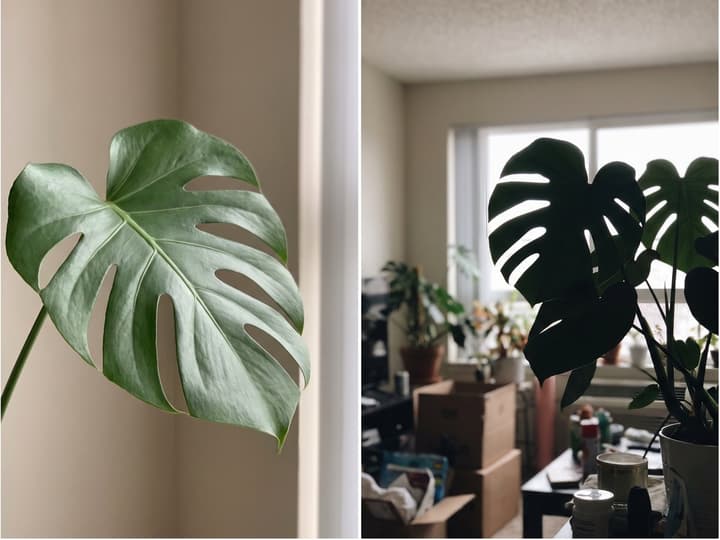
Use diffused light, never backlight. Position yourself near a window with the light coming from your side, not from behind the plant.
Include flowers or fruit when available. These are the most distinctive features for separating similar species.
Photograph both the front and back of the leaf. Veins, hairs, and underside coloring are crucial for solving difficult cases.
Check the probability score before accepting. If the app shows a percentage, like PlantNet does, use it. If it is below 60%, try taking a photo of a different part of the plant.
Where All Plant Identification Apps Struggle
None of these seven apps are foolproof, and the May 2025 test highlights their common weak points.
Sedges and ferns are the industry blind spot. Remote sedge (Carex remota) was missed by PictureThis and Google Lens, while Seek only managed a close guess. Sea spleenwort (Asplenium marinum) stumped Lens and Seek, and even cost LeafSnap some points.
Grasses, surprisingly, were correctly identified by almost every app. Only PlantSnap failed here. This shows that the issue is not a lack of flowers, but rather that certain plant groups contain dozens of nearly identical species.
Common species can still confuse the AI. The dog violet (Viola riviniana), a staple of European nature guides, was missed by three of the eight apps and made PlantNet, the top performer, hesitate.
Houseplants are the easiest case. This is not because the AI is smarter indoors, but because there are relatively few common houseplant species, they are highly photographed, and they have very distinctive leaves. Pothos, snake plants, and ZZ plants will be identified correctly on the first try by almost any of these apps.
If an app fails to give you a clear answer, do what a botanist would do: take a photo of a different part of the plant, compare the suggestions of two different apps, and if you are still unsure, submit it to iNaturalist for human review.
What to Do Once You Know the Name
Knowing your plant is a Monstera deliciosa does not tell you how often to water it, how much light it needs, whether your cat can safely chew on it, or why the tips of the leaves are turning brown. Those are the details that actually keep your plant alive.
That is where the other six apps stop, and it is why we recommend Bloom. It uses the same reliable Plant.id engine but places watering, light, and toxicity info on the exact same screen as the name, with a free mode to try before making any decisions.
If your plant is already showing symptoms of decline, you need a diagnosis tool rather than just an identification app. We compared the best options in our guide to apps para diagnosticar plantas doentes. If you want a broader list of tools that do more than just identify, check out our article on apps de identificação de plantas.
Frequently Asked Questions
Can I identify a plant by photo for free?
Yes. Bloom has a free mode that includes 2 identifications per month and a watering schedule. PlantNet, Google Lens, Seek, and Flora Incognita offer unlimited free identifications but only provide the plant name. Most subscription-based apps only offer a free trial rather than a permanent free plan, so make sure to check the terms before signing up.
Can Google identify plants by photo?
Yes. Google Lens, which is built into the Google app, Chrome, and Google Photos, can identify plants from a new photo or your existing gallery without requiring any extra installations. In the independent May 2025 test, it scored 6.7 out of 10, the second-lowest score among eight apps, failing on a fern and a sedge but getting the rest right.
Which is better, PlantNet or PictureThis?
If you want to find the correct name without paying, PlantNet is better: it scored 9.7/10 in the May 2025 test, is completely ad-free, and shows the probability for each match. If you want detailed species descriptions, PictureThis is better, scoring 9.0/10, though it is easy to accidentally trigger a paid subscription. Neither app tells you how to care for the plant afterward, which is where Bloom comes in.
Can I identify a flower from a photo?
Yes, these apps are highly trained for flower identification. For the best results, take a clear, front-facing photo of an open flower that fills the frame, and take a second photo of the leaf to compare. Note that having a flower does not guarantee success: in the May 2025 test, a common violet fooled three of the eight apps. For highly hybridized garden flowers, you may only get a genus-level result.
Why does the app get my plant's name wrong?
Most errors are due to poor photo quality, such as capturing the entire plant instead of a single leaf, poor lighting, or a cluttered background. Beyond that, certain plant groups like ferns and sedges are incredibly difficult for AI because they contain many nearly identical species. Try photographing different parts of the plant and comparing results across two apps.
Related articles

The 5 Best Apps to Remember to Water Your Plants
Always forgetting to water your plants? Here are the 5 best apps that remember for you, tested for smart reminders that actually fit your routine.

The 6 Best Plant Apps for Beginners
New to plants and worried you'll kill them? Here are the six best plant apps for beginners, tested for how easy they make identifying and caring for your first plants.

The 7 Best Apps for People Who Always Kill Their Plants
If your plants keep dying no matter how hard you try, these 7 apps were made for you. Here are the ones that actually help keep a plant alive.