LeafSnap App Review: Does It Beat Bloom?
I put LeafSnap and Bloom to the test with my own houseplants. Here is what you get for free, where each app shines, and which one is actually worth your time.
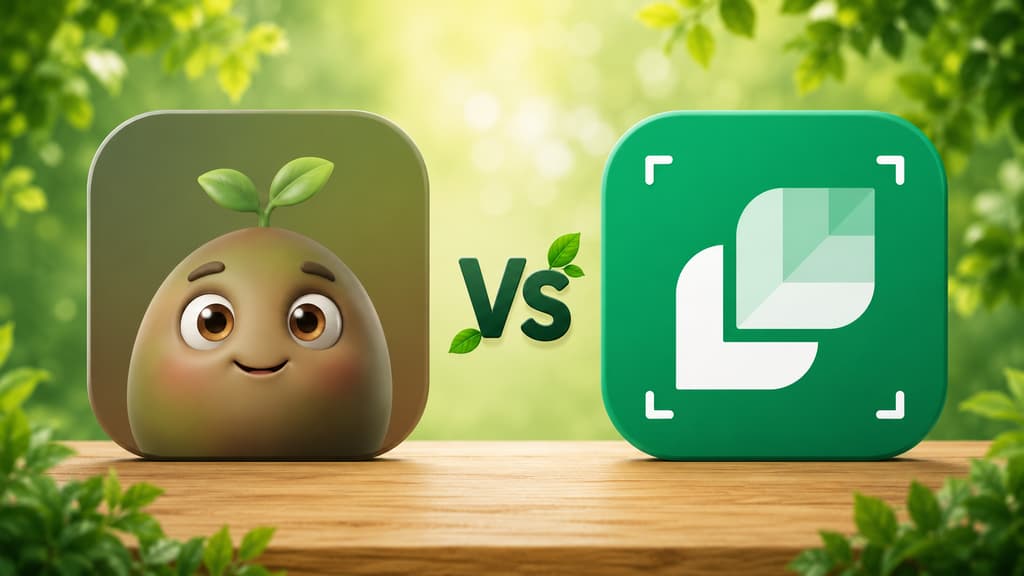
It is a scenario that keeps happening in my life, and I absolutely love it: someone gives me a plant as a gift with no tag, no name, and no instructions, just a lot of love. That is exactly how I got my latest one, a gorgeous leafy plant that my neighbor brought over "because it matched my kitchen." I needed to figure out who this new roommate was and how much water she needed, and the LeafSnap app is one of the first names that pops up when you search for a quick answer.
The short answer: the LeafSnap app works. You take a photo, it identifies the plant in seconds, and it does it for free. On the downside, the free version forces you to watch ads before you even see your plant, and toxic plant warnings are locked behind the paywall. I tested it alongside Bloom on my own plants, and here is how they stack up.
There are two apps called LeafSnap
This confusion leads a lot of people to install one app thinking they got the other, and it is easy to see why: even Google search results mix them up on the same page.
Leafsnap original | Plant Identifier: LeafSnap | |
|---|---|---|
Who made it | Columbia University, University of Maryland, and Smithsonian Institution | Appixi Company Limited |
Since | May 2011 | November 2019 |
What it covered | trees of the northeastern US, by the leaf, with a photo on a white background | plants, flowers, mushrooms and insects |
Model | free, research project | free with ads, features in the paid plan |
Where it is today | out of the App Store | this is the one you download |
The first one was made in 2011 by three research institutions to identify American trees by their leaves (Smithsonian, May 2011). It left the App Store: searching for "leafsnap" in the American store today brings up 19 apps, and none of them is that one.
The app you actually download today is the second one, developed by Appixi and active since November 2019. That is the one I installed, and it is the subject of this review.
What the LeafSnap App Is Like in Real Life
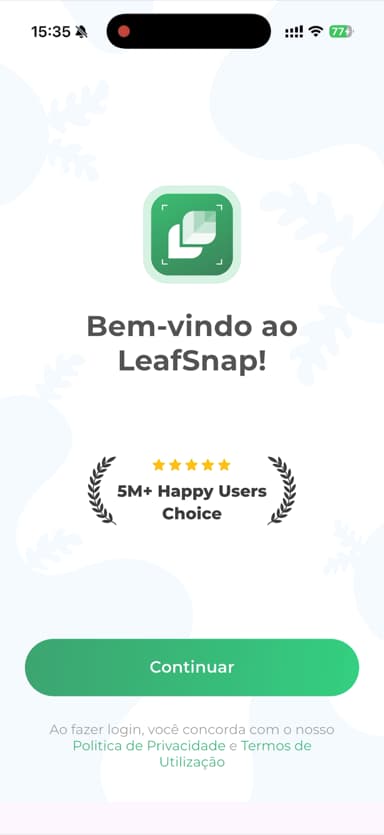
When I opened LeafSnap for the first time, before I could even scan a leaf, an iPhone permission pop-up appeared. Right after I answered it, instead of a welcome screen, a full-screen video ad for another app started playing. I had not even seen the inside of the app yet, and I was already watching a commercial. After that, I finally got the actual welcome screen, which looked nice and proudly displayed a badge of over 5 million happy users. None of this prevents you from using the app, and you can close everything with a tap, but I felt like I had to walk past a row of aggressive salespeople just to get through the front door.
Immediately after, the subscription screen pops up. I have to give them credit for clarity here: the offer is written in large text with no hidden fine print, promising unlimited access, no ads, advanced identification, and care guides. You can easily dismiss it with the arrow to continue on the free version, which is what I did first because I wanted to see what the unpaid experience was like.
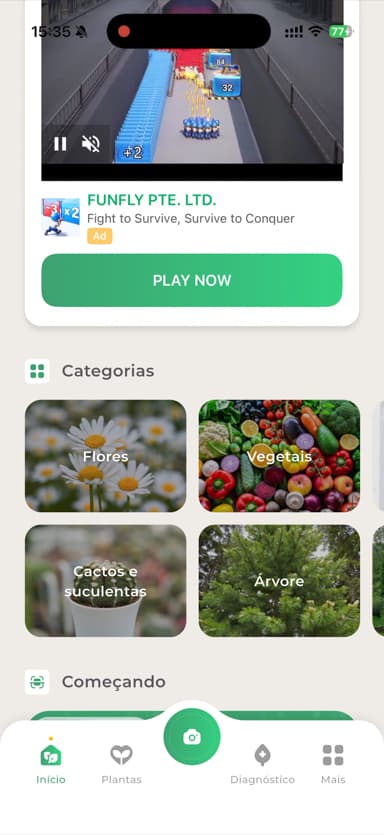
The home screen has nice categories to explore like flowers, vegetables, cacti and succulents, and trees, along with a section for beginners and shortcuts for identification and diagnosis at the bottom. However, in the free version, the prime spot on the screen, right above all the plant features, was occupied by a video ad for a mobile game. While it identified my neighbor's plant perfectly, the interface made me feel like I was visiting a botanical garden with a giant billboard blocking the view.
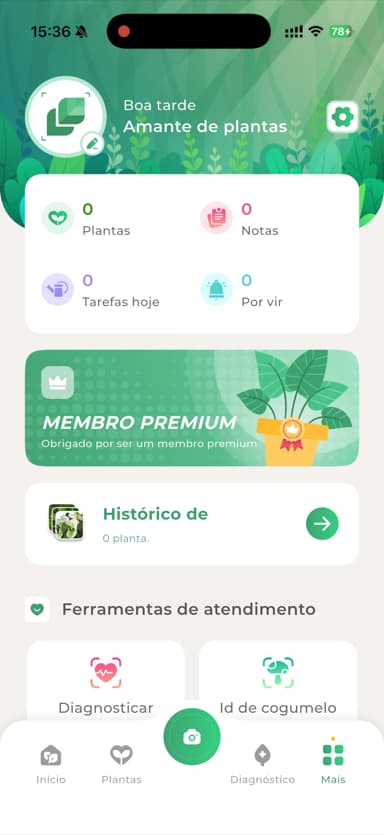
I subscribed to see the difference, and it is immediate: the ads disappear, a thank-you message pops up, and the app welcomes you with a "good afternoon, plant lover" that I found cute. The screen becomes clean, with counters for your plants, notes, and daily tasks. And it was while poking around this version that I found a tool that had already amused me in another test: a mushroom identifier. Anyone who read my Plantify review remembers the cheeky little mushroom that sprouted in the fern pot after a rainy week. It is already gone, so I could not repeat the experience here, but it is worth noting that LeafSnap also serves those who experience this type of surprise in their pots, as well as those who enjoy hiking and the woods.
What is Free vs. Paid
Identifying plants is free, with ads along the way. The app's own website lists what remains in the paid plan: the ads disappear, and more accurate identification, disease diagnosis, mushroom and insect identification, toxic plant warnings, and water calculation are added.
In short: you can find out your plant's name for free, but you cannot find out if it is toxic without paying.
LeafSnap is not the only app with a free mode. Bloom also offers one, which includes 2 free identifications per month and a watering schedule. In both apps, subscription pricing varies by region, so you will need to check your local app store for exact rates.
Do Not Fall for the 98% Accuracy Claim
The App Store listing promises "98% accuracy." This number does not come from any published study, and the app's own website states that the most accurate identification belongs to the paid plan. In other words, it is not the one you use for free.
Another sign that the store numbers are promotional: the app advertises 400 thousand species on the App Store, 32 thousand on the website's homepage, and 80 thousand on the paid plan page. Three sizes for the same database, checked on the same day.
What Independent Tests Found
Three external tests have analyzed LeafSnap. These were distinct evaluations using different sets of plants.
Source | What was tested | Result |
|---|---|---|
16 American plants, 4 apps, including LeafSnap | The apps got the species right 58% of the time, on average | |
6 field plants, in England, 5 apps | LeafSnap came in first | |
daily use, with multiple testers | LeafSnap did not make the recommended list |
There are two important details these tables do not show, which matter much more than raw percentages.
First, you cannot directly compare scores between different tests because each study used different plants in different geographic locations. They are only useful for seeing which app performed best within that specific trial.
Second, none of these tests evaluated common indoor houseplants. They all focused on wild trees and weeds. If you are trying to identify a potted plant in your living room, these figures are just rough estimates, not a guaranteed success rate for your specific case. This limitation applies to all plant apps, including the ones I use.
Bloom's identification, for example, works with Plant.id, by Kindwise, which has a 93% accuracy rate measured by independent universities. This number comes from the engine that recognizes the photo, not from the entire app, and by the same rule above, it cannot be compared with the tests in the table.
The Side-by-Side Test
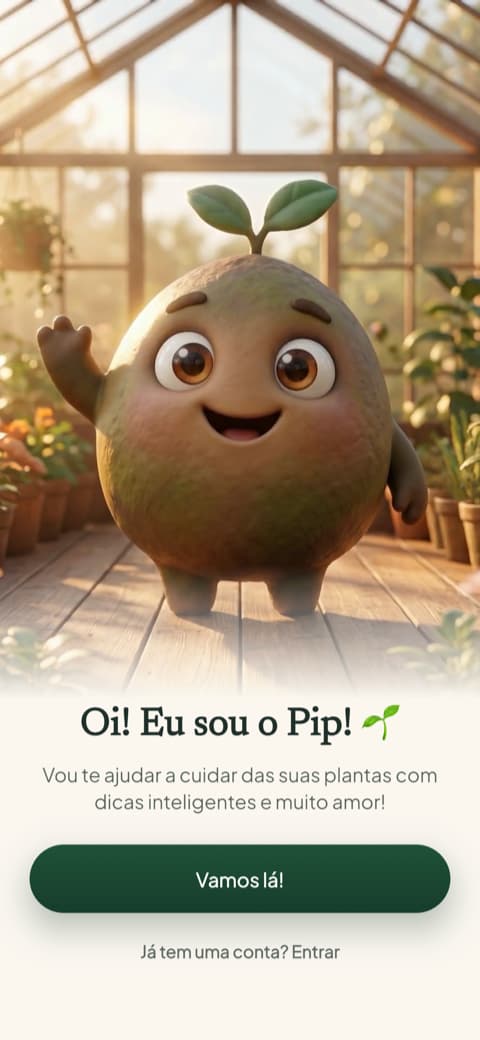
With my neighbor's mystery plant in hand, I opened both apps for a head-to-head test. If you read my reviews, you know Bloom opens with Pip, the cute 3D plant character with big eyes who welcomes you like a friend opening their front door. It did not ask me any setup questions or try to gauge my gardening skill level, which was a welcome relief. Best of all, unlike LeafSnap, I did not have to sit through an ad before I could scan my plant.
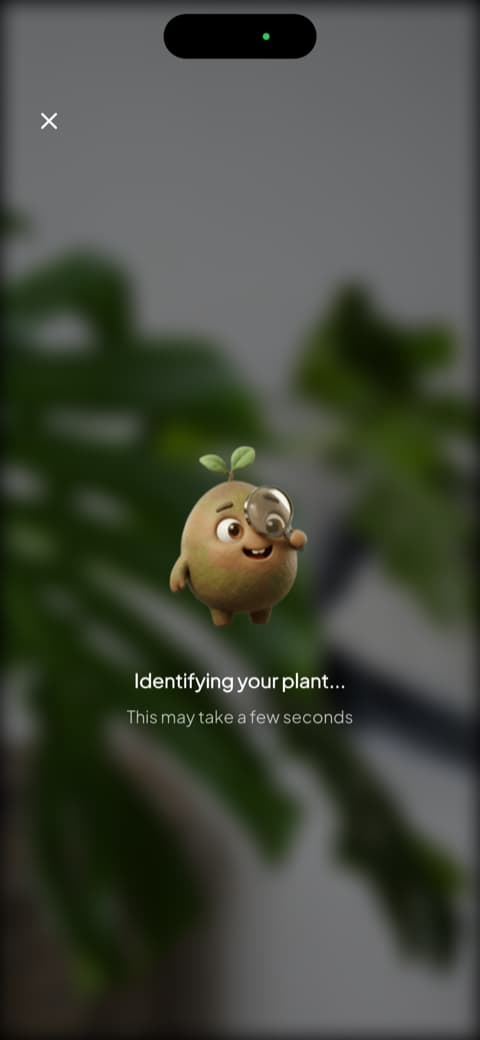
I pointed my camera at the mystery foliage, and Pip appeared with his little magnifying glass, looking like an adorable detective. The scan only takes a few seconds and actually feels exciting. You can open the app, scan, and add two plants to your digital garden without paying a dime, allowing you to test it out before making any decisions.
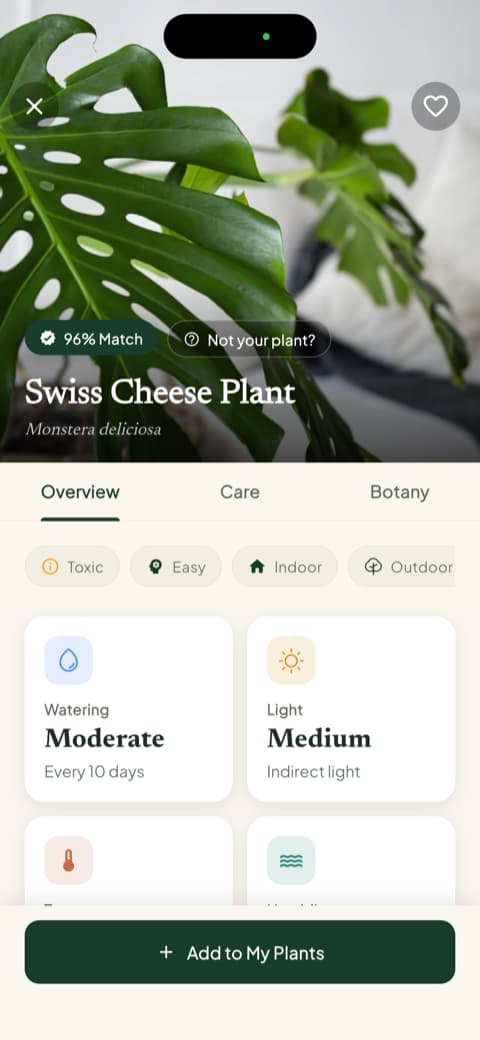
Both apps identified the plant correctly. The real difference lies in what happens after you get the result. LeafSnap gives you the name and some basic care tips. Bloom displays a match percentage right at the top, followed by the common name, scientific name, and tabs for an overview, care guides, and botanical info. On that same screen, I could instantly see watering frequency, light requirements, ideal temperature ranges, humidity needs, and safety warnings for cats, dogs, and children. It felt like a proper introduction, not just a label. I walked away knowing exactly how to keep a plant alive that I did not even know the name of ten minutes earlier.
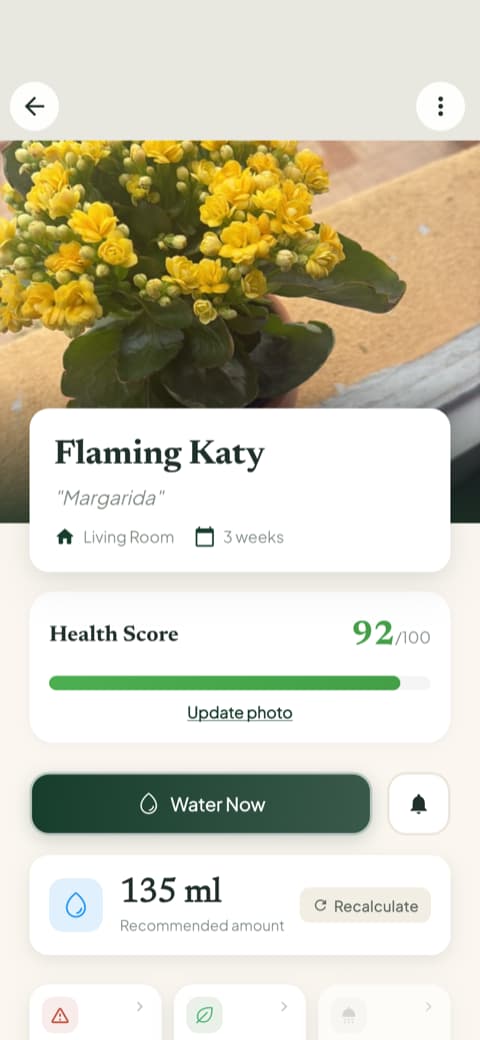
This next feature is what really won me over, especially with my track record of succulents that did not make it. Inside the plant profile, Bloom displays a health score from 0 to 100 and calculates the exact amount of water needed in milliliters, customized for that specific plant, pot size, and location in your home. You can even recalculate it if you move the pot to a different room. I had been watering by feel my whole life, and having an actual number on my screen did more to stop my overwatering habits than any generic advice ever could.
Once I saved my new plant, Bloom asked which room it was in and adjusted the reminders to match the light levels of that space. In the "My Garden" tab, it joined my other plants in a neat list, showing the next scheduled task and highlighting overdue watering tasks right on the card. My kitchen window fern, which used to be my biggest gardening failure, is now thriving at the top of that list.
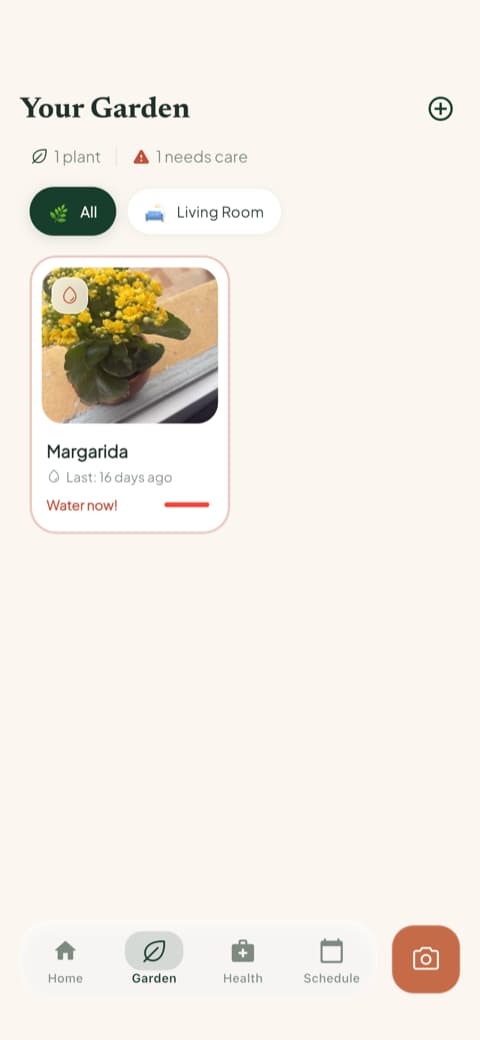
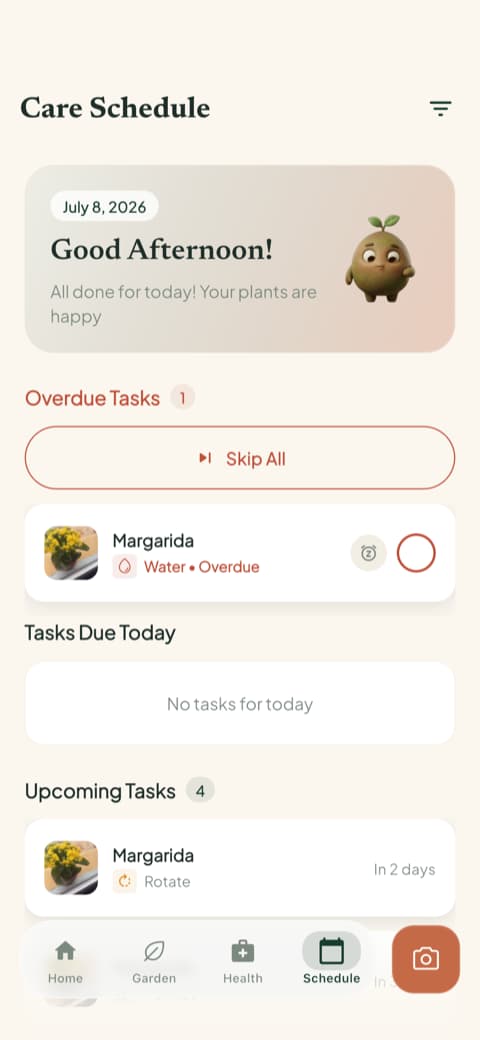
The difference in daily use is where the contrast becomes clear. Bloom's schedule separates overdue tasks, today's chores, and upcoming needs, covering watering, fertilizing, pruning, rotating, repotting, and progress photos. While LeafSnap offers care guides, a diagnosis tool, and a task tracker in its paid version, its routine features feel much more passive, serving as a quick reference rather than an active assistant. During my test week, Bloom was the one that prompted me to water my basil on time, while LeafSnap just waited for me to open it.
Pets and Kids in the House
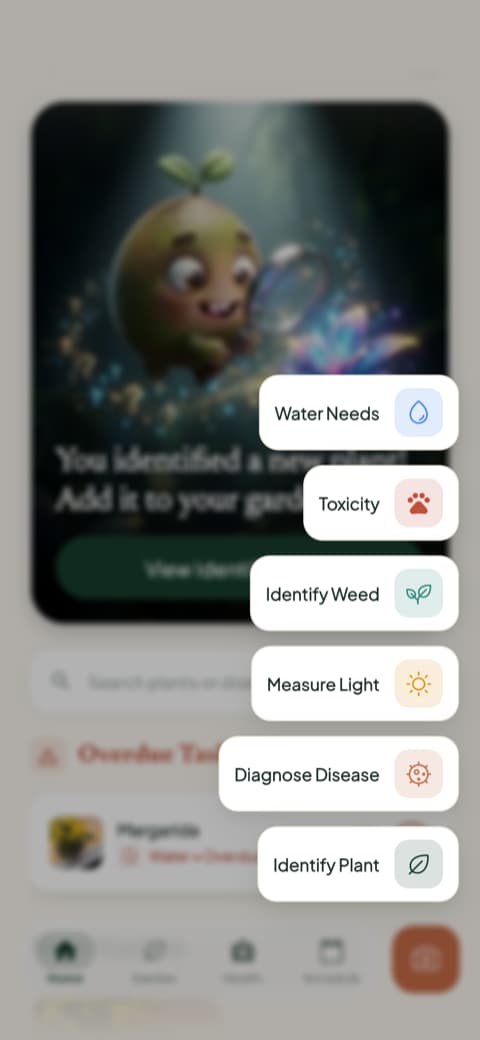
On LeafSnap, toxicity alerts are restricted to the premium version, as stated on their app page. Free users can identify a plant but will not see if it is toxic. On Bloom, safety warnings for cats, dogs, and children are displayed directly on the plant profile for everyone, and there is also a quick-access toxicity checker in the main menu.
But no app solves this alone. In that 2023 study, five out of eleven toxic plants were identified as edible by at least one of the tested apps, and the authors state clearly that apps are still not suitable for determining if a plant can be eaten (Clinical Toxicology, 2023). Use the app's warning as a first sign and confirm with another source before choosing where the plant will go. These are some of the houseplants where this doubt appears most:
LeafSnap vs. Bloom Comparison
LeafSnap (Appixi) | Bloom | |
|---|---|---|
Identifies by photo | yes | yes, Plant.id engine |
What comes after the name | care guides and categories to explore | complete profile, collection by room, and schedule |
Ads in the free plan | yes, including full-screen video | no |
Free mode | yes, with ads | yes, 2 identifications per month and watering schedule |
Pet toxicity warning | on the paid plan | on each plant's profile |
Disease diagnosis by photo | on the paid plan | on the paid plan |
Mushroom and insect | yes, in the paid plan | no |
Watering calculated in milliliters | no | yes, per plant and per pot |
App Store rating | 4.45 with 7,751 reviews | 4.75 with 1,097 reviews |
Platform | iOS and Android | iOS only |
I calculated both ratings on the same day using the same method: I aggregated reviews across 34 regional App Stores instead of just showing the US store rating, which is what most comparison sites do. On Google Play, LeafSnap holds a 4.4 rating with over 5 million downloads. While Bloom has a higher overall rating, LeafSnap has a much larger user base, and both facts are worth noting.
Which App Fits Your Needs?
LeafSnap is best if...
You just want to find the name of a plant you saw on a walk every now and then, and you do not mind closing a few ads along the way. It is also a great option if you like exploring plant categories, use an Android device, or want to identify wild mushrooms on your weekend hikes. In those cases, it is a solid choice.
Bloom is best if...
Your plants live inside with you and you need more than just a name. It is the ideal choice if you want customized watering reminders in milliliters, plant health tracking, clear toxicity warnings, and rooms organized digitally. It is also perfect if you easily get annoyed by constant ads and pop-ups.
If you have already decided that LeafSnap is not for you, you should check out this alternativa ao LeafSnap, which compares the app with other options in the category. For the complete picture, see os melhores apps para identificar plantas.
Frequently Asked Questions
Is the LeafSnap app free?
Yes, you can identify plants for free, though you will have to navigate ads. The paid subscription removes ads and unlocks more accurate identification, disease diagnostics, mushroom and insect identification, toxicity alerts, and water volume calculations. Pricing varies by region, so check your local app store for current rates.
Is LeafSnap any good?
It does exactly what it promises: it finds plant names quickly and is easy to navigate. In a 2022 test featuring six wild plants, it ranked first among five competing apps. The main drawbacks are the heavy ad presence in the free version and the fact that high-accuracy scans and toxicity warnings are locked behind the paywall.
How much does the LeafSnap app cost?
Subscription rates vary by region and current promotions, so any specific price listed here would quickly become outdated. Your local app store will show the exact price for your area before you confirm a purchase. You can always use the ad-supported free version to try it out first.
What is the best free app to identify leaves?
It depends on what you need after identification. If you just want a quick name and nothing else, LeafSnap and Pl@ntNet are great free options. If the plant is going in your home and you need watering schedules and safety warnings, Bloom's free mode offers 2 scans per month alongside its watering planner.
Is the Smithsonian LeafSnap app still available?
No, the original 2011 LeafSnap app created by the Smithsonian and two American universities has been removed from the App Store. While the project's website remains online, it now covers diet and fitness topics. The LeafSnap app currently available on mobile stores was launched by Appixi in 2019.
The Verdict: August 2026
The LeafSnap app delivers on its main promise: you take a photo, it names the plant, and it does not cost you anything. The mushroom identification tool is a great feature, it is available on both iOS and Android, and it has a much larger user base than Bloom. Just keep in mind that the 98% accuracy claim is mostly marketing, and you will not get safety warnings on the free tier.
But to be completely honest, Bloom was the app that actually helped me manage my plants. It gave my neighbor's mystery plant a proper introduction, reminded me to water my basil before I forgot, calculated the exact milliliters of water my pots needed, and helped me understand the light levels in my home. I only opened LeafSnap when I had a specific question, but Bloom kept me on track before problems started. Anyone who has ever lost a succulent to pure forgetfulness knows how valuable that kind of proactive help is.
Bloom is only available for iPhone. I tested both apps on an iPhone, in the free and paid versions, and checked the store data in August of 2026. Features and offers change depending on the region and the time you download.
Related articles

The 6 Best Plant Apps for Beginners
New to plants and worried you'll kill them? Here are the six best plant apps for beginners, tested for how easy they make identifying and caring for your first plants.

The 5 Best Apps to Remember to Water Your Plants
Always forgetting to water your plants? Here are the 5 best apps that remember for you, tested for smart reminders that actually fit your routine.

The 7 Best Apps for People Who Always Kill Their Plants
If your plants keep dying no matter how hard you try, these 7 apps were made for you. Here are the ones that actually help keep a plant alive.